
Travel connectivity guide
Vanadzor eSIM for Mobile Internet
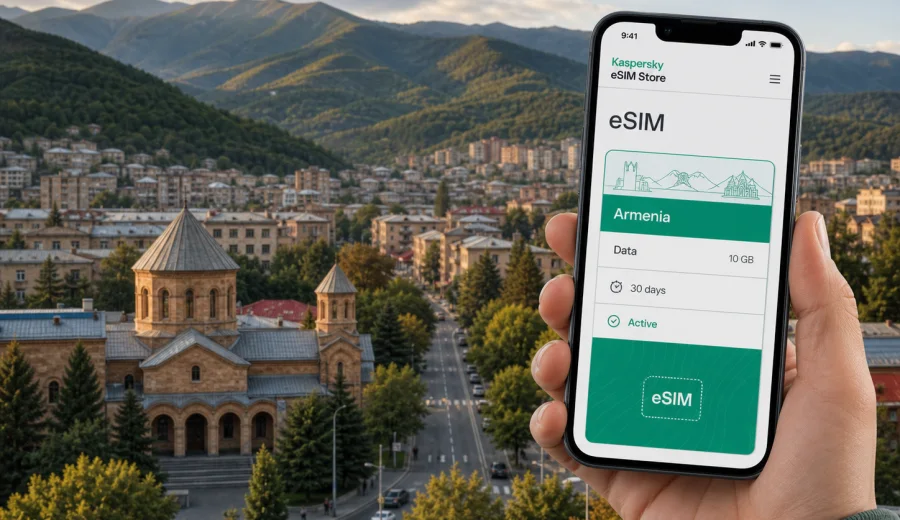
Vanadzor eSIM: mobile connection and internet for a trip to Armenia's Lori region
Vanadzor is a practical base for northern Armenia: large enough for hotels, cafes, universities and business visits, but close to mountain roads, forested valleys and day trips across Lori. If you are arriving for work, a family visit, a stop between Yerevan and Georgia, or a route through Debed Canyon, mobile internet quickly becomes part of the trip plan. You may need maps at the bus station, a messenger for your hotel, translation in a taxi, access to booking details, or a stable data connection while moving between districts.
An eSIM can make that first day easier because you do not need to look for a physical SIM card as soon as you arrive. With a compatible smartphone, you can prepare a digital SIM profile before the trip or install it after arrival, then use mobile data for navigation, ride coordination, messaging and everyday travel tasks.
This guide focuses on Vanadzor, not Armenia in general. It explains where mobile data is useful in the city, how to estimate your data needs, what to check before buying an eSIM tariff, and how to choose a suitable plan for mobile internet during your trip.
Why mobile internet matters in Vanadzor
Vanadzor is the administrative center of Lori Province and a common overnight or working stop for northern Armenia. Travelers often use it as a hub between Yerevan, Gyumri, Dilijan, Alaverdi and the Georgian border. That means your connection needs are not limited to one hotel room or one tourist street.
Mobile data is useful in Vanadzor when you need to:
- check your route after arriving by intercity minibus, taxi or train;
- message a hotel or apartment host before check-in;
- coordinate local taxis and private transfers;
- use maps while walking between central streets, parks and residential areas;
- translate menus, signs or address details;
- confirm bookings for guesthouses and regional tours;
- work from a cafe or hotel lobby when Wi-Fi is slow or shared;
- keep access to banking apps and travel documents;
- plan day trips to Debed Canyon, Dsegh, Alaverdi, Haghpat, Sanahin or Stepanavan.
Public Wi-Fi can be helpful in hotels and cafes, but it is not something to rely on for every movement. The moments when you most need data are often outside: at a bus stop, near a hotel entrance, or while checking a route before a regional excursion.
Arrival scenarios: when to activate your eSIM
Many visitors reach Vanadzor after landing in Yerevan and continuing north by road. Others come from Georgia through northern Armenia, or include Vanadzor in a route between Gyumri, Dilijan and Debed Canyon. In each case, the best activation moment depends on how soon you need mobile data.
| Route | Why data helps | eSIM approach |
|---|---|---|
| Yerevan to Vanadzor by road | Maps, driver coordination, hotel messaging and route changes | Install the eSIM before departure and activate mobile data when you are ready to use it in Armenia. |
| Georgia to Lori | Border-area route checks, translation and messaging | Choose a tariff that includes Armenia; check whether your wider route needs a regional option. |
| Gyumri or Dilijan to Vanadzor | Navigation between cities, taxi pickup points and guesthouse contact | Prepare the eSIM before the intercity transfer so you are not dependent on station Wi-Fi. |
| Short business visit | Messenger calls, email, documents and maps | Pick data for work use, not only casual browsing. |
| Weekend in Lori | Maps, photos, bookings and day trips | Choose enough data for city use plus road time outside Vanadzor. |
You do not have to activate everything at the airport if your tariff conditions allow later activation. What matters is reading the tariff details before purchase: validity period, data allowance, destination, activation rules and whether roaming data must be enabled for the eSIM profile on your device.
Local movement: where data is most useful
Vanadzor is not a city where you should assume every short trip will be obvious from street signs. Addresses, hotel entrances and pickup points may require a message or a map pin. Mobile internet becomes especially practical in these city situations:
- Central errands. You may move between accommodation, cafes, pharmacies, exchange offices, parks and meeting points during the day.
- Hotel check-in. Apartment hosts and smaller guesthouses often coordinate arrival times through messengers.
- Taxi pickup points. A working data connection helps you share a location and confirm a route if the pickup point is unclear.
- Business meetings. You may need email, documents, calendar updates and messenger calls away from a stable Wi-Fi network.
- Regional departures. Day trips from Vanadzor often begin with early pickup, when mobile data is more useful than hotel Wi-Fi.
For a short stay, the common mistake is choosing data only for browsing in the city center. Maps, photo sharing, hotspot use and video can raise consumption quickly.
How much data may you need in Vanadzor?
There is no single correct data amount because travel behavior varies. A traveler who checks maps twice a day and uses hotel Wi-Fi in the evening needs far less than someone who works remotely, uploads photos and uses navigation on regional roads.
| Trip style | Typical data tasks | What to consider |
|---|---|---|
| 1-2 day stopover | Maps, messages, hotel contact, a few searches | A smaller data package may be enough if you use Wi-Fi for heavy tasks. |
| 3-5 day city stay | Daily navigation, taxis, restaurants, calls through messengers | Choose a plan with enough margin for maps and media sharing. |
| Business trip | Email, calendars, documents, messenger calls, hotspot backup | Prioritize data allowance and validity over the smallest possible package. |
| Lori sightseeing route | Vanadzor plus Debed Canyon, monasteries, villages or mountain roads | Allow for navigation, translation and messaging outside the city. |
| Remote work stay | Video calls, file transfers and cloud tools | Estimate work traffic separately; mobile data can be a backup, not a full office network. |
As a rule, keep large app updates, cloud backups and video downloads on trusted Wi-Fi when possible. Save mobile data for the tasks that are hard to postpone: maps, communication, bookings, authentication, transport and emergency route changes.
Choosing an eSIM tariff for Vanadzor
For a Vanadzor trip, the tariff should match Armenia as the country of use. A city article can help you plan local scenarios, but the eSIM itself is selected by destination, region, data amount and validity period. Before paying for any eSIM tariff, check four details:
1. Destination coverage. Make sure the selected tariff is valid in Armenia, not only in a neighboring country or a different regional bundle.
2. Data allowance. Match the data amount to your expected use: maps, messengers, photos, work and day trips.
3. Validity period. Choose a duration that covers the whole stay, including arrival and departure days.
4. Activation rules. Read when the validity starts and whether mobile data roaming must be enabled for the eSIM profile.
Kaspersky eSIM Store is an app and website where you can quickly choose, arrange and activate an eSIM with a suitable tariff for mobile internet in an overseas trip. For a Vanadzor route, you can choose an eSIM plan for your trip to Armenia and review the data amount, validity period and destination before installation.
That link is most useful after you know your route. If you are staying only in Vanadzor, a country tariff for Armenia may be the straightforward option. If you are combining Armenia with Georgia or another country, compare the route against available country or regional options and choose the one that fits the full trip rather than only the first city.
What to check before buying
The most important eSIM check is device compatibility. Not every phone, tablet or regional model supports eSIM, and some devices may be locked by a mobile operator. Before you buy a tariff, check your device and confirm that it can add an eSIM profile.
Use this checklist before your Vanadzor trip:
- Your phone supports eSIM and is not locked to another operator.
- You have stable internet for the installation step, either before departure or after arrival.
- The selected tariff includes Armenia.
- The validity period covers the whole Vanadzor stay and any Lori day trips.
- The data amount fits your expected use.
- You understand whether the tariff includes only mobile data or also any other services.
- You know which SIM line your phone should use for mobile data.
- You have saved your QR code, account access or installation details where you can reach them.
In many travel eSIM scenarios, the tariff is designed for mobile internet and may not include a regular phone number, voice calls or SMS unless the specific conditions say otherwise. For calls and messages, plan to use internet-based apps over mobile data.
How to install and activate an eSIM for the trip
Install the eSIM while you still have reliable internet, especially if you are arriving late in the evening or going directly from Yerevan to Vanadzor. The exact steps depend on your device, but the overall flow is simple.
1. Choose a tariff for Armenia or for the route that includes Vanadzor.
2. Complete the purchase flow and open the eSIM details in your profile or app.
3. Add the eSIM to your compatible device by following the on-screen instructions or using the QR code.
4. Set the eSIM as the line for mobile data when you are ready to use it.
5. Enable data roaming for the eSIM profile if the tariff instructions require it.
6. Wait a few minutes for the connection to register on the local network.
For device-specific steps, use the Android installation guide or the iOS installation guide. If you want to save data, keep your primary SIM for calls if needed and select the eSIM only for mobile data.
Practical Vanadzor scenarios
First evening in the city
You arrive after a road transfer, the hotel entrance is on a side street, and you need to message the host. Mobile data helps you open the booking, share your location and confirm check-in without standing outside looking for Wi-Fi. This is one of the strongest reasons to prepare an eSIM before the trip.
Business visit
Vanadzor has government, education, industrial and service-sector reasons for travel. If you are in the city for meetings, treat mobile data as a productivity layer: calendars, email, document links, map pins and messenger calls.
Day trip through Lori
Many travelers use Vanadzor as a starting point for Lori routes. You may go toward Debed Canyon, Dsegh, Alaverdi, Haghpat, Sanahin, Stepanavan or forested areas near the city. On these trips, mobile data helps with navigation and communication, but coverage and speed can vary by terrain and local network conditions. Download key map areas in advance and keep your route information available offline as a backup.
Stopover between Yerevan and Georgia
Vanadzor can be a useful break on a northbound or southbound itinerary. In that case, check whether your eSIM choice fits only Armenia or a wider route. A country plan may be right for an Armenia-only stay; a multi-country trip may require a different option.
Data-saving tips for Vanadzor and Lori routes
Use these habits to make your data package last longer:
- Download offline map areas for Vanadzor, Lori and your road route before departure.
- Turn off automatic photo backup and large app updates on mobile data.
- Save hotel addresses, driver contacts and meeting locations offline.
- Use hotel Wi-Fi for large files, but keep mobile data ready for movement.
- Check which SIM profile your phone uses before starting navigation.
These steps are especially useful if you plan to leave the city for mountain roads or smaller villages. Offline preparation makes travel smoother even when mobile data is ready.
FAQ
Is an eSIM useful for Vanadzor if my hotel has Wi-Fi?
Yes. Hotel Wi-Fi helps indoors, but mobile data is useful when you are arriving, walking, using taxis, finding a restaurant, checking a route or leaving Vanadzor for a Lori day trip.
Should I choose a Vanadzor-specific eSIM?
Usually you choose a tariff by country or region, not by city. For Vanadzor, check that the selected tariff includes Armenia and that the data amount and validity period match your route.
Can I install the eSIM before arriving in Armenia?
In many cases, yes. Install the eSIM while you have reliable internet, then activate mobile data according to the tariff instructions. Always read when validity starts so you do not use days before you need them.
Do I need data roaming enabled?
Some eSIM profiles require data roaming to be enabled for mobile data to work. Follow the instructions for the selected tariff and make sure the eSIM, not the wrong SIM line, is selected for mobile data.
Choose an eSIM plan before your Vanadzor trip
Vanadzor rewards practical preparation. If you already know your arrival route, stay length and likely day trips, you can choose a data amount that fits the way you will actually move through the city and Lori region. Before purchase, confirm device compatibility, review the tariff conditions and install the eSIM while you have reliable internet.
Kaspersky eSIM Store helps you choose, arrange and activate an eSIM with a suitable tariff for mobile internet in an overseas trip. For Vanadzor, start with Armenia as the destination and choose an eSIM plan for your trip before you need maps, messages, bookings and transport details on the ground.