
Travel connectivity guide
Vancouver eSIM for mobile internet
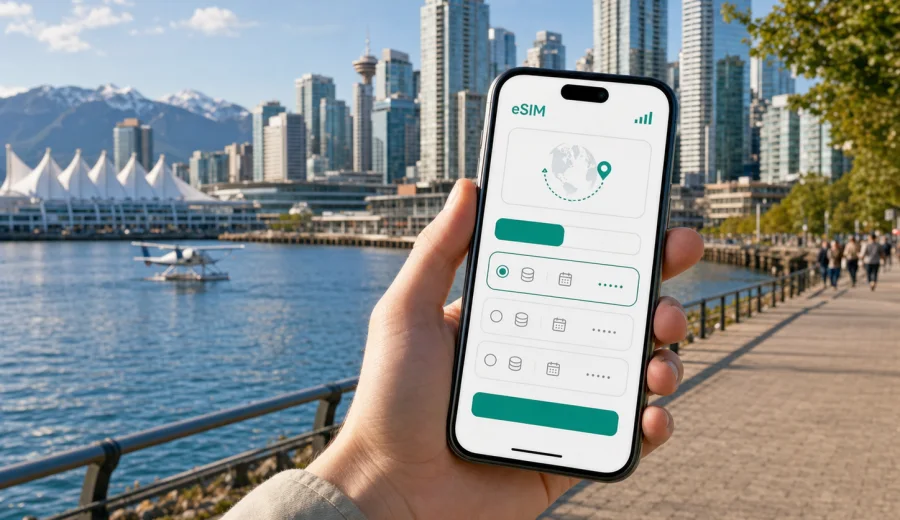
Vancouver eSIM guide: mobile connection and internet for your trip
Vancouver is an easy city to enjoy when your phone is ready from the first hour. The airport has a direct rail link to the city, hotels are spread across downtown, Richmond, Kitsilano, and North Vancouver, and many routes combine walking, SkyTrain, buses, ferries, taxis, and short trips along the waterfront. For that kind of trip, mobile internet is not just convenient. It helps you find the right station exit, open a hotel address, check weather before Stanley Park, message a driver, and keep bookings available when Wi-Fi is not nearby.
An eSIM can simplify this preparation. Instead of searching for a physical SIM card after arrival, you install a digital SIM profile on a compatible phone and use a data plan for the trip. Kaspersky eSIM Store is an app and website where you can choose, arrange, install, and activate an eSIM with a suitable mobile internet plan for travel abroad. It is useful when you want data ready for navigation, messages, transport apps, maps, and everyday travel tasks in Vancouver while keeping your main SIM in place.
This guide is focused on Vancouver, not on Canada in general. Canada matters because the plan destination is the country, but the practical decisions come from the city: arrival at YVR, movement between neighborhoods, business meetings downtown, cruise departures, stopovers, hotels, and side trips from Vancouver.
Why mobile data matters in Vancouver
Vancouver looks compact, but water, bridges, hills, and weather make route planning important. A clear morning can be perfect for the Seawall, while a rainy afternoon may be better for Granville Island, Gastown, a museum, or a cafe near your hotel. Mobile connection helps you switch plans without guessing.
Common phone tasks in Vancouver include:
- checking Canada Line routes between Vancouver International Airport and downtown;
- comparing SkyTrain, bus, SeaBus, walking, taxi, and ride-hailing options;
- loading maps for Stanley Park, Coal Harbour, Gastown, Yaletown, Kitsilano, and Richmond;
- confirming ferry, shuttle, cruise terminal, or day-trip details;
- opening hotel, airline, banking, ticketing, and messaging apps;
- sharing your live location with colleagues, friends, or family;
- checking weather before walks, bikes, beaches, and mountain routes;
- keeping boarding passes, booking confirmations, and QR codes ready.
Public Wi-Fi can help in the airport, hotels, cafes, and some venues. The gap is the time between those places: leaving YVR with luggage, finding the right bus bay, walking near the waterfront, or returning from North Vancouver in the evening. A travel eSIM gives you another layer of control because your phone can use mobile data when Wi-Fi is not available or convenient.
Arrival at Vancouver International Airport
Most international travelers arrive through Vancouver International Airport, usually called YVR. The airport is in Richmond, south of Vancouver, and the Canada Line connects it with stations such as Yaletown-Roundhouse, Vancouver City Centre, and Waterfront. The route is simple, but the first hour is easier when your phone is online.
Before leaving the airport, you may need to:
- message your hotel about check-in time;
- compare Canada Line travel time with taxi or ride-hailing;
- open the exact hotel entrance, not only the hotel name;
- confirm a meeting, cruise transfer, or onward booking;
- check payment, ticket, and baggage details;
- tell someone in the city when you will arrive.
If you install an eSIM before departure, you can turn on the travel data line after landing, following the terms of the selected plan. If you prefer to install after arrival, use stable airport or hotel Wi-Fi and keep enough battery for setup. Avoid waiting until you are outside in poor weather, with luggage, and no simple way to check your route.
Neighborhoods and travel scenarios
Your best data plan depends partly on where you stay. Downtown is convenient for meetings, cruise departures, restaurants, and waterfront walks. Kitsilano is better for beaches and relaxed local days. Richmond works well for airport access and food trips. North Vancouver is the gateway to mountain views, bridges, and hiking.
| Area | Typical use | Why mobile internet helps |
|---|---|---|
| Downtown and Coal Harbour | Hotels, meetings, waterfront, cruise terminal | Maps, calendar changes, restaurants, taxi pickup points |
| Gastown and Chinatown | Sightseeing, cafes, evening plans | Walking routes, opening hours, location sharing |
| Yaletown | Restaurants, apartments, business stays | Ride-hailing, delivery, transit checks, messages |
| Granville Island | Market, galleries, waterfront route | Ferry details, walking directions, payment apps |
| Kitsilano | Beach, cafes, local walks | Bus routes, weather, map search |
| Richmond | Airport hotels, food routes, Canada Line | Hotel shuttles, station timing, early flight planning |
| North Vancouver | Lonsdale Quay, Capilano, mountain access | SeaBus timing, shuttle checks, return planning |
For a short stay, mobile data mostly saves time. For a longer stay, it also reduces small travel problems: missed transfers, wrong entrances, uncertain pickup points, and repeated searches for public Wi-Fi.
Choosing data for a Vancouver trip
Do not choose an eSIM plan only by trip length. Choose it by behavior. A visitor who mainly uses hotel Wi-Fi and checks maps a few times a day needs less data than someone who works from cafes, uploads photos, uses cloud files, and shares video while moving around.
| Travel style | Likely data use | Practical plan logic |
|---|---|---|
| Stopover or one night | Low | Small allowance and short validity may be enough |
| Weekend city break | Low to medium | Maps, messages, tickets, restaurants, and browsing |
| Business trip | Medium to high | Email, calendars, internet calls, documents, and possible hotspot use |
| Family trip | Medium | Plan per device instead of relying on one shared phone |
| Content-heavy trip | High | Larger allowance for photos, video, cloud backup, and social apps |
Streaming video, cloud photo backup, large file sync, and hotspot sharing can use data quickly. Navigation, messaging, email, and ticket checks usually use much less. If your data allowance is limited, download offline maps, pause automatic media backups, and use trusted Wi-Fi for heavy updates.
By the time you know your airport, hotel area, trip length, and expected data use, you can compare options and choose an eSIM plan for your Vancouver trip. Vancouver is in Canada, so the correct country destination for the city article is Canada. Read the plan details before setup: data volume, validity period, destination, activation timing, and any extra conditions matter more than a single headline number.
Before you install an eSIM
Before choosing a plan, confirm that your phone supports eSIM and is unlocked for another mobile data line. This is especially important if your device was bought through a carrier contract or if it is an older model. You can start with the internal compatibility check: check your device.
Review this checklist:
- the phone supports eSIM profiles;
- the device is not locked to one operator;
- the operating system is suitable for eSIM setup;
- you have stable internet during installation;
- the selected plan covers Canada and matches your dates;
- you understand whether validity starts at installation or first network connection;
- the plan is for mobile data unless calls, SMS, or a local number are clearly listed in the plan terms.
Keep your primary SIM active if you need bank messages or calls to your usual number. On many phones, you can keep the main line for calls and use the eSIM line for mobile data. Check the settings before your first full day in Vancouver.
Setup timing and installation steps
For most travelers, the safest time to prepare is before departure or while connected to reliable Wi-Fi at your accommodation. Installing early reduces pressure during arrival, but activation timing depends on the selected plan. Some plans begin when installed, while others begin when they first connect to a supported network.
A practical setup sequence:
1. Check device compatibility and carrier unlock status.
2. Choose Canada as the destination for your Vancouver trip.
3. Select the data allowance and validity period.
4. Install the eSIM on stable Wi-Fi.
5. Name the line clearly, for example "Travel data".
6. Set the eSIM as the mobile data line when you are ready to use it.
7. Enable data roaming for the eSIM if the plan instructions require it.
8. Monitor remaining data during the trip.
If you need device-specific help, use the Android installation guide or the iOS installation guide. Do not delete the eSIM profile unless you are sure you no longer need it or support instructions tell you to do so. Some profiles cannot simply be moved or installed again after activation, depending on the plan conditions.
Getting around Vancouver with mobile data
Vancouver transit is useful, but many routes involve transfers. You might move from the Canada Line to a bus, from Waterfront to the SeaBus, or from a downtown hotel to a taxi pickup point on a busy street. Mobile data helps you avoid small mistakes that cost time.
Use mobile internet for:
- live transit directions and transfer checks;
- walking routes from stations to hotels, restaurants, and venues;
- SeaBus and ferry timing;
- taxi and ride-hailing pickup details;
- weather checks before waterfront walks;
- route changes during evening plans;
- car-share, parking, or navigation apps if you drive.
Downtown is walkable, but waterfront paths, bridges, and construction can make a route longer than it looks. In North Vancouver, mobile data is helpful for return SeaBus timing and mountain weather. In Richmond, it helps compare Canada Line timing with taxis, especially for early flights.
Business trips, stopovers, and cruise travel
Business travel in Vancouver often combines downtown meetings, conference venues, hotel work sessions, and airport transfers. Mobile data supports the small tasks that keep the day on schedule: calendar changes, map links, messenger calls, email, document access, and ride coordination.
For work trips, prepare more carefully:
- save hotel, venue, and meeting addresses offline;
- keep calendar invites available outside office Wi-Fi;
- check whether hotspot use is allowed if you need a laptop connection;
- pause large cloud sync unless you have enough data;
- carry a power bank for long conference days;
- use trusted networks for sensitive work whenever possible.
Vancouver is also a common stopover city and cruise departure point. In both cases, time is limited and navigation matters. A few hours can include baggage storage, a meal near Waterfront, a walk in Gastown, and a return to the terminal or airport.
For stopovers and cruise days, prioritize:
- quick setup before arrival;
- enough data for maps, messages, bookings, and ride-hailing;
- validity that covers the whole connection window;
- saved addresses for YVR, the cruise terminal, and your hotel;
- battery management.
If your cruise or onward route leaves Canada, check destination coverage before relying on one plan. A Canada plan is for Canada unless the selected plan details state broader coverage.
Day trips from Vancouver
Many visitors use Vancouver as a base. The city connects naturally to North Shore attractions, Whistler routes, Richmond food trips, ferry terminals, and Fraser Valley drives. These trips make mobile internet more useful because you may leave familiar downtown streets and depend more on live maps, weather, and schedules.
| Side trip | What to check | Preparation tip |
|---|---|---|
| North Vancouver | SeaBus, buses, tickets, return timing | Save the return route before leaving |
| Whistler | Shuttle details, highway route, weather | Download maps and check data allowance |
| Richmond | Canada Line timing, restaurants, airport route | Keep hotel and airport addresses saved |
| Vancouver Island transfer | ferry timing, terminal directions, booking confirmation | Confirm the route on stable signal |
| Fraser Valley | driving route, traffic, fuel stops | Do not rely only on public Wi-Fi |
Coverage and speed can vary by location, terrain, buildings, network conditions, and device settings. Prepare offline essentials, keep your plan details available, and use mobile data for live changes.
Data-saving habits for the city
You can make a limited allowance last longer without making the trip inconvenient. Use mobile data for movement and decisions, then use trusted Wi-Fi for heavy downloads.
Checklist:
- download offline maps for Vancouver, Richmond, and North Vancouver;
- turn off automatic app updates on mobile data;
- pause cloud photo and video backup until Wi-Fi;
- reduce video quality in streaming apps;
- save hotel, airport, terminal, and meeting addresses;
- keep tickets and booking confirmations in offline files or a wallet app;
- close navigation when you no longer need live directions;
- monitor data use in phone settings.
These habits are useful if you travel with children, share photos often, or use your phone as a hotspot. If hotspot use is important, check whether the selected plan supports it before you depend on it.
eSIM, roaming, local SIM, or Wi-Fi only
There is no single best option for everyone. The right choice depends on trip length, device compatibility, data needs, and how much setup you want after arrival.
| Option | Strength | Limitation |
|---|---|---|
| Travel eSIM | Can be prepared before or soon after arrival, no physical SIM swap | Requires compatible unlocked device and careful plan selection |
| Standard roaming | Uses your existing mobile account | Cost and data limits depend on your home operator |
| Local physical SIM | May suit long stays or local calling needs | Requires store visit and physical SIM handling |
| Public Wi-Fi only | No mobile plan needed | Gaps between locations and less convenient navigation |
For many Vancouver visitors, an eSIM is practical because the trip is urban, app-based, and route-heavy. You can keep your main number active while using the eSIM for travel data. Still, check the details: a travel data plan does not automatically include voice calls or SMS, and it is not a replacement for every mobile service.
If mobile data does not start
If the eSIM is installed but mobile data does not work immediately, do not delete the profile first. Many issues are caused by settings that can be corrected.
Try this sequence:
1. Confirm that the eSIM line is turned on.
2. Set the eSIM as the mobile data line.
3. Enable data roaming for the eSIM if the plan instructions require it.
4. Turn airplane mode on and off.
5. Restart the phone.
6. Check that the plan is valid for Canada and still has data available.
7. Review the installation instructions for your device.
8. Contact support through the available product channels if the issue remains.
Deleting the profile too early can make troubleshooting harder. Keep the confirmation details and plan information accessible until the trip is over.
FAQ
Do I need an eSIM for Vancouver if my hotel has Wi-Fi?
Hotel Wi-Fi helps inside the building, but mobile data is useful between the airport, transit stops, restaurants, parks, meetings, and side trips.
Is a Canada eSIM plan the right choice for Vancouver?
Yes. Vancouver is in Canada, so compare Canada plans unless your route includes other countries or the plan details state broader coverage.
Can I keep my regular phone number active?
On many dual SIM phones, yes. You can often keep your main line for calls or messages and use the eSIM for mobile data.
Does a travel eSIM include calls and SMS?
Usually it is for mobile data. Calls, SMS, or a local number are included only if the specific plan states that. Internet-based messaging and calling apps can use mobile data.
Should I install the eSIM before flying to Vancouver?
Often yes, if the activation terms fit your schedule. Read the plan details first because validity timing can vary.
What if I also visit the United States after Vancouver?
Check destination coverage before travel. A Canada plan is for Canada unless the selected plan details say otherwise.
Prepare mobile internet before you travel
Vancouver is easier when your phone is ready for movement: airport arrival, waterfront walks, transit transfers, hotel check-ins, meetings, restaurants, and side trips all depend on quick access to maps and travel apps. An eSIM can reduce the need to search for a physical SIM card after landing and can help you keep your main SIM in place.
Before you go, check that your device supports eSIM, choose a data allowance that matches your stay, install the profile on stable Wi-Fi, and review the activation rules. Then choose an eSIM plan for travel in Canada through Kaspersky eSIM Store and keep mobile internet ready for your Vancouver trip.