Travel connectivity guide
Victoria eSIM: Internet for Your Seychelles Trip
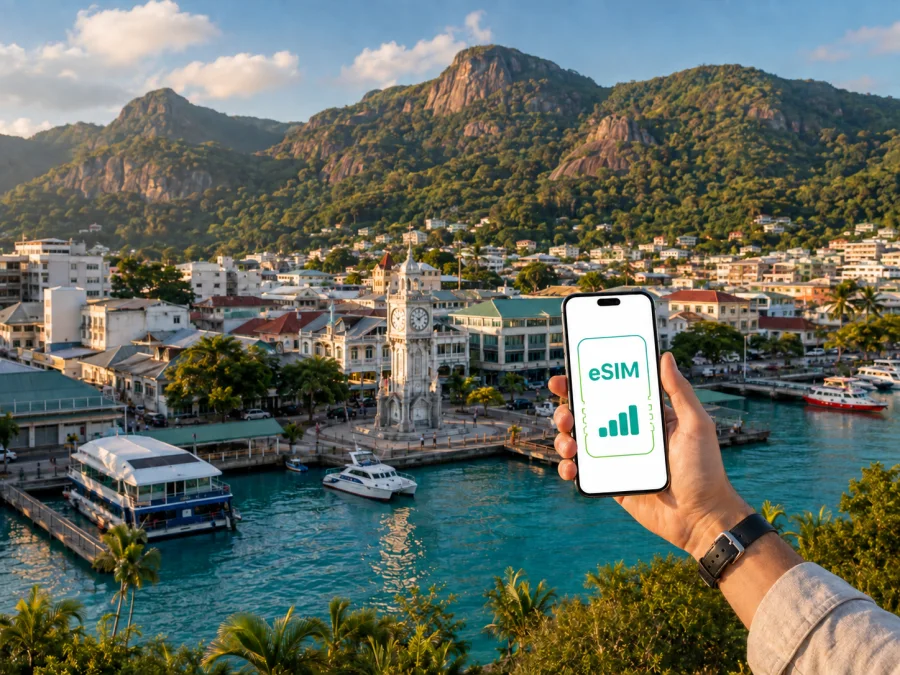
Victoria eSIM: mobile connection and internet for your Seychelles trip
Victoria is the compact capital of Seychelles on Mahé. It is often the first urban stop after landing, where ferry, road and hotel plans come together. A reliable mobile internet plan helps you check a transfer, open a map, message a host, confirm a booking and stay in touch as you move between the airport, city and coast.
For a trip to Victoria, eSIM is a digital SIM card that can be installed on a compatible, unlocked phone without removing your everyday physical SIM. Check device compatibility before choosing a plan. Kaspersky eSIM Store is an app and website where you can choose, arrange and activate an eSIM with a suitable plan for mobile internet during an international trip. The right choice depends on your route, the length of your stay and how much data you expect to use.
Why mobile internet matters in Victoria
Victoria is compact in the centre, yet a city visit quickly connects to the rest of Mahé. Your hotel may be outside the centre, an airport transfer begins at Pointe Larue, and a ferry or excursion may leave from the port. Mobile internet helps with the practical transitions: maps, messages to a host or driver, booking checks, translation and contact with family.
It is particularly useful when you:
- confirm an accommodation address after landing;
- walk between the market, waterfront and central streets;
- check a transfer or boat booking before leaving Victoria;
- share a location or join a work call away from hotel Wi-Fi;
- coordinate a day trip to another part of Mahé.
A city day might start at the Sir Selwyn-Clarke Market, continue towards the waterfront or National Botanical Garden, and end with a transfer outside the centre. Data needs are not constant, so choose an allowance that reflects your movement.
Where you may use data around Victoria
Victoria’s central streets are convenient for short walks, but travel plans often cross several parts of Mahé. Think about the whole day rather than assuming one hotel Wi-Fi network will cover every activity.
| Travel situation | What you may need mobile internet for | Planning note |
|---|---|---|
| Arrival at Pointe Larue | Transfers, accommodation details and maps | Install before departure if possible. |
| Central Victoria | Walking directions, messages and booking checks | Save key addresses. |
| Road trip across Mahé | Navigation, route changes and location sharing | Match validity to the island stay. |
| Workday in the capital | Email, authentication and video meetings | Estimate calls separately. |
| Ferry or excursion day | Meeting points and booking updates | Check destination coverage. |
Someone who mainly walks in the centre and uses hotel Wi-Fi may need less data than someone working remotely, sharing videos or navigating around Mahé all day. The best fit matches your schedule.
Moving between the airport, Victoria and your hotel
Before leaving the airport, save your accommodation address, booking reference and driver’s meeting instructions. You may use a transfer, taxi, rental car or public bus for the journey to Victoria, depending on your itinerary. Traffic, weather and hotel location can change the timing, so keep the map and message thread available.
In Victoria, combine walking in the centre with road transport for hillside accommodation or destinations elsewhere on Mahé. Mobile data lets you recheck a route without relying on memory after every turn.
Practical arrival checklist
- Charge your phone before leaving the aircraft.
- Keep the eSIM QR code or installation details accessible.
- Confirm which line is selected for mobile data.
- Save your hotel address in a note and in your map application.
- Keep your primary SIM available if needed, but review its data-roaming setting.
- Carry an offline map or written address.
- Check that your phone has connected before you leave the airport area.
An eSIM is one part of the travel plan, alongside transport, accommodation and offline details.
Choosing an eSIM plan for Victoria
Start with the whole itinerary, even if the search begins with Victoria. If you will stay on Mahé, choose a Seychelles destination plan whose validity covers the full period. For a wider route, use a regional option only when its stated coverage and terms fit every destination.
Use four questions to narrow the choice:
- How many days will you need data, including arrival and departure?
- Will you use maps and messages, or also meetings and media uploads?
- Will you travel beyond Victoria to beaches, trails, jetties or other islands?
- Do you need a reserve for delays or rerouting?
Estimating your data pattern
Light use means messaging, occasional maps, browsing and booking checks. Medium use adds navigation, photo sharing and short messenger calls. Heavy use can include meetings, cloud files, frequent video and tethering. These are planning categories, not a fixed consumption promise.
| Your Victoria routine | A sensible way to think about the allowance |
|---|---|
| Short stopover | Cover arrival, transfer and departure, with maps and messages. |
| Several days on Mahé | Include road trips and bookings outside the centre. |
| Business trip | Reserve data for calls, email and authentication. |
| Frequent sharing | Account for photos and video; limit background updates. |
| Island transfers | Confirm that destination scope covers the complete route. |
Review the displayed destination, allowance, validity, price, activation rules and top-up terms. Kaspersky eSIM Store helps you compare them and complete setup through the app or website. To choose an eSIM plan for a trip to Seychelles, compare the options with your Victoria dates and route.
Avoiding unnecessary data use
Prepare before departure to make a modest plan last longer: download maps where possible, disable automatic photo backup over mobile data, lower video quality away from Wi-Fi and limit background refresh.
These eSIM plans are intended for mobile internet and may not include a separate telephone number, conventional voice calls or SMS unless the specific plan says otherwise. Use messengers over data, while keeping your primary line available according to your settings.
How to install and activate eSIM for a Victoria trip
Install an eSIM before travel, while you have dependable internet and time to read the instructions. Installation and activation can be separate stages; validity or data use may begin under the selected plan’s terms.
Step 1. Check the phone
Your phone must support eSIM and must not be locked to an operator in a way that prevents another profile from being added. Models can differ by region of sale, so do not rely only on the family name of the device. Check your device compatibility before completing the purchase.
Step 2. Prepare the installation details
Make sure the phone is charged and has an internet connection for setup. Keep the QR code or profile information available on another screen if you plan to scan it with the phone camera. If the details are displayed on the same phone, follow the device’s alternative manual-entry option when available.
Step 3. Add the eSIM profile
Open the mobile network or cellular settings, choose the option to add a mobile plan, and scan the QR code or enter the requested details. Give the profile a clear label such as “Seychelles trip” so that you can distinguish it from your everyday line.
Step 4. Select the data line
Choose the eSIM as the line for mobile data when ready to use it. If you want to keep your home line active for calls or messages, review its data-roaming setting so the phone does not use the wrong line for background traffic. Depending on the device and plan, data roaming may need to be enabled for the travel eSIM.
Step 5. Test the connection
After activation, open a simple webpage or a map and confirm that data works. If the connection does not appear immediately, wait a few minutes and check the selected data line, signal status and plan instructions. The time required can depend on the device and local network conditions. For device-specific details, use the Android installation guide or the iOS installation guide.
If you prefer to wait until arrival, install the profile before the flight and activate or select it after landing, following the plan conditions. This gives you a prepared option without searching for a physical SIM point in Victoria.
Victoria, districts and trips around Mahé
Central Victoria works well as a short walking route through the market area, civic streets, waterfront and cultural stops. Save your hotel and the next meeting point before you set out. The port is especially relevant if Victoria is a base before a boat transfer, so keep booking details and messages easy to open.
The city also connects naturally with wider Mahé plans. A visit to the National Botanical Garden, a drive towards Beau Vallon, or a route through Sans Souci changes the data pattern: you may need navigation, a driver’s message and a way to check a reservation after leaving the centre. Hotel location matters as much as the attraction, particularly when accommodation is on a hillside or along the coast.
Morne Seychellois National Park covers a substantial part of Mahé and has official trails with different levels of difficulty. Check current access information before a hike, save the route offline where possible, carry water and tell someone your plan. Mobile data supports coordination, but it is not a substitute for trail preparation. The same Seychelles plan can be useful for the online map in Victoria and the return transfer after a day in the interior.
Business trips and remote work
For work, estimate email and authentication separately from video meetings. Ask your hotel about its workspace and Wi-Fi, then keep the eSIM as a flexible option for messages, maps, authentication or a short call away from your desk. Before a meeting, confirm the time zone, open the meeting link, test audio and camera, and identify a quiet place with power.
If you plan to share the connection with a laptop, check whether tethering is allowed by the selected plan. Keep a charger or power bank nearby and postpone large updates until you have a trusted Wi-Fi connection.
Short stopovers
For a first or final night in Victoria, prioritise a plan valid for the full window, including arrival and departure. Install the profile before the flight, save hotel and transfer details, and leave some allowance for a rerouted pickup or delayed departure. If Victoria is combined with Praslin or La Digue, confirm that the destination scope covers the whole route rather than assuming a city name represents every stop.
What to check before purchase
Use this checklist immediately before you select a plan:
- [ ] The destination or region includes Seychelles and fits your complete itinerary.
- [ ] The validity period covers your arrival, Victoria stay and departure.
- [ ] The data allowance reflects maps, messages, work or media use.
- [ ] Your phone supports eSIM and is not operator-locked; check compatibility.
- [ ] You have reliable internet for installation and access to the QR code.
- [ ] You understand when activation or data use begins under the plan terms.
- [ ] You know whether data roaming must be enabled for the travel profile.
- [ ] You have saved accommodation, transfer and booking details offline.
- [ ] You know how to reach support if installation or activation raises a question.
These checks matter more than data volume alone: a large allowance with unsuitable validity or destination terms is not a good match for a short Victoria stop.
Common questions about eSIM in Victoria
Will eSIM work as soon as I land?
It may connect after the profile is installed and selected, but the timing depends on the device, activation steps and local network conditions. Install ahead of time where possible, then verify the data line and plan terms after arrival.
Can I keep my usual number?
Yes, you can normally keep your physical SIM or primary eSIM in the phone if the device supports multiple lines. Select the travel eSIM for data and review the settings for the home line to avoid unintended roaming charges. The travel plan itself may not include a regular phone number, calls or SMS.
What if the profile does not activate?
Check compatibility, operator lock, internet access, QR-code details, selected data line and the plan instructions. Restarting may help, but do not delete the profile unless instructions or support advises it. If the issue remains, contact support with the device model and completed steps.
Is eSIM a replacement for Wi-Fi?
It is an additional way to access mobile internet. Use the connection that suits the task and keep sensible Wi-Fi and battery habits.
A calm setup for your Victoria trip
The simplest preparation is to map the airport-to-hotel journey, estimate how often you will leave central Victoria, choose a plan matching the Seychelles itinerary, check compatibility, install the profile with dependable internet and test the data line. Keep the QR code, address and transport details offline.
Kaspersky eSIM Store helps you choose, arrange and activate an eSIM with a suitable travel plan for mobile internet. Conditions depend on the selected plan, so review the allowance, validity, destination and activation information before you proceed. When you are ready, select an eSIM plan for your Seychelles journey and prepare your phone for arrival in Victoria.


