Travel connectivity guide
Vilanculos eSIM: Mobile Internet for Your Trip
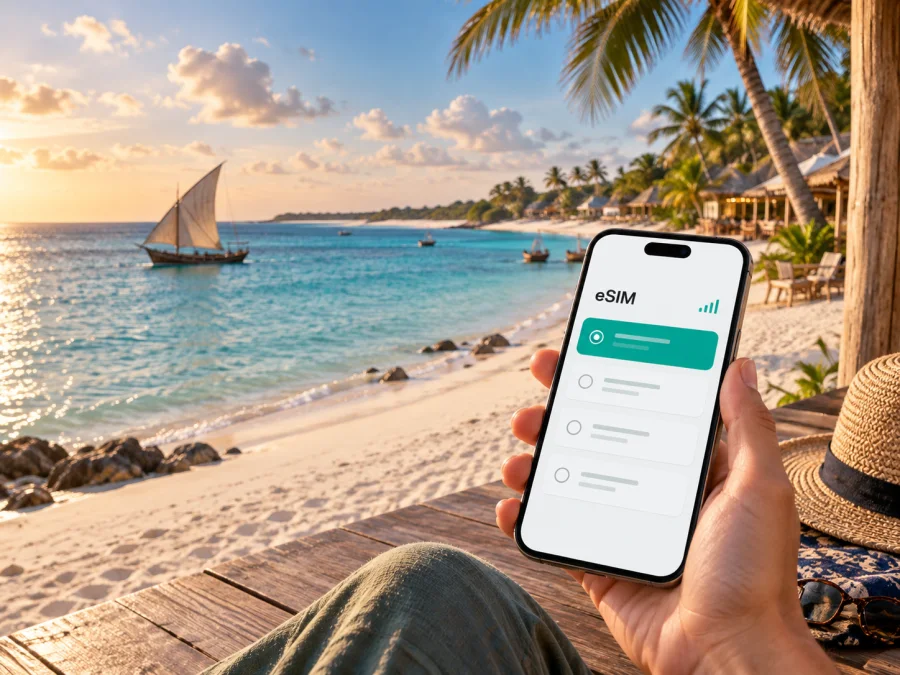
Vilanculos eSIM: mobile connection and internet for your trip
Vilanculos is a coastal town in Mozambique’s Inhambane Province and a practical base for exploring the Bazaruto Archipelago. A trip here can combine an airport arrival, a transfer to a beach lodge, walks along the bay, a boat excursion, and a return journey on the mainland. In each of these situations, mobile internet helps you check a reservation, share your location, contact a driver, follow a map, or tell family that you have arrived.
An eSIM, or digital SIM, can prepare that connection without changing the physical SIM card in your phone. Kaspersky eSIM Store is an app and website where you can choose, arrange, and activate an eSIM with a suitable data tariff for an international trip. The right setup depends on your dates, route, data habits, and device. This guide explains how to plan it specifically for Vilanculos and the nearby island routes.
Why mobile internet matters in Vilanculos
Vilanculos is not a city where every travel day follows a dense urban timetable. Your plans may depend on an airport transfer, the opening time of a lodge, a meeting point on the beach, or the departure of a boat. A connection is useful before you have settled into your accommodation and while you are moving between the town, the coast, and the islands.
Typical first-day tasks include:
- confirming the accommodation address and transfer instructions;
- sending a message when your flight has landed;
- opening a map while travelling from Vilanculos Airport to your hotel or lodge;
- checking the meeting point for an excursion;
- using a messenger, reading a booking update, or sharing a live location.
The same needs return on the way home: confirm a pickup, check a flight change, or download a boarding document while leaving a beach property. Public Wi‑Fi may be unavailable between stops.
This does not mean that every point in and around Vilanculos has identical coverage. Signal quality can vary with the local network, terrain, weather, building materials, and distance from populated areas. Treat mobile data as a practical travel tool and keep offline copies of important information as a backup.
Arriving through Vilanculos Airport
For many visitors, the airport is the first place where a ready connection becomes useful. Have your accommodation name, transfer details, and a contact number or messenger chat available before leaving the terminal. If you have installed the eSIM in advance, you can make the mobile-data change when it is appropriate for your itinerary rather than searching for a physical SIM immediately after landing.
Use this arrival sequence:
- Keep your booking confirmation, accommodation address, and transfer details available offline.
- Turn on the eSIM only when you are ready to use the travel data profile, following the tariff instructions.
- Select the eSIM as the line for mobile data.
- Open the map or message your driver after the phone shows a usable data connection.
- Save the route and accommodation details for offline access before setting out.
If you are meeting a lodge representative, keep the transfer instructions in a screenshot or note as well as in an online account. A data-based messenger may be more practical than a call to your usual number.
The airport is an arrival point, not the whole destination: Vilanculos is also the mainland base for coastal activities and trips towards the Bazaruto Archipelago.
Moving around town and the coast
Vilanculos combines a settled town area with beaches, lodges, restaurants, activity offices, and access points for excursions. Distances can feel different depending on the road, the weather, the time of day, and whether you are carrying luggage. Plan each transfer around a specific pickup point rather than relying on a vague district name.
Before leaving your accommodation, save its name and address, the airport or boat meeting point, the driver or activity contact, the next map pin, and the return plan. A beach departure and a town pickup may not use the same location, so a precise meeting point is more useful than a general district name.
When walking, keep your phone charged and use mobile data selectively. A map request, short message, or booking check usually needs much less data than video streaming or continuous photo backup. Save map pins and landmarks before a longer transfer so that a pin alone is not the only description of an entrance or beach access point.
Beaches, accommodation, and local movement
The tariff should match your accommodation pattern as well as your sightseeing. A single lodge stay may use Wi‑Fi for large files and mobile data for maps, messages, and activity coordination. A trip split between the airport, town, beachfront properties, and an island excursion needs a validity period that covers every transfer. Save the next meeting point before leaving Wi‑Fi, and confirm whether a driver is collecting you at the accommodation, in town, or on the beach.
How to choose a tariff for a Vilanculos trip
Start with the country and route. Vilanculos is in Mozambique, so a country tariff for Mozambique is the natural starting point for a mainland stay. If your itinerary continues across borders or includes several countries, review the scope of a regional option instead of assuming that a Mozambique tariff follows you everywhere. The country or region shown in the tariff details should match the places where you expect to use mobile data.
Then estimate how you will use data:
| Travel pattern | Likely data behaviour | Planning approach |
|---|---|---|
| Short stopover | Messages, maps, bookings | Cover landing and departure, not only lodge hours. |
| Beach holiday | Messages, maps, photos | Use Wi‑Fi for large files when suitable; keep data for movement. |
| Bazaruto excursion | Meeting points, directions, photos | Include the mainland preparation and return days. |
| Work trip | Calls, email, cloud files | Estimate conservatively and keep a fallback. |
| Road itinerary | Navigation and frequent updates | Match the period and data to every stop. |
Compare the amount of data, validity period, destination, and price shown for each available option. A larger allowance is not automatically better if your trip is short and you mainly use Wi‑Fi; a small allowance may be unsuitable for frequent video calls or many photo uploads. Choose the option whose conditions match your route and behaviour.
Once you know your dates and expected usage, you can choose an eSIM tariff for a trip to Mozambique and review the current conditions before payment. Kaspersky eSIM Store helps you select a suitable option, arrange it, and prepare it for activation; the service is not the mobile network itself. The tariff’s stated conditions remain the reference for validity, data, supported destination, and any activation requirements.
Planning a short stopover
For a stopover, decide in advance what must work: contact the driver, reach the accommodation, confirm the next departure, and open the booking details. Check the destination, data allowance, validity, and activation conditions; save the QR code and transfer contact offline; and charge the phone before landing. Activate according to the tariff rules rather than assuming that installation and activation are the same step.
Business trips and remote work
Vilanculos can be a base for a short work visit as well as a holiday. Ask about accommodation Wi‑Fi before scheduling a large meeting, save reception and driver contacts, and download important files while connected to a suitable network. Check whether your device and tariff support a hotspot, pause automatic backups, and test the exact setup before a critical call. Keep a fallback time or place in mind because a previous hotel stay does not guarantee identical performance elsewhere.
Taking a boat trip or visiting the archipelago
The Bazaruto Archipelago is a major reason travellers choose this coast. Vilanculos is a mainland gateway for boat and organised transfers towards the islands. Confirm the departure point before boarding, then rely on the operator, guide, and agreed meeting arrangements during the excursion.
Prepare for an island day by:
- saving the operator’s instructions and emergency contact details offline;
- confirming whether the meeting point is at your accommodation, on the beach, or elsewhere;
- sending your itinerary to a travel companion and downloading directions before leaving Wi‑Fi;
- protecting the phone from water and sand, carrying a power bank, and agreeing where to meet again.
Do not assume that a signal at your hotel guarantees the same experience on the water or on an island. A boat excursion is a separate travel environment. Treat mobile data as useful for preparation and coordination, while keeping offline information and the guide’s instructions as your primary backup.
Installing an eSIM before or after arrival
The safest moment to install an eSIM is usually when you have stable internet, enough battery, and time to read each screen. You can prepare before travelling or complete the process after arrival, depending on the tariff instructions and your device. Before purchase, check your device compatibility and confirm that the phone is not locked to an operator.
Kaspersky eSIM Store provides installation guidance for Android devices and iOS devices. Menu names can differ by model and operating-system version.
1. Check the conditions
Confirm eSIM support, an unlocked device, internet access, sufficient battery, and the QR code or digital profile details.
2. Open mobile-network settings
Go to the mobile-network section and choose the option to add an eSIM or mobile plan.
3. Scan the QR code
Scan the code from the order information or follow the device’s manual entry option if that is what the instructions specify.
4. Select mobile data
Choose the travel eSIM for mobile data and review whether the phone asks you to permit data switching between lines.
5. Check roaming settings
Enable data roaming for the travel eSIM only when the tariff instructions call for it. Avoid enabling roaming data on the home line by mistake.
6. Test a small task
Open a simple page or send one message, then check which line is using data. Connection may take a few minutes, so wait before repeating the setup.
The eSIM is intended for mobile internet. Unless the selected tariff says otherwise, it does not include a regular phone number, standard voice calls, or SMS. Messengers can use the data connection for calls and messages.
Managing data during the trip
Pause automatic updates, background refresh, and cloud backups over mobile data. Use Wi‑Fi for large files when appropriate and keep reservations offline. If the eSIM does not connect, check the selected data line, mobile data, required roaming setting, signal, and tariff validity. Do not delete the profile without guidance; contact support if the issue continues.
Vilanculos scenarios at a glance
| Situation | Prepare | Avoid |
|---|---|---|
| Airport arrival | Offline transfer details and a charged phone | Searching for every detail after landing |
| Town or beach movement | Saved map pins and a clear pickup point | Relying on one live map screen |
| Island trip | Operator instructions and a return plan | Assuming mainland signal follows the boat |
| Work call | Tested workspace and a fallback contact | Scheduling without checking the connection |
This keeps the focus on Vilanculos: prepare for arrival, town and coast movement, and a separate trip beyond the mainland.
Frequently asked questions
Is an eSIM useful for a trip to Vilanculos?
Yes. It can help with mobile internet for airport transfers, maps, messages, reservations, work tasks, and activity coordination. Its usefulness depends on the tariff, local network availability, device, and route.
Which country should I choose for Vilanculos?
Choose Mozambique for a stay in Vilanculos and review the tariff’s destination details. If your journey continues through other countries, check whether a regional option matches the complete route instead of assuming that a single-country tariff applies beyond Mozambique.
Can I use the eSIM for ordinary calls?
Usually not. The eSIM tariffs described here are intended for mobile internet and normally do not include a separate phone number, standard calls, or SMS unless the specific conditions say otherwise. Messaging and voice calls in internet apps may work through mobile data.
Should I install the eSIM before flying?
Often, installing it before departure is convenient because you have stable internet and time to read the instructions. Whether you should activate it before landing depends on the tariff’s rules. Keep the profile available and check which line handles calls, messages, and data.
What if I am travelling from Vilanculos to the islands?
Prepare the mainland transfer and departure details before leaving the hotel. Keep operator instructions offline and do not assume that the signal near your accommodation will be available throughout the boat trip.
Prepare your Vilanculos connection before departure
The most useful eSIM setup for Vilanculos is the one that matches your real itinerary: airport arrival, accommodation, town movement, a possible Bazaruto excursion, work or holiday data use, and the final transfer home. Check the phone first, compare the destination, data allowance, validity period, and price, and save the essential travel information offline.
When you are ready, prepare an eSIM tariff for your Mozambique trip, install it on a compatible unlocked device, and activate it according to the stated conditions. This preparation can make the first hours in Vilanculos easier to manage.


