Travel connectivity guide
Villa La Angostura eSIM: Travel Internet Guide
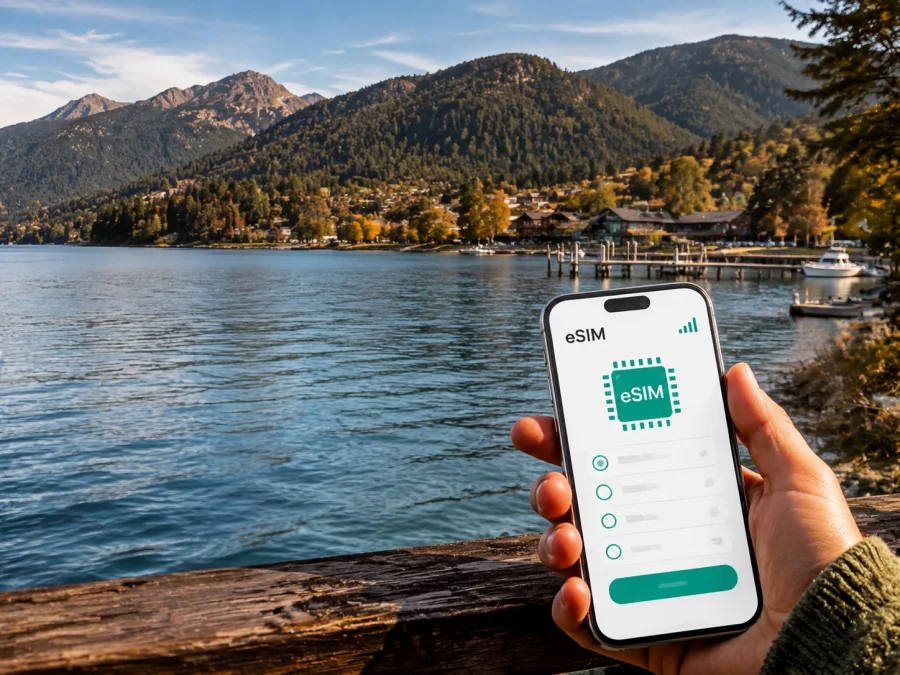
Villa La Angostura eSIM: mobile connection and internet for your trip
Villa La Angostura is a mountain town on Lake Nahuel Huapi in Argentina, set between forested slopes, lakeside ports and the Seven Lakes route. The first practical questions are ordinary: how will you reach your accommodation, open a map, message a host or follow a route outside the centre?
An eSIM, or digital SIM, can prepare your mobile internet for those moments without replacing the physical SIM card already in your phone. In Kaspersky eSIM Store, the practical sequence is to choose an eSIM with a suitable prepaid data plan for Argentina, review its conditions, and install it on a compatible, unlocked device. You can then keep your regular line available for calls or messages while using the travel eSIM for mobile data, subject to your phone settings and the selected plan.
Why mobile internet matters in Villa La Angostura
Villa La Angostura does not feel like a dense city with every service on one block. The central area, the lakefront ports, residential accommodation, trailheads and mountain activities are connected by roads rather than by a single pedestrian grid. A map is therefore useful even when the distance looks short on a screen: the actual route may follow the lake, climb a slope or require a transfer.
The first hours after arrival
Many travellers reach Villa La Angostura overland from San Carlos de Bariloche. The official tourism information gives a road distance of about 83 kilometres from Bariloche, with the route continuing by transfer, bus or car. Another air-access option is San Martín de los Andes, followed by a road journey of about 132 kilometres. These figures describe the road approach, not a guaranteed travel time; weather, traffic, stops and seasonal conditions can change the journey.
Mobile data is useful before you reach the town itself. You may need to find a meeting point at Bariloche airport, confirm a transfer, contact a host, check a bus departure, share your arrival status or navigate to an address whose name is unfamiliar. If you install and test the eSIM while you still have reliable internet access, you can arrive with the profile ready for activation according to its conditions.
Navigation is part of the itinerary
In the centre, a walking route may be enough for a café, shop or accommodation nearby. The calculation changes for Puerto Manzano, the port area, Río Correntoso or Cerro Bayo. A map application helps you compare walking, driving and local transport, but it should support — not replace — basic preparation. Save the address of your accommodation, the name of your transfer company and the meeting point before leaving a stable connection.
Accommodation and remote work
Hotels, inns, cabins and apartments are spread across different parts of Villa La Angostura. Before booking, note the area as well as the property name. Two places may both be described as “near the lake” while requiring different transport arrangements. Mobile data lets you message the host, share your arrival time, confirm check-in instructions and look up the last part of the route.
For a business trip, the value is continuity between the airport, accommodation, meeting place and return transfer. Confirm Wi-Fi and power arrangements separately if you plan to work from a cabin or café. The eSIM gives you a mobile-data option for messages, documents and calls in internet apps, but performance can vary with terrain and the selected plan.
Moving around the town: centre, ports and outer areas
A useful way to plan Villa La Angostura is by activity area. This orientation shows where mobile data is most likely to matter.
| Area or direction | Typical reason to go | Mobile-data task to prepare |
|---|---|---|
| Centre | Accommodation, food and transport | Save your address and pin the terminal |
| Puerto Villa and port zone | Lake activities and Quetrihue access | Confirm the pier and return arrangement |
| Puerto Manzano | Lakeside lodging and walks | Check the road route before leaving |
| Río Correntoso | River scenery and excursion stops | Save the destination and return plan |
| Cerro Bayo direction | Mountain activities | Review current information before the drive |
| Ruta de los Siete Lagos | Longer regional travel | Save key maps for the route |
Local buses serve several important points, including Puerto Manzano, Puerto Villa and Correntoso, with departures from the terminal according to local tourism information. Payment arrangements can be specific to the service: the municipal tourism guidance notes that these urban buses are paid in cash to the driver and do not use the SUBE card. Check the current departure details locally before travelling, and carry a small cash option even if you normally pay by phone.
Choosing an eSIM plan for Villa La Angostura
Select the plan by the whole Argentina itinerary, not just by the town name. Visitors often combine Villa La Angostura with Bariloche, San Martín de los Andes, Villa Traful or other stops, so confirm the coverage area and conditions displayed for the plan.
Match the plan to your actual use
| Travel pattern | Likely data needs | What to prioritize |
|---|---|---|
| Short stay | Maps, messages and reservations | Validity matching the dates |
| Excursions and photos | Navigation, coordination and uploads | A data buffer for outdoor days |
| Remote work | Documents, meetings and messaging | More data plus Wi-Fi for large files |
| Seven Lakes road trip | Navigation and accommodation messages | Eligibility for every planned stop |
The table describes usage patterns, not a particular plan. Review the actual data volume, validity period, price, activation rules and eligible destination shown at selection. If you expect to use a hotspot, confirm that the plan and device allow it.
Once you know the route and approximate consumption, choose an eSIM plan for a trip to Argentina. Kaspersky eSIM Store helps you compare the available conditions for the selected destination and complete the preparation through the site or app. The selected plan is a travel option for Argentina, while Kaspersky eSIM Store is the app and site that help you choose, arrange and activate it.
Installation before the trip or after you arrive
Installation requires a compatible device, an unlocked phone, internet access for downloading the profile and the QR code or account details supplied after the order. Before buying or installing, check whether your device supports eSIM. Model support can differ by device version and region of sale, so use the phone’s settings and the manufacturer’s information as a final check.
For detailed steps, use the Android installation instructions or the iOS installation instructions. The menus vary, but the sequence is similar.
A calm five-step setup
- Check the device. Confirm eSIM support, an unlocked phone and stable internet for installation.
- Open mobile-network settings. Choose the option for adding a mobile plan or eSIM.
- Add the profile. Scan the QR code or follow the profile flow in your account. Keep the code private.
- Label the lines. Name the profile “Argentina trip” so you do not confuse it with your regular line.
- Choose mobile data. Select the travel eSIM when you want to use it. Enable data roaming for this profile only if its instructions require it.
Activation and connection may take several minutes. If you want to use the plan later, follow its activation conditions and wait to enable the travel profile or mobile data until the appropriate stage. Before leaving, turn off Wi-Fi briefly, open a lightweight page and confirm that the regular line is not selected for data roaming.
What to check before buying
Use this checklist before leaving Bariloche for Villa La Angostura or starting a longer route:
- [ ] The device has eSIM support, and you have checked the exact model and region.
- [ ] The device is not operator-locked.
- [ ] You have stable internet for installation and access to the profile or QR code.
- [ ] The plan covers Argentina and any additional stops on your itinerary.
- [ ] The validity period matches the real travel dates.
- [ ] The data volume fits maps, messaging, work or hotspot use.
- [ ] You know which line is selected for mobile data.
- [ ] Data roaming is enabled only if the eSIM’s instructions require it.
- [ ] Accommodation addresses, transfer details and key meeting points are saved offline.
- [ ] You have a backup battery for long drives and walks.
- [ ] You understand whether ordinary calls and SMS are excluded.
Practical scenarios in Villa La Angostura
Arrival from Bariloche
After landing in Bariloche, use mobile data to open the booking, confirm the transfer meeting point and message your host. During the road journey, keep usage to coordination rather than video or large downloads. Save the Villa La Angostura address in an offline note before leaving.
A stay near the centre
The centre is a convenient base for meals, shopping and arranging the next part of the day. Use a map to distinguish a walk from a route requiring transport. If your cabin is outside the central grid, send the host your estimated arrival before leaving the terminal. Review the next morning’s route on Wi-Fi.
A port and Arrayanes day
The port area is the starting point for activities on or near the lake and access to the Quetrihue peninsula. The Los Arrayanes trail begins in Villa La Angostura and is listed as 11 kilometres one way, about two hours of walking one way and medium difficulty. Conditions and access times can change by season, so confirm current requirements and the return plan before setting out.
If your group separates, agree on a meeting point and return time. Conserve battery and carry water and suitable layers. An eSIM helps with coordination when the device can connect, but forest and terrain may affect service.
Puerto Manzano or Correntoso
These areas can be destinations or accommodation bases. Check the route before leaving the centre, especially for a fixed booking. On a local bus, verify the stop, direction and payment method. When driving, save the return route before a longer stretch with fewer services.
Planning trips out of town
Villa La Angostura is also a stop within a regional itinerary. Ruta Nacional 40 connects it with the wider Seven Lakes landscape and with towns such as Bariloche and San Martín de los Andes. The road is part of the experience, but the mobile-data plan should be selected around the complete route. Check that the plan’s destination rules include each country or region you will visit; a plan selected for Argentina should not be assumed to cover a border crossing into Chile.
For a road day, confirm accommodation, weather and transport before departure. Save addresses, booking references and key contacts offline, and tell a companion or host the intended route and approximate return time.
At viewpoints, lakeside stops and trailheads, use mobile data selectively. Take screenshots, avoid constant location sharing and protect the phone from cold and moisture. The connection is a tool for decisions, not a guarantee of service in every landscape.
For longer walks, save key maps offline, use Wi-Fi for updates and photo backups, and carry a power bank. If you run out of data, check whether a top-up is available in the app or profile and review its conditions before confirming it.
Common questions
Can I keep my normal number active?
Usually, a dual-line phone can keep the physical SIM active while the eSIM is selected for mobile data. Check your device settings and home operator’s roaming rules. Disable data roaming on the regular line if needed.
Can I make ordinary calls with the travel eSIM?
No, unless the selected plan explicitly includes voice service and a number. These travel eSIM plans are intended for mobile internet. Messaging and calling apps can work over data, while ordinary calls and SMS remain associated with the line that supports them.
When should I install the eSIM?
Install it before departure if you have a compatible, unlocked device and stable internet. This gives you time to correct a setting. If validity begins at activation or first network use, follow the plan’s conditions.
What if the eSIM does not connect after arrival?
First check that the travel profile is enabled and selected for mobile data, and that the phone is not using the regular line. Review the activation instructions and, if required, enable data roaming for the eSIM. Restarting may help, but do not delete the profile before contacting support. If the issue remains, share the device model, selected line and completed steps with support.
Prepare your connection for Villa La Angostura
The useful setup matches your days: arrival from Bariloche or San Martín de los Andes, a central hotel or lakeside cabin, transport to the ports or Correntoso, a visit toward Cerro Bayo and perhaps a drive on Ruta 40. Confirm Argentina eligibility and validity, check your device, then install the profile with dependable internet access.
When you are ready, choose a suitable eSIM plan for your Argentina itinerary. Kaspersky eSIM Store helps you select, arrange and activate an eSIM for mobile internet during an overseas trip. Review the conditions shown for your plan, keep your regular line settings under control and save essential travel details offline before you leave the centre.


