Travel connectivity guide
Villarrica eSIM: Mobile Internet in Paraguay
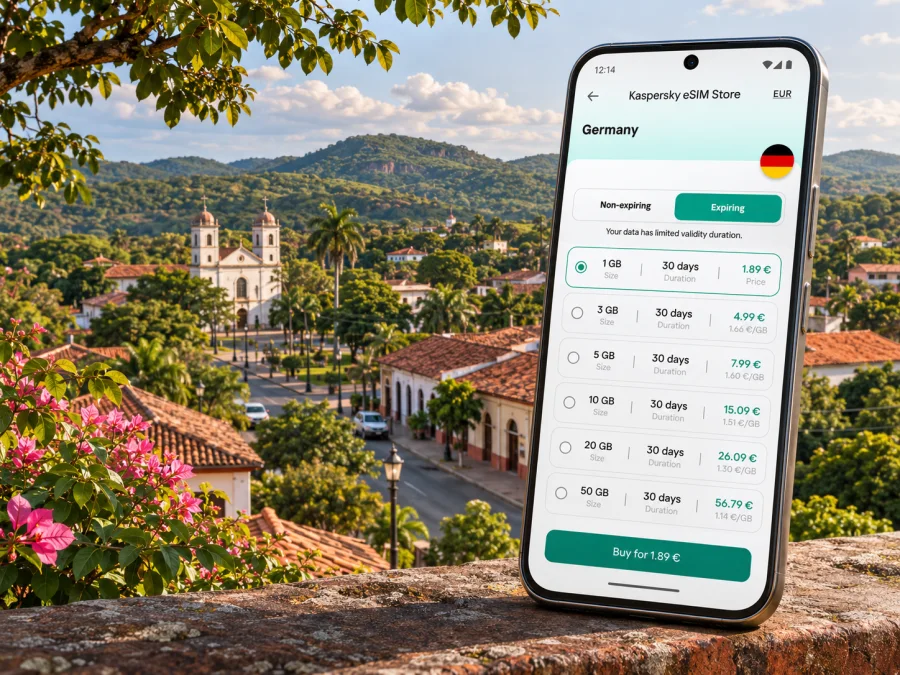
Villarrica eSIM: mobile connection and internet for your trip
Villarrica is a compact city in Paraguay’s Guairá Department, set among green hills and known for its historic and cultural character. For visitors, reliable mobile internet is useful from the first leg of the journey: checking a transfer from the capital, finding accommodation, confirming opening hours, navigating the city centre and keeping in touch while exploring the surrounding department.
An eSIM can make the data part of that trip easier to plan. It is a digital mobile profile rather than a plastic SIM card. Kaspersky eSIM Store is an app and website where you can choose, arrange and activate an eSIM with a suitable data plan for an international trip. The actual network, coverage, supported services and plan conditions depend on the selected offer and its local network partner. Check those details before you travel.
Before you set out for Villarrica
Villarrica is not Paraguay’s international air gateway. International visitors generally plan their arrival through Silvio Pettirossi International Airport, which is in Luque, in the Asunción metropolitan area, and then continue overland. The city is connected by Route 8, also called Dr. Blas Garay; municipal information describes it as the main access road and notes links toward Coronel Oviedo to the north and Caazapá and other towns to the south. The exact trip time depends on your arrival point, traffic, road conditions and chosen transport, so check a current route and departure details close to your travel date.
This makes mobile data useful well before you reach the city. You may need it to contact a driver, check an accommodation message, view a bus connection, translate a short message or update someone about a delay. Download essential information for offline use too: a map of Villarrica, your accommodation address, booking details and any onward transport instructions.
| Part of the journey | How mobile data can help | Useful backup |
|---|---|---|
| Arrival around Asunción | Check messages and coordinate the next leg | Save the address and transfer details offline |
| Overland trip toward Guairá | Follow the route and update your plans | Keep a downloaded map available |
| First arrival in Villarrica | Navigate to your stay and contact the host | Write down the address and a nearby landmark |
| Day trips outside the centre | Check route changes and meeting points | Confirm return arrangements before leaving |
The table describes practical uses, not a promise of signal along every road. Mobile service can vary between urban streets, buildings and rural stretches. Do not assume that the connection you have in one part of the trip will perform identically on the next leg.
Getting oriented in the city
Villarrica is the capital of Guairá and a regional centre, rather than a large metropolitan destination. Its visitor experience is shaped by civic and religious landmarks, older architecture, cultural venues and green public spaces. The official tourism description highlights the former railway station, now used as a museum and cultural centre, the Cathedral of Villarrica, the Church of Ybaroty, and Lake Ykuá Pytã in Manuel Ortiz Guerrero Park. These places offer a useful framework for a first visit: combine a walk through the central area with a planned stop at a museum or park, then allow time for cafés, local errands or an event.
A map is especially handy when you are moving between the centre and places that are not on the same block. Search by the full attraction name and confirm the pin before starting out; similarly named places and map listings can be confusing. Save the destination and your accommodation in advance, and keep a screenshot of the address in case the network is slow or a map app closes.
The city’s character also rewards a flexible pace. A short visit may focus on the central streets, the cathedral and a cultural stop. With more time, you can add the park and ask a local tourism information office about current regional circuits, events and transport options. The national tourism site lists a Villarrica visitor information centre, but its opening times and available services can change, so check them before making a special trip.
A simple first-day route
- Confirm your accommodation address and check-in instructions before leaving your arrival city.
- Save the location pin and an offline map of the central area.
- On arrival, go to your accommodation first and ask about the easiest local way to reach the centre.
- Choose one or two central landmarks rather than trying to fit the whole city into a rushed walk.
- Check the return route and transport options before heading to a park or a farther neighbourhood.
This sequence leaves room for delays and helps you avoid relying on mobile data at every step. Navigation apps are helpful, but a saved address and a little local guidance remain useful when a map pin is imprecise.
Choosing data for a city stay
Start with the activities you expect to do, not with a plan size chosen at random. A visitor who mainly checks messages, looks up addresses and uses maps may need a different allowance from someone who frequently uploads video, joins work calls or shares a connection with another device. No single data estimate fits every traveller: app settings, photo backups and video quality can change consumption considerably.
Before selecting an offer, check these items on its current details page:
- Destination: confirm that the plan explicitly includes Paraguay. A regional plan may include the country, but do not infer this from a regional name alone.
- Data amount: think about navigation, messaging, browsing, calls over apps, media and hotspot use.
- Validity: compare the validity period with your full trip and the plan’s stated activation rules.
- Network and service: review any named partner network and whether the plan is data-only. Do not assume it includes a local phone number, ordinary calls or SMS.
- Tethering: if you intend to connect a laptop or another phone, check whether hotspot use is allowed and how it affects the data allowance.
- Top-up or replacement: see what options exist if you use the allowance sooner than expected.
- Price and currency: review the displayed total and payment terms at the time you choose; prices and offers can change.
For a short stay centred on Villarrica, a Paraguay-specific offer may be simpler to assess than a regional one. If your itinerary also includes other countries, compare the exact country list and terms rather than assuming that a plan covering one destination automatically covers its neighbours. You can review current options for Paraguay and compare their stated data, validity and destination details before deciding. That page is for the country; it is not a Villarrica-specific coverage map or a guarantee of service at a particular address.
Estimate your use in practical terms
| Typical activity | What to consider |
|---|---|
| Maps and short searches | Keep map downloads and offline navigation ready; location updates still use data when online |
| Messaging and email | Text is usually lighter than media; automatic photo and video downloads can add usage |
| Voice or video calls in apps | Call quality and data use depend on the app, settings and connection |
| Social media and uploads | Autoplay and high-resolution uploads can use data quickly |
| Laptop hotspot | Check plan rules and monitor connected devices and software updates |
If your usage is uncertain, choose based on the trip’s length and the plan details you can verify, then limit automatic backups and app updates over mobile data. When Wi-Fi is available and trusted, use it for large downloads. Avoid relying on public Wi-Fi for sensitive account activity unless you understand the network and your own security settings.
Check the phone and its regional variant
The task here is to keep device advice specific to your actual handset: no phone model or exact regional variant was supplied for this guide. eSIM support can differ between models with similar names, and availability can also depend on the sales region, carrier lock, software and device configuration. A product family name by itself is not enough to confirm compatibility.
Before arranging a plan, check the exact model code in your device settings or on its original packaging, then consult the manufacturer’s support information for that variant. Confirm that the phone supports eSIM, is not restricted to another carrier, and can add another mobile profile. Check whether your device supports eSIM, and verify the result against the manufacturer if the model or sales region is unclear. If the device does not support eSIM, or is locked, use another compatible unlocked device or ask your home carrier about its options.
A practical pre-purchase check:
- Find the full model number, including any letters or regional suffix.
- Confirm eSIM support for that exact regional version, not just a similarly named device.
- Check that the phone is carrier-unlocked for travel use.
- Make sure the operating system is current enough for the manufacturer’s eSIM process.
- Confirm you can access Wi-Fi or another internet connection when downloading the profile.
- Keep your existing number active if you need it for verification messages, and understand which line will be selected for calls, texts and data.
The local Paraguayan operator market and a travel eSIM are separate things. A Paraguayan operator’s own eSIM policy describes eligibility for its service; it does not confirm which local network a particular travel eSIM uses. Likewise, a handset’s support for eSIM does not confirm that it supports every local carrier or every radio band. The exact compatibility and partner-network details for a travel plan should come from that plan’s current terms.
Install before departure, activate with care
If the plan’s instructions allow installation before travel, doing it while you have stable Wi-Fi gives you more time to resolve setup questions. Read the offer’s activation rules first: some eSIMs begin their validity at installation, while others start when they first connect to a supported network. Do not guess which rule applies. Keep the QR code or installation information available on another screen or printed securely, because a phone generally cannot scan a QR code displayed on itself.
Before starting, confirm that the phone is compatible and unlocked, your device has an internet connection, and you have the QR code or in-app installation details. Follow the supplied steps for installing an eSIM on iPhone or installing an eSIM on Android. Menu labels vary by software version and manufacturer.
- Open the mobile network or cellular settings on your phone.
- Choose the option to add a mobile plan or eSIM.
- Scan the supplied QR code, or follow the provider’s alternative installation method.
- Label the new line clearly, such as “Paraguay data,” so it is easy to identify.
- Select the travel eSIM for mobile data when the plan is ready to use.
- Keep your usual line configured for calls or verification messages if needed, and review roaming settings for that line to avoid unexpected charges.
- Wait for registration to complete; the first connection can take a few minutes and depends on the plan and available partner network.
If you prefer not to start using the plan yet, leave the travel line switched off until the point allowed by its activation terms. When you are ready, enable it and select it for mobile data. Data roaming may need to be enabled for the travel eSIM to connect, depending on its setup instructions; follow the plan’s guidance, and distinguish that setting from roaming on your home SIM.
Once you arrive
When you reach Villarrica, check that the correct line is selected for mobile data and that the travel profile is enabled. If the phone does not connect, give it a short time to register, then try toggling airplane mode or restarting the phone. Check that the plan has reached its start date or activation condition, the data line is selected, and the settings match the supplied instructions. If the issue continues, contact the eSIM provider through its support channel with your device model, location and a description of what you have tried.
Do not delete an installed eSIM profile just to troubleshoot unless support tells you to. Some profiles cannot be reinstalled from the original QR code. Save the confirmation and support details somewhere available offline before you travel.
Make the connection last through your itinerary
Villarrica is a base for exploring Guairá, so your plans may extend beyond the city centre. The municipality identifies Route 8 as a main corridor through the district; that does not mean mobile service is continuous on every section. Before leaving town, download maps, check the return journey, share your plan with a companion and confirm whether your destination has a dependable Wi-Fi option. Carry a power bank if you expect to navigate for much of the day, since location services and screen use can drain a battery faster.
For a day around town, keep mobile data available for route changes and practical coordination, but download museum or booking details ahead of time. For a rural outing, do not make your return depend on a live map or an app message arriving at the last moment. Agree a meeting point and approximate return plan while you still have a connection.
Three traveler scenarios
A weekend visitor: Save your accommodation pin, use data for directions and messaging, and download the city map before leaving Wi-Fi. Choose a plan whose validity clearly covers the travel dates.
A remote worker: Check the accommodation’s internet arrangements directly and treat mobile data as a backup unless you have confirmed the plan allows hotspot use. Keep meeting links and essential files available offline, and avoid assuming that every indoor workspace has the same signal.
A regional road trip: Confirm the next stop and transport before departing Villarrica. Review the plan’s destination coverage if crossing a border, and do not assume a Paraguay plan includes service in another country. Save routes and contact information for offline access.
Common questions
Is Villarrica in Paraguay or Chile?
Villarrica is a city in Paraguay and the capital of the Guairá Department. There is also a city named Villarrica in Chile, so include “Paraguay” when searching for accommodation, directions or travel information.
Is there an international airport in Villarrica?
The international gateway normally used by overseas visitors is Silvio Pettirossi International Airport in Luque, near Asunción. Villarrica is reached overland; check current onward transport and road conditions for your dates.
Will an eSIM work everywhere in Villarrica?
No service can be guaranteed at every address or along every road. Coverage depends on the plan’s local network partner, the phone’s supported bands, indoor conditions and local network availability. Check current plan information and keep important details offline.
Does an eSIM include calls and SMS?
Not necessarily. Travel eSIM plans are often data-focused, and the exact offer determines what is included. Check its terms; if it is data-only, ordinary calls and SMS may remain on your usual line, while internet messaging apps can use the data connection.
Can I install the eSIM before I arrive?
Often you can install a profile in advance, but the start of validity depends on the specific offer. Read its activation rules before installation and leave the profile disabled until you are ready if the instructions say that is appropriate.
What if my phone has a physical SIM slot but I cannot find eSIM settings?
A SIM tray does not prove that a particular model supports eSIM. Check the full model code and the manufacturer’s documentation for the sales region. If support cannot be confirmed, use a different compatible device or contact the manufacturer before choosing a plan.
Can I use my home number and travel data together?
Many phones can keep more than one line available, but the exact options depend on the device and settings. Select the intended data line, review which line handles calls and messages, and check your home carrier’s roaming charges before departure.
A calm checklist before you leave
- Confirm that your plan names Paraguay and covers your travel dates.
- Read the current data, validity, activation, network and hotspot terms.
- Verify eSIM support for the exact phone variant and confirm it is unlocked.
- Install the profile with internet access and keep its instructions available offline.
- Save your accommodation address, map and onward transport details.
- Check which line is selected for data and which line you want for calls or verification messages.
- Keep a backup plan for transport and communication outside the city centre.
Prepare your eSIM for Villarrica
Kaspersky eSIM Store is an app and website that helps you choose, arrange and activate an eSIM with a suitable data plan for an international trip. Review the current Paraguay options, compare the stated allowance and validity with your itinerary, and confirm device compatibility and activation rules before you travel. Choose a data plan for your trip to Paraguay when you are ready to check the available details.


