Travel connectivity guide
Vilnius eSIM: Mobile Internet and City Travel Guide
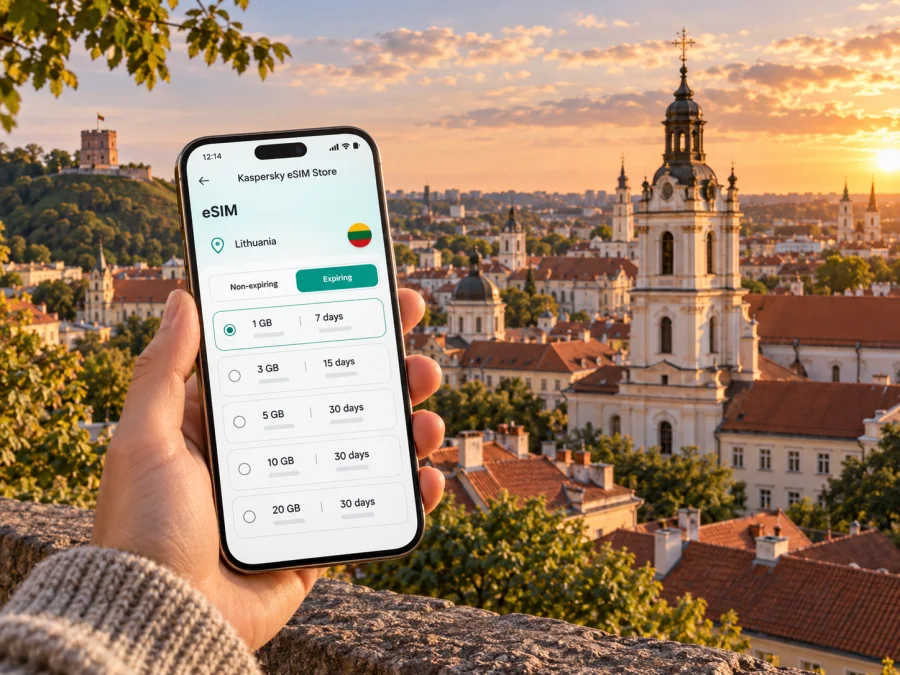
Vilnius eSIM: mobile connection and internet for your city trip
Vilnius is a city of compact historic streets, leafy hills and newer business districts. On a short visit, mobile internet can help you get from the airport to your hotel, check a walking route through the Old Town, find a bus stop or coordinate a meeting across town. An eSIM gives you a way to prepare data access for Lithuania without looking for a physical SIM after landing.
Kaspersky eSIM Store is an app and website where you can choose, arrange and activate an eSIM with a suitable data plan for an international trip. The plan’s coverage, data allowance, validity and other terms depend on the option you choose. This guide focuses on using mobile data around Vilnius: arrival, local transport, where you stay, work visits and day trips from the city.
Why mobile internet is useful in Vilnius
Vilnius is walkable in its central areas, but a city break rarely stays within one small radius. You might arrive at the airport, leave luggage near the station, walk through Senamiestis (the Old Town), cross the river for a meeting in Šnipiškės, then return for dinner in Užupis. Maps, transport updates, bookings and messages are easier to manage when you can get online as plans change.
A city connection is useful for more than turn-by-turn directions. It can help you:
- check the distance between a hotel and the next stop before setting off;
- look up a street name when signs or pronunciation are unfamiliar;
- check public transport routes and current departure information;
- message a host, colleague or driver if your arrival time changes;
- confirm a reservation or retrieve a ticket while away from Wi-Fi;
- translate a short menu, notice or message when needed;
- share your location with someone travelling with you.
These are practical uses, not a promise that a signal will be available in every building or on every route. Network performance depends on the local network, device, surroundings and plan. Keep a small offline fallback for the details you cannot afford to lose.
Getting from Vilnius Airport into town
Vilnius Airport is close to the city. You can continue by train, city bus, taxi or car. The airport railway stop is a short walk from the terminal; trains run directly to Vilnius Railway Station near the centre, and the ride can take up to eight minutes. Buses also connect the airport with central areas and the station district. Routes, hours and ticket arrangements can change, so check current transport information before setting off.
If possible, arrange your eSIM before departure while you have reliable internet. Then you can check plan terms and complete installation without rushing in the arrivals hall. Save your hotel address, check-in instructions and arrival contact details offline as well.
A simple arrival sequence
- Before the flight: save the accommodation address and download an offline map if your map app supports it.
- At the airport: follow signs to the train or bus, or confirm the destination with your driver.
- On the way in: keep the station, hotel and first appointment saved as map favourites.
- At your accommodation: check the eSIM settings and confirm that the plan is active before relying on it.
For a late arrival, do not assume a particular service will be running. Check the current schedule and keep check-in details available offline.
Choose a base that fits the way you will move
Vilnius neighbourhoods have different rhythms. A map may make two places look close, while a river crossing, hill or hotel entrance changes the practical route. Check the address, walking route and transport connection before booking, especially if you have luggage or an early departure.
| Area | A useful fit | Navigation note |
|---|---|---|
| Senamiestis (Old Town) | Historic streets, cafés and central sights | Save the hotel entrance, not only the district name; courtyards can be easy to miss. |
| Naujamiestis and the station area | Rail or bus arrivals and onward travel | Check the exact side of a large building and the walk from the station. |
| Užupis | A quieter stay close to the Old Town and riverside walks | Save a pin for small lanes and bridges; check the return route separately. |
| Šnipiškės and the newer centre | Business visits, offices and modern hotels | Add the precise building entrance and account for a river crossing. |
| Žvėrynas | A quieter residential base | Compare the walk with public transport for your actual destination. |
These are starting points, not rankings. Choose around your schedule: a business traveller may value a direct route to an office, while a rail arrival may call for an easier first transfer. Check the route at the time you expect to travel.
Mobile data for walking routes and public transport
The Old Town rewards wandering, but its lanes can look similar on a small screen. Save essentials before leaving your hotel, and keep destination names in the form shown in your booking. Lithuanian letters such as ė, ū and š can help when searching for an exact address.
Use current route and departure information rather than an old screenshot: service patterns can change by time of day, road works or season. Check the direction as well as the route number, and re-check if you miss a connection.
A simple routine for getting around:
- Before leaving: compare walking and transit options and note the final stop.
- At the stop: verify direction and departure information.
- During the trip: keep the destination pin available and watch for the stop name.
- At the last turn: check the building number and entrance, especially for hotels and offices.
- If plans change: check the route again before walking to another stop.
Location can be less precise between buildings or under tree cover. If directions look wrong, step into a clearer area and confirm the street sign. Keep an offline map as a fallback.
Where your data gets used during a city break
Estimate data by activity rather than trip length alone. Downloaded maps and occasional messages use data differently from video calls, frequent uploads or streaming.
| Travel moment | Typical task | A practical precaution |
|---|---|---|
| Airport arrival | Maps, messages and ride details | Save your address and arrival instructions first. |
| Walking in the centre | Route checks, translation and opening details | Download an offline map; use data for live changes. |
| Public transport | Routes and departure updates | Check current information before boarding. |
| Hotel or apartment | Check-in and reservation details | Save confirmations offline; use suitable Wi-Fi for large downloads. |
| Work or day trip | Calls, shared files, tickets and coordination | Check plan coverage and save important documents. |
Before selecting a plan, consider your days in Lithuania, whether Vilnius is your only stop, and how often you will use video or hotspot sharing. Check destination, data allowance, validity, activation conditions and other terms. Do not assume every plan includes calls or covers neighbouring countries.
Kaspersky eSIM Store is an app and website that helps you choose, arrange and activate an eSIM plan for an international trip. If Vilnius is part of a wider itinerary, review the destination terms for the full route. You can compare eSIM plan options for Lithuania and choose one that suits your visit.
Staying connected on a business trip
A work visit adds coordination tasks: an office entrance may differ from its mailing address, or a meeting may move while you are between appointments. Keep your itinerary, meeting contacts and building addresses offline; use mobile data for updates as you travel around Vilnius.
If you are staying near the newer business areas across the Neris River, include the crossing in your route. Save the office entrance and a contact who can help if you reach the wrong door. Download important files ahead of time and carry a charger if you will use maps and work apps all day.
A travel eSIM is intended for mobile internet. It does not necessarily include a regular phone number, voice calls or SMS unless the selected plan says so. Internet-based calls and messages may work over data, subject to the apps’ requirements. Keep access to your usual number if a bank, hotel or colleague may need it.
Short stopovers and unhurried walks
With only a few hours between arrival and departure, choose one compact central area instead of trying to cover the whole city. Check the journey into town and back, leave time for airport procedures, and confirm luggage arrangements before relying on them.
A measured short visit could mean travelling toward the station or centre, walking through part of Senamiestis, then crossing toward Užupis if time allows. Check the return route and current transport information before leaving the centre.
Vilnius can also be a starting point for trips elsewhere in Lithuania. If your itinerary includes Trakai or Kaunas, check current rail or road options, departure points and return journeys before setting out. Confirm that your data plan covers destinations beyond the city.
Prepare an eSIM before you travel
An eSIM is a digital SIM profile installed on a compatible device. It can be useful when you want to arrange mobile data for an international trip without swapping a physical SIM card. The exact installation and activation flow depends on your device and the plan. Before choosing one, check whether your device supports eSIM and confirm that it is not locked to a mobile operator.
A calm setup usually starts before departure:
- Review the plan: confirm Lithuania is included, then check the data allowance, validity period, price and activation terms.
- Use a reliable connection: download or install the eSIM profile where you have stable internet access, and follow the instructions provided with the plan.
- Label the line: if your phone supports more than one SIM, give the travel eSIM a clear name so you can identify it in settings.
- Choose data settings: select the intended line for mobile data. Keep your usual line available for calls or messages if you need it, while checking your home operator’s roaming terms.
- Activate at the right time: some plans start their validity when installed, while others begin under different conditions. Follow the plan-specific instructions rather than assuming all eSIMs work the same way.
- Check after arrival: confirm that the travel line is enabled and that the device uses it for data. Some devices or plans may require data roaming to be enabled for that eSIM.
For detailed steps, follow the Android eSIM installation instructions or the iOS eSIM installation instructions. If your settings use slightly different wording, follow the device manufacturer’s current instructions and the directions supplied with your plan.
A data plan that fits your own itinerary
There is no single data allowance for every visitor. Think about whether you will use maps and messages lightly, browse and make app-based calls regularly, or rely on video meetings, uploads, streaming and hotspot sharing. These are usage patterns, not fixed data amounts. Apps vary, and background syncing can add usage.
Review your phone’s data usage settings during the first day. Disable large automatic downloads over mobile data if appropriate, and use Wi-Fi for backups or updates when practical. If you will travel beyond Vilnius, check coverage for every destination and compare the plan’s validity with your route.
Common questions about eSIM use in Vilnius
Will an eSIM help me navigate from the airport?
It can provide mobile data for maps and messages if your device, plan and local network conditions support the connection. Save your hotel details and an offline map as a backup.
Does an eSIM replace my phone number?
Not necessarily. A data-focused travel eSIM generally provides mobile internet rather than a regular number, calls and SMS. Check the plan terms and your home operator’s roaming conditions.
Should I install the eSIM at the airport?
It is often easier to install it before departure using reliable internet. Check when the plan’s validity begins, and do not delete the profile unless the instructions or support team say to.
What if mobile data does not work?
Confirm the eSIM is enabled and selected for data, check plan validity and remaining data, then follow the device and plan instructions. Keep saved addresses and offline directions while troubleshooting.
A final Vilnius connection checklist
Before you leave home, make sure you can retrieve your accommodation address, arrival instructions, first transport option and important bookings without an internet connection. Review your eSIM plan’s destination, data allowance, validity and activation terms. Check device compatibility, install the profile according to its instructions, and know which SIM line your phone will use for mobile data.
When you arrive, use current transport information to choose between the airport train, bus, taxi or car. Save the places you need in Vilnius, check walking routes between districts, and keep enough battery for maps and messages. If you take a day trip from the city, confirm that your plan and return arrangements still fit the itinerary.
For a practical start, choose an eSIM plan for your trip to Lithuania through Kaspersky eSIM Store. Review the terms, arrange and activate the option that suits your route, then explore Vilnius with your travel details close at hand.


