Travel connectivity guide
Vinnytsia eSIM: Mobile Internet for Your Trip
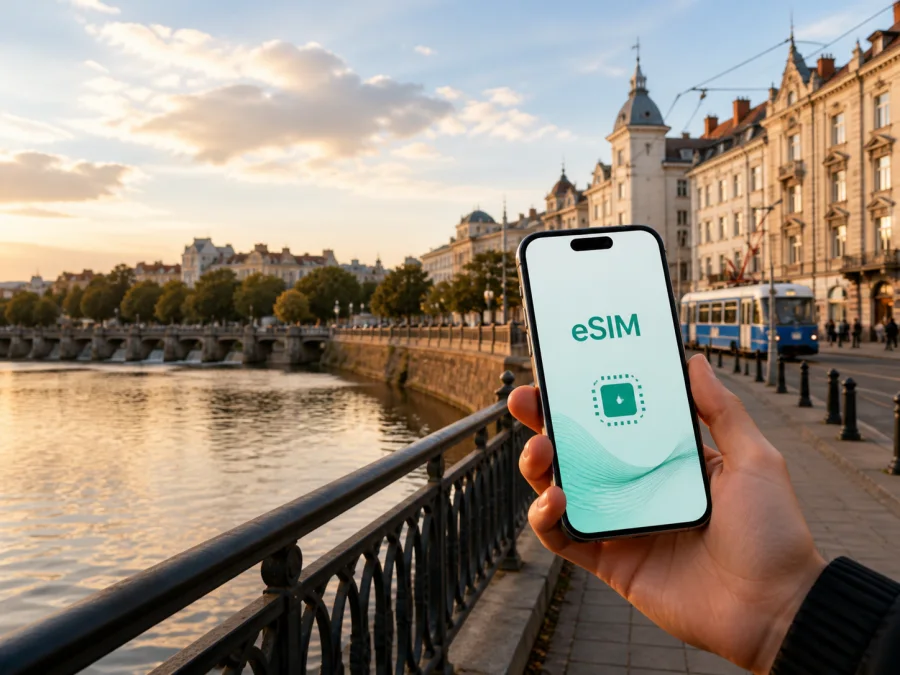
Vinnytsia eSIM: mobile connection and internet for your trip
Vinnytsia is a convenient destination for a short break, a business visit or a longer route through central Ukraine. The city on the Southern Buh combines a walkable centre with residential districts, railway connections, parks, museums and journeys beyond the city. Mobile internet is useful from the first minutes after arrival: you may need to find a hotel, message a host, check a route, order transport or contact colleagues.
An eSIM, or digital SIM, can help you prepare mobile data for a trip to Ukraine without removing the physical SIM card already in your phone. Kaspersky eSIM Store is an app and website where you can choose, arrange and activate an eSIM with a suitable travel tariff for mobile internet. Before deciding, you can review the destination, data allowance, validity period and price. The service organises the data part of a journey; it is not a local mobile operator and does not replace a regular phone number.
Why mobile internet matters in Vinnytsia
The first day in an unfamiliar city is made up of small transitions: from the railway station or bus stop to accommodation, from the centre to a meeting, or from a museum back to the next departure. A connection lets you handle these transitions while moving instead of waiting for a Wi-Fi password.
In Vinnytsia, mobile data may help you:
- open a map while walking between Soborna Street, European Square and the Southern Buh embankment;
- check a hotel message, check-in instruction or meeting-room change;
- order a ride or share your location when the address is outside the centre;
- translate a sign or message and keep in touch with colleagues or family;
- check current transport information before crossing the city;
- join a work call or open a document when you are away from the office.
An eSIM also reduces dependence on finding a physical SIM card after a long journey. Your everyday SIM can remain in the phone for its regular number, while the eSIM is selected for mobile data if the device supports both lines. This is a practical arrangement, but the exact behaviour depends on the phone and the chosen tariff.
Arrival in Vinnytsia: prepare the first hour
Many visitors arrive by train; others use an intercity bus or car. The preparation is similar: save the accommodation address, identify the route from the arrival point and keep a way to contact the person meeting you. If you are continuing to another Ukrainian city, also save the next departure point and your return route.
Before leaving, save the accommodation address, booking details and district offline, along with a host’s or colleague’s number. This backup helps if the battery is low or activation takes a few minutes.
After arriving, use this short routine:
- Confirm that the eSIM line is enabled.
- Select it as the line for mobile data.
- Open a map and check the route to your first stop.
- Compare the displayed destination with the saved address.
- Send an arrival message before you start moving.
If you have luggage or arrive late, these checks are more useful than experimenting with settings on a busy platform. Once settled, review data use and restrict automatic updates.
Moving around the city
Vinnytsia’s centre, parks and riverside sights can often be combined in a walking route. A map is still helpful when weather, road works, an event or luggage changes the best path. Use walking directions in the centre, then switch to public transport or a ride for a more distant address.
The city’s tram network and other urban transport are part of everyday travel; buses, trolleybuses and car rides can be useful for longer connections. Stops, routes, payment options and timetables may change, so check current information in the service you plan to use. Avoid relying on an old screenshot. Mobile data lets you check the next connection close to departure.
A simple navigation routine
- Enter the complete destination, including the building number.
- Find the nearest stop or a recognisable street before leaving.
- Check the walking section at both ends of the route.
- Save the next destination in the map or notes.
- Keep enough battery for the return journey and communication.
Navigation, camera use, messaging and ride apps can consume more power than expected. Lower screen brightness and a power bank help through the day.
Districts and places visitors use as reference points
The centre around Soborna Street is a natural base for a first walk. Cafés, shops, public spaces and cultural stops are concentrated nearby. When meeting someone, use the complete address and check the entrance on the map.
European Square and the central streets make useful reference points for a short itinerary. From there, plan towards the Southern Buh and the embankment, then return without crossing the whole city. Central parks offer a quieter pause; check current opening times and events because seasonal programmes change.
Zamostia and other residential districts matter when your hotel, apartment or meeting venue is outside the historic core. The exact entrance and nearest stop are more useful than a landmark, so ask your host for a map pin or nearby crossroads.
Accommodation and mobile data
Choose a base according to the purpose of the visit. A central hotel may shorten walks to cafés, offices and sights; a quieter apartment or property near a transport corridor may suit a longer stay or a particular meeting.
Before booking, check the details that affect navigation and data use:
| Question | Why it matters in Vinnytsia |
|---|---|
| Is the full address shown? | A street without a building or entrance makes the final walk harder. |
| Is late check-in explained? | You may need to message the host while travelling from the station. |
| Is there a nearby stop? | This helps compare walking, public transport and a ride. |
| Will you work in the room? | Mobile data is a useful backup if Wi-Fi is unsuitable. |
| Will you connect a laptop? | File synchronisation and video can use data quickly. |
Choosing an eSIM tariff for Vinnytsia
Start with the itinerary. A one-day stop with maps and messages has a different data profile from a week of remote work, video calls and hotspot use. The suitable option depends on the destination, validity period, allowance and number of devices.
| Travel pattern | Estimate first | Practical choice |
|---|---|---|
| Short stopover | Arrival messages, maps and bookings | Cover the complete stop, including the travel day. |
| City break | Navigation, photos, translation and messaging | Limit automatic media uploads when the allowance is modest. |
| Business visit | Email, documents, calls and work platforms | Estimate work traffic separately from personal browsing. |
| Vinnytsia plus other Ukrainian cities | Intercity travel and data after leaving the city | Confirm that the destination covers the country or region. |
Before payment, check:
- That Ukraine is included in the selected destination.
- That the validity period covers the days you need data.
- That the allowance matches light, moderate or intensive use.
- Whether hotspot use is allowed for a laptop.
- When validity begins and how traffic is counted.
- Where the tariff details and balance will be shown.
Kaspersky eSIM Store helps you review these conditions and choose an eSIM tariff for the travel scenario you have planned. When your route includes Vinnytsia and further stops in Ukraine, choose an eSIM tariff for your Ukraine trip and confirm the destination and validity before completing the order.
Installation before departure or after arrival
Installing before departure can reduce tasks at the station, on a bus or in a hotel lobby. You need an eSIM-compatible, carrier-unlocked device, a stable internet connection and the QR code or profile details supplied after the order. If you prefer to install after arrival, keep access to Wi-Fi until the profile is ready.
Before buying, check whether your device supports eSIM. Some models differ by region of sale, and an operator lock can prevent a profile from being used. This small check can prevent an arrival-day problem.
Five installation steps
- Check the device. Confirm eSIM support, remove any operator restriction and charge the phone.
- Open mobile-network settings. Select the option for adding a mobile plan or eSIM.
- Scan the QR code. Use the code from your Kaspersky eSIM Store profile or confirmation message.
- Choose the data line. Set the new eSIM as the line for mobile data in Ukraine.
- Wait for activation. Allow a few minutes and follow the tariff instructions if data roaming must be enabled for the eSIM.
For device-specific wording, use the Android eSIM installation instructions or the iOS eSIM installation instructions. Settings names vary by operating-system version, so follow the labels shown on your own phone.
If you install now but want to use the eSIM later, keep your everyday line selected for mobile data until the journey begins. On arrival, change the data line and disable automatic switching if the device offers that option. Keep the physical SIM installed if you need its regular number for calls or messages.
Managing data during the visit
Background activity can use more data than one map request: photo backups, app updates, video autoplay, cloud drives and laptop hotspots all matter. Update maps over Wi-Fi, limit automatic updates, check your balance and use suitable Wi-Fi for large work files when practical. Turn hotspot off after the task, save the next sightseeing address and keep a charged battery.
Practical Vinnytsia scenarios
Weekend arrival by train
Install the eSIM at home, keep the QR code accessible and save the accommodation address. At the station, select the eSIM for data, check the route and message the host. After checking in, review usage and build the next day around the centre, embankment and places you actually want to visit.
Business meeting outside the centre
Ask for the complete address, building name and nearest stop. Save the meeting details offline, then use mobile data for the live route and an update if the arrival time changes. Keep the laptop on suitable Wi-Fi for large synchronisation and use the eSIM as a mobile backup for email, maps and messages.
Stopover or day trip
Check the next departure or return option using current information, save the station or bus departure point and allow time to return from a distant sight. Confirm that the tariff covers the route beyond Vinnytsia and remains valid for the next leg.
If the connection is not ready
Check the basics in order. Confirm that the eSIM is installed, enabled and selected for mobile data. Check airplane mode, restart the phone if the instructions recommend it and make sure the data-roaming setting matches the tariff instructions. Automatic switching may have selected the physical SIM instead.
If the issue continues, compare the destination and validity with the order, move to a clearer location and wait a few minutes. Do not delete the eSIM unless the instructions or support team tell you to; reinstalling may not be possible under every tariff condition. For support, include the device model, operating-system version, failed step and on-screen message.
Important limits
An eSIM tariff is primarily a mobile-data solution. It normally does not provide a separate regular phone number, and ordinary calls or SMS are not included unless the selected tariff says otherwise. You can use messaging and calling apps over data, while keeping your regular number active for calls or verification messages.
Validity, allowance, activation point, replenishment options and refund conditions depend on the selected offer. Read them before payment. An eSIM profile may be restricted from transfer after activation, so install it on the phone you intend to use.
Vinnytsia travel checklist
Before departure
- Check eSIM support and operator unlocking.
- Choose a tariff that includes Ukraine and matches the route.
- Compare validity, allowance and activation conditions.
- Install the profile with a stable connection if convenient.
- Save accommodation, arrival and meeting details offline.
- Prepare a charger or power bank.
At arrival
- Select the eSIM for mobile data.
- Check the route from the station, bus stop or meeting point.
- Send an arrival message.
- Confirm that the correct tariff is active.
- Keep the regular SIM for calls and SMS when needed.
During the stay
- Review data use after navigation-heavy days.
- Limit background updates and cloud backups.
- Keep addresses and return routes available offline.
- Check current transport information before crossing the city.
- Contact support if installation or activation does not follow the expected steps.
Frequently asked questions
Is an eSIM useful for a short visit to Vinnytsia?
Yes. It can help even on a one-day stop because maps, arrival messages and transport checks are needed immediately. Choose a validity period that covers the stop and review the destination conditions.
Will the eSIM include calls and SMS?
No, unless the selected tariff explicitly includes them. In this context, travel eSIMs are intended for mobile internet. Use your regular number or internet messaging apps for communication.
What if my phone does not support eSIM?
Choose another compatible device or a physical-SIM option available for the journey. Check the model, regional version and operator-lock status before payment rather than relying only on the product name.
Can I use the eSIM outside Vinnytsia?
That depends on the tariff’s destination. A Ukraine or regional option may suit a route through several cities, while a more limited offer may not. Confirm the area, validity and allowance before travelling onward.
Final preparation for your trip
Vinnytsia is easier to navigate when you prepare for the transitions: from the station to the hotel, from the centre to a museum, from an office to dinner and from the city to your next destination. A compatible eSIM, a clearly chosen data tariff and a few offline notes give you control over those transitions without making the phone your whole itinerary.
Kaspersky eSIM Store helps you choose, arrange and activate an eSIM for mobile internet during a foreign trip. Review the destination, allowance, validity and device requirements, then choose an eSIM tariff for your trip to Ukraine when it matches your Vinnytsia itinerary. After activation, select the eSIM for mobile data and keep the tariff details accessible while you travel.


