Travel connectivity guide
Viqueque eSIM: Mobile Internet for Timor-Leste
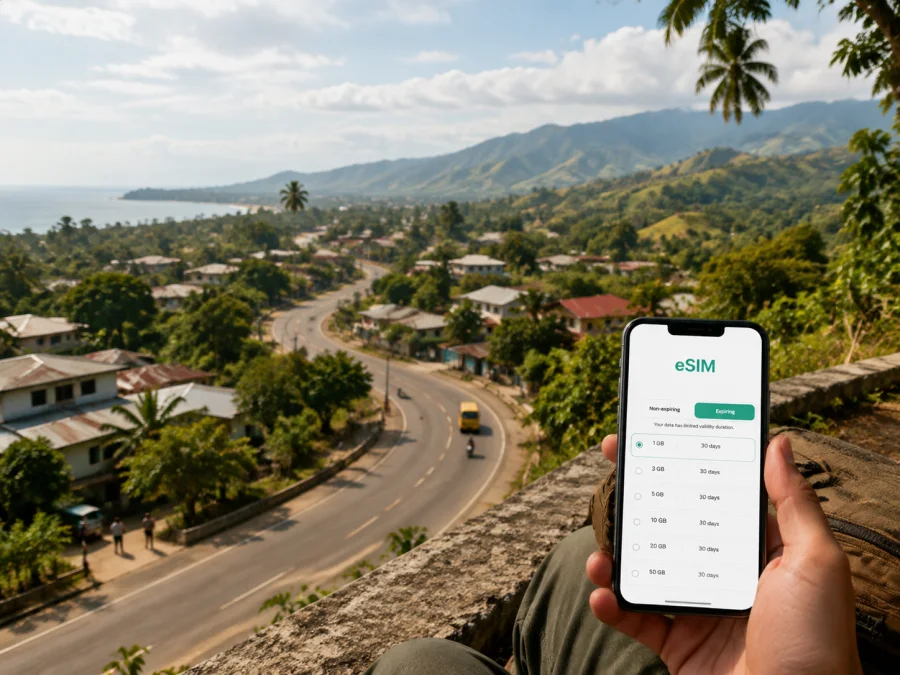
Viqueque eSIM: mobile connection and internet for your Timor-Leste trip
If you are travelling to Viqueque, a dependable mobile internet plan can simplify the road transfer and your days in town. You may need maps, a message to a driver, a booking confirmation or translation while moving through a less-visited part of Timor-Leste. An eSIM, or digital SIM card, lets you prepare data without removing your physical SIM.
Viqueque is the capital of Viqueque Municipality in eastern Timor-Leste. It is not a large resort city with a dense public transport network, but a practical base for southern and highland journeys, local markets, rural roads, river landscapes, Ossu and the coast. Plan to use internet mainly for arrival coordination, navigation and communication.
Viqueque at a glance
| Travel question | What to plan for |
|---|---|
| Where is Viqueque? | In eastern Timor-Leste, between central mountains and the southern coast. |
| How do many visitors arrive? | By road from Dili via Baucau; the official tourism portal describes the journey as about 5–6 hours by road. |
| What is the town useful for? | A base for the market, nearby nature and onward trips. |
| What is beyond the town? | Administrative posts including Ossu, Uatulari, Uatucarbau and Lacluta, plus coastal and highland areas. |
| Why is mobile data useful? | For routes, driver coordination, messaging, translation and work updates. |
When an eSIM helps in Viqueque
During the approach from Dili or Baucau
Many itineraries reach Viqueque by road. Before departure, you may need to share a meeting point, confirm a vehicle, send a location pin or tell your accommodation about a delay. Mobile data is useful for these exchanges.
In the town centre
Viqueque town is a useful place to organise the next leg. You might visit the local market, check a meeting point, translate a phrase or send photos. A connection also helps when a driver or host shares a location pin rather than a formal street address.
Keep your phone charged and save important details offline as well as online. A power bank, an offline map and a screenshot of your accommodation address are sensible companions to an eSIM.
For nature, culture and short excursions
The wider municipality is known for steep terrain, forest and rivers. Tourism information highlights the hot spring near Viqueque town, the local market, Beaco Beach, Loihuno Waterfall and Ira-Bere Waterfall, as well as mountain views towards Mount Matebian and Mundo Perdido on the Baucau route.
These places are not all a short walk from the town centre. Before leaving, confirm transport, the meeting point and the expected return. In areas with limited services, carry water, protect the phone and save directions and contacts offline.
How to choose an eSIM tariff for Viqueque
Choose the country or region of coverage first. For Viqueque and other places in Timor-Leste, the relevant destination is Timor-Leste. If you cross a border, compare a separate country tariff with a suitable regional option. Selection is normally based on destination, validity and data allowance.
Then match the package to what you will actually do. A short stopover, a town stay and a multi-day road itinerary use data differently.
| Trip pattern | Typical data activities | What to compare |
|---|---|---|
| Stopover or overnight stay | Messages, a few map checks, ride coordination and booking updates | A short validity period and a modest data allowance, if available for the destination. |
| Several days in Viqueque | Navigation, messaging, translation, weather checks and occasional browsing | Validity that covers the full stay, with enough reserve for the arrival and departure days. |
| Road trip through the municipality | Map use, photo sharing, repeated driver calls through messengers and route research | The complete route, validity dates and whether the package remains suitable outside the town. |
| Work or study visit | Email, cloud documents, video calls and hotspot use | A larger data allowance, tethering conditions and a backup plan for meetings. |
The figures shown in a store can change by destination and time. Read the live details before payment: destination, data volume, validity, price, activation rules, refill conditions and hotspot limits. A package sufficient for maps may be less comfortable if you upload photos, join video meetings or use a phone as a modem.
For a multi-stop itinerary, list Viqueque, Ossu, the southern coast and your return route through Baucau before choosing. This prevents selecting a plan based only on the first night.
When you are ready, you can choose an eSIM tariff for a trip to Timor-Leste and review the current conditions for the destination. Kaspersky eSIM Store is an app and website that helps you choose, order and activate an eSIM with a suitable tariff for mobile internet during an international trip.
Arrival planning: keep the first hours simple
Before leaving for Viqueque, prepare the following:
- Save your accommodation address and contact, then screenshot the route and first meeting point.
- Agree in advance where you will meet a driver or host.
- Download maps, language tools and key travel information for offline use.
- Decide which line will handle mobile data and whether your physical SIM remains active.
- Carry a charging cable and power bank for the road transfer.
If you are travelling from Dili, allow room for a long road day and avoid planning an important online meeting immediately after arrival. The tourism guidance places the drive via Baucau at around five to six hours, but road conditions, stops, weather and the vehicle can change the timing.
If you are coming from Baucau, confirm whether the vehicle can handle the section you intend to travel. The tourism portal recommends a 4WD for the southern coast, especially for remote beaches, waterfalls and rougher access roads.
Moving around Viqueque and the surrounding areas
Town movement
For short trips in Viqueque town, ask your accommodation or local contact about transport. Keep the destination written down with a map pin and nearby landmark. Data can help you share your location, but it cannot replace a locally confirmed route.
Markets and public buildings may be easier to identify by a landmark than by a street name. If you are meeting someone, message before setting out and again on arrival.
Trips to Ossu and the highlands
Ossu is a highland town in the municipality, and the tourism portal points to its colonial-era Church of Saint Teresina. Confirm transport, start time and return arrangements before going.
Trips towards the coast
Beaco Beach and other southern destinations can be part of a longer itinerary. Roads may be more demanding outside the town, and the tourism portal specifically recommends a 4WD for the southern coast. Ask locally about access before you leave, particularly in the rainy season. The municipal information describes a rainy period broadly from October or November through June and a drier period from July through September or October; conditions can vary, so check the current situation with your host or driver.
For a coastal day, use this departure checklist:
- Confirm the road, vehicle and driver.
- Share your destination and expected return with your accommodation.
- Save the destination pin and return instructions offline.
- Charge the phone, take a power bank and reconfirm the pickup point.
Accommodation, work and everyday communication
Accommodation in and around Viqueque is more likely to be small-scale than in a capital. Confirm availability, check-in and payment arrangements, and do not assume every property has fast Wi‑Fi or a 24-hour reception.
At a hotel, guesthouse or homestay, mobile data can help you send an updated arrival time, share a map pin, translate a check-in question, confirm a pickup and keep family updated without searching for Wi‑Fi.
For work, download files before the road trip, allow for delays, test a video call in advance and keep audio-only participation as a fallback. Check hotspot conditions before connecting a laptop or tablet.
Installing an eSIM before departure or after arrival
Install the eSIM on a reliable internet connection and read each confirmation screen. Installation and activation can be separate steps, so follow the current conditions for the selected tariff.
Before departure
- Check that the phone supports eSIM and is not locked to another operator. Use device compatibility check before choosing a tariff.
- Select Timor-Leste as the destination and review the data allowance, validity and activation rules.
- Complete the purchase and keep the QR code or activation details available.
- Install the eSIM on dependable Wi‑Fi. Do not delete your physical SIM profile unless you no longer need it.
- Label the new line clearly and check when validity or data use begins.
For device-specific steps, use the Android eSIM installation instructions or the iOS eSIM installation instructions. Menu names can differ by operating-system version and manufacturer, so follow the screens on your phone rather than relying on a generic sequence.
After arrival
If you did not install the profile earlier, use dependable Wi‑Fi where available and keep the QR code accessible on another screen or device. Then:
- turn on the eSIM line;
- select it for mobile data;
- enable data roaming for that eSIM only if the tariff instructions require it;
- keep data roaming disabled on the home line if you want to avoid accidental roaming charges;
- open a simple webpage or messaging app to test data;
- send your arrival message before setting off from the meeting point.
If data does not appear, check the selected data line, signal conditions, any supplied APN instructions and the activation status. Restart after a settings change. If the problem remains, use the support route in your order or application rather than deleting the profile.
What to check before purchase
An eSIM is a digital profile, not a guarantee for every phone, route or app. Use this checklist:
- Device: eSIM support can vary by model, region and software version. Check the device before payment.
- Operator lock: a phone restricted to its original operator may not accept another eSIM profile.
- Destination: verify that the tariff includes Timor-Leste and suits your wider route.
- Validity: check when the period starts and whether it covers both the arrival and departure days.
- Data use: estimate navigation, messages, browsing, photos, video and hotspot needs.
- Calls and SMS: a travel eSIM is generally intended for mobile data; ordinary phone numbers, voice calls and SMS are not included unless the specific tariff says otherwise.
- Home line: decide whether to keep it active for incoming messages and whether its data roaming should remain off.
- Installation: keep the QR code and order details safe; install before a long transfer if possible.
- Support: know where to find help if the profile does not activate or the data line is not selected.
Three practical Viqueque scenarios
- Short stopover: use data for the transfer, accommodation messages, maps and a booking confirmation. Download the route first, use low-power mode and compare validity for the short stay.
- Town and coast: before travelling towards Beaco Beach, save the destination and driver’s contact offline, ask about road access and confirm the return plan.
- Working visit: test the eSIM, download files, check hotspot terms and leave time for road delays. A larger allowance may be sensible, depending on current tariff details.
Frequently asked questions
Is an eSIM useful if I am staying only in Viqueque town?
It can help with arrival messages, maps, translation, reservations and communication with accommodation or drivers. Choose according to the Timor-Leste tariff, stay length and expected data use.
Can I use an eSIM for ordinary calls and SMS?
Do not assume so. In this travel context, the eSIM is intended for mobile internet. Voice calls and SMS are not included unless the specific tariff states that they are. Internet-based messengers can work for calls and messages when data is available.
Should I install it before travelling to Viqueque?
Installing before departure is usually easier because you have time, power and a dependable connection. If you wait, keep the QR code accessible and check when activation and data use begin.
Will the same plan cover trips outside Viqueque?
That depends on destination terms, not the city name. Review Timor-Leste and your planned route before purchase. For a border crossing, check the next country separately.
What if my phone shows no data after installation?
Confirm that the eSIM is on and selected for mobile data, then check whether its instructions require data roaming. Restart after changing settings and contact support if needed. Avoid deleting the profile while troubleshooting.
Prepare your Viqueque connection in a few minutes
The most useful setup is deliberate: choose Timor-Leste, match validity and data to your route, check compatibility, install the profile and save essential details offline. In Viqueque, data is especially helpful between the town, road transfer and next rural or coastal stop.
When you have checked your device and itinerary, select an eSIM tariff for your trip to Timor-Leste. Kaspersky eSIM Store helps you choose, order and activate an eSIM for mobile internet during an international journey, with the final conditions determined by the tariff you select.


