Travel connectivity guide
Virgin Gorda eSIM: Mobile Internet for Travel
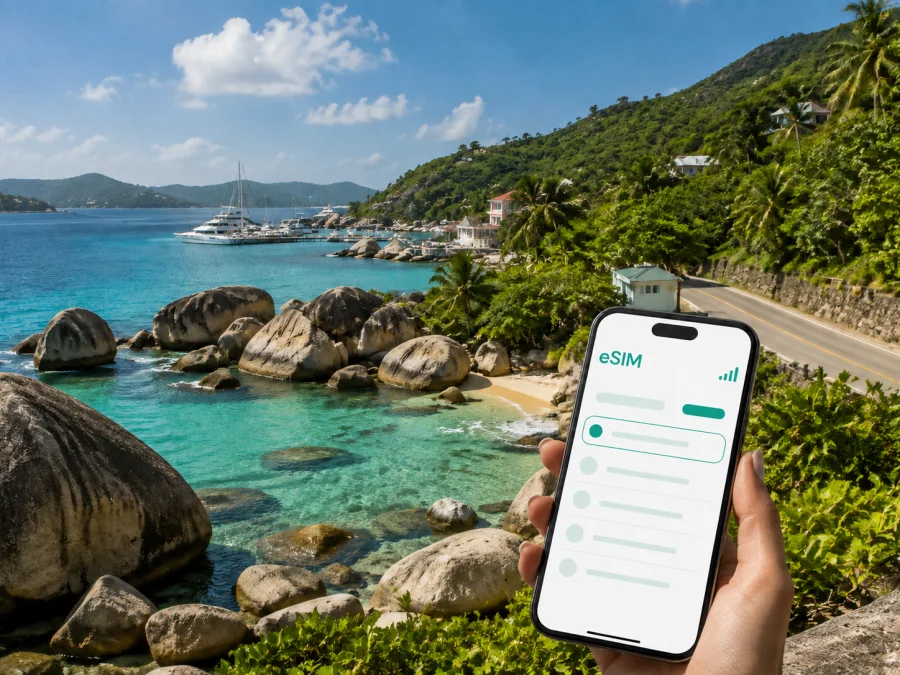
Virgin Gorda eSIM: mobile connection and internet for your trip
Virgin Gorda rewards a slower pace, but arriving on an island does not mean you have to lose access to the practical tools you use every day. A digital SIM can help you keep mobile internet available for directions, messages, booking details and travel updates without removing your physical SIM card. For a stay in Virgin Gorda, the useful question is not simply whether to use an eSIM. It is how to prepare one for the way you will arrive, move between beaches and settlements, and spend time on the island.
Kaspersky eSIM Store is an app and website where you can choose, arrange and activate an eSIM with a suitable plan for mobile internet during an international trip. You select the destination, compare the allowance and validity shown for the chosen plan, and install the digital SIM on a compatible device. The result is a practical travel setup for Virgin Gorda, while your regular SIM can remain available for calls or messages if your own operator’s conditions allow it.
Why an eSIM can be useful in Virgin Gorda
Virgin Gorda is compact, yet a trip can involve several different connection moments: meeting a taxi after a ferry crossing, finding a villa after dark, confirming a water transfer, opening a map near the coast, or sending a message when a plan changes. A dependable way to use mobile data reduces the need to search for public Wi-Fi every time you need one small piece of information.
The first hours are often the most demanding. An itinerary may take you through an airport, a ferry terminal and a road transfer before you reach your accommodation. If the eSIM is ready, you can check directions, contact the person meeting you and keep reservation details available between transfers.
For a holiday, mobile internet can support:
- maps and saved accommodation details;
- messages with hosts, drivers and travel companions;
- digital tickets, confirmations and payment notifications;
- weather checks, translation, restaurant research and light browsing.
For a business trip, you may need to answer messages, join a short call, share a document or reach a meeting at a marina or resort. Choose a plan around those tasks: video calls and large file transfers use much more data than messages, maps and email.
An eSIM is not a replacement for every communication service. Unless the conditions of a particular plan say otherwise, it provides mobile internet rather than a separate telephone number, standard voice calls or SMS. Keep your usual number active when you need it, and use messaging or calling apps over data when that suits your itinerary.
Arriving in Virgin Gorda: plan the connection around the route
The arrival point matters because Virgin Gorda trips can begin in different ways. Some travellers use Virgin Gorda Airport, while others reach the island by ferry or private boat. A common itinerary connects through Beef Island and Trellis Bay, Tortola, or St. Thomas before the final island leg. The right plan is therefore the one that matches the country or region shown in the Kaspersky eSIM Store offer and your complete route, not only the name of the last settlement on the booking.
Spanish Town is the main arrival reference for many visitors. Ferries and other sea journeys may use ports around Spanish Town or St. Thomas Bay, while an itinerary through Trellis Bay on Beef Island needs time for the onward connection. If you arrive by air on Virgin Gorda, confirm the transfer to your accommodation before travelling.
Because sea schedules and connecting services can change, keep these details together in your phone:
- the arrival terminal and the name of the next transfer;
- your accommodation address or pin;
- a phone number or message thread for the host or driver;
- the latest ferry, charter or transfer information supplied for your itinerary;
- a backup note with the name of the settlement you are heading to.
Save essential information before leaving reliable Wi-Fi. An offline reservation and a screenshot of the first route are useful when a signal is slow, the battery is low or the crossing is underway.
Moving around the island
Virgin Gorda is not organised like a large mainland city with one central transit network. Your daily movement is more likely to combine a taxi, a rental vehicle, a walk and, for some plans, a boat. That makes a phone with active data useful even when each individual journey is short.
Spanish Town and the south
Spanish Town is a practical base for arrival tasks, supplies, dining and onward journeys. From there, travellers may continue toward The Baths, nearby beaches or the roads leading north. Keep the exact property name and host instructions saved rather than relying on a broad place label.
The Baths is a well-known natural attraction on Virgin Gorda. A visit may involve a transfer followed by walking on uneven terrain. Check arrangements, share your meeting point and agree on the return location before setting out.
North Sound and the eastern side
North Sound is associated with sailing, resorts, beaches and water-based excursions. A day here can involve road transport, a marina meeting point and a boat trip. Save the marina name, operator’s instructions and return time in one note so the group can reunite without repeatedly looking for Wi-Fi.
Roads outside the main settlement can feel unfamiliar, especially after sunset or during rain. Use navigation as an aid, but do not treat the estimated arrival time as a promise. Road conditions, weather and taxi availability can change the journey. Confirm the pickup point in plain language and share the accommodation name with everyone in the group.
Prepare your eSIM plan for Virgin Gorda
The best plan depends on duration, route and behaviour rather than on a single headline data amount. A guest who mainly needs maps and messages will use data differently from someone uploading video or working remotely. Before selecting an option, answer four questions:
- How many days will you spend in Virgin Gorda and in the wider route?
- Will you use data only on the island, or also during connections through other places?
- Will you rely on maps and messages, or use video calls, streaming and file transfers?
- Does the plan’s country or regional coverage match the full itinerary?
Choose a validity period that covers the time you need the connection, and check when the plan starts counting. Read the allowance, activation conditions, top-up rules and any speed or usage notes shown with the selected offer. Avoid choosing solely by the largest data figure: an unused allowance is less useful than a clear plan that fits your days and activities.
At this stage, you can choose an eSIM plan for Virgin Gorda and the Virgin Islands, British. Review the current terms shown for the destination, then match the option to your route through the islands.
A simple planning comparison
| Travel pattern | Likely data tasks | Planning approach |
|---|---|---|
| Weekend stopover | Messages, maps, confirmations | Use a short-validity option that covers arrival and departure days |
| Beach holiday | Navigation, reservations, messaging, occasional browsing | Allow for daily map use and coordination with hosts or drivers |
| Sailing or island-hopping route | Meeting points, weather checks, messages and bookings | Confirm whether the selected coverage follows the whole route |
| Remote-work stay | Email, cloud files, calls and hotspot use | Estimate work data separately and keep a backup connection plan |
These are planning patterns, not guaranteed consumption figures. Your usage depends on screen settings, automatic updates, media uploads and whether your phone shares data with another device. Turn off automatic updates and photo backups over mobile data if you need to keep consumption predictable.
Install before departure or after arrival
Installing before departure can make the first transfer easier because the eSIM is already present when you leave the airport or ferry terminal. Some travellers prefer to wait until arrival so they can keep the profile inactive until it is needed. Follow the plan’s activation conditions and avoid deleting an eSIM profile simply because the connection does not appear immediately.
Before beginning, make sure you have:
- a compatible, unlocked phone;
- a stable internet connection for the installation;
- access to the QR code or eSIM profile in your account;
- enough battery to complete setup;
- the instructions for your operating system nearby.
Use these steps:
- Check the device. Check whether your device supports eSIM and confirm that it is not locked to another operator.
- Open mobile network settings. Select the option for adding a mobile plan or eSIM.
- Scan the QR code. Use the QR code supplied in your purchase details or account.
- Label the profile. Give it a clear name such as “Virgin Gorda trip” so you can identify it later.
- Choose the data line. Select the travel eSIM for mobile data when you want to use it.
- Review roaming settings. Some devices may require data roaming to be enabled for the eSIM. Follow the plan instructions and monitor which line is using data.
- Test the connection. Open a simple page or send a message after activation. Connection can take several minutes.
For more detail, use the Android installation instructions or the iOS installation instructions. Menu names differ by device and operating-system version, so use the instructions that match your phone.
If you want to use the eSIM only after reaching Virgin Gorda, keep your regular SIM selected for data until the appropriate moment. When you change the data line, check that the travel profile is active and review data-switching settings.
Hotels, villas and workdays
Accommodation may be close to a beach, marina, Spanish Town or a quieter road. Save the property name, address and check-in instructions before the first transfer. For a villa or apartment, ask for a precise meeting point and a landmark that is clear after dark.
For remote work, separate essential tasks from leisure use. Video meetings, large uploads and hotspot use can consume data quickly, so download documents before leaving Wi-Fi, limit automatic cloud synchronisation and keep a charged power bank. Confirm the meeting location and connection option instead of assuming that every room or outdoor area will support a stable call.
A practical checklist before leaving home
Use this checklist 24–48 hours before travel, leaving enough time to resolve an installation issue:
- [ ] Confirm eSIM support, the absence of an operator lock and coverage for the full route.
- [ ] Compare validity, data allowance and activation conditions.
- [ ] Save accommodation, ferry or flight details and transfer contacts.
- [ ] Install the eSIM with reliable internet, if that suits the plan, and keep the QR code available.
- [ ] Decide which line will handle mobile data and download essential maps or reservations.
- [ ] Pack a charger or power bank for the arrival and transfer period.
On arrival, check the time and the data line before opening navigation or uploading photos. On a ferry or in a remote coastal area, avoid spending the whole allowance on background activity. The goal is a predictable connection for important tasks, not a promise that every application will behave identically in every location.
Frequently asked questions
Do I need an eSIM specifically for Virgin Gorda?
You need a plan whose stated coverage and conditions fit your trip. Search for the relevant country or region in Kaspersky eSIM Store and check the offer details before purchase. If your itinerary includes connections outside Virgin Gorda, include those locations in the check rather than looking only at the island name.
Can I keep my physical SIM card installed?
Usually, a compatible dual-SIM phone can keep a physical SIM and an eSIM profile together, but the exact behaviour depends on the device. Select the travel eSIM for mobile data and review data-switching settings.
Will the eSIM provide a phone number?
Not unless the specific plan states that it includes one. Travel eSIMs in this context are intended for mobile internet. Standard calls and SMS may continue through your regular line, subject to your home operator’s roaming conditions; internet calling and messaging apps use data.
What if the connection does not appear immediately?
Wait a few minutes, check that the correct profile is enabled, confirm the data line and review the roaming setting required by the plan. Restarting the phone may help. If the problem continues, check the plan instructions and contact support with the device, profile and activation details. Do not delete the eSIM profile before confirming the next step.
Stay ready for Virgin Gorda
The most useful eSIM setup is the one that follows your actual journey: the arrival terminal, the road to your accommodation, the beaches and marinas you plan to visit, and any connections beyond Virgin Gorda. Check the device, choose the country or regional coverage carefully, read the validity and data conditions, and install the profile while you still have time to test it.
When you are ready to prepare the connection for your trip, select a suitable eSIM plan for Virgin Islands, British. Review the current plan details, activate the profile at the right time, and keep the key travel information saved on your phone for the journey to Virgin Gorda.


