Travel connectivity guide
Virgin Mobile eSIM in Colombia: What to Check
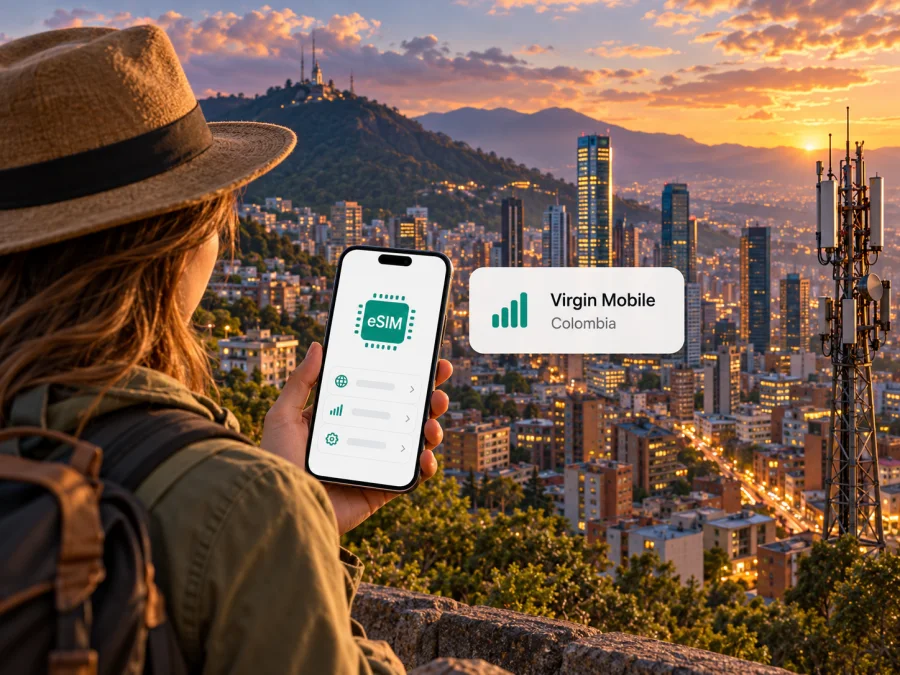
Virgin Mobile eSIM in Colombia: what travelers should know
Virgin Mobile offers eSIM service in Colombia, with activation through its website or app. For a traveler, the key question is whether you need a Colombian local line or mobile data across an international trip. A Virgin Mobile eSIM replaces a physical SIM for that operator’s service; it does not by itself mean your Colombian service will roam abroad. Before relying on it, check registration requirements, your exact phone model, coverage along your route, and current service conditions with Virgin Mobile.
This guide explains the operator’s position in Colombia, its documented eSIM setup, and practical checks for visitors. It does not list or compare specific Virgin Mobile plans. The operator’s own “Activate eSIM” guide, Help Center FAQ, coverage map, “What is Virgin Mobile?” page, and current terms and conditions were checked on 17 October 2026. Those sources confirm eSIM availability and describe its account, coverage, and roaming context. Details they do not establish—such as every visitor’s eligibility or every regional phone variant—are identified as things to verify.
Virgin Mobile’s place in Colombia
Virgin Mobile Colombia identifies itself as a mobile virtual network operator (MVNO): it provides mobile service using a host network rather than operating a standalone radio network of its own. Its current coverage map says that network changes depend on the provider, links to coverage information for Telefónica and Tigo, and notes that mapped coverage does not show localities served through national automatic roaming. The operator’s “What is Virgin Mobile?” page describes the Colombian service as prepaid.
For customers, the practical result is that service depends on location, underlying network arrangements, and radio conditions. A map is a planning aid, not a guarantee of indoor reception, uninterrupted data, or a particular speed. Check the towns and routes where you expect to use the phone rather than assuming the same service everywhere in the country.
Virgin Mobile’s customer materials are in Spanish, and its app and online account are central to SIM management. If Spanish is not your preferred language, prepare the steps before travelling or arrange help understanding the official instructions. For registration, payment, or account questions, rely on the operator’s current guidance rather than an informal translation.
Is Virgin Mobile eSIM available in Colombia?
Yes. Virgin Mobile’s current “Activate eSIM” guide describes purchasing an eSIM or replacing a SIM, and its Help Center explains how an existing customer can move a compatible line from physical SIM to eSIM. The process can be started through the app or website. When the order is completed on a computer, the guide says a QR code appears for scanning with the phone that will use the eSIM. When the process is done on that same phone, an automatic install option is available.
This confirms eSIM availability for Virgin Mobile’s Colombian service. It does not establish that every device supports eSIM, that all regional versions of a model are compatible, or that a visitor can complete each account step from outside Colombia. The pages checked do not give a complete model-by-model list or one universal visitor document rule. Confirm your exact phone and eligibility with Virgin Mobile before purchase or SIM replacement.
Getting a Virgin Mobile eSIM as a visitor
If you want a local Virgin Mobile line during a visit, ask the operator these questions before you begin:
- Can a short-term visitor register a new line, and which identity documents are accepted?
- Can the full order and activation be completed online, or is an in-person step required?
- Can you order or replace an eSIM while outside Colombia, or must you be on the local network?
- Does the service include the calls, messages, and data functions you need?
- Is your exact phone variant supported on the network used for your line?
- What should you do if the profile installs but does not register on the network?
Virgin Mobile’s FAQ says an account holder must sign in to recover a number. Its eSIM information describes SIM replacement through the account/app or website for a compatible device. The FAQ also lists identity documentation for number porting, but this does not establish the documents required for every new prepaid line or visitor. Do not treat porting requirements as general eSIM registration rules; confirm the applicable process directly.
If you already have a Virgin Mobile line, switching its physical SIM to eSIM may be convenient when the phone is compatible and you want to keep using that Colombian number. The operator says a completed change activates the line on the eSIM. Make sure the phone is ready and online before replacing the existing SIM, and retain account recovery details. When travelling, avoid beginning a replacement if loss of the old SIM would prevent you from accessing verification messages or important trip information.
How Virgin Mobile eSIM activation works
The operator’s activation guide describes the following general process. Labels may change with app or phone updates, so use the live prompts for your order.
- Check your phone. Confirm the exact device variant supports eSIM, is not carrier-restricted, and is suitable for Virgin Mobile’s Colombian service. A model name alone may not distinguish regional hardware.
- Open an official Virgin Mobile channel. Start a new eSIM order or SIM replacement through the website or app. Sign in if requested.
- Review the current conditions. Complete the account and order steps shown. Ask the operator about unclear requirements before confirming a purchase or line change.
- Install the profile. If you use a computer, Virgin Mobile says to scan the displayed QR code with the intended phone. If you use that phone for the process, choose the automatic install option shown by the operator.
- Follow the phone prompts. Keep an internet connection available during setup. Continue until the profile is added and the operator reports successful activation or the line status changes.
- Choose the line for data. In cellular settings, select the intended mobile-data line. If your phone supports multiple SIMs, check which profile handles calls and messages as well.
- Test the service. Confirm that the line registers and the features you need work. If it does not, use Virgin Mobile support rather than repeatedly deleting or reinstalling the profile.
Adding a profile does not prove that the line is active in every location. Keep the order confirmation and activation instructions until service works. Before removing a physical SIM or resetting the phone, ask Virgin Mobile how to restore the line if something goes wrong. Reinstallation and transfer rules can vary; do not assume the same QR code can always be scanned again.
For general device preparation, check eSIM device compatibility. Phone menus differ by manufacturer and operating-system version, so use the handset’s current instructions if a setting has a different name.
Coverage and network technology
Virgin Mobile’s coverage map identifies the company as an MVNO and directs users to host-network coverage resources. It also distinguishes mapped coverage from localities that may be served through national automatic roaming. The operator’s published terms refer to 3G and 4G LTE service and note that compatible equipment and network coverage affect access. The official pages checked for this article do not confirm a general Virgin Mobile 5G offer, so do not infer 5G availability from a 5G-capable phone.
The coverage page links to Telefónica and Tigo resources; this does not mean both networks are available to every Virgin Mobile customer at every location, or that a phone will switch between them in a particular way. Confirm current access and roaming conditions with Virgin Mobile. For a phone purchased outside Colombia, also verify the full model identifier, eSIM capability, unlocked status, and relevant network compatibility with the operator or manufacturer.
Using Virgin Mobile while travelling
Virgin Mobile may be suitable if you need its Colombian line and the company confirms you can register. A local line can serve needs such as a Colombian number or the services included in the current offer. Confirm those functions directly rather than assuming all eSIM profiles have the same voice, text, or data features.
International use is separate. Virgin Mobile Colombia’s current terms say that the company does not provide its own international roaming service. They refer to an international connectivity service from an independent third party and state that Virgin Mobile Colombia is not responsible for that provider’s service, quality, coverage, terms, or support. Treat it as a separate relationship and review the third party’s conditions directly if you consider it. Do not assume your domestic Virgin Mobile eSIM will work after leaving Colombia.
Virgin Mobile eSIM and a travel eSIM: different jobs
A Virgin Mobile Colombia eSIM is a digital SIM profile for the operator’s Colombian service. The operator’s instructions cover obtaining a Virgin Mobile eSIM or changing an existing Virgin Mobile SIM to eSIM. It is tied to its Colombian account, line, and network arrangements, and is most relevant when you specifically need that local service and have confirmed you can register.
Kaspersky eSIM Store is an app and website that helps travellers choose, arrange, and activate an eSIM with a mobile-data plan for international travel. It is not a mobile operator, network owner, or provider of mobile internet or coverage. Its Colombia destination page is for checking current travel-data options for Colombia; it is not a Virgin Mobile tariff or a promise about Virgin Mobile coverage.
For any travel eSIM, check destination coverage, supported network access, what starts activation, validity conditions, data allowance, hotspot rules, and whether voice or SMS is included. These details vary and can change. This article does not reproduce specific plan names, prices, data amounts, durations, or included features for Virgin Mobile or Kaspersky eSIM Store.
If you want a separate travel-data option for Colombia, check the current Colombia eSIM options. This destination page lets you browse current travel plans; it does not claim that a specific Virgin Mobile plan is listed. Before choosing, verify device compatibility and compare the selected option’s conditions with your route and data needs.
What to check before purchase or activation
Use this list before buying a local line or replacing a SIM:
- Exact phone model and region: Find the full model identifier in settings or on the packaging, and ask whether that variant supports eSIM.
- Carrier restriction: Confirm the phone is unlocked and can accept a profile from the intended provider.
- Visitor registration: Ask which documents and account details a short-term visitor needs. Number-porting requirements may differ from those for a new line.
- Route coverage: Check the operator’s current information for the specific cities and routes, including separate national-roaming conditions.
- Service type: Decide whether you need a local number, data, or both. A travel-data eSIM and domestic line may not include the same functions.
- International roaming: If you will leave Colombia, verify roaming directly. Virgin Mobile’s terms distinguish domestic service from the independent third-party service.
- Activation and recovery: Ask when the profile may be installed, what activates the line, and how to restore it if you change phones. Do not infer transfer rules from the QR-code step.
- Support and backup: Confirm how to reach support, save essential details offline, and keep another way to get online if activation is delayed.
If possible, complete preparation before you leave. eSIM setup requires a compatible device and internet access. Installing while reliable Wi-Fi or another data line is available can help you reach account instructions if you need them; it does not guarantee activation time or service in a particular place.
If the eSIM does not connect
Check that the profile appears in cellular settings and is enabled, that the Virgin Mobile line is selected for the service you need, and that airplane mode is off. A profile can be present even when it has not registered on the network, so look for a network or signal indication and test the required service.
If there is no signal, move to a safe place to retry, restart the phone once, and check Virgin Mobile’s troubleshooting guidance. Confirm that the device is unlocked, setup completed, and the service is active on your account. If the issue began after a SIM replacement, do not delete the profile or begin another replacement unless the operator instructs you to. Contact Virgin Mobile support with your model identifier and a clear description of where activation stopped.
If signal is present but data does not work, check which line is selected for data and whether the account has an active data service. Some phones have a roaming-data setting for each SIM; change it only after checking the provider’s instructions and which profile it affects. Virgin Mobile’s roaming terms and a travel eSIM’s setup rules are not interchangeable.
For a travel eSIM arranged through Kaspersky eSIM Store, use that service’s own instructions and support rather than Virgin Mobile’s account procedures. Keep your order details available, and do not share one-time codes or account credentials with unofficial helpers.
Frequently asked questions
Can I buy a Virgin Mobile eSIM in Colombia?
The operator’s current activation guide supports eSIM purchases through its website or app, and the Help Center describes replacing an existing SIM with eSIM. These pages confirm availability but do not establish every visitor eligibility rule. Check registration and payment requirements with Virgin Mobile before ordering.
Can I convert my existing Virgin Mobile SIM to eSIM?
The Help Center says a customer with a compatible phone can request the change through the app’s SIM-management flow or the website’s eSIM replacement process. Follow the account prompts, and ask how to recover service if installation fails. Keep the old SIM until you have confirmed the eSIM works and understand the recovery process.
Does Virgin Mobile eSIM work outside Colombia?
Do not assume that it does. Virgin Mobile Colombia’s terms say it does not provide its own international roaming service. They mention a separate independent provider, subject to its own terms. Confirm current arrangements directly if you plan to travel beyond Colombia.
Does Virgin Mobile offer 5G on eSIM?
The official pages checked confirm eSIM and refer to 3G and 4G LTE, but do not confirm a general 5G service. Check current operator information for your device and location.
Will any eSIM phone work with Virgin Mobile?
No. eSIM support alone does not establish compatibility. Regional model variants, carrier restrictions, and network bands may differ. Verify the full model identifier with Virgin Mobile and the phone maker.
Can I use a travel data eSIM at the same time?
Some phones support more than one active SIM profile, but simultaneous use depends on the device. Check which line will handle data, calls, and messages. A data travel eSIM does not automatically replace a Virgin Mobile number or include ordinary voice and SMS.
Where should I check current conditions?
Use Virgin Mobile Colombia’s website, app, Help Center, coverage map, and terms for its eSIM, registration, network, and roaming details. For travel data, review the selected service’s conditions before purchase.
A practical way to decide
Virgin Mobile eSIM is a confirmed option in Colombia for compatible devices, and the operator documents both new activation and conversion from an existing SIM. It may fit a traveller who needs Virgin Mobile’s Colombian service, after checking visitor eligibility, exact-device support, coverage for the route, and the difference between domestic service and international roaming.
Virgin Mobile is a trademark of its respective owner. Kaspersky eSIM Store is not affiliated with, endorsed by, or an official partner of Virgin Mobile. The operator’s service, eSIM availability, device requirements, network access, and terms may change; confirm current information directly with Virgin Mobile before purchase or activation.
To prepare a separate travel-data connection, browse Colombia eSIM options and review the current conditions for your trip. Check device compatibility before proceeding.


