Travel connectivity guide
Visby eSIM: Mobile Internet for Your Trip
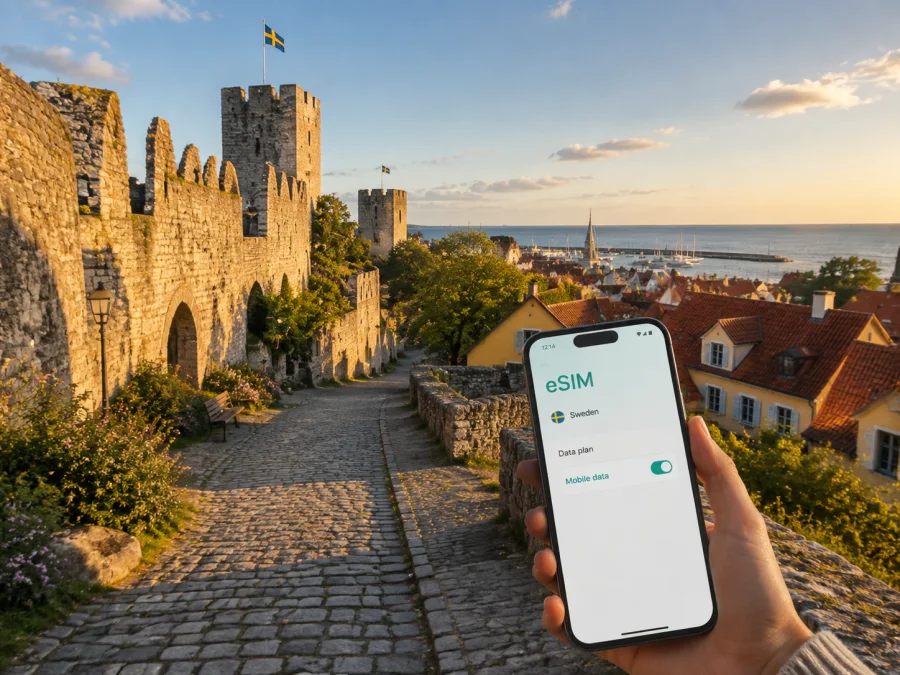
Visby eSIM: Mobile Connection and Internet for Your Trip
Visby is a compact destination with two very different travel rhythms. Inside the medieval ring wall, you may spend hours walking between ruins, lanes and small squares. Outside the old town, you may be checking a ferry departure, finding a hotel, following a route to the airport or planning the next stop on Gotland. In both settings, dependable mobile internet makes the day easier: maps load when you need them, transport information is within reach, and messages to a hotel or travel companion do not depend on finding Wi‑Fi.
An eSIM, or digital SIM, is useful when you want to prepare mobile data before a trip to Sweden without replacing your physical SIM card. Kaspersky eSIM Store is an app and website where you can choose, arrange and activate an eSIM with a suitable plan for mobile internet during an international trip. The right plan depends on how long you will stay, how often you use maps and video, and whether Visby is one stop on a wider Swedish itinerary.
Arriving in Visby by air or ferry
From Visby Airport
Visby Airport is close to the city centre, so the first journey is usually short compared with the crossing to Gotland itself. You may arrive with a hotel transfer, taxi, rental car or airport coach depending on your itinerary and the season. The useful preparation is the same in each case: keep the accommodation address, arrival instructions and a map area available before you leave the terminal.
If you are collecting a rental car, mobile internet helps you compare the route from the airport with the route to your first stop. If you are walking or taking local transport, it helps you identify the correct direction without having to keep returning to the terminal. Seasonal traffic and services can change, so check current departure information rather than relying on an old screenshot.
From Visby ferry terminal
Many travellers reach Visby by ferry from the Swedish mainland. The ferry terminal is by the harbour, while the centre and many hotels are farther inland. After disembarking, you might need to coordinate a pickup, find a bus connection, walk to accommodation or start a day with luggage in tow.
The connection between the harbour and the rest of the city is a good example of why an eSIM can be practical. A live map can show the route that fits your luggage and arrival time; messages can help you meet a host; and transport updates are easier to check before you set off. If your onward route is to another part of Gotland, save the name of the destination as well as the accommodation address, because similar place names and rural roads are easier to handle when you can search them directly.
Choosing where to stay and how to stay connected
Inside the ring wall
Staying in Visby’s old town puts you near the atmosphere that attracts many visitors: stone lanes, historic buildings, church ruins, small squares and routes along the wall. A phone is useful for walking directions because the streets are not arranged like a modern grid. It can also help you identify an entrance, return to a hotel after an evening out or send a location when a group has separated.
Old-town accommodation can be atmospheric, but rooms in historic buildings may differ in layout and signal conditions. Do not assume that a strong hotel Wi‑Fi signal will reach every room or courtyard. A mobile-data option gives you another way to look up information while you are outside the building.
For a work trip
Business visitors can use a mobile connection to confirm a meeting place, navigate to a venue, join a message thread and find a quiet place for a call if the schedule changes. If you expect to work from a laptop, check your plan’s data allowance before using the phone as a hotspot.
Preparing an eSIM for Sweden before departure
Kaspersky eSIM Store helps you select an eSIM plan for a foreign trip through the app or website. When comparing options for Visby, focus on the conditions that affect your actual route rather than selecting a large allowance automatically.
Consider these questions:
| Travel question | What to check before choosing |
|---|---|
| How long will you stay? | The plan validity should cover the days when you need mobile data. |
| Will you leave Visby? | Choose a destination or regional option that fits the whole route, not just the city centre. |
| How will you use data? | Maps, messages and bookings usually need less data than video calls, streaming or hotspot use. |
| Do you need your main number? | Keep your regular SIM available for calls or SMS if needed, and use the eSIM for mobile data according to your device settings. |
| Could your schedule change? | Review activation and validity conditions before purchase so that the plan starts when you expect. |
Before purchase, check whether your device supports eSIM and confirm that it is not restricted by a carrier. Some phone models vary by market, so the exact model and regional version matter more than the product family name alone. Also make sure the phone can connect to the internet during setup, either through Wi‑Fi or an existing mobile connection.
When you are ready, you can choose an eSIM plan for a trip to Sweden and review the available terms for your route.
Installing and activating the eSIM
Install the eSIM while you have a stable internet connection and enough time to check each setting. If you are already at Visby Airport or the ferry terminal, avoid starting the process while rushing to collect luggage or meet a driver.
Before you begin
- Have the order details or QR code from Kaspersky eSIM Store available.
- Charge the phone or carry a power bank.
- Confirm again that the device supports eSIM and is not carrier-locked.
- Decide which SIM will handle calls and SMS and which one will handle mobile data.
- Keep the physical SIM in the phone if you still need your home number.
A practical setup sequence
- Open the mobile-network settings on your phone.
- Choose the option to add a mobile plan or eSIM.
- Scan the QR code or follow the profile instructions from Kaspersky eSIM Store.
- Give the new line a clear label, such as “Sweden travel data”.
- Select the eSIM as the line for mobile data when you want to use it.
- Keep data switching under control so the phone does not unexpectedly use the other line.
- Turn on data roaming only if the plan instructions require it.
- Open a map or a simple webpage to confirm that data is working.
For platform-specific steps, use the Android installation instructions or the iOS installation instructions. Activation can take a little time and depends on the phone, the eSIM profile and the local network. If the connection does not appear immediately, check the selected data line, restart the phone if appropriate, and review the plan instructions before trying repeated changes.
Moving around Visby without losing the thread of your day
Walking through the old town
Walking is often the best way to experience the historic centre, but navigation still has a role. Mark the hotel, the harbour, the bus station and a meeting point before you begin. The ring wall creates memorable landmarks, yet a turn through a narrow lane can make a short route feel unfamiliar when you return after dark or in poor weather.
Use a map to confirm the direction at larger junctions, then put the phone away and enjoy the street. Downloading a map area in advance can reduce data use, but live data remains useful for changes, messages and searches.
Local buses
Visby’s city buses connect the centre with other parts of the city, while regional buses make it possible to plan trips beyond Visby. Visby bus station is an important interchange point, and a harbour connection is useful for ferry arrivals and departures. Routes and seasonal timetables can change, so check the current information close to the day of travel.
An eSIM does not replace a ticket or a timetable. It simply makes it easier to search for the latest journey, check a stop, read a service notice or send a message when a connection is delayed. If you need a bus for an early departure, save the relevant stop and leave extra time for walking to it.
Districts and places that shape a Visby itinerary
The city is small enough to cross on foot in many situations, but each area creates a different need for mobile data.
| Part of the visit | What your phone is most likely to do |
|---|---|
| Medieval centre | Walking navigation, location sharing, opening-time checks and finding a quieter route. |
| Ring wall and viewpoints | Map orientation, weather checks and photos that you may want to send later rather than upload immediately. |
| Harbour area | Ferry information, pickup coordination, ticket access and route planning with luggage. |
| Around the bus station | Timetable checks, platform or stop confirmation and connections to regional destinations. |
| Airport side of the city | Transfer planning, rental-car details and last-minute flight information. |
| Hotels and business venues | Messages, meeting directions, document access and hotspot planning. |
Day trips from Visby: plan the return as carefully as the departure
Visby is a natural base for seeing more of Gotland. A day trip may lead to another town, a coastal viewpoint, a beach, a rural café or a ferry connection farther north. The farther you travel from the centre, the more useful it becomes to prepare before leaving.
Use this pre-departure checklist:
- save the destination name and the accommodation address in Visby;
- check the outward and return transport, not just the first departure;
- allow for limited evening connections and seasonal timetable changes;
- download confirmations, tickets and any route details you may need;
- tell someone where you are going if travelling alone;
- carry a power bank if you plan to use maps, photos and translation tools for a full day.
If you are driving, download the next destination before leaving the city and avoid making route changes while moving. If you are using buses, keep the current timetable accessible and check the return connection during the day. Mobile internet is most valuable when it prevents a small uncertainty from becoming a missed connection.
FAQ about eSIM and mobile internet in Visby
Is eSIM useful for a trip focused only on Visby?
Yes. Even a short city break can involve an airport or ferry arrival, hotel directions, maps, restaurant searches, transport updates and messages. A small, time-limited plan may suit a light-use trip, while a larger allowance may be more appropriate if you expect calls, hotspot use or several day trips.
Can I keep my regular SIM in the phone?
Usually, a compatible dual-SIM phone can keep the physical SIM while an eSIM handles mobile data, but the available options depend on the model and settings. Before purchase, check your device’s eSIM compatibility and review how it handles calls, messages and data switching.
Does the eSIM include a Swedish phone number?
Not necessarily. An eSIM plan in this context is intended for mobile internet and may not include a separate phone number, standard voice calls or SMS unless the specific terms say otherwise. You can use messaging and calling apps over the internet when appropriate.
Should I install the eSIM before travelling?
Installing it before departure is often more comfortable because you have time, power and a stable internet connection. Follow the plan’s activation conditions: some profiles begin their validity at installation or at first connection, while others follow different rules.
What if I cannot connect after arriving?
Check that the eSIM is enabled, selected for mobile data and configured according to the plan instructions. Confirm that data roaming is enabled only when required, and make sure the phone has a signal. If the issue continues, restart the phone and contact support with the device and plan details available.
Is Kaspersky eSIM Store a mobile operator?
No. Kaspersky eSIM Store is an app and website that helps users choose, arrange and activate an eSIM with a suitable plan for mobile internet during an international trip. It is not a mobile network, a replacement for every local operator service or a VPN.
A simple Visby connection plan
For most trips, the preparation can be reduced to five decisions:
- Map the arrival: airport or ferry terminal, first accommodation and first meeting point.
- Map the route: decide whether you will stay in Visby or travel across Gotland.
- Match the plan: choose validity and data allowance for the way you actually use your phone.
- Prepare the device: check eSIM compatibility, install the profile and select the correct data line.
- Prepare for movement: save tickets, addresses, key maps and return connections before leaving the city centre.
Visby is most enjoyable when technology supports the day quietly. Use mobile internet for the moments that need certainty—arrival, navigation, transport, work and communication—then put the phone away for the rest.
Prepare your eSIM for Visby
If Visby is part of your Sweden itinerary, review the available terms, choose an eSIM plan that fits your dates and data habits, and install it before departure. Choose an eSIM plan for your trip to Sweden through Kaspersky eSIM Store, then keep your booking details ready for the journey to Gotland.
With the eSIM installed, a saved route and a data plan, you can move from the airport or harbour to the old town, continue to a meeting or explore beyond Visby with less friction.


