Travel connectivity guide
VIVIFI eSIM in Singapore: What to Check
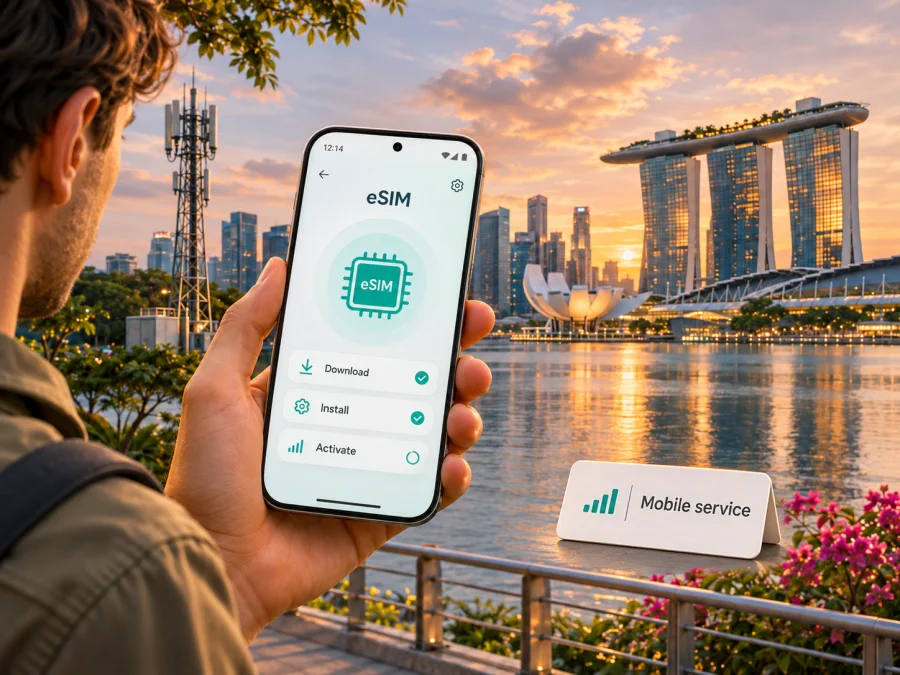
VIVIFI eSIM in Singapore: signup, activation and travel checks
If you are looking for a VIVIFI eSIM in Singapore, first decide whether you need a Singapore mobile account or mobile data for a short visit. VIVIFI’s current signup guide confirms that customers can get an eSIM after activating an account and retrieve its QR code online. This is a local mobile service; it is different from a destination-only travel eSIM.
VIVIFI and its marks belong to their respective owners. Kaspersky eSIM Store is not affiliated with VIVIFI and is not its official partner or distributor.
What VIVIFI offers in Singapore
VIVIFI describes itself as a digital-first mobile service provider in Singapore. Its signup guide says customers can register with an email address, activate a mobile service and retrieve the eSIM QR code from their account. Options, eligibility and terms can change, so check VIVIFI’s current information before applying.
A VIVIFI eSIM is part of a Singapore mobile account; a travel eSIM is usually selected for destination data. A travel profile may not include a local phone number, regular calls or SMS, so check each service’s conditions rather than treating the two as interchangeable.
VIVIFI also describes roaming outside Singapore. Roaming from a Singapore account uses that account abroad; a travel eSIM is a separate destination data profile. Destinations and conditions depend on the service. Ask VIVIFI which option fits your trip; no individual plans are listed or compared here.
VIVIFI’s public pages confirm eSIM availability but do not establish that every traveller can get a tourist-only or visitor prepaid eSIM. The signup guide recommends Singpass and refers to identity checks. If you are visiting, ask VIVIFI which application route applies to your residency and documents, and whether signup, activation and payment can be completed from abroad.
Is VIVIFI eSIM suitable for a visitor?
It may suit you if you need a Singapore mobile account and VIVIFI confirms your eligibility. For a short stay, signup, identity checks, activation and number selection can take planning. If you need data as soon as you land, confirm the process and timing before travel.
For a longer stay, study period or move, a local service may be more relevant if you need a Singapore number or ongoing account. Confirm available functions and whether your identification and payment method meet VIVIFI’s current conditions.
For a short data-focused visit, compare the local-account route with a travel eSIM. Check signup, identity requirements, installation and whether you need a phone number or voice service. Plan how to keep your usual number available for calls or verification codes.
A quick decision guide:
- Consider VIVIFI if you need a Singapore mobile account and the operator confirms your eligibility.
- If you do not have Singpass or local identity documents, ask VIVIFI directly which route applies before depending on it.
- Consider a travel eSIM if you mainly need data for a defined trip and the destination and conditions match your itinerary.
- Keep a separate line or roaming arrangement if ordinary calls and SMS to your regular number matter.
- Check that the exact phone is unlocked and supports eSIM before you apply or buy.
VIVIFI eSIM availability and activation
VIVIFI’s online signup guide says that the eSIM becomes available in the customer account after activation. The QR code can then be found in the account’s SIM Management area. The guide therefore describes QR retrieval as a step after account activation; do not assume you can install a profile before the account is ready. Check the sequence for your application type, since a new number and a number port may follow different steps.
The guide recommends Singpass, describes choosing a new number or porting an existing postpaid number, and says activation details arrive by email. Porting begins only after the VIVIFI SIM or eSIM is activated. If transferring a number, check timing and ownership requirements with both providers and keep access to verification messages.
When the eSIM is ready, use VIVIFI’s QR code or supported installation method over a reliable internet connection. Keep the code private. Select the intended profile for mobile data, and review both lines’ data and roaming settings if you retain your existing SIM.
VIVIFI Help Center’s “eSIM: Supported Devices” article, updated 5 January 2026, says a device must be eSIM-compatible and carrier-unlocked. It suggests checking whether the phone has an EID as one way to identify eSIM support. The article’s list is not a guarantee for every regional variant or software configuration: phones with the same retail name can differ by market. Verify the exact model and region with the manufacturer and VIVIFI. Do not rely only on a general model family name or the presence of an eSIM menu.
VIVIFI’s signup guide describes an installation limit and one-phone-at-a-time use. Before changing devices, follow its current account instructions and contact VIVIFI about reissuing the profile. Do not delete an active eSIM or rescan its QR code unless the operator says to do so.
Network technology and coverage in Singapore
VIVIFI identifies its 5G+ service as powered by Singtel, and its website describes 5G services in Singapore. This supports a general description of the technology associated with some current VIVIFI services. It does not mean every account or phone uses 5G everywhere. Connection depends on the service, handset bands and 5G mode, local radio conditions, network availability and device settings.
VIVIFI’s 5G+ information distinguishes 5G Standalone (SA) from Non-Standalone (NSA); phones incompatible with SA may continue on 4G. Check the exact model and supported mode, not just the “5G” label.
VIVIFI’s Singapore service and roaming abroad are separate. A Singapore coverage description does not establish service outside the country, and a roaming destination listing does not guarantee reception everywhere. Ask about locations that matter to your trip and save essential maps offline.
Local service, roaming and a travel eSIM
A VIVIFI eSIM can replace a physical SIM profile for a local account, but signup, identity and activation requirements still apply. If you already have a number, decide whether to port it, take a new number or keep another SIM active; each choice affects how you manage calls, messages and data.
Roaming lets a local mobile account connect abroad under its roaming terms and destination support. It may suit someone who wants to keep a regular number active, but confirm the current conditions with VIVIFI before departure. Do not infer roaming availability or cost from a general description of its Singapore service. Terms may differ by destination and account.
A travel eSIM is a separate profile intended for mobile data in a selected country or region. Kaspersky eSIM Store is an app and website that helps travellers choose, arrange and activate an eSIM with a suitable data plan for an overseas trip. The Singapore destination page reviewed for this article describes data-focused use and online installation. It can be an alternative when data is the main need, but it is not a VIVIFI account, a Singapore mobile operator or a network owner. Availability and conditions depend on the destination and selected option.
A local account may be relevant if you need ongoing Singapore service or a local number; a travel eSIM may suit a data-focused trip arranged digitally. Check voice and SMS conditions before relying on a travel profile for calls or verification codes. The Singapore destination information reviewed here describes data access, so keep another way to handle ordinary calls and messages.
If you want to review current travel eSIM availability for the destination, view the Singapore eSIM options in Kaspersky eSIM Store. This is a destination page for checking current options; it does not describe a specific VIVIFI service or tariff. Read the displayed conditions before purchase, including where the profile can be used and whether its features match your trip.
Before you travel: a practical checklist
- Confirm the purpose. Decide whether you need a Singapore account, roaming or trip data.
- Check eligibility. Ask VIVIFI which identity and signup route applies if you are a visitor.
- Check the phone. Verify the exact model is unlocked and supports eSIM; check its 5G mode if relevant.
- Understand activation. VIVIFI’s guide places QR retrieval after activation; confirm the sequence before a number port.
- Prepare for arrival. Install any travel eSIM over reliable internet and check when data use begins.
- Set the data line. Choose the intended profile, review roaming settings and save essential instructions or maps offline.
Installing a travel eSIM on iPhone or Android
The screens vary by phone, operating-system version and provider. Follow the instructions supplied with the eSIM you selected. These are general steps and do not replace VIVIFI’s activation process for a VIVIFI account.
Before installation, check that the phone supports eSIM and is not carrier-locked. Connect to Wi-Fi or another reliable internet connection. Keep the QR code, confirmation email or supported in-app installation method available. Do not delete an existing profile unless its provider has explained how to restore it.
iPhone
In Settings, open the mobile or cellular section and choose Add eSIM. Scan the QR code or follow the provider’s app flow. Label the new line, choose it for mobile data when needed, and review its data-roaming setting. If you cannot scan a code displayed on the same phone, use the provider’s supported app or manual steps.
Android
In Settings, open Network or SIM settings and choose Add or Download SIM. Scan the QR code or follow the provider’s app steps; menu names vary. Select the travel profile for mobile data and review roaming settings if required. If installation fails, check QR and reinstallation rules before trying again.
Kaspersky eSIM Store’s Singapore page says an eSIM appears in the account after purchase and can be installed in the app or website; a QR code is also sent by email. The service is data-focused, so keep another option for calls and SMS. Check compatibility using the device compatibility check, and confirm regional limitations with the manufacturer.
After adding an eSIM, check that the intended profile is active, mobile data is assigned to the right line and the device shows a network connection. If data does not work, confirm the destination, roaming setting and activation instructions. Restarting may help; do not delete the profile as a first step. Contact the provider if the status remains unclear.
Common questions about VIVIFI eSIM in Singapore
Does VIVIFI currently support eSIM?
Yes. VIVIFI’s signup guide, checked on 4 November 2026, says an eSIM is available in the customer account after activation and that its QR code is in SIM Management. Check the current account conditions before applying.
Can a tourist sign up for a VIVIFI eSIM?
The public signup guide does not confirm that every visitor is eligible or describe a dedicated tourist eSIM. It recommends Singpass and refers to identity and number-porting steps. Contact VIVIFI with your residency and documents before relying on this option; do not assume that any passport or overseas application will be accepted.
Is VIVIFI eSIM prepaid?
The signup material reviewed describes a mobile account and billing process, but does not confirm a visitor-specific prepaid eSIM. Payment options and conditions can change. Check directly with VIVIFI; this guide does not name or compare individual plans.
Does an eSIM work on every phone?
No. The device must support eSIM, be unlocked and have a compatible regional configuration. VIVIFI Help Center provides a device list and says support is expanding. Check the exact model rather than only its product family name, and ask the manufacturer or VIVIFI if your variant is unclear.
Can I move a VIVIFI eSIM to another phone?
Do not assume that scanning the same QR code will move it. VIVIFI’s signup guide describes installation limitations and directs customers to remove the existing record before changing phones. Contact VIVIFI before deleting an active profile so you know how to get a replacement and what applies to your account.
Is Kaspersky eSIM Store a mobile operator?
No. Kaspersky eSIM Store is an app and website that helps users choose, arrange and activate travel eSIM data. It does not own a Singapore mobile network and is not a substitute for a local operator account when you need a phone number or ordinary calls.
A sensible next step
Before applying, confirm your eligibility, exact-device compatibility and how activation or number porting will work. VIVIFI’s signup guide and Help Center explain the process; ask the operator about details that affect your travel dates.
If you mainly need mobile data for a visit, compare the local-account process with a travel eSIM. Kaspersky eSIM Store can help you review available Singapore travel eSIM options and prepare a compatible device. It is separate from VIVIFI and is not a Singapore mobile account.
Checked on 4 November 2026: VIVIFI signup and Help Center guidance, its 5G+ information, and Kaspersky eSIM Store’s Singapore destination page. Confirm current conditions with the relevant provider before applying or travelling.


