Travel connectivity guide
Vivo eSIM in Brazil: what travelers should check
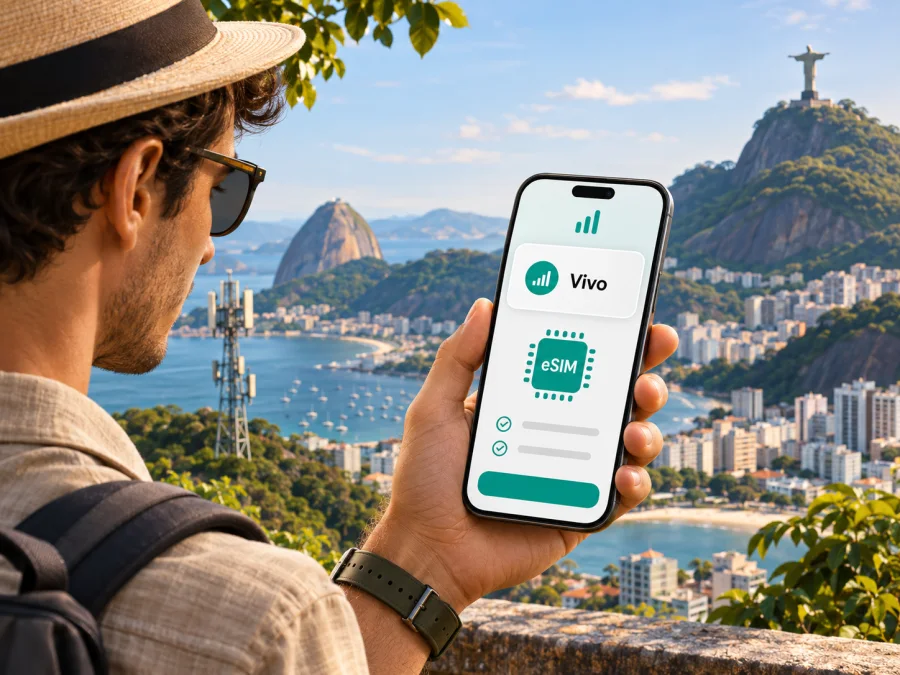
Vivo eSIM in Brazil: what travelers should know
If you are travelling to Brazil and searching for a Vivo eSIM, first decide whether you need to keep an existing Vivo line or arrange mobile data for a visit. Vivo’s current public help pages confirm eSIM support and describe ways eligible customers can activate or manage it. The operator also describes a visitor-focused eSIM option. These pages do not mean every visitor, phone or regional device variant can use the same signup route, so check the current conditions with Vivo before relying on it.
This guide explains what Vivo’s information confirms, what to check on your phone and how a travel eSIM differs from a local mobile line. It does not list plans, prices or plan allowances, which can change. Information was checked on 2 November 2026 against Vivo’s official pages “eSIM vivo ou Chip virtual: Veja como ativar o eSIM”, “Saiba o que é o eSIM, como ativar e suas vantagens”, the 4G/5G coverage map and visitor information. Recheck the operator’s current guidance before travelling.
Vivo and mobile service in Brazil
Vivo is the consumer brand used by Telefônica Brasil for telecommunications services in Brazil. It offers mobile services, including prepaid options, and publishes customer support for eSIM. This makes Vivo relevant both to visitors seeking a Brazilian line and to existing customers who want to replace a physical SIM with a digital profile. The right process depends on whether your line is new or existing and whether it is personal or corporate.
Vivo also presents a visitor-focused eSIM option for trips to Brazil. Its visitor information says the eSIM is sent by email and distinguishes installation from activation, which it recommends completing after arrival. This confirms a remote preparation route, but not that every international visitor can use it or that every phone is eligible. Confirm signup steps, accepted identity details, payment, activation timing and support with Vivo. Conditions may depend on the channel and current service rules.
Is Vivo eSIM available in Brazil?
Yes. Vivo’s official help page describes eSIM as a supported way to use a Vivo line. It identifies activation through the App Vivo, Vivo stores and, for certain compatible devices, the phone’s settings. Another Vivo support page describes an online route for some new customers, with a QR code sent to the registered email address. The operator says app-based activation and management apply to eligible line types; the exact route depends on the service, handset and customer status.
For travellers, distinguish technical compatibility from signup eligibility. A phone can support eSIM while the operator’s account process remains unavailable to a particular visitor. Vivo’s guidance says phones purchased abroad may be eligible if they meet relevant eSIM standards and are not tied to an international carrier commitment. This is a general condition, not confirmation for a specific model or regional version. Ask Vivo whether your exact model code can be activated.
Vivo’s visitor information is a useful starting point, not a promise of instant service. Before leaving, confirm the current purchase and activation process, required documents, whether registration can be completed from abroad and how to get help if setup fails. Do not assume a tourist option and an ordinary prepaid line have identical signup rules.
What an eSIM changes
An eSIM is a digital SIM profile installed on a compatible phone instead of a removable SIM card. With Vivo, it connects an eligible line to the operator’s network. The profile alone does not create service: the line must be active, the phone compatible and network coverage available at your location.
For an existing customer, converting a physical SIM can free the SIM slot or make two lines easier to manage. Plan the change before travel, keep access to the Vivo account and confirm the replacement profile works before removing a working SIM. Use Vivo’s current recovery procedure if the phone is replaced or lost. A visitor should separately confirm device compatibility and whether they can complete signup; a store visit or documentation may be required.
Activation routes described by Vivo
Vivo’s public support information currently describes several routes. Follow the one shown for your exact line and device:
| Route | Vivo describes | Check before using it |
|---|---|---|
| App Vivo | Eligible customers can activate or manage an eSIM in the app. | Account access, line eligibility and a working internet connection. |
| Vivo website | Some new customers can request activation online and receive a QR code by email. | Whether this route applies to your service and can be completed from abroad. |
| Phone settings | Certain compatible Apple and Android devices can add or convert a line in system settings. | Exact model, software and line eligibility. |
| Vivo store | Customers can request in-person help. | Store access, identity requirements and visitor process. |
Vivo recommends a compatible device and Wi-Fi. If a menu is missing, confirm that the model, software, account and line support that route.
Before activation
- Identify the exact phone variant. Find its model code in Settings or on the packaging; support can differ across regional versions sharing one retail name.
- Check that it is unlocked. A carrier lock may restrict other SIM profiles. Vivo’s guidance for imported phones also refers to eSIM standards and the absence of an overseas carrier commitment.
- Confirm eSIM support in Settings. Look for “Add eSIM” or “Add mobile plan.” Menu names vary by manufacturer and software version; consult the manufacturer for the exact model if needed.
- Update the phone and connect to Wi-Fi. Vivo recommends a compatible device and Wi-Fi to download and activate the profile.
- Confirm signup requirements with Vivo. Ask whether your line can be converted or opened through your chosen route, and what identity or account steps apply to a foreign visitor.
- Keep your current SIM until the new setup works. Verify calls, messages and data before removing a physical SIM or changing your main number.
- Save recovery details. Know how to reach official support if the phone is lost or the profile needs to be issued again.
Follow Vivo’s current device-specific instructions. Do not share a QR code or delete a profile unless directed; if setup stalls, note the error and contact official support.
Compatibility: check the regional model
An eSIM-ready product family does not guarantee that every handset in it supports eSIM in every country. Manufacturers can sell regional variants with different SIM trays, radio hardware, firmware or restrictions. Vivo’s examples of supported device families and software conditions apply to particular self-service actions; they are not a complete global compatibility list. The operator recommends checking the phone settings or manufacturer information.
Compare the full model code with the manufacturer’s eSIM specifications and confirm the phone is unlocked. For an imported device, ask Vivo about that exact variant. Dual-SIM behavior varies: check which line handles data, calls and SMS, especially if you need your home number for verification, and review roaming terms with your home provider.
For an eSIM arranged through Kaspersky eSIM Store, check the Store’s compatibility information as well. Device support for one service does not automatically confirm eligibility for a Vivo line; operator registration and network conditions still apply. Check your device’s eSIM compatibility before purchase and verify the exact regional version.
Vivo coverage and mobile technology
Vivo publishes a coverage map and information about mobile service in Brazil. Its current coverage page describes 4G availability across a large share of the population and says 5G has reached every state capital; the map is the place to check a specific location. These are operator-published descriptions, not an independent measurement of signal at a particular address. Vivo also notes that coverage varies by place and technology, and that some locations may involve national roaming arrangements.
Check the map for each stop, including accommodation, roads and rural destinations. General national or capital-city claims cannot establish reception inside a building, underground or along a particular route. Device bands and technology support matter too: 5G capability does not guarantee 5G service at every stop. Check the exact device variant and map shortly before travel; download essential information and keep a backup for remote areas.
Local Vivo service or a travel eSIM?
A local Vivo line may suit someone who needs a Brazilian number, calls and SMS, or an ongoing local account. A travel eSIM may fit when the main need is mobile data for a trip. Coverage and features depend on the specific service.
Kaspersky eSIM Store is a website and app that helps travellers choose, purchase and activate an eSIM with a data plan for travel abroad. It is not a mobile operator, does not own a network and does not itself provide mobile connectivity. The underlying service is subject to destination, device and product conditions.
Do not assume a travel data eSIM includes a local Brazilian number, ordinary voice calls or SMS. If you need bank codes by text, local calls or a long-term number, check what the selected product includes and keep another way to handle those tasks. Internet calling and messaging apps can work over data when both parties use a compatible service, but do not replace every phone-number-dependent function.
If you keep your home SIM active, select the intended data line and check roaming terms for calls, voicemail and messages with your home provider.
To review the current destination page and see whether a travel eSIM fits your needs, browse Brazil eSIM options in Kaspersky eSIM Store. This is a destination page for checking travel options, not a Vivo tariff page. Review the specific product’s conditions and activation instructions before purchase.
A practical plan for arrival
Before leaving: Confirm the phone is unlocked and eSIM-compatible, then check Vivo’s visitor requirements or the travel eSIM’s device and activation conditions. Keep confirmation details offline.
On arrival: Use Wi-Fi to complete setup and check the default lines for data, calls and messages. If data fails, confirm the profile and data settings, check local coverage and contact the provider if activation status is unclear.
When leaving Brazil: Follow the provider’s instructions before removing a profile. Vivo notes that disabling an eSIM in phone settings may stop network access without cancelling the underlying line; use the operator’s account or support channel for changes.
Common questions
Can I get Vivo eSIM before arriving in Brazil?
Vivo describes app, website, device-menu and store routes and references an option for visitors. Its public pages do not establish that every foreign visitor can complete every route remotely. Ask Vivo whether you are eligible, what registration is required and whether your exact device can be activated from abroad.
Can a foreign phone use a Vivo eSIM?
Potentially, if that exact variant supports eSIM, meets relevant standards and is not restricted by another carrier. Vivo conditions support for phones bought abroad. Confirm with the operator and manufacturer; the product-family name alone does not prove compatibility.
Does Vivo eSIM work throughout Brazil?
Vivo publishes a coverage map and 4G and 5G information, but availability varies by place and technology. Check each destination and keep a backup for areas where service may be limited. General coverage statements do not guarantee reception at a specific address.
Will an eSIM keep my existing number?
If you convert an existing Vivo line, follow the operator’s current process for that account and phone. A newly purchased travel data eSIM is a separate service and should not be assumed to carry your number. Confirm before changing or cancelling a working SIM.
Is a travel eSIM the same as a Vivo subscription?
No. They may both use eSIM technology, but provider, phone-number features, signup, coverage and terms can differ. Kaspersky eSIM Store helps with choosing and activating a travel eSIM for mobile data abroad; Vivo provides its own local mobile service. Check the terms of the service you plan to use.
Before you choose
Vivo confirms eSIM support in Brazil and describes several activation channels, with eligibility depending on the customer, line and device. Its official information also references a visitor-focused option and offers a coverage map for checking local availability. For an international traveller, the main checks are the exact phone variant, carrier lock, signup requirements, activation route and coverage at the places you plan to visit.
Choose local Vivo service if you need the features of a Brazilian operator line and meet its current eligibility rules. Consider a travel eSIM if your need is data for a trip and its device and destination conditions fit. Verify current requirements before departure and keep your existing line usable until the replacement connection has been tested.
Vivo and Telefônica Brasil are not affiliated with Kaspersky eSIM Store. The Store is a separate website and app that helps travellers choose, purchase and activate a travel eSIM; it does not operate Vivo’s network or guarantee Vivo coverage. For Brazil travel options, check the current eSIM destination page and review the details shown for the product you select.


