Travel connectivity guide
Vivo V29 Lite 5G 256GB eSIM Compatibility & Setup
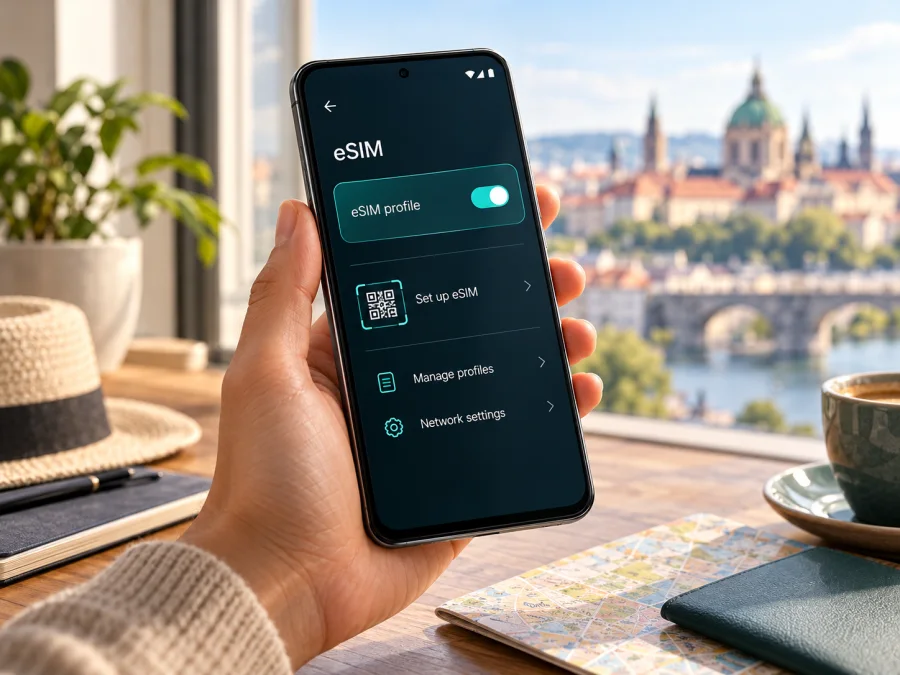
Vivo V29 Lite 5G 256GB and eSIM: compatibility and setup guide
If you are checking whether the Vivo V29 Lite 5G 256GB can use an eSIM for mobile data while travelling, the safest answer is: it depends on the regional version of the phone. Vivo’s current global specifications say eSIM is supported only in Europe. Vivo’s UAE specification for a 12 GB + 256 GB configuration lists two nano-SIM slots and does not list eSIM. The 256GB label does not identify the phone’s model code or market of sale, so it alone cannot prove that your particular handset has an eSIM.
Before choosing a travel plan, check the phone itself. Look for an EID and for an option such as Add eSIM in the mobile network settings. If neither appears, ask the seller or Vivo support to confirm eSIM support for the exact model code and country version. Do not rely on the storage size, the 5G label, or the name printed on a shop listing: regional devices can share a product name while differing in SIM hardware and software.
Does the Vivo V29 Lite 5G 256GB support eSIM?
There is no single yes-or-no answer that is safe for every Vivo V29 Lite 5G 256GB unit. Vivo’s global product specifications describe 128 GB and 256 GB storage options and state that eSIM is supported only in Europe. Vivo’s European product specification lists eSIM as supported, but its listed configuration is 8 GB RAM and 128 GB storage. Meanwhile, Vivo’s UAE specification identifies a 12 GB RAM + 256 GB storage configuration and lists the SIM slot type as two nano-SIMs; that page does not list eSIM support.
This means an eSIM-capable European version may exist, while a 256 GB version sold in the UAE is not documented by Vivo as eSIM-capable. The official pages do not establish that every 256 GB unit sold in every European country has the same eSIM hardware. The phone’s country of sale, full model code, firmware and the eSIM service offered by the local carrier all matter. A device imported from another market may not match the local specification.
| What to identify | What the current official information says | What it means for your phone |
|---|---|---|
| Name in this request | Vivo V29 Lite 5G 256GB | Storage capacity is specified; RAM, model code and market are not. |
| Global Vivo specification | Lists 128 GB and 256 GB options; says eSIM is supported only in Europe | The storage size alone is not enough to decide compatibility. |
| European Vivo specification | Lists eSIM as supported; the listed configuration is 8 GB RAM and 128 GB storage | Confirms eSIM for the regional specification shown, not for every 256 GB device. |
| UAE Vivo specification | Lists 12 GB RAM, 256 GB storage and two nano-SIM slots; eSIM is not listed | Do not expect this documented UAE configuration to add an eSIM profile. |
| Your exact phone | Must be checked in Settings and against its model code | Verify before buying a travel plan. |
The word Europe describes a regional device version, not a rule that an eSIM works only while the phone is physically in Europe. Service abroad still depends on the plan, local networks, carrier support and any device lock. A European SIM cannot add eSIM hardware to a handset built without it.
Check the exact handset before buying a plan
Use both a settings check and a model check. These checks are more useful than a product title, a generic compatibility list, or a claim that the phone is “dual SIM”. Dual SIM may mean two physical nano-SIMs. It does not necessarily mean one physical SIM plus one eSIM.
1. Look for an EID
An EID is a long identifier associated with an eSIM-capable device. The menu names can vary by Funtouch OS version and country, but start in Settings and search for “EID”. You can also look under About phone, Status, or SIM status. If the phone displays an EID, that is a useful sign that an eSIM component is present. It is not by itself a guarantee that a particular carrier or travel plan will activate successfully.
If no EID appears, do not conclude from one menu alone that the handset definitely lacks eSIM. Check the eSIM menu as well, update the system if an update is available, restart the phone and repeat the search. If the result remains unclear, give Vivo support or the seller the full model code, country of purchase and software version and ask whether that specific unit supports downloadable eSIM profiles.
2. Look for an eSIM setup option
Open Settings and use the search field for “eSIM”, “Add eSIM”, “Download SIM” or “Mobile network”. Depending on software version, the relevant controls may be under Mobile network, SIM card & mobile network, or a similar section. A compatible phone may show Add eSIM, Download a SIM, or a QR-code setup option. The exact label is not guaranteed to be identical across markets.
If the only SIM options refer to SIM 1, SIM 2 and physical cards, and there is no eSIM, download, or EID entry, treat the phone as unverified. Do not scan a purchased QR code repeatedly in the hope that a missing menu will appear. Confirm support for the exact regional model first.
3. Confirm the model and market
Find the model number in Settings → About phone and compare it with the box label, purchase record and the official Vivo page for the country where it was sold. If the phone was bought second-hand or imported, ask for the original sales market as well. Keep the full model identifier private when posting publicly; share it only with the seller, manufacturer or carrier when they need it for a compatibility check.
Also ask whether the device is carrier-unlocked. A handset can have eSIM hardware and still reject a profile because the phone is locked to another carrier or because that carrier has not enabled the required service. A carrier lock is separate from eSIM support: unlocking the phone does not install eSIM hardware, and an eSIM-capable phone may still be locked.
Compatibility checklist
Before you pay for a plan, confirm each item:
- [ ] The exact regional Vivo V29 Lite 5G 256GB model has eSIM support, not only another V29 Lite configuration.
- [ ] An EID or an Add eSIM option appears in the phone’s settings.
- [ ] The phone is not locked to a carrier that prevents use of another eSIM.
- [ ] The operating system is up to date and the phone can connect to Wi-Fi for installation.
- [ ] The eSIM plan is valid for the country or region on your itinerary.
- [ ] The plan’s data allowance, validity period, activation conditions and hotspot rules suit your trip.
- [ ] You know which SIM will remain active for calls and messages and which profile will handle mobile data.
For a quick second check, use check your device compatibility. The device settings and confirmation for the exact model should still guide your final decision.
What regional and operator versions can change
The Vivo V29 Lite 5G name covers regional specifications that do not all describe the same SIM arrangement. The UAE page lists 12 GB RAM, 256 GB storage and two nano-SIM slots. Vivo’s European page lists eSIM support for an 8 GB RAM, 128 GB configuration. The global specifications list both storage sizes but restrict eSIM support to Europe. The sources do not confirm that every 256 GB unit in every European market has eSIM.
Carrier-sold devices can have additional restrictions. A carrier may require an eligible account or plan, support eSIM only on approved device codes, or lock a handset to its own service. Compatibility with a particular carrier also depends on the country of purchase, destination and operator. Ask the carrier whether it supports eSIM on the phone’s full model code and whether the phone is unlocked.
Keep three questions separate: where was this unit sold, where will you use it, and which carrier will issue the profile? The first identifies the hardware and software region; the destination affects network support and coverage; the issuing carrier controls eligibility and activation. A European eSIM-capable handset may work abroad if the plan and network support it, but being in Europe cannot add eSIM hardware to an incompatible version. For a multi-country trip, confirm that the plan covers every destination and check its terms for data, validity and activation.
Install and activate an eSIM
Proceed only after confirming that the exact handset supports eSIM and is unlocked for the profile. Use stable Wi-Fi and keep the phone charged. Have the provider’s QR code or manual activation details ready. Many codes are single-use; deleting the profile may not make it reusable.
Funtouch OS labels vary by version. See the Android eSIM installation instructions for a general guide. The iPhone eSIM installation instructions describe Apple devices and do not apply to this Vivo Android phone.
Android setup steps
- Connect to Wi-Fi and open Settings.
- Open mobile network or SIM settings. Search for Add eSIM, Download SIM or a similar option. If no eSIM option appears, stop and reconfirm compatibility.
- Scan the provider’s QR code. If scanning is unavailable, use manual entry only when the provider supplied activation details for it.
- Download the profile and wait for the confirmation on screen. Do not exit during setup.
- Name the eSIM (for example, “Travel data”) so it is easy to identify.
- Select the mobile-data line. Choose the travel eSIM when you want it to carry data; keep your home SIM for calls or messages only if needed and if you accept its charges.
- Follow the provider’s activation instructions. Plans can have different start conditions, so check when validity begins.
- Test the connection when the plan should be active: turn off Wi-Fi briefly and load a webpage. If it fails, check the settings below before deleting the profile.
An installed profile is not necessarily an active data connection. The plan may not have started, may be outside its validity period, or may not be able to register on the current network. Avoid enabling the travel line early if the plan starts its validity on first network connection.
Use the eSIM for mobile data on a trip
Once the profile is installed, select it for mobile data in the SIM settings. Keep the home line enabled only if you need it and understand its roaming charges. On a dual-SIM phone, calls, text messages and mobile data may use different lines. Check the data-line selector before leaving Wi-Fi, then verify that the phone is not silently using your home SIM for data.
Some travel eSIM plans require data roaming to be enabled on the travel profile, even though the plan is designed for use abroad. If the plan instructions say to enable it, turn on roaming for that eSIM only and leave it disabled on your home SIM unless you intentionally want to roam there. A roaming toggle does not establish that the destination is covered; it allows the profile to connect according to its plan and network arrangements.
For a trip with stops in several countries, confirm each destination and any transit country against the plan’s coverage information before purchase. A regional plan may cover several countries, but its scope, speed, data amount and validity are specific to its terms. A country plan may not cover a neighboring destination. If you switch plans during a trip, check which profile is selected for data and whether the new plan starts immediately or only after connecting in its supported area.
Kaspersky eSIM Store is an app and website where you can choose, arrange and activate an eSIM with a mobile-data plan for an international trip. It is not a mobile operator and does not own the network. After confirming compatibility, you can browse the current travel eSIM plans and review the destination, data allowance, validity and activation conditions shown for a plan. That link is the store homepage for checking available options; it is not a country-specific tariff page.
Practical trip scenarios
- One destination: install over Wi-Fi before departure, then select the travel eSIM for data when its plan is ready to start.
- Several countries: confirm each destination is covered before choosing a regional plan; check transit stops too.
- Keep your home number: leave the physical SIM available for calls or verification texts if supported, and monitor its roaming charges.
A data-only travel eSIM may not include a regular phone number, voice calls or SMS unless the selected plan explicitly says otherwise. You can normally use messaging and calling apps over mobile data, subject to the app and destination. Keep access to your usual number if you need bank verification messages or other SMS, and review what your home operator charges for roaming, incoming messages and calls.
Troubleshooting: eSIM does not install or connect
There is no “Add eSIM” option
Search Settings for “eSIM” and “EID”, restart the phone and check for a system update. Confirm the country version and model code with Vivo or the seller. Two nano-SIM slots do not mean that the phone can download an eSIM. If the exact version lacks eSIM hardware, do not assume an update can add it; consider a supported physical SIM or another compatible device.
The QR code will not scan or the profile download fails
Make the screen displaying the QR code brighter, clean the camera lens and ensure the full code is visible. Check that it belongs to the correct plan. For a failed download, confirm Wi-Fi works, airplane mode is off and date/time are automatic; restart and retry once. Do not publish the code or delete a partially installed profile without the provider’s guidance. Ask the provider whether the activation code remains valid.
The profile is installed but there is no service
Check that the profile is on and the plan covers your location. Select the eSIM for mobile data and enable data roaming for that profile if the plan instructions require it. Wait briefly, toggle airplane mode once, or restart. If manual network selection is available, return to automatic selection after testing. Indoor signal and local network coverage can affect registration.
The phone connects but pages do not load
Check remaining data and validity in the account where you arranged the plan. Confirm mobile data is enabled for the travel eSIM and any required APN settings match the provider’s instructions. Turn Wi-Fi off to test mobile data directly. A 5G icon alone does not show which SIM is carrying data.
The wrong SIM uses data, or a carrier rejects the phone
Check the mobile-data selection in SIM settings and disable automatic data switching if you want to prevent the phone changing lines. Ask the carrier to verify the model code, lock status, account eligibility and market-specific eSIM support. A general compatibility statement may describe another regional version. Share error details with support, but never post a QR code or one-time activation secret in a public forum.
Frequently asked questions
Does every Vivo V29 Lite 5G 256GB support eSIM?
No universal confirmation applies to every regional 256 GB handset. Vivo says eSIM is supported only in Europe on its global specification; its UAE 12 GB + 256 GB specification lists two nano-SIM slots and does not list eSIM support. Check the exact model code, EID and eSIM menu.
Does 5G mean the phone is eSIM-compatible?
No. 5G describes network capability, not eSIM hardware. Vivo lists network bands and eSIM separately, so verify both the handset and the travel plan.
If the phone shows an EID, can I activate any eSIM?
Not necessarily. The carrier or plan must support the phone and destination. A lock, account restriction or unsupported network can still prevent activation.
Can I use the physical SIM and eSIM together?
Possibly, if that exact handset and software support the arrangement. Even when two lines are active, only one may be selected for data at a time. Confirm the phone’s configuration and check which line is used for calls, messages and data.
Should I install before travelling, and when does the plan start?
You can install over Wi-Fi if the provider allows it. Read the activation conditions: some plans begin on first supported network connection, while others use a different trigger. Ask the provider if the start condition is unclear.
Does the travel eSIM replace my usual number?
A travel data plan usually does not include a regular number, voice calls or SMS unless its terms say otherwise. Your physical SIM may remain available for those services, subject to handset support and your home operator’s charges. Do not delete an eSIM profile unless the provider says it can be reinstalled.
Before you choose a travel eSIM
The exact Vivo V29 Lite 5G 256GB unit matters more than the broad product name. Confirm the country version and model code, check for an EID and an Add eSIM setting, and ask the seller or carrier about eSIM support for that model in the relevant operator market. Treat a listing that only says “dual SIM” or “5G” as incomplete evidence.
If the phone passes those checks, choose a plan for the countries on your itinerary and review its data allowance, validity, activation trigger and roaming instructions. If it does not show an EID or eSIM setup option, get confirmation before paying and consider a physical SIM or a known compatible device. Kaspersky eSIM Store can help you browse and arrange a travel-data eSIM plan; the plan’s own terms and the local network determine where and how it works.


