Travel connectivity guide
Vivo V40 lite 256GB eSIM compatibility
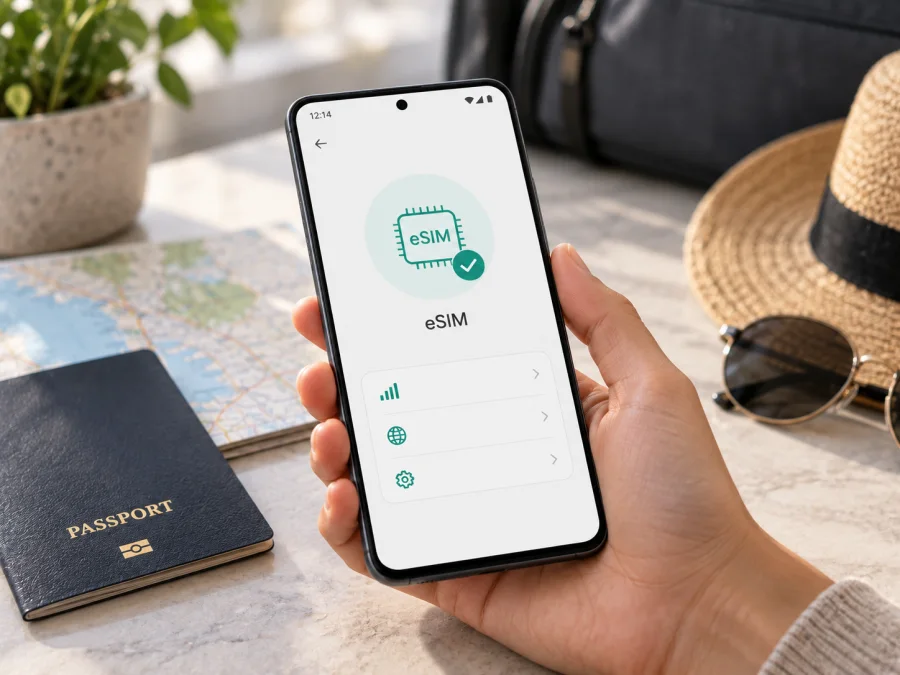
Vivo V40 lite 256GB eSIM compatibility and setup guide
If you are checking whether a Vivo V40 lite 256GB can use a travel eSIM, the storage figure alone does not answer the question. Vivo sells similarly named V40 Lite versions for different markets, and eSIM capability is not consistent across all of them. Vivo Spain lists eSIM support for its V40 Lite 5G with 8 GB RAM and 256 GB storage. A Vivo Russia product listing for the V40 Lite 4G with 8 GB + 256 GB, on the other hand, specifies two physical nano-SIMs and no eSIM. The exact device named here does not include a country, model code, RAM amount, or 4G/5G designation, so its support cannot be confirmed from “256GB” alone.
The practical answer is therefore conditional: a Vivo V40 Lite 5G sold in a market where Vivo explicitly lists eSIM support can be compatible; a V40 Lite 4G variant may not be. Verify the full model code and the phone’s own eSIM settings before buying a plan. Do not assume that a 5G logo, a 256 GB storage option, or a dual-SIM tray proves that an eSIM profile can be installed. Regional firmware, local product configuration, and carrier restrictions can also affect availability.
At a glance
| Item | What to know about Vivo V40 lite 256GB |
|---|---|
| Device name in this guide | Vivo V40 lite 256GB |
| Product family | Vivo V40 Lite; market versions may be identified as 4G or 5G |
| Storage in the supplied name | 256 GB; this does not identify the radio or SIM configuration |
| eSIM verdict | Not possible to confirm for every unit with this name; check the specific model and region |
| Officially listed example with eSIM | Vivo Spain’s V40 Lite 5G, 8 GB + 256 GB configuration |
| Officially listed example without eSIM | Vivo Russia’s V40 Lite 4G, 8 GB + 256 GB configuration |
| Best on-device checks | Look for an EID and for “Add eSIM” or “Download a SIM” in mobile network settings |
| Before purchase | Confirm device support, carrier unlock status, destination coverage, and plan conditions |
Why the V40 Lite name needs a closer check
Vivo uses the V40 Lite name for configurations that differ by market. Vivo Spain’s official V40 Lite 5G specifications list an 8 GB + 256 GB model and mark eSIM as supported. Vivo’s European announcement also describes the V40 Lite as compatible with physical nano-SIM cards and an eSIM profile. This confirms that an eSIM-capable V40 Lite 5G exists; it does not prove that every handset with this family name has the same hardware and software.
The Vivo Russia store lists a V40 Lite 4G with 8 GB + 256 GB and specifies no eSIM. In addition, Vivo’s UAE page describes a V40 Lite 5G with a different chipset and memory configuration but does not list eSIM in the connectivity specifications shown. An omitted feature is not proof that it is disabled, but it does mean you should verify that exact regional unit rather than generalize from Spain. Taken together, these official regional listings show why the storage capacity alone is not enough to confirm eSIM compatibility.
A retailer may shorten a title, import a phone, or leave out “4G” or “5G.” Check the box and Settings > About phone for the complete model number and software version. Ask Vivo support in the sales country to confirm eSIM for that model code. If a seller’s specification conflicts with the phone or Vivo’s regional information, resolve the difference before buying a plan.
Remember that 256 GB is storage, not a SIM specification; 5G does not automatically mean eSIM; and “dual SIM” may mean two physical cards or a physical SIM paired with eSIM. A QR code cannot add eSIM hardware to a phone that lacks it. Also confirm the phone is carrier-unlocked: an unlocked device can lack eSIM, while an eSIM-capable device can still be locked.
Check this phone before buying an eSIM
Use this checklist on the handset you will take on the trip. Funtouch OS menu names can vary by version and language.
- [ ] In Settings > About phone, note the complete model number, Android and Funtouch OS versions, and whether it is the 4G or 5G edition.
- [ ] Search Settings for EID. Check About phone, Status, or SIM status; the Settings search field is often quickest.
- [ ] Open Settings > Mobile network or SIM management and look for Add eSIM, Add mobile plan, or Download a SIM.
- [ ] Confirm the phone is carrier-unlocked, especially if it came from a mobile operator.
- [ ] Match the model code to Vivo’s official information for the country where the phone was sold. A title saying only “V40 Lite 256GB” is not enough.
- [ ] Check that the intended combination of physical SIM and eSIM is supported and identify which line will handle mobile data.
If an eSIM QR option appears, you can confirm that the menu exists without scanning the code. Do not begin installation until you have checked the plan’s activation rules.
<a id="kesim-device-compatibility"></a>
How to verify eSIM support and EID
An EID identifies the phone’s embedded SIM capability. On Vivo devices it may appear under Settings > About phone > Status information, in SIM status, or in Settings search results for “EID.” The dialer code *#06# may show device identifiers on some Android builds, but it is not equally reliable on every phone. Prefer the settings screen and official model information.
Next, inspect Mobile network or SIM management for Add eSIM or a similar control. Menu wording and location can change with Funtouch OS, and a regional firmware or carrier build may affect what is available. Treat the EID, the setup menu, and the exact model code as combined evidence. If neither an EID nor an eSIM menu appears, ask Vivo support to confirm the model code rather than relying on a reseller’s claim. If an EID is present but no setup option appears, check for a software update, restart, and verify the market configuration with Vivo. Keep the EID private; do not post it publicly.
Check your device before choosing a plan, particularly if the Vivo V40 lite 256GB was imported or supplied by an operator. A compatibility checker is a useful first filter; the handset’s model code, unlocked status, and eSIM controls are the final practical checks.
Install and activate an eSIM
Proceed only after the phone passes the checks above. Use stable Wi-Fi, charge the phone, and keep the QR code or manual activation details ready. Many codes are single-use, so do not delete a profile or repeatedly scan a code if setup pauses; check the plan instructions first.
- Choose the destination and read the conditions. Confirm the country or route is covered, whether the plan is data-only, and its data, validity, and activation rules.
- Confirm compatibility and unlock status. Check for the EID or eSIM menu on this unit and verify that the original operator does not restrict other providers’ eSIMs.
- Open the eSIM setup screen. In Settings, choose Mobile network or SIM management, then Add eSIM or the equivalent. Connect to Wi-Fi if requested.
- Download the profile. Scan the provider’s QR code or enter activation details manually if offered. Follow the prompts and wait for completion. Keep the QR code private because it can contain activation credentials.
- Label the line and select data. Give it a name such as “Travel,” then select it for mobile data when needed. Enable data roaming on that profile only if the plan instructions require it; check your home SIM’s roaming settings separately.
- Activate and test. Profile installation and the start of plan validity may be different events. Follow the plan’s terms. At the destination, with the line enabled, turn Wi-Fi off briefly and test a webpage.
For platform-specific steps, see the Android eSIM installation instructions or the iOS eSIM installation instructions. The Vivo V40 lite 256GB runs Android; the iOS guide may help someone assisting another traveler.
Using the travel eSIM on a trip
If the plan allows advance installation, download the profile while you have reliable internet before departure. Keep the QR code and order details somewhere accessible, and follow any instruction about when to turn the line on. At your destination, set the travel eSIM as the mobile-data line. You can often keep your home SIM for calls or messages, but check your home operator’s roaming charges. A data-only eSIM does not automatically include a regular phone number, voice service, or SMS; internet messaging and calling apps use the data connection.
For a short city visit, maps, ride-hailing, translation, and booking confirmations are common data uses; offline maps provide a backup. On a multi-country route, confirm that every destination is included in the plan. For remote work or frequent video calls, compare expected use with the plan’s data amount and validity. Network performance depends on the local network and conditions, not just eSIM support.
When you return, switch mobile data back to your regular SIM. Do not delete the travel profile until you have checked whether it can be reinstalled; some activation codes cannot be reused. Kaspersky eSIM Store is an app and website where travelers can choose, arrange, and activate an eSIM plan for mobile data on an international trip. Check device compatibility and the plan’s destination and activation terms before making a selection.
Troubleshooting: when eSIM setup or data does not work
No “Add eSIM” option: Search Settings for “eSIM” and “EID,” restart, and verify the exact model code and 4G/5G version. Check for an OS update and confirm the regional configuration with Vivo. If there is no EID and Vivo does not confirm eSIM for that model, assume this unit cannot install an eSIM.
The QR code will not scan or download: Use stable Wi-Fi, raise the brightness of the screen displaying the code, and check whether manual entry is available. Confirm the code has not already been used. Do not reset the phone or delete profiles as a first step.
The profile is installed but there is no data: Make sure the travel profile is switched on and selected for mobile data, the destination is covered, and data roaming is enabled for that line if required. Check that the plan has started and remains valid. Use only the APN or network settings supplied for that plan.
Bars appear but the connection is slow or absent: Toggle airplane mode briefly, restart, and try automatic network selection. Move to an area with better reception and confirm local coverage. Signal and speed can vary with buildings, congestion, supported bands, and local conditions.
The phone reports a lock or the home SIM uses data: Ask the original operator about network lock and eSIM restrictions. In SIM settings, recheck the mobile-data line and disable automatic data switching if available. A factory reset does not remove a carrier lock.
Common questions
Does every Vivo V40 lite 256GB support eSIM?
No. Vivo Spain documents eSIM for a V40 Lite 5G with 8 GB + 256 GB; the Vivo Russia store lists no eSIM for a V40 Lite 4G with 8 GB + 256 GB. Storage capacity does not identify the SIM configuration.
Does 5G guarantee eSIM?
No. They are separate capabilities. Check the exact regional model and its eSIM settings.
Can I keep my physical SIM installed?
The supported SIM combination depends on the exact phone. Check the regional documentation, then choose which line handles data. Calls and SMS on your home SIM may have separate roaming charges.
Does installing a profile start the plan?
Not necessarily. Profile installation, network registration, and plan validity are different events. Follow the activation terms for the selected plan.
What if an EID appears but the setup option does not?
Restart, check for a software update, and ask Vivo to verify eSIM availability for the phone’s complete model code and market. Wait for confirmation before purchasing.
Key points
The name Vivo V40 lite 256GB does not identify one universal SIM configuration. Vivo documents eSIM support for a Spanish V40 Lite 5G 8 GB + 256 GB version, while the Russian V40 Lite 4G 8+256 GB listing says eSIM is not available. This confirms regional and model variation within the family; it does not establish the capability of an unspecified handset.
Before buying a travel plan, identify the full model code and market, look for an EID, and check for an Add eSIM option in mobile network settings. Confirm that the phone is unlocked, that the destination is included, and that the selected plan’s data and activation terms match your trip. If any of those checks is inconclusive, ask Vivo support or the original operator before purchase.
Check the phone, then choose a trip eSIM
Use the compatibility checklist above on the Vivo V40 lite 256GB you will carry. The combination of an EID, an eSIM setup option, and confirmation for the exact regional model is a more dependable basis than storage size or a broad seller title. Once compatibility is clear, choose an eSIM plan for your destination, review its data, validity, and activation rules, and install it over Wi-Fi at the appropriate time. Kaspersky eSIM Store’s app and website help you choose, arrange, and activate an eSIM plan for mobile data on an international trip. Keep your regular SIM’s roaming terms in mind, and test the travel line before depending on it for navigation or bookings.


