Travel connectivity guide
Vivo V40 SE 256GB eSIM Compatibility & Setup
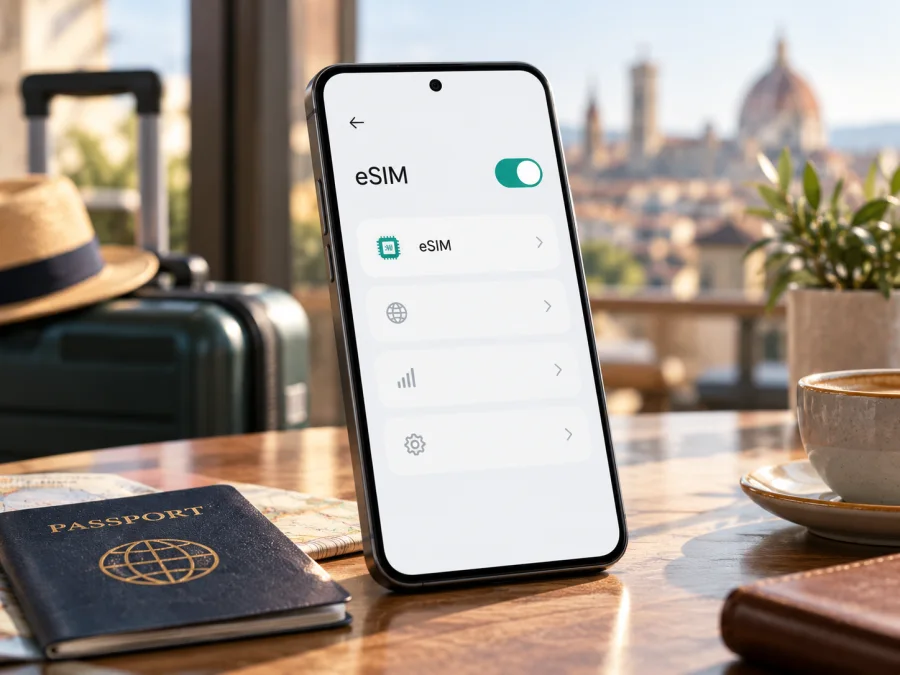
Vivo V40 SE 256GB eSIM: compatibility, setup and travel use
If you are considering a travel eSIM for the Vivo V40 SE 256GB, the first thing to establish is which regional version you own. Vivo has used the V40 SE name for more than one configuration, and the words “256GB” alone do not identify the radio or SIM hardware. Official Vivo pages show that regional specifications differ: the Spanish page for V40 SE 5G explicitly marks eSIM as supported, while the European/Austrian V40 SE 5G specification lists physical nano-SIM slots without confirming eSIM. The European V40 SE 4G specification also describes a physical SIM slot and does not list eSIM. That means a universal yes or no for every phone sold as Vivo V40 SE 256GB would be misleading.
Practical answer: eSIM can be supported on at least one official regional V40 SE 5G configuration, but you should treat your specific Vivo V40 SE 256GB as unconfirmed until its exact model code, sales region, firmware and phone settings agree. Storage capacity is not an eSIM feature. Check the phone itself before choosing a plan, and ask Vivo or the seller to confirm the exact SKU if the evidence is unclear.
What the name tells you—and what it does not
The task name is Vivo V40 SE 256GB. Keep that full name in mind when comparing listings, but do not assume it means V40 SE 4G or V40 SE 5G. On Vivo’s official regional product pages, the 4G model is associated with a Snapdragon 685 platform, while the 5G model uses Snapdragon 4 Gen 2. Vivo pages in different countries may also show different memory combinations, network specifications, colours, protection ratings and SIM details. A retailer may shorten a listing title or omit a suffix, so a product page headline is not enough to identify the installed eSIM hardware.
| Check | What is known for Vivo V40 SE 256GB | What you should confirm |
|---|---|---|
| Product name | The name can refer to regional V40 SE listings; it does not by itself say 4G or 5G. | Full model name and model code on the box, receipt or About phone screen. |
| Storage | 256GB appears in official V40 SE family configurations. | Storage does not establish whether the phone has an eSIM. |
| Physical SIM | Official pages list nano-SIM arrangements; the exact arrangement differs between configurations. | SIM tray and the settings menu on your own unit. |
| eSIM | Vivo’s Spanish V40 SE 5G page explicitly lists eSIM support. Other regional official specs may omit it. | EID and an eSIM add/download option, then confirmation for your market and carrier. |
| Network access | 4G/5G bands and network functions depend on the particular version and local network. | Destination network compatibility and any carrier or device lock. |
| Travel plan | A data eSIM needs an eSIM-capable, unlocked device. | Country or region, data allowance, validity, activation rules and supported networks. |
Why official regional pages can look different
A retail name can cover different hardware, software, radio bands and SIM functions in different markets. Imported or operator-sold phones may also be carrier-locked or have eSIM activation restricted by software. A lock is separate from eSIM hardware: an EID does not prove that another provider’s profile will work.
The official Vivo pages demonstrate this variation. Spain’s V40 SE 5G specification says eSIM is supported; Austria’s V40 SE 5G specification lists nano-SIM slots without confirming eSIM; the European V40 SE 4G specification also omits eSIM. This does not show that every 256GB or every 5G unit has the same configuration. Treat the Spanish listing as evidence for that regional version only.
For your phone, combine three checks: model code and sales region, an EID, and an eSIM option in settings. If they conflict, ask Vivo or the seller whether that exact SKU supports third-party travel eSIMs and whether it is carrier-unlocked before buying.
Check eSIM support on the phone
Do these checks while you have access to the handset. Menu wording can vary with Funtouch OS version, country and software update. Do not rely on a generic compatibility list alone when Vivo’s regional specifications differ.
1. Look for an EID
An EID is the identifier associated with an eSIM-capable embedded SIM. On many Android phones, you can open the Phone app and enter *#06#; if supported, the device information screen may show an EID alongside IMEI numbers. You can also look in Settings → About phone → Status or a similarly named device-information section. On some Vivo software builds the EID may appear under SIM or mobile network information instead.
Keep the model code and EID private for a support request. An EID is evidence of eSIM capability, but does not confirm that the phone is unlocked or that a particular plan will work. Do not post it publicly.
2. Look for the eSIM control
Open Settings and search for “eSIM” or “SIM”. Depending on your version, the relevant area may be called Mobile network, SIM card & mobile network, or Network & internet. Look for an action such as Add eSIM, Download SIM, Add mobile plan, or Set up eSIM. If the only available actions refer to physical SIM cards, that is not proof of eSIM support.
A menu may be hidden by outdated software or a carrier restriction. Update and restart the phone, then check again. If no EID or menu appears, treat support as unconfirmed unless Vivo verifies the SKU. Do not scan a QR code before confirming compatibility.
3. Confirm the identity and lock status
In Settings → About phone, note the model number and software version, then compare the full code with documentation for its sales market. If bought from an operator, ask whether it is unlocked and accepts third-party eSIM profiles; an eSIM option alone does not rule out a carrier lock.
Before buying, use this checklist:
- [ ] The exact model code and original sales market are known.
- [ ] The handset has an EID or Vivo has confirmed eSIM support for that exact version.
- [ ] Settings shows an option to add or download an eSIM profile.
- [ ] The device is not carrier-locked, or the carrier has confirmed it will accept another eSIM.
- [ ] The phone is updated and can connect to Wi-Fi during profile installation.
- [ ] The destination, network, data amount, validity and activation conditions suit the trip.
Check your device before buying a data plan. Compatibility is determined by the phone and its configuration, not by the plan’s storage, price or destination label.
Install and activate an eSIM if your version supports it
Only start installation after the EID/settings check is positive and the exact Vivo version is confirmed as unlocked and compatible. Keep a reliable Wi-Fi connection available. Many QR activation codes are intended for one installation only; do not delete a working profile or scan the same code on several phones unless the plan instructions explicitly allow it.
Before installation
- Check the plan. Confirm destination, data, validity, activation start and any device requirements.
- Plan for your primary SIM. A travel data eSIM generally has no separate number, ordinary calls or SMS; keep your existing line if you need those services.
- Save the QR code on another screen or on paper, and install over reliable Wi-Fi with the phone charged.
Typical Android installation flow
The exact Vivo menu labels can differ, so use the prompts shown by the handset. A typical route is:
- Open Settings and enter Mobile network, SIM card & mobile network, or Network & internet.
- Select the eSIM section and tap Add eSIM, Download eSIM, or the equivalent option.
- Choose to scan a QR code. If the plan provides manual activation details instead, enter the server address and activation code exactly as supplied.
- Follow the prompts to download the profile. Give it a clear label such as “Travel” or the destination name.
- Leave the profile switched off until you are ready to use it if the plan’s instructions say to delay activation. If activation starts only on arrival, install it beforehand but avoid changing the activation settings unnecessarily.
- At the destination, turn the eSIM on and select it as the SIM for Mobile data. Enable data roaming for that travel profile only if the plan instructions require it. Roaming here can be part of the travel eSIM’s connection method; verify the plan terms rather than changing roaming on your home SIM by default.
- Wait several minutes for local registration. If data does not start, check the selected data SIM, APN instructions and network selection before reinstalling anything.
For a general visual walkthrough, see How to install an eSIM on Android. The published Android guide notes that menus vary by model and that its illustrated route is for Samsung, so use Vivo’s own menu names when they differ. The iOS eSIM installation guide is for iPhone and is not the setup path for this Android phone.
Activation is not the same as installation
Installing a profile stores the eSIM on the phone. Activation and data use depend on the plan’s rules and the destination network. A profile may be installed before departure, then enabled when you arrive; another plan may start its validity sooner. Read the instructions shown at checkout and in the account. If a data package has an expiry period, check when that clock begins. Keep the QR email and order details until the phone connects successfully.
When you first switch to the travel eSIM, choose whether your home SIM should remain enabled. If you keep it active for calls or SMS, leave its mobile data disabled unless you intentionally want to use your regular carrier’s roaming data. On Vivo, the labels for default data SIM and roaming control can vary; verify that the travel eSIM is selected for data before browsing. The home operator may charge for roaming calls, messages or data according to its own terms.
Using Vivo V40 SE 256GB for mobile data on a trip
A travel data eSIM can keep maps, ride-hailing, translation, messaging and booking apps online soon after arrival. If your Vivo version is compatible, install the profile before departure and enable it according to the plan’s instructions. Whether the physical SIM can remain active alongside it depends on the regional version.
For a short break, estimate everyday usage and match the data allowance and validity to the trip. On a multi-country route, verify every destination in the plan’s coverage list; “Europe” or “Global” does not guarantee every territory. For longer trips, check top-up and tethering terms. Download maps and tickets in advance and limit background uploads if data is restricted.
An eSIM does not guarantee service everywhere. Local coverage, network bands, buildings, congestion and local rules affect access. A compatible phone may still lack a destination network’s bands, so check the exact configuration and destination if connectivity is critical.
Kaspersky eSIM Store is an app and website where you can choose, arrange and activate an eSIM with a mobile data plan for an overseas trip. Use the Kaspersky eSIM Store site to browse current destinations and plan conditions; this homepage is a general starting point, not a country-specific tariff. The plan’s service and coverage depend on the plan details and partner/local networks. Check the current destination, allowance, validity and activation terms before choosing.
Troubleshooting: when the eSIM does not connect
Try these checks in order. Keep the profile installed unless support asks you to remove it; a QR code may not be reusable.
The phone has no “Add eSIM” option
Search settings for “eSIM”, check for an EID, restart and update. Confirm the model code and sales market with Vivo. A reset cannot add eSIM hardware; another V40 SE version may differ.
The profile will not download
Check Wi-Fi, automatic date and time, and scan the code from another screen. Confirm it has not already been used and that the plan supports your device. Save any error and contact support before deleting profiles or retrying another code.
The eSIM installs but shows no service
Turn on the profile and select it for mobile data; disable airplane mode and restart. Enable roaming on that profile only if the plan requires it. Confirm the destination is included. If needed, select an allowed network manually or enter the APN given in the plan instructions.
Data works slowly or stops
Check remaining data, validity and the selected data SIM. Pause background uploads and test a basic page. Weak indoor coverage or congestion may be the cause; try another allowed network if available. 4G can work even when 5G is unavailable.
The home SIM appears to be roaming
Check which SIM is selected for mobile data and whether the home line has data roaming enabled. If you only need incoming calls or authentication texts, you may leave the line enabled while keeping its mobile data off, but carrier charges can still apply for calls, texts or other services. Review the home operator’s roaming terms. Turn off automatic data switching if your phone offers it, so it does not silently move data back to the primary SIM.
You are unsure whether to delete and reinstall
Do not remove a working profile just to repeat activation; some codes are single-use. Check the order instructions and contact support with the error, model code and software version. Do not share your EID or QR code publicly.
Frequently asked questions
Does Vivo V40 SE 256GB support eSIM?
The name alone does not settle the question. Vivo’s Spanish official V40 SE 5G specification explicitly lists eSIM support, while the official Austrian V40 SE 5G page lists physical SIM slots but does not confirm eSIM; the European V40 SE 4G specification also omits an eSIM entry. Your exact model code and market determine which information applies. Confirm the EID and add-eSIM option on your phone before buying a plan.
Does 256GB storage mean that eSIM is built in?
No. Storage capacity describes onboard storage, not the SIM hardware. Two V40 SE phones with the same advertised storage can differ by market or product configuration. Use the model code, official regional specification, EID and settings menu to check.
Can the 5G version use an eSIM?
At least one official regional configuration—the V40 SE 5G shown on Vivo’s Spanish product page—lists eSIM support. That does not establish support for every V40 SE 5G sold in other markets. Confirm the country-specific SKU and the phone’s own settings.
Can I keep my regular SIM in the phone?
Potentially, but simultaneous SIM behavior depends on the specific version and software. If you keep the home line active, select the travel eSIM for mobile data and check roaming settings carefully. Your regular operator may charge for use of its line abroad.
Will a travel eSIM give me a phone number?
A data-only travel eSIM generally provides mobile internet rather than a new number for ordinary calls and SMS. Apps can make calls or send messages over data using an account you already have. Check the exact plan description for inclusions.
Should I install the eSIM before departure?
Often, installing over reliable Wi-Fi before departure is convenient, but follow the plan’s activation instructions. Some plans start validity at purchase or installation, while others begin when the profile connects in the destination. Confirm the start rule before you install or enable it.
What if I cannot find an EID?
Search About phone and SIM settings, try the device information screen reached through *#06#, and update the software. If no EID or add-eSIM option appears, ask Vivo to verify the model code. Until confirmed, treat compatibility as uncertain and do not purchase a non-refundable plan on the assumption that eSIM will work.
Is eSIM activation the same in every country?
The basic process is similar, but hardware, menus, network bands, carrier locks, local restrictions and software versions can vary. The country where the phone was sold and the destination where you plan to connect are separate checks: one determines the device configuration, while the other determines plan and network availability.
Before you travel: verify first, then choose
For Vivo V40 SE 256GB, the responsible answer is conditional: eSIM is documented for a specific official V40 SE 5G regional version, but the broad retail name does not identify your phone’s market or SIM hardware. Check its model code, EID and Add eSIM setting, then confirm the exact configuration and unlock status with Vivo or the seller. If those checks are positive, compare the destination and plan conditions, install over Wi-Fi and choose the travel eSIM for mobile data when appropriate.
If any compatibility check is inconclusive, ask for written confirmation of the exact SKU before purchase and keep a practical backup such as Wi-Fi access or a local physical SIM option if your phone supports it. Once your device is confirmed, use Kaspersky eSIM Store’s site or app to browse and choose a suitable eSIM data plan for the trip. Review the country list, allowance, validity, activation timing and network notes each time; plan availability and local service conditions can change.


