Travel connectivity guide
Vivo X100 Pro eSIM: Compatibility and Setup
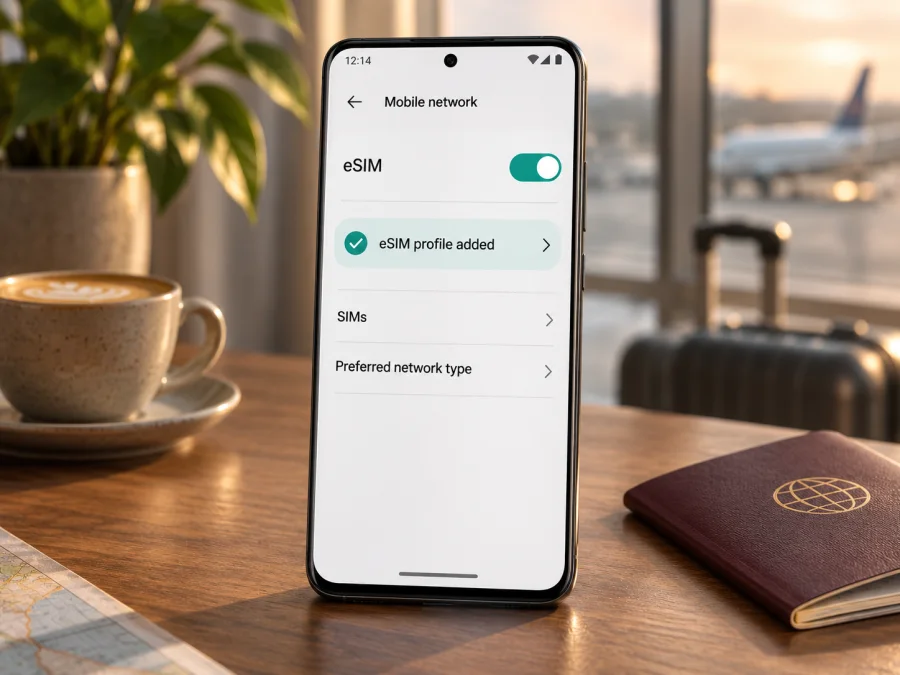
Vivo X100 Pro eSIM: compatibility and setup guide
Short answer: Vivo X100 Pro can support eSIM in some regional versions. Vivo’s official India and Hong Kong specifications list a choice of two nano-SIMs or one nano-SIM plus an eSIM. Vivo’s China mainland specification for model V2324A lists two nano-SIMs and does not list eSIM. Since the request “Vivo X100 Pro” does not identify the phone’s sales region or exact model code, the safest answer for an individual handset is conditional: check its model number and settings before buying a travel plan.
A product name alone does not guarantee that the phone contains an eSIM, that its software exposes eSIM settings, or that it can install a profile intended for a particular country. A phone imported from another market may have different SIM hardware and firmware even though its name on the box is the same. This guide explains how to identify the version you have, check the phone itself, and decide whether to continue with eSIM setup.
Does Vivo X100 Pro support eSIM?
The answer depends on the regional version. Vivo’s official India and Hong Kong product specifications describe the X100 Pro SIM arrangement as “2 nano SIMs (SIM1 + SIM2) or 1 nano SIM + eSIM.” Those specifications establish that eSIM is supported on the listed market versions. Vivo’s China mainland specification, for the device identified as V2324A, lists the SIM type as dual nano-SIM. That is a different regional configuration, and the listing does not confirm eSIM support for it.
These details should not be collapsed into a universal yes or no. The Indian specification is evidence for the India-market product; the Hong Kong specification is evidence for that market. Neither establishes that every phone called Vivo X100 Pro has the same SIM components or software. The China mainland listing also does not prove that all devices sold elsewhere lack eSIM. For a used, imported, carrier-customised, or reseller-sourced phone, use the model code and on-device checks rather than relying on the product family name or an online compatibility list alone.
| Check | What the available information means |
|---|---|
| Device name | Vivo X100 Pro; the name alone does not identify its region or SIM configuration. |
| India-market listing | Vivo lists two nano-SIMs or one nano-SIM plus eSIM. |
| Hong Kong-market listing | Vivo likewise lists two nano-SIMs or one nano-SIM plus eSIM. |
| China mainland listing | Vivo lists dual nano-SIM for model V2324A; eSIM is not listed for that configuration. |
| Imported or carrier-specific phone | Confirm the exact model code, software, SIM lock status, and eSIM menu on the phone. |
| Travel plan | Device support does not guarantee that a particular plan or destination network will work. Check plan eligibility separately. |
An eSIM is a digital SIM profile stored in a compatible phone. It can be useful for mobile data on a trip because you can add a travel profile without removing your primary physical SIM. The feature still depends on the phone’s regional hardware and software, an eligible plan, and the network arrangement used for the destination. The phone must also be allowed to use another provider’s profile; a carrier-locked device can reject it even when the hardware supports eSIM.
Regional version, destination and operator are separate checks
Keep three checks distinct: the phone’s original sales market determines which specification applies; the travel plan determines which destinations it covers; and the plan’s network partners and local availability determine where it can connect. A country where the phone was bought is not the same as a country where you will use data.
A marketplace label such as “global version” is not sufficient proof. Ask for the model code shown in Settings, the original market, and confirmation that the exact handset can add an eSIM. A carrier lock can also prevent a supported phone from using another provider’s profile.
Identify your version before making a decision
Use the phone itself rather than relying on the box or seller’s title.
- Open Settings > About phone (or About device).
- Record the exact Model or Model number. Do not infer it from colour, memory, or the product name.
- Compare it with Vivo’s documentation for the phone’s original sales market. Vivo identifies the mainland China listing as V2324A; regional specifications can differ.
- Check the SIM settings and tray as supporting clues, then ask Vivo support for the relevant market if the code or description is unclear.
Changing language, inserting another country’s SIM, or travelling does not change the phone’s regional hardware. Avoid unofficial firmware changes as a compatibility shortcut.
How to check eSIM support on the phone
Check for both an EID and an add-eSIM setting. The EID is an identifier associated with eSIM hardware. Settings labels differ across software releases, so search Settings for “EID,” “SIM,” and “eSIM.”
Check for an EID
- Look under About phone, Status, SIM status, or Regulatory information.
- On some Android phones,
*#06#displays device identifiers. If an EID appears, keep it private; do not post it or the IMEI publicly. - If it is absent, restart and install available official updates, then check again. An absent entry warrants confirmation with Vivo before purchase.
Look for an add-eSIM option
In Settings, search for Mobile network, SIM card & mobile network, Add eSIM, or Download eSIM. A supported version should offer a way to add or download a profile, often by QR code or manual details. Do not delete an existing profile while exploring.
If both EID and the add-eSIM option are present, continue to the plan provider’s compatibility check. If neither appears, confirm the model code and software with Vivo. A dual-nano-SIM version without eSIM cannot be made compatible by scanning a QR code.
Compatibility checklist before you choose a plan
- [ ] I recorded the complete model code and know the original sales market.
- [ ] The phone shows an EID or add-eSIM option, and Vivo confirms the version supports eSIM.
- [ ] The phone is not carrier-locked and has current official software.
- [ ] The destination, validity, data amount, and activation conditions suit my trip.
- [ ] I know whether the plan requires data roaming for its eSIM profile.
Check whether your device is compatible before selecting a plan. Kaspersky eSIM Store is an app and website where travellers can choose and activate an eSIM with a mobile-data plan for an international trip; it does not replace the device check.
Prepare the phone and plan
Confirm that the exact X100 Pro can add eSIM and is not carrier-locked. Review the plan’s covered countries, data allowance, validity period, activation timing, top-up rules, and whether it includes data only. Many travel plans do not include a regular phone number, voice calls, or SMS; your home SIM and messaging apps may remain useful, but check home-carrier roaming charges.
Install over reliable Wi-Fi if the plan permits. Keep the QR code or manual details available on another screen; a phone cannot usually scan a code shown only on itself. Treat activation details as private and do not repeatedly install a one-time code. Installation, activation, and first network connection may happen at different times, so follow the plan’s timing instructions.
Install and activate an eSIM on Vivo X100 Pro
Menu names vary between OriginOS/Funtouch OS releases. These steps apply only if your regional version offers eSIM.
- Confirm the model, EID or add-eSIM option, unlocked status, and plan eligibility.
- Connect to Wi-Fi and open Mobile network or SIM card & mobile network in Settings.
- Select Add eSIM or Download eSIM, then scan the provider’s QR code or enter its supplied details exactly.
- Wait for the profile to download. Give it a clear label such as “Travel data.”
- Keep your home line for calls or texts if needed, and select the travel profile for mobile data when you intend to use it.
- Enable data roaming for the travel eSIM only if the plan instructions require it. Check roaming settings for the home SIM separately.
- At the right time, enable the profile, connect to a supported network, turn Wi-Fi off briefly, and test a web page. Check the plan balance with its provider.
For more steps, see the Android eSIM installation instructions. The iOS eSIM installation instructions are for Apple devices and do not describe Vivo menus.
If the plan is meant to start at the destination, leave it installed and follow the stated activation timing. If you accidentally delete a profile, contact the provider before trying its QR code again; some codes work only once.
Use the eSIM for travel data
After arrival, enable the travel profile, select it for Mobile data, and follow its data-roaming instructions. Roaming may be required for a travel profile to connect through a partner network. That setting is separate for each SIM: keep roaming disabled on your home line if you want to avoid its charges, unless you need it and have checked the cost.
Before a multi-country trip, check the exact included destinations; a regional plan can still exclude some territories. Download maps and tickets in advance, limit background updates if your data allowance is small, and compare the phone’s data counter with the plan balance because they may update at different times. Coverage depends on the destination and partner network, not just successful profile installation.
Example travel situations
- One destination: match the country and validity dates, install over Wi-Fi if allowed, then select the travel profile for data after arrival.
- Several countries: compare every stop with the plan’s current coverage list. Use separate plans or another connection for uncovered legs.
- Keep your home number reachable: leave the home SIM enabled if needed, but check its roaming charges. A data-only travel eSIM does not provide a new phone number.
- Uncertain regional version: verify it at home. If eSIM support cannot be confirmed, arrange a compatible alternative such as a physical SIM or portable Wi-Fi where available.
Troubleshooting common problems
No EID or “Add eSIM” menu
Search Settings for “EID,” “SIM,” and “eSIM,” check the exact model and software, restart, and apply official updates. If Vivo lists the phone as dual nano-SIM only or confirms that the code lacks eSIM, the profile cannot be installed. For a regional version advertised with eSIM, contact Vivo with the model code before resetting the phone or changing firmware.
QR code will not scan or the download fails
Make the code fully visible, increase the other screen’s brightness, and clean the camera lens. Confirm you are using the right code and a reliable Wi-Fi connection. If the code says it was used, stop retrying and ask the provider about recovery. Do not share the QR code or activation details publicly.
Profile installed but no service
Check destination coverage, activation timing, profile status, and which SIM is selected for mobile data. Toggle Airplane mode or restart. Enable roaming for the travel profile if instructed. If available and allowed by the provider, try its network-selection steps. Signal and service depend on local availability and supported network bands.
Signal appears but apps cannot connect, or the wrong SIM uses data
Check the selected data line, plan validity and balance, and APN details only if the provider supplied them. Turn Wi-Fi off briefly to test cellular data. In SIM settings verify that the travel profile, not the home line, is selected for mobile data. Review data saver, app permissions, and any VPN/private DNS settings if only certain apps fail.
It worked at home but not at the destination
A profile download does not guarantee service at every location. Check the plan’s covered country, activation date, data balance, and roaming requirement. Try another location, restart, and follow provider network-selection guidance. Give support the destination, model code, and error message through a verified private channel.
Frequently asked questions
Does every Vivo X100 Pro have eSIM?
No. Vivo’s India and Hong Kong specifications list eSIM as an option. Its China mainland listing for V2324A lists dual nano-SIM without eSIM. Check the individual phone.
Do two physical SIM slots prove eSIM support?
No. Regional configurations differ. Check for an EID and an add-eSIM option, then confirm the exact model with Vivo.
Does phone compatibility depend on the travel country?
The phone’s eSIM capability depends on its version and software. Plan coverage depends on the destination and network arrangements. Check both independently.
Does a travel eSIM include a phone number?
Not necessarily. Many plans are data-only. Check the plan terms for voice, SMS, or a number; apps may provide calls and messages over data.
Can I move or delete the profile after travelling?
Do not assume it can be transferred or reinstalled. Check with the plan provider before deleting a profile or changing phones; some activation codes are one-time. If eSIM is unavailable on your X100 Pro, consider a physical SIM, portable Wi-Fi, or trusted Wi-Fi access.
Before you travel: verify the phone, then choose data
For Vivo X100 Pro, eSIM support is confirmed by Vivo for the India- and Hong Kong-market specifications, while the China mainland listing for V2324A describes two nano-SIMs without eSIM. Your individual phone’s status still depends on its exact model and software. Check About phone, look for an EID and an add-eSIM option, confirm the device is unlocked, and ask Vivo about the exact regional code if anything is unclear.
Once the handset is confirmed compatible, compare the plan’s destination coverage, data allowance, validity period, activation timing, and roaming instructions with your itinerary. Kaspersky eSIM Store is an app and website where you can choose and activate an eSIM with a mobile-data plan for an international trip. Explore available destinations and plans after checking compatibility; the store homepage is a starting point for browsing current options, not a promise that a particular country tariff or network is included. Install the profile over Wi-Fi, select it for mobile data when appropriate, and keep your home-SIM settings and roaming costs in mind.


