Travel connectivity guide
Vivo X200 FE 256GB eSIM: compatibility and setup
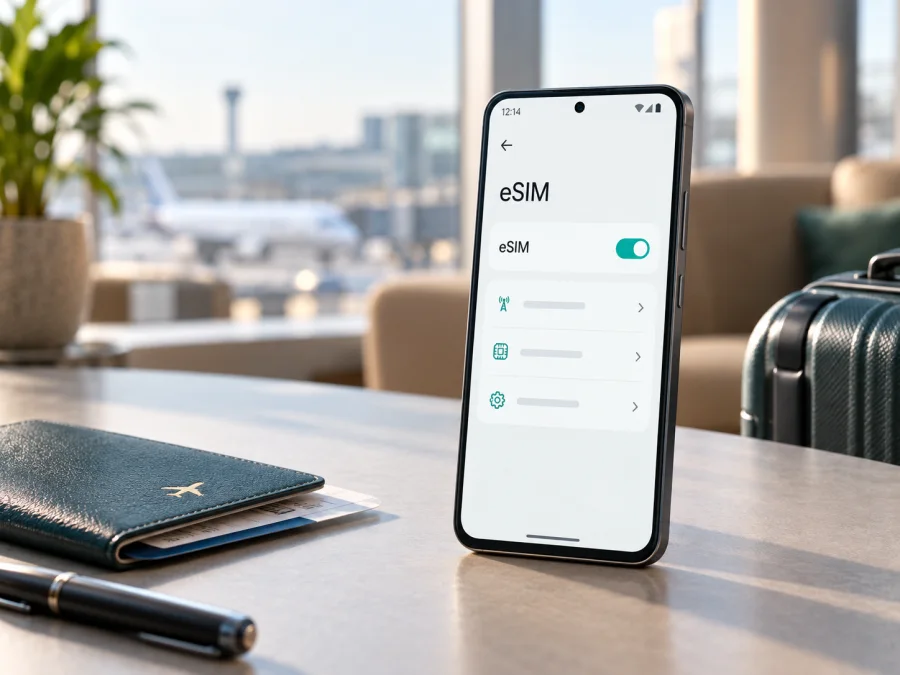
Vivo X200 FE 256GB eSIM: compatibility, setup and travel use
If you are checking the Vivo X200 FE 256GB before a trip, the answer is not a universal yes or no. Vivo lists eSIM differently by region. India’s 12GB+256GB specification says eSIM is not supported; Europe’s Austria/Germany 12GB+256GB specification shows “2 nano SIMs + eSIM”. Storage alone does not identify one worldwide configuration.
Treat Vivo X200 FE 256GB as eSIM-compatible only when the exact phone shows an eSIM option or EID. A shop title, 5G label or appearance is not enough. If imported, its market, firmware and carrier configuration matter.
What the official specifications say
The manufacturer’s regional pages provide this comparison:
| Point to compare | India 256GB listing | Selected European 256GB listing |
|---|---|---|
| Memory shown | 12GB RAM + 256GB storage | 12GB RAM + 256GB storage for Austria and Germany listings |
| SIM description | 2 nano SIMs, SIM1 + SIM2 | 2 nano SIMs + eSIM |
| eSIM status | Not supported | Supported in the listed regional specification |
| Software at launch | Funtouch OS 15 based on Android 15 | Funtouch OS 15 based on Android 15 |
| Practical result | Use physical SIM cards | An eSIM profile may be added if the menu and EID confirm it |
This is a regional difference, not a contradiction. The same family name can describe different sales channels. Network functionality also depends on the carrier, infrastructure and software version. An eSIM profile still needs a compatible tariff and destination network.
The direct answer
Some Vivo X200 FE 256GB versions support eSIM, and some do not. A European 12GB+256GB specification can support eSIM, while the official Indian one does not. If your phone came from India and matches that configuration, expect no eSIM. If sold for Austria or Germany with an eSIM option, it can be a candidate for travel data. Other imports require the same on-device check.
Why 256GB and 5G do not settle compatibility
“256GB” describes storage, not the modem, SIM tray or regional software. Two phones with the same storage can have different SIM capabilities. 5G describes supported networks; it is not proof of eSIM support.
Keep the exact name Vivo X200 FE 256GB when comparing the box, product page and settings. Check the country of sale, product code and invoice together. If a seller says only “global” or “international,” ask which regional specification is supplied and whether the device has an EID. A two-slot physical SIM tray does not prove that eSIM is present or absent.
Check the phone before buying an eSIM tariff
Complete these checks before you choose a plan. Keep the phone on Wi‑Fi or another working connection, but do not scan a QR code yet.
1. Find the EID
Open Settings and search for EID. On Android, it may appear under About phone, Status or SIM status. Labels vary with Funtouch OS and region. An EID is the identifier associated with an eSIM-capable device. Its presence is strong evidence that the hardware and firmware expose eSIM support, although the carrier and tariff still have to be compatible.
You can also try *#06# in the dialler. If the information screen supports it, an EID may appear next to IMEI values. Do not make the dialler code the only test: software versions can show the information differently.
2. Look for an eSIM menu
Open Settings > Mobile network, SIM card & mobile network or similar. Look for Add eSIM, Add mobile plan, Set up an eSIM or a plus sign for a new plan. A compatible regional Vivo X200 FE 256GB should provide a route for adding a digital SIM profile.
If the phone shows only two physical SIM slots and has no EID, no eSIM entry and no mobile-plan download option, treat it as not compatible. Do not buy a tariff hoping that an update will add the feature. A software update can change labels or fix activation, but it cannot reliably turn a non-eSIM regional configuration into a supported one.
3. Confirm the regional identity
Read the model and software information in Settings > About phone. Compare it with the seller’s region and invoice. Note whether the phone is imported, carrier-branded or operator-restricted. If its software region was changed, ask the seller or Vivo support to confirm the product code. A carrier lock can prevent a compatible eSIM from registering even when an EID exists.
4. Check the plan conditions
Confirm that the phone is unlocked, the tariff covers your destination, and its data allowance, validity, activation window and transfer terms fit the trip. Kaspersky eSIM Store is an app and website where you can choose, arrange and activate an eSIM with a mobile-data tariff for a foreign trip. It is not the mobile operator, network owner or provider of radio coverage, and it cannot make an unsupported phone compatible.
<a id="kesim-device-compatibility"></a>
Compatibility checklist for Vivo X200 FE 256GB
Use this checklist before payment. Check your device again if you are unsure which regional version you have.
- [ ] The device is exactly Vivo X200 FE 256GB, not another X200-series model or storage version.
- [ ] An EID is visible, or the phone clearly offers Add eSIM or Add mobile plan.
- [ ] The sales region is known: India 12GB+256GB listings state no eSIM; selected European 12GB+256GB listings state support.
- [ ] The phone is not locked to an operator.
- [ ] Android and Funtouch OS are current, and the phone has enough battery.
- [ ] Wi‑Fi or another connection is available for profile download.
- [ ] The chosen tariff covers the route, traffic and validity you need.
If an essential box is unchecked, pause before purchase. A visible EID and eSIM menu are more useful than a generic shop badge.
Prepare the phone and profile
Install with reliable internet and several uninterrupted minutes. Keep the QR code or activation details ready; if the code is on the same phone, use a second screen or manual details.
Decide which SIM handles calls and messages. A travel eSIM is normally for mobile data and does not include a separate number, voice calls or SMS unless the tariff says otherwise. You can keep your main SIM active if permitted, but disable its data roaming to avoid unexpected charges.
For the Android flow, use the Android eSIM installation instructions. The iOS guide is also available when you are preparing more than one device: iOS eSIM installation instructions. The Vivo X200 FE 256GB runs Android, so the Android path and your Funtouch OS labels are the relevant ones.
Install and activate eSIM on a compatible version
Menu names can differ by region or software release. Follow one action per step and stop if the expected option is missing.
1. Confirm compatibility
Check the EID and eSIM menu again. Confirm that the phone is unlocked.
2. Connect to the internet
Connect to stable Wi‑Fi or another working connection so the phone can download the profile.
3. Open mobile-network settings
Open Settings, choose Mobile network or SIM card & mobile network, and select adding a SIM or plan.
4. Start eSIM setup
Choose Add eSIM, Add mobile plan or similar. If it is absent, stop and re-check the regional variant.
5. Scan or enter the details
Scan the supplied QR code or enter manual activation details if offered. Keep the code private.
6. Download the profile
Approve the download and wait. Do not remove the physical SIM or restart unless instructed.
7. Name the eSIM
Label it Travel data or with the destination.
8. Choose the data line
Select the new eSIM for mobile data. Keep calls and SMS on your preferred main line, and avoid automatic data switching if you want control.
9. Enable the required roaming setting
If required by the tariff, enable data roaming for the travel eSIM. Check that roaming is disabled on the main SIM if desired.
10. Activate at the right time
Review when the tariff starts. You may install before departure and turn the line on later if allowed, or install after arrival. Activation can take several minutes.
11. Test data
Turn off Wi‑Fi, confirm the travel eSIM is the data line, and open a webpage. If it does not connect, check the profile, APN instructions and roaming setting. Do not delete a profile because the first search is slow.
Use eSIM during a trip
Keep your home SIM for its existing number and use the compatible eSIM for data. Label both lines, choose which handles calls, messages and data, and disable roaming on the home line if it may be charged. Monitor balance and validity in the app or website used to arrange the plan.
Install before departure
If allowed, use home Wi‑Fi to download and label the profile. Leave it off or without data service until the trip begins if the terms permit; then enable it, select it for data and allow roaming when required.
Activate after landing
If you do not want validity to start early, follow the plan’s conditions. Use airport Wi‑Fi or your primary SIM for setup, then enable the travel line. Do not assume every plan starts only after the first megabyte.
Cross a border
Check that the tariff covers the whole route. A regional plan may cover several destinations, while a country plan may stop at a border. The tariff and partner networks determine where data connects.
Control data use
Turn off unwanted updates, cloud uploads and background data. Download maps over Wi‑Fi and monitor the balance. The 256GB figure is phone storage, not a travel-plan allowance.
Troubleshooting
There is no Add eSIM option
Look for an EID. If there is no EID and the settings expose only two physical SIM slots, the phone is probably a non-eSIM regional configuration, such as the Indian 12GB+256GB listing. Confirm the product code and market rather than retrying QR scans.
The QR code will not scan
Increase brightness, clean the lens and show the whole code on another screen. If manual entry is offered, use the supplied details. A code may fail if already installed or single-use; contact support before deleting anything.
The profile will not download
Reconnect to Wi‑Fi, enable automatic date and time, and check battery and storage. Review carrier lock and the plan’s activation deadline. A compatible phone still needs a supported tariff and partner network.
The eSIM appears but there is no data
Select the eSIM as the data line, enable roaming if required and test with Wi‑Fi off. Check APN only when instructed. Toggle airplane mode or restart, and use automatic network selection unless support advises otherwise.
The phone says emergency calls only
Move to a better-signal area, wait and confirm destination coverage. Check activation status and SIM settings. Imported phones can differ in bands, carrier restrictions and software region, so check the tariff and regional version first.
Data uses the wrong SIM
Set the travel eSIM as the default data line and disable automatic switching if available. Check roaming on both lines, then test with Wi‑Fi off.
You want to move the profile
Do not delete it until you know the tariff rules. Some profiles are single-use or cannot be transferred. Follow the provider’s reissue process; the EID belongs to the device.
Frequently asked questions
Does every Vivo X200 FE 256GB support eSIM?
No. The Indian 12GB+256GB listing says eSIM is not supported, while the European Austria/Germany listing includes 12GB+256GB with 2 nano SIMs + eSIM. Check the phone’s EID and settings.
Is the 5G version automatically eSIM-compatible?
No. 5G describes network capability, not the presence of an eSIM function. Use the EID and Add eSIM checks.
Can an update add eSIM to a non-supported region?
Do not rely on that. An update may improve activation or change menu wording, but the regional specification and EID are safer evidence. If both are missing, treat the phone as incompatible.
Can I use a travel eSIM and physical SIM together?
On a compatible configuration, you may be able to keep the physical SIM active and use eSIM for data, subject to regional and carrier rules. Choose the data line deliberately.
Does the eSIM include a normal number?
Not usually. A travel data eSIM generally provides data access, not a separate number, voice calls or SMS. Confirm the tariff conditions.
Is Kaspersky eSIM Store the mobile operator?
No. Kaspersky eSIM Store is an app and website that helps you choose, arrange and activate an eSIM with a tariff for mobile internet during a foreign trip. It is not an operator, network owner or mobile-internet provider.
What if a seller says “global version” but gives no EID information?
Ask for the exact sales region, product code and a settings-screen confirmation. If the seller cannot confirm these details, inspect the phone or choose another source. Establish compatibility before paying.
Final device check and travel eSIM choice
The exact Vivo X200 FE 256GB can be a useful travel-data phone only when its regional version supports eSIM. Verify the EID, find Add eSIM, confirm the phone is unlocked and match the tariff to every country on your route. India’s 256GB specification says no eSIM, while selected European 256GB specifications say eSIM is supported.
Once those checks pass, use Kaspersky eSIM Store as the app or site for selecting, arranging and activating a suitable eSIM tariff for mobile internet during your foreign trip. Review traffic, duration and roaming requirements. If the EID or eSIM menu is missing, do not purchase the tariff; confirm the regional version first.


