Travel connectivity guide
Vivo X200 FE eSIM Compatibility and Setup Guide
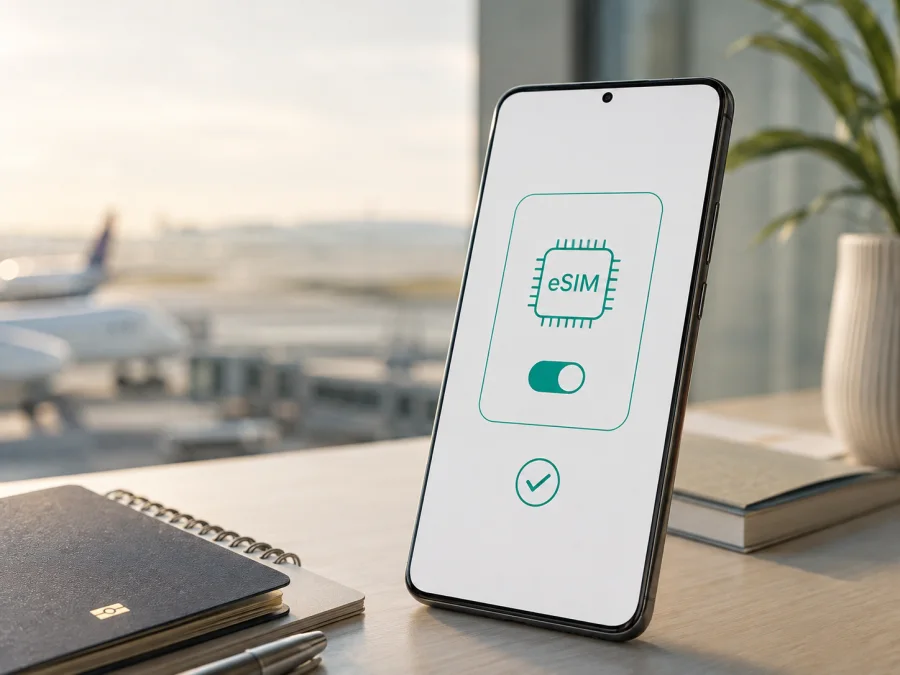
Vivo X200 FE eSIM: compatibility, setup and travel guide
If you are planning to use a travel eSIM in a Vivo X200 FE, the short answer is: it depends on where that phone was sold. vivo’s current regional specifications are not identical. Europe lists “2 nano SIMs + eSIM”, while India lists “2 nano SIMs” and no eSIM slot. A European Vivo X200 FE may therefore accept an eSIM, while an India-market unit may not.
Do not decide from the model name, 5G capability or storage size alone. eSIM support can vary by region, product code, firmware and carrier policy. The reliable check is on the phone itself: look for an EID or “Add eSIM” in mobile-network settings before paying for a plan.
Does Vivo X200 FE support eSIM?
Vivo X200 FE does support eSIM in at least some official regional versions. vivo’s European specification for Vivo X200 FE explicitly includes two nano-SIM slots plus eSIM and identifies the phone as Dual SIM Dual Standby. This is the positive case for a European-market Vivo X200 FE, subject to the exact unit and its software.
The answer is not universal for every Vivo X200 FE. vivo’s India product and store specifications describe two nano-SIM slots, 5G dual-SIM operation and no eSIM entry. Treat that version as physical-SIM-only unless its own settings show an EID and eSIM control. An imported listing that simply says “Vivo X200 FE” is not enough evidence.
The practical conclusion is conditional:
| Question | What the current official regional specifications indicate | What you should do |
|---|---|---|
| Is eSIM listed for a European Vivo X200 FE? | Yes: two nano SIMs + eSIM are listed. | Verify the EID and “Add eSIM” option on your individual phone. |
| Is eSIM listed for an India-market Vivo X200 FE? | No: the specification lists two nano SIMs. | Assume no eSIM until the device proves otherwise in settings. |
| Does 5G prove eSIM support? | No. 5G describes radio connectivity, not the presence of an eSIM profile. | Check the EID and eSIM menu separately. |
| Can a carrier add eSIM support later? | Not if the hardware and regional firmware do not expose it. | Ask the seller for the exact market version and check the phone itself. |
| Can a compatible phone use any travel eSIM? | Not automatically. Carrier locks, bands, activation rules and the plan’s coverage still matter. | Check device status and plan conditions before purchase. |
Regional versions, software and carrier restrictions
Regional variation makes generic compatibility lists misleading for Vivo X200 FE. European documentation lists eSIM, while India-market documentation is built around two physical nano-SIMs. Other markets may follow either configuration, and a grey import may have a product code intended for another country.
Keep three checks separate:
- Hardware capability. The phone must contain an eSIM component; a QR code cannot create missing hardware.
- Regional firmware. The operating system must expose eSIM functions. An update may fix a missing menu, but cannot turn non-eSIM hardware into an eSIM device.
- Network and carrier conditions. An unlocked eSIM-capable phone still needs supported bands and a plan that works in the destination. A carrier lock or corporate restriction can prevent activation.
The Vivo X200 FE uses Funtouch OS based on Android, but menu names can differ after an update or between regions. Match the device’s IMEI, product code, region, EID and actual settings; a retailer’s generic claim is not proof of compatibility.
If you are buying abroad, ask the seller to show the EID or eSIM addition control before payment, with personal identifiers hidden. Keep the invoice and product code in case the received Vivo X200 FE is a different regional configuration.
Vivo X200 FE specifications that matter for travel connectivity
| Feature | Vivo X200 FE information relevant to eSIM use |
|---|---|
| Software | Funtouch OS 15 based on Android 15 in the current regional pages. |
| Physical SIM | Two nano-SIM positions are listed in the official specifications. |
| eSIM | Listed on the European specification; not listed on the India specification. |
| Mobile network | 4G LTE and 5G bands vary between overseas and India configurations. |
| Dual-SIM behaviour | Dual SIM Dual Standby is listed for the European version; India documentation describes its own dual-SIM modes. |
| Travel limitation | An eSIM plan is for mobile data unless its specific conditions say otherwise; it may not include a normal phone number, voice calls or SMS. |
Check compatibility before buying a plan
Use the phone’s settings as the decisive test. On a Vivo X200 FE with eSIM capability, Android should expose an eSIM-related control in the SIM or mobile-network area. The wording can vary, so look for “Add eSIM”, “Download a SIM”, “Add mobile plan”, “eSIM” or a similar option rather than one exact label.
EID and settings checklist
- [ ] The phone is a Vivo X200 FE, and the product code or invoice identifies its sales region.
- [ ] The device is not carrier-locked or restricted by an employer or previous owner.
- [ ] Settings contains an eSIM or mobile-plan addition option.
- [ ] An EID is displayed in the phone information or SIM status screen.
- [ ] The operating system is updated, and the phone can connect to Wi-Fi during setup.
- [ ] The travel destination and plan type match the phone’s supported network bands.
- [ ] You know which line will be used for mobile data and whether data roaming must be enabled for that line.
- [ ] You have checked whether the plan is data-only and read its activation and validity conditions.
If the menu is present but the EID is missing, restart, update and check again. If it remains absent, contact vivo support or the seller. Do not buy a non-refundable plan based only on a model-family list.
Check your device before selecting a plan. This is especially important for an imported Vivo X200 FE, because the same retail name can cover a European eSIM configuration and an India-market two-nano-SIM configuration.
<a id="kesim-device-compatibility"></a>
How to install and activate an eSIM on Vivo X200 FE
Install over reliable Wi-Fi, displaying the QR code on another screen if you scan it with the Vivo X200 FE.
- Prepare. Charge the Vivo X200 FE, connect to Wi-Fi, install any official Funtouch OS update, and confirm that the phone is unlocked. Keep the working physical SIM in place unless Android asks you to remove it.
- Open SIM management. In Settings, open mobile network, SIM card or SIM management, then choose “Add eSIM” or “Download a SIM”. If the option and EID are both missing, stop and verify the regional version.
- Download the profile. Scan the supplied QR code or enter the activation details manually. Keep the QR code private; in many plans it is a one-time credential. Leave Wi-Fi on until the download finishes.
- Configure the line. Name the profile “Travel data” or by destination, then select it as the mobile-data line. Turn off automatic data switching if you want to prevent accidental use of the home SIM.
- Enable the required settings. Travel eSIMs can require data roaming because they connect through a partner network. Enable roaming for the travel line only when the plan instructions require it, and keep it off for the home line if you want to limit charges.
- Activate and test. Activation may happen at download, on first connection or under another plan condition. Turn off Wi-Fi briefly, wait for network registration and open a simple webpage or map. If the plan starts on arrival, do not assume a pre-trip test uses destination data.
For a visual walkthrough, use the Android eSIM installation instructions for Vivo X200 FE. The iOS eSIM installation instructions can help when an iPhone is the second screen for the QR code. Kaspersky eSIM Store is an app and website where you can choose, arrange and activate an eSIM with a mobile-data plan for a trip abroad; it is not a mobile operator or network provider.
Using Vivo X200 FE eSIM on a trip
Before departure
Complete the compatibility check at home, while you still have Wi-Fi and time to contact the seller. Choose a destination or regional plan for your route, data use and dates. Kaspersky eSIM Store can help you choose and arrange an eSIM plan for the destination. Review traffic, validity, activation and hotspot conditions before purchase.
Install before flying if the plan allows it, but distinguish installation from activation. A profile may start at download or first connection, depending on its conditions. Do not delete it to “reset” the plan: many profiles cannot be transferred or reinstalled after removal.
On arrival
Set the travel eSIM as the data line, turn off automatic switching, and enable roaming for that line only if required. Keep the home SIM for calls or SMS only when you understand the roaming cost.
Use Vivo X200 FE for maps, translation, ride-hailing, boarding passes and messaging. A travel eSIM may be data-only, so regular calls and SMS can remain on the home line.
Multi-country route
For several countries, confirm that the plan covers the whole route. A regional plan can be convenient, but coverage and network selection remain plan conditions. Keep the existing profile until a replacement works, and label profiles carefully.
Managing data
Monitor usage in Android’s mobile-network settings. Photo backup, video autoplay, app updates and hotspot use can consume more data than maps or messaging, so set a warning, restrict background data and download essentials over Wi-Fi.
Troubleshooting eSIM activation and mobile data
No “Add eSIM” option. Check the EID. If both are absent, Vivo X200 FE may be an India-market or other non-eSIM version. Verify the product code, update and restart the phone, then ask the seller or vivo support. Do not keep trying random QR codes.
QR code rejected. Check the Wi-Fi connection, intended plan and whether the code has already been used. Scan from another screen or use manual details when supplied. A used or expired code normally requires support.
Profile downloads but there is no signal. Select and enable the travel eSIM, enable roaming for that line if required, toggle airplane mode once and wait. Use automatic network selection unless the plan says otherwise. Confirm the destination is covered and its bands match the plan.
Signal appears but apps have no internet. Turn off Wi-Fi, verify the data line, check the allowance and validity, and change the APN only when the plan gives an exact value. Temporarily disable a VPN or private-DNS setting for testing; avoid changing unrelated APN fields.
Home SIM uses data. Make the travel eSIM the default data line and disable automatic switching. Disable home-line data if needed, remembering that this can affect calls and SMS.
Connection is slow. Test in a place with better signal and wait for registration. 5G is not required for ordinary travel tasks; Vivo X200 FE may use 4G according to local coverage, routing or battery settings. Use another network only if the plan permits it, then contact support with the location and network status.
eSIM deleted accidentally. Do not assume that the QR code can be reused. Keep the purchase details and contact support; reissue and transfer rules depend on the plan.
FAQ
Is every Vivo X200 FE eSIM-compatible?
No. Official regional specifications differ: Europe lists two nano SIMs plus eSIM, while India lists two nano SIMs. Check the EID and eSIM settings on your Vivo X200 FE.
Does 5G mean that my Vivo X200 FE can use a travel eSIM?
No. India’s official Vivo X200 FE specification lists 5G but two physical nano-SIM slots without eSIM. 5G and eSIM are separate capabilities.
Can I use a travel eSIM alongside my physical SIM?
On an eSIM-capable Vivo X200 FE, Europe lists two nano SIMs plus eSIM, but active-line combinations can depend on firmware and network behaviour. Set the travel eSIM as data and test before departure.
Will a travel eSIM give me a local phone number?
Not necessarily. Many travel eSIM plans are data-only and do not include a number, voice calls or SMS. Use internet messaging or keep a compatible home line for important verification messages, subject to your operator’s conditions.
Can Kaspersky eSIM Store make a non-compatible phone work?
No. Kaspersky eSIM Store helps you choose, arrange and activate an eSIM plan for mobile internet on a compatible device. It cannot add hardware or override regional firmware, a carrier lock or an unsupported plan.
Final check before your trip
For Vivo X200 FE, compatibility is a regional question, not a simple model-name question. Before buying a travel plan, confirm the phone’s market version, unlock status, EID, eSIM menu, software state and destination support. Then install the profile over Wi-Fi, select it for mobile data, configure roaming only for that line when required, and test the connection without Wi-Fi.
If the EID or “Add eSIM” option is missing, treat that Vivo X200 FE as incompatible until vivo or the seller confirms otherwise. If the checks pass, use Kaspersky eSIM Store to choose and arrange an eSIM with a mobile-data plan for your trip, review the plan conditions, and activate it with enough time to resolve questions. A final device check before purchase is the simplest way to avoid paying for a profile that your exact regional version cannot use.


