Travel connectivity guide
Vivo X200 Pro 12GB RAM eSIM compatibility
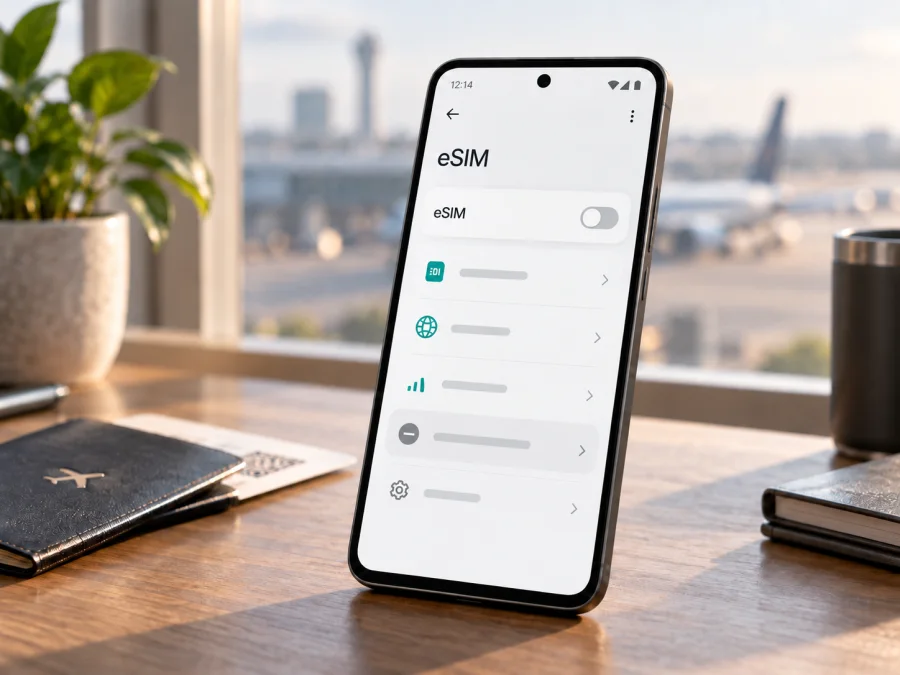
Vivo X200 Pro 12GB RAM eSIM compatibility and setup
Short answer: the Vivo X200 Pro 12GB RAM configuration listed by vivo China is the mainland China version with 12GB RAM and 256GB storage. vivo specifies two physical nano-SIM cards for this version, not an embedded eSIM. You should therefore treat this exact 12GB configuration as not natively eSIM-compatible unless vivo confirms otherwise for the precise model number and software build in your hand. An eSIM QR code or travel plan cannot add eSIM hardware support to a phone that lacks it.
There is an important regional distinction. vivo's X200 Pro pages for some other markets list eSIM support, while the official China specification lists two nano-SIMs. Those phones share the X200 Pro family name, but their SIM hardware, firmware and retail configurations can differ. The phrase “X200 Pro” by itself is not enough to establish compatibility. The 12GB RAM detail is especially relevant: vivo China's official product page lists 12GB+256GB, while several overseas retail pages list other memory configurations. Confirm the model number and SIM options on your own device before buying an eSIM plan.
At a glance
| Detail | Vivo X200 Pro 12GB RAM assessment |
|---|---|
| Documented configuration | China-market 12GB+256GB listing |
| Native eSIM | Not listed; official SIM type is dual nano-SIM |
| Physical SIMs | Two nano-SIM cards |
| Other regional versions | Some official regional pages list eSIM support |
| Check before a trip | Model code, EID, Add eSIM menu and carrier lock |
The RAM figure does not cause eSIM support. It points to a particular retail configuration: vivo's China product page lists 12GB+256GB and two nano-SIM cards. Other regional X200 Pro pages can list different SIM arrangements, including eSIM. The same family name is not proof that the hardware and firmware match.
Marketplace labels such as “global ROM” or “international version” are not sufficient evidence. Confirm the full model number and sales region with vivo. Software changes do not necessarily add an embedded SIM component or carrier provisioning.
Why the exact 12GB version matters
The official vivo China specification pairs the X200 Pro's 12GB RAM configuration with 256GB storage and says the SIM type is dual nano-SIM. It does not list eSIM. This supports a “not natively compatible” answer for that configuration. vivo's specifications in some other markets explicitly list eSIM, which is why a general search for “X200 Pro eSIM” can produce conflicting answers.
Imported phones can also differ in software region, network bands, warranty and carrier provisioning. Even when a regional X200 Pro has eSIM hardware, the intended carrier may restrict activation by model or country. Check the code in Settings and on the box, and ask vivo about the precise variant if the region is unclear. For 12GB+256GB China-market stock, use the dual-nano-SIM specification as the relevant reference.
What “dual SIM” means here
Dual SIM describes two available subscriptions; it does not necessarily mean one physical SIM plus an embedded SIM. The documented China 12GB version uses two physical nano-SIM cards. On some regional versions, eSIM may instead work with a physical SIM, and the number of stored profiles can differ from the number that can be active together.
On a supported phone, a traveler may keep a home line for calls or verification while selecting a travel eSIM for data. Active-line limits and roaming charges still apply. This scenario is unavailable on a model without native eSIM support.
Check your own phone before you travel
Menu names change between Android and vivo software versions. Look for both an EID and a control that adds an eSIM profile; do not rely on the family name or tray appearance alone.
- Read the model code. Open Settings → About phone and note the full code, software region and storage. Compare them with the package label and the manufacturer's specification for the country of sale.
- Look for an EID. Search phone information or status settings for “EID.” You can also enter
*#06#in the dialler; eSIM-capable devices may display an EID alongside IMEI identifiers. An EID is not an IMEI or ICCID. Keep all device identifiers private. - Check mobile network settings. Open Settings → Mobile network or SIM card & mobile network and look for Add eSIM, Download a SIM or Add mobile plan. Labels vary by software release.
- Confirm the phone is unlocked. Ask the original carrier or seller whether another provider's plan can be activated.
- Resolve conflicting signals with vivo. Provide the model code, country of purchase and software version if an EID appears but the published specification lists only physical SIMs, or if the menu is missing on a claimed eSIM model.
If EID and Add eSIM are both absent, and the specification for your model says dual nano-SIM, treat eSIM as unavailable. Repeated QR scans, a factory reset or an app cannot add eSIM hardware. A software update may fix provisioning on a supported device, but do not expect it to change the SIM arrangement of the China 12GB configuration.
Check whether your exact device is compatible before selecting a travel plan.
Quick compatibility checklist {#kesim-device-compatibility}
- [ ] Model code confirmed against vivo's specification for its sales region.
- [ ] EID and an Add eSIM control are present on the handset.
- [ ] Phone is unlocked for the intended provider.
- [ ] Plan supports the device and covers the destination.
- [ ] Wi-Fi and activation details are available for installation.
The official specification for the Vivo X200 Pro 12GB RAM China configuration lists two nano-SIMs, so it does not pass the eSIM check. If your phone unexpectedly shows an EID, have vivo verify the identity and model code before relying on it abroad.
If your particular regional X200 Pro is eSIM-capable
Only continue if vivo confirms that your exact phone supports eSIM and it is unlocked. These instructions are conditional; they are not a workaround for the 12GB China model. Follow the provider's steps as well. See the Android eSIM installation instructions. The iOS eSIM installation instructions apply if you are setting up an iPhone instead.
Install a profile
- Prepare the phone. Connect to stable Wi-Fi, charge the battery and confirm eSIM support and carrier-unlocked status.
- Keep the details ready. Display or print the provider's QR code, or have its manual activation details available. A QR code may be single-use; do not share it.
- Open the eSIM menu. Go to Settings → Mobile network → SIM management and choose Add eSIM or the equivalent. If the option is missing, recheck the model code.
- Download the profile. Scan the code or enter the supplied details, review the plan and destination, then confirm installation.
- Wait for it to appear. Stay online until the new profile appears in SIM management. This can take a few minutes. Do not delete it just to retry; the code may not be reusable.
- Label the line. Use a name such as “Travel data” to distinguish it from your home SIM.
Activate it for mobile data
- Select the travel eSIM for mobile data and keep the home line assigned to calls or messages only if needed.
- Check when plan validity begins: installation, a set date or first connection can each be the trigger.
- Enable the travel profile. If its instructions require data roaming, turn roaming on for that profile at the specified time.
- After arrival, turn Wi-Fi off briefly and check that the phone registers on a supported network and can load a webpage.
- Review roaming for the home SIM; keeping it available may still incur charges.
Kaspersky eSIM Store is an app and website where you can choose, arrange and activate an eSIM with a mobile-data plan for an international trip. Check the destination, data allowance, validity and plan terms, and confirm device compatibility first. It is not a mobile network operator and does not itself provide cellular coverage.
Using a travel eSIM on a trip
A travel data eSIM can help a compatible phone get online after landing without finding a physical-SIM shop. If your exact regional X200 Pro is supported, you can usually install the profile over Wi-Fi before departure and select it for mobile data at the destination. Check the activation rule first so you know whether validity begins at installation, on a chosen date or on first connection.
For a multi-country itinerary, confirm every destination is included; regional coverage and partner networks depend on the plan. For a single-country trip, compare the listed allowance and validity with your planned navigation, messaging and bookings. Keep the plan confirmation accessible offline in case you need its setup instructions.
A data-only eSIM generally does not replace a normal phone number or include voice calls and SMS unless its terms say so. Messaging and calling apps can use mobile data. If the Vivo X200 Pro 12GB RAM has no native eSIM, consider checking roaming with your home carrier or carrying a separate, unlocked device that officially supports eSIM. Verify local physical-SIM options before departure.
Kaspersky eSIM Store's app and website let you choose and activate an eSIM with a mobile-data plan for a trip when your device is compatible. Review the individual plan terms before proceeding.
Troubleshooting on an eSIM-capable model
These checks apply to an eSIM-capable regional handset. A missing eSIM option on the 12GB China configuration matches its published dual-nano-SIM specification.
- Add eSIM is missing: Restart once and check ordinary system updates, then verify the model code and EID. Ask vivo support about the exact region. Do not factory-reset or install unofficial firmware to add a feature the model may not support.
- QR code will not scan: Increase brightness on the display showing it, clean the camera lens and hold steady. Use manual entry only if the provider offers it. Check whether the code has already been used, and never share it publicly.
- Profile installs but does not connect: Confirm the profile is enabled, the destination is covered and the eSIM is selected for data. Toggle airplane mode once, restart if necessary and enable roaming on the travel line only if instructed.
- Signal appears but data does not: Check mobile data, plan validity and remaining allowance. If provider instructions specify an APN, compare the settings carefully. Automatic network selection may help if it was changed manually.
- Activation says the plan is already in use: Do not delete the profile or repeatedly scan the QR code. Contact the plan provider through its support channel with relevant order information.
- It works at home but not abroad: Recheck destination coverage and activation timing, then confirm the phone is unlocked and compatible with local network bands. A valid eSIM does not guarantee every local network will work.
- Calls or SMS do not work: A data plan may not include a voice number or texts. Choose lines separately for calls and data, and check roaming terms with your home carrier.
Frequently asked questions
Does Vivo X200 Pro 12GB RAM support eSIM?
The vivo China 12GB+256GB version is specified with two nano-SIMs and no eSIM. Treat it as incompatible with native eSIM. Some regional X200 Pro variants list eSIM, so verify the actual model code and settings.
Can an update add eSIM to the 12GB version?
Do not count on it. Updates can fix software problems on supported hardware; vivo's China specification lists this configuration as dual nano-SIM. Confirm the model with vivo rather than installing unofficial software.
Why check EID and the Add eSIM menu?
An EID is an embedded SIM identifier, and the menu indicates that the phone can start downloading a profile. Check both along with the exact model and carrier unlock status; keep the EID private.
Can it use two physical SIMs and a travel eSIM together?
Only models that support eSIM can use one. The China 12GB model is specified for two physical nano-SIM cards, and active-line limits vary by regional model.
Will a travel plan include calls and SMS?
Not necessarily. Many travel plans provide data only. Check the specific terms and use internet calling or messaging apps over a working data connection where suitable.
Should I choose a plan before checking compatibility?
No. Confirm eSIM hardware, the EID or Add eSIM control, carrier unlock status and destination coverage first.
Before you set off
Check the full model code, storage and SIM settings on your Vivo X200 Pro 12GB RAM. The vivo China listing pairs this RAM configuration with 256GB storage and specifies two nano-SIM slots; other regional X200 Pro versions may have different eSIM capabilities. If your phone has no EID or Add eSIM option, do not purchase a plan expecting it to work. Ask vivo to confirm any conflicting model information and consider a roaming option or a separate compatible device.
Once compatibility is confirmed on the exact handset, compare eSIM plans for your destination or route, data allowance and validity. Kaspersky eSIM Store's app and website let you choose, arrange and activate an eSIM with a mobile-data plan for an international trip. Check the plan terms and installation instructions, save the activation details, and decide which SIM should handle data before leaving. A short check at home can prevent a frustrating surprise after landing.


