Travel connectivity guide
Vivo X200s 128GB eSIM: Compatibility & Setup
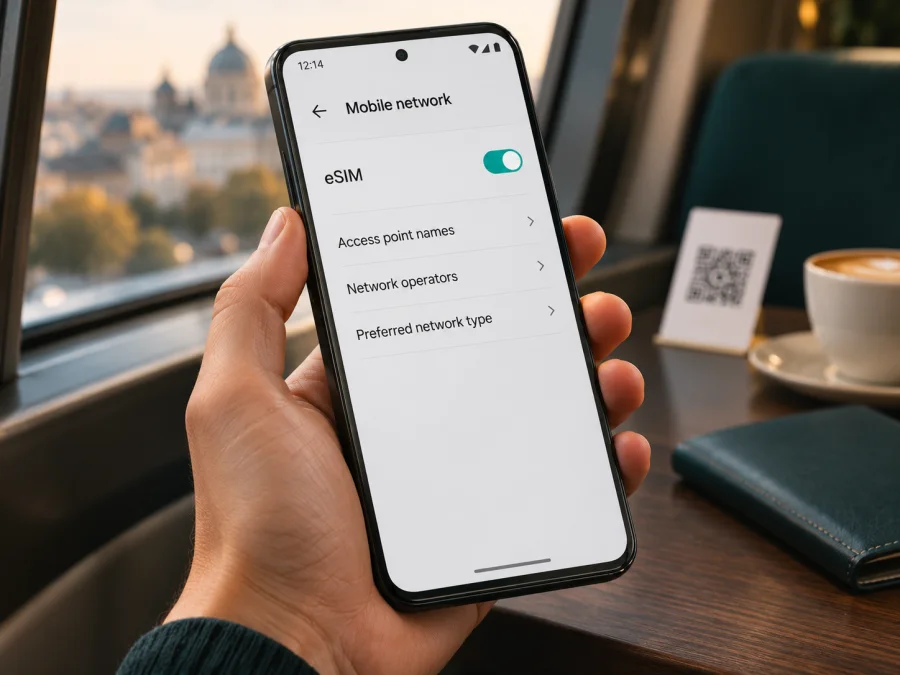
Vivo X200s 128GB eSIM: compatibility and setup guide
Quick answer
There is not enough verified information to say that the exact Vivo X200s 128GB listing supports a standard, built-in eSIM. Vivo's official China X200s specification, checked on 3 November 2026, identifies model V2458A, describes its SIM hardware as dual nano-SIM, and lists 256GB, 512GB and 1TB storage configurations. It does not list a 128GB version or an eSIM function. On that published V2458A configuration, the documented SIM arrangement is physical SIM cards. Because the name supplied here does not include a regional model code, seller listings and imported phones still need to be checked individually; do not assume that a listing with “128GB” is an official Vivo configuration or that it can install a travel eSIM.
| Item | What can be verified for the exact listing |
|---|---|
| Name to check | Vivo X200s 128GB |
| Official Vivo X200s model information located | China-market specification identifies V2458A |
| Published storage options on that specification | 256GB, 512GB and 1TB; 128GB is not listed |
| Published SIM arrangement | Dual nano-SIM |
| Native eSIM support | Not documented for V2458A; its official SIM specification lists two physical nano-SIMs |
| Regional identity of “Vivo X200s 128GB” | Not confirmed; ask for the model code, market and software version |
| Safe purchase decision | Treat it as not confirmed eSIM-compatible until the phone itself and seller documentation verify eSIM and EID |
Does Vivo X200s 128GB support eSIM?
For the exact wording Vivo X200s 128GB, the responsible answer is: eSIM compatibility is unverified, so do not plan on native eSIM use without checking the individual phone. The current official Vivo China specification page gives a concrete reference point: model V2458A is shown with dual nano-SIM and storage options beginning at 256GB. No eSIM or 128GB variant is identified there. That is enough to advise against assuming that a phone described by a reseller as “X200s 128GB” can add a digital SIM profile.
Vivo's global eSIM support index does not name X200s. Pages for X200, X200 Pro, X200 FE or another model cannot establish X200s compatibility. The located X200s specification is for V2458A on Vivo's China site. An imported phone does not become a different hardware version simply because it is sold abroad; check its model code and original market.
What “128GB” can and cannot tell you
The storage label is not an eSIM indicator. Vivo lists 256GB, 512GB and 1TB, not a 128GB configuration. The mismatch could reflect a listing error or a product not covered by the page checked; the phone and its paperwork are needed to resolve it.
Before buying, request the model code and storage shown in Settings → About phone, plus the SIM-management screen. Ask the seller to confirm an EID and standard eSIM profile support for that exact code. Do not infer compatibility from 5G, dual-SIM wording, Android version or a generic “eSIM ready” badge.
Regional and seller versions: what to check
There is no verified basis here to describe “Vivo X200s 128GB” as a distinct global eSIM version. Vivo's located official product page is for the X200s V2458A and specifies two nano-SIM slots. The name supplied in a listing may omit or misstate the model code, so the phone's identity must be established before any answer becomes definitive. A regional label can also refer to the country where a shop sells the device rather than the hardware market for which it was manufactured.
Check these details together:
- Model code and market. Find the full code in About phone/Product information and confirm the original sales region and firmware with the seller.
- SIM settings. A dual nano-SIM tray confirms physical SIM capability, not eSIM. Look for Add eSIM, Add mobile plan or Download a SIM; labels vary.
- EID. Its presence is a useful hardware clue, but not a guarantee that every plan or regional software version will work.
- Lock and network. Confirm the phone is unlocked and that its bands and the selected plan suit the destination. 5G branding alone does not guarantee 5G access abroad.
When the phone and seller documentation disagree, pause the purchase decision. Contact Vivo support for the region associated with the model code and give them that code and the software version. Ask a seller to confirm eSIM support for that exact unit in writing, including whether it can install a third-party travel data profile. Avoid relying on a promise that “all recent Vivo phones” support eSIM: device families contain different hardware and market configurations.
How to check eSIM and EID on the phone
Use the phone's own menus while connected to Wi-Fi. Menu wording may differ by OriginOS version and region, so use Settings search if the path below does not match exactly.
Check the EID
- Open Settings and choose About phone or About device.
- Look under Status, SIM status, Device identifiers or Regulatory information for an EID entry. On some Android builds, the phone's search field can find “EID” or “SIM status”.
- If you cannot find it, check the system's phone information screen. On many Android phones, dialing
*#06#displays device identifiers; use this only if your phone's software supports it and do not share the displayed identifiers publicly. - If an EID is displayed, record that you found one, but keep the full identifier private. Confirm eSIM availability in the SIM settings and with the manufacturer or provider.
An EID is a useful diagnostic, not a complete compatibility certificate. A device might show identifiers while a particular firmware, carrier profile or market configuration prevents adding the profile you intend to use. Conversely, a hidden or differently located menu is not proof by itself that the phone lacks eSIM. Confirm with the exact code and official support for the phone's sales region.
Look for the add-eSIM control
- Open Settings and select Mobile network, SIM cards & mobile networks, Connections or the closest equivalent.
- Open SIM management or the screen for managing SIMs.
- Look for Add eSIM, Add mobile plan, Download SIM or Add carrier. If the only available actions refer to SIM 1/SIM 2 and physical cards, the phone may be limited to physical SIMs.
- Do not proceed to buy a travel plan just because a menu mentions two SIMs or dual standby. Those labels commonly describe two physical cards.
- If no eSIM option appears, install any available official system update, restart, and check again. Then ask Vivo support or the seller to verify whether the exact model and regional software support eSIM. A factory reset or unofficial firmware change is not a sensible first troubleshooting step.
Check your device before choosing a travel plan. For this listing, first resolve the model-code and 128GB discrepancy; a generic device checker cannot replace that identification step.
Compatibility checklist
Before selecting a travel plan, confirm each point for the individual phone:
- [ ] The full model code and original sales market are known.
- [ ] An EID appears in the device information.
- [ ] SIM management has an Add eSIM or equivalent control.
- [ ] The phone is unlocked and its software is current.
- [ ] The plan covers the destination and its installation and activation terms are clear.
If any of the first three checks fail or remain unclear, ask Vivo or the seller to verify the handset before checkout.
If the phone is confirmed compatible: before installing a travel eSIM
The following steps apply only if the specific handset has native eSIM support, the add-eSIM option is present and the device is unlocked. They are general Android steps: exact menu names and activation behavior vary by software and plan. For the X200s V2458A configuration documented by Vivo, native eSIM is not listed; do not follow an installation flow that assumes the setting exists.
Before selecting a plan, check the following:
- The exact phone model code and market are supported by the eSIM provider.
- The phone shows the EID and a working option to add an eSIM profile.
- The handset is not locked to a home operator in a way that blocks another provider's profile.
- The plan covers every country or region on your itinerary and matches the data amount and validity period you expect to use.
- You have stable Wi-Fi for installation, access to the QR code or in-app installation flow, and enough battery to finish setup.
- You understand when the plan's validity begins and whether data roaming must be enabled for that eSIM. Check the plan's own terms rather than assuming every plan behaves the same way.
- You know which line should handle mobile data after arrival. Keep your home SIM available for calls or verification messages only if its roaming settings and charges are understood.
Kaspersky eSIM Store is an app and website where travelers can choose and activate an eSIM plan for mobile data abroad. If the phone passes the checks above, you can browse travel eSIM plans and review the destination, data allowance and validity shown for the option you select. The link opens the store's general English entry page, not a country-specific tariff. Compatibility should be settled before checkout.
How to install and activate eSIM on a compatible Android phone
Follow these general Android steps only after confirming that the particular phone has native eSIM support, an EID, an Add eSIM option and no carrier lock. Menu names vary by OriginOS version and region. The Kaspersky eSIM Store Android installation guide uses Samsung menu names, so treat it as a reference; its iOS installation guide is for Apple devices and does not apply to this Vivo phone.
- Connect to stable Wi-Fi, check the model code and make sure the correct eSIM installation details are available. Do not continue if the phone has no add-profile option.
- Choose a plan for the countries or regions on your itinerary. Review data allowance, validity, supported destinations and activation conditions before confirming.
- Open Settings, then Mobile network or SIM management. Choose Add eSIM/Add mobile plan, or follow the provider app's installation prompt.
- Scan the provider's QR code using another screen, or enter the supplied activation details if manual entry is offered. Keep the code private. Many codes are single-use.
- Wait for the profile to install over Wi-Fi. Do not remove it if setup pauses; contact the provider with the error message before trying another activation.
- Label the profile clearly, for example “Travel data”. When appropriate, select it as the mobile-data line and keep the home SIM's mobile data switched off to avoid unintended roaming.
- Enable Data roaming on the travel profile only if its provider instructs you to. This setting is separate from roaming on your home SIM.
- After reaching the destination, allow time for network registration and test a webpage. Set an APN only when the provider supplies the exact value.
Profile installation and plan activation may be separate events. A plan may start at purchase or when it first connects in the destination; check the terms for your selected plan. Avoid deleting a profile to retry, because a one-time activation code may not work again.
Using a travel eSIM for mobile data
At the destination, select the travel profile for mobile data and verify the choice after restarting or changing SIM settings. For a multi-country route, confirm that the plan covers every stop. Access and 4G/5G availability depend on the plan, local networks, compatible bands and the device's regional version; a 5G logo does not guarantee 5G service everywhere.
A travel data plan should not be assumed to include a regular number, calls or SMS. Check the selected offer. Internet messaging and calls may work through apps over data. If you need bank verification texts or ordinary calls, confirm how you will receive them and whether your home SIM may incur roaming charges. Hotspot use depends on phone and plan conditions and consumes plan data.
Common problems and checks
There is no Add eSIM option. Search Settings for “eSIM”, inspect SIM management, record the model code and update the official software. If the option remains absent, ask Vivo or the seller about that exact market version. The published V2458A specification lists dual nano-SIM and no native eSIM; do not try unofficial firmware changes or buy a plan on assumption.
No EID is displayed. Check About phone, SIM status and device identifiers; paths vary. Ask the manufacturer or seller to verify the exact model. Keep EID and IMEI private. If eSIM support is not established, consider a compatible alternative.
QR scan or installation fails. Confirm that the code belongs to this purchase and has not already been used. Try a second screen or manual entry only if offered. Check Wi-Fi and restart, then save the error text for support. Do not post the code publicly or delete a partial profile before seeking advice.
The profile has no service. Make sure it is on, the phone is in a covered destination and it is selected for data. Enable roaming on that profile only if instructed. Restart or briefly toggle Airplane mode; follow provider advice for network selection and APN. Enter an APN only when the provider supplies its exact value.
Data uses the wrong SIM or apps fail. Select the travel profile for data and turn off automatic data switching if available. Check plan validity and remaining data, and test more than one site. If useful, temporarily disable VPN or private DNS to diagnose, then restore your settings. Contact support with destination and error details.
The phone is carrier-locked. A network lock can block another provider's eSIM even when the hardware is compatible. Ask the original carrier to confirm unlock status; a travel plan cannot remove a lock.
Practical trip scenarios
Before buying this phone: ask for its model code, market and software details. The official X200s specification starts at 256GB and lists dual nano-SIM, unlike the “128GB” listing. Unless the seller demonstrates EID and a working Add eSIM control on the actual phone, do not rely on travel eSIM. Check whether a physical SIM or hotspot is suitable for your route.
You already own it and leave soon: check the model code and SIM settings while you can contact the seller or Vivo. If the phone has no EID or eSIM menu and matches V2458A, arrange another option in advance. Check local SIM availability and registration requirements with the relevant provider.
Your exact phone passes the checks: choose a plan for the itinerary, install over Wi-Fi if allowed, and follow its activation rules. On arrival, select the travel eSIM for data, enable roaming on that profile if instructed and test a connection.
Frequently asked questions
Is Vivo X200s 128GB an official configuration?
The Vivo China page checked for this guide lists 256GB, 512GB and 1TB, not 128GB. The exact 128GB listing could not be confirmed as official. Ask for the model code and check storage in Settings.
Does the Chinese X200s support eSIM?
The V2458A specification identifies dual nano-SIM and does not list eSIM. Treat that published configuration as physical-SIM-only unless Vivo confirms otherwise for the exact handset. If its model code differs, verify that regional version.
Does 5G or dual SIM prove eSIM support?
No. 5G is a network capability, and dual SIM may mean two physical cards. Check EID, Add eSIM and official specifications for the exact model.
Can an app add eSIM if the menu is missing?
No app can add absent hardware. A provider app can help install a profile only on a phone that supports eSIM. Ask Vivo or the seller to identify the handset.
Does a travel eSIM replace my regular number?
Not necessarily. Travel plans may provide data without conventional calls, SMS or a number. Read the offer and ask your home carrier how to receive important messages without unexpected roaming fees.
Check compatibility before choosing a plan
Keep the exact name Vivo X200s 128GB in view; do not treat it as another X200-series model or a confirmed global eSIM version. Vivo's official China page identifies V2458A, lists dual nano-SIM and gives 256GB, 512GB and 1TB storage options. The 128GB listing and native eSIM support remain unverified. Confirm the individual phone's model code, EID, Add eSIM setting and seller documentation before relying on digital SIM service.
If the phone is compatible and unlocked, review the destination, data allowance, validity and activation terms. You can browse available travel plans on the Kaspersky eSIM Store website; this is the general English store page, not a country-specific offer. The app and website help travelers choose, purchase and activate eSIM plans for mobile data abroad. Service depends on the compatible device, selected plan and local networks.
If the handset has no EID or eSIM-add option, resolve that with Vivo or the seller and arrange another connectivity option before departure. Checking first gives you time to select a supported phone or a physical SIM suitable for the trip.


