Travel connectivity guide
Vivo X300 256GB 5G eSIM: compatibility and setup
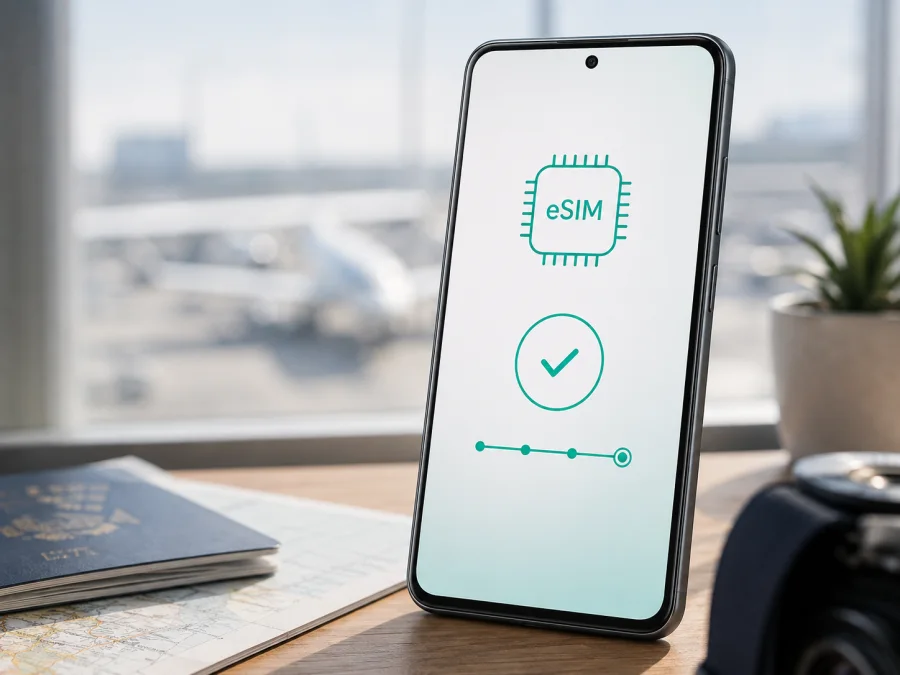
Vivo X300 256GB 5G eSIM: compatibility, setup and travel use
If you are checking whether Vivo X300 256GB 5G can use an eSIM, the most accurate answer is: it depends on the regional version and the software configuration of the phone. vivo’s current regional specifications show that some international versions of the X300 support a combination such as SIM1 + SIM2, SIM1 + eSIM1 or eSIM1 + eSIM2. At the same time, the official China specification for the 12GB + 256GB version identifies the device as model V2509A and lists two physical nano-SIM cards, without eSIM support. Storage capacity and 5G capability do not by themselves determine eSIM compatibility.
Quick answer for Vivo X300 256GB 5G
The international/regional Vivo X300 256GB 5G version can be eSIM-compatible when its official specifications and software expose an eSIM profile. The China-market 12GB + 256GB V2509A version is different: vivo lists dual nano-SIM support and does not list eSIM. If the phone has no EID and no option to add a mobile plan or eSIM, an eSIM profile cannot be installed through a QR code. Treat the on-device check as the final decision for the particular unit you own.
| Item | What to know |
|---|---|
| Exact device variant | Vivo X300 256GB 5G |
| eSIM answer | Supported on some regional versions; not universal across all markets |
| China-market reference | Official 12GB + 256GB V2509A specification lists dual nano-SIM, not eSIM |
| International evidence | Official regional X300 pages list SIM1 + SIM2 / SIM1 + eSIM1 / eSIM1 + eSIM2 on supported versions |
| Mobile network | 5G support is listed for the model, but bands and live service depend on region, carrier and software |
| Final compatibility test | Look for an EID and an eSIM or “Add mobile plan” control in Settings |
| Travel use | Suitable for mobile data only when the exact phone version supports eSIM and the plan covers the destination |
What to check before buying an eSIM tariff: compatibility
Use this checklist for the exact Vivo X300 256GB 5G in your hand. Complete it before paying for a travel data plan, because purchasing a tariff cannot add missing eSIM hardware.
- Confirm the model code in Settings → About phone and compare it with the seller’s description.
- Confirm whether the phone is a regional/international model or a China-market import.
- Search Settings for “eSIM”, “Add eSIM”, “Add mobile plan”, “Mobile network” or “SIM manager”. Wording can vary by OriginOS release and language.
- Look for an EID. An EID is the identification number of the embedded SIM component; its presence is a strong sign that the device has eSIM hardware, although carrier activation can still be restricted.
- Check that the phone is not carrier-locked. A second physical SIM working does not always prove that an eSIM from another provider can be activated.
- Install pending official system updates, then repeat the EID and eSIM-menu check.
- Make sure you can connect to Wi‑Fi or another working data connection during installation.
- Check that the intended travel tariff covers your destination, validity period and expected data use.
- Confirm whether the plan starts on installation, on first network connection or on another event described in its terms.
How to install an eSIM on Vivo X300 256GB 5G
Install with stable Wi‑Fi and enough battery. Display the QR code on another screen; if an activation code is provided, use the exact fields supplied with the purchase.
- Check compatibility. Confirm the EID or add-eSIM option, verify that the phone is unlocked, and confirm the destination.
- Connect to Wi‑Fi. Keep the connection active throughout profile download and activation.
- Open Settings. Go to the mobile-network, SIM-card or SIM-management area on your OriginOS version.
- Choose the eSIM control. Select Add eSIM, Add mobile plan, Download SIM or a similarly named option.
- Scan the QR code from another screen and align it inside the camera frame.
- Enter details if requested. Some profiles require a confirmation code or manual activation information supplied with the purchase.
- Wait for the profile to download without closing Settings.
- Name the line. Use a clear label such as “Travel” or the destination so that it is not confused with your primary SIM.
- Choose the data line. In mobile-network settings, select the travel eSIM for mobile data when you want to use it abroad.
- Set the primary line deliberately. Keep calls and SMS on the physical SIM if needed, and review automatic data switching.
- Enable data roaming for the travel eSIM if the plan’s instructions require it. A travel profile often needs roaming to reach a partner network; the correct setting depends on the tariff.
- Test the connection. Turn off Wi‑Fi, wait for the signal indicator, and open a simple webpage or service. If the plan is designed to start on first connection, this test may begin its validity period.
For platform-specific guidance, see the Android eSIM installation instructions and the iOS eSIM installation instructions. Android is the relevant flow for this phone; the iOS link helps travelers moving between devices. Menu names can differ, so follow what the phone displays.
Do not delete a working eSIM just to reinstall it. Many eSIM profiles are intended for one device or one installation, and removal can make reactivation dependent on the tariff terms or support process. Save the purchase confirmation and activation details before you begin, but do not share an activation QR code publicly.
Compatibility details that affect travel data <a id="kesim-device-compatibility"></a>
Compatibility has several layers: the phone must contain and expose eSIM hardware, accept the profile, register on a supported destination network and assign data to that profile. 5G is separate: a travel eSIM may use 4G/LTE even when the phone and plan mention 5G. A supported regional X300 may allow a physical SIM and eSIM or two eSIM profiles, but combinations and standby behavior depend on software and carrier. Keep the primary SIM for calls or SMS if needed, and choose the travel eSIM for data only after checking roaming settings.
You can Check your device using the same on-device checks. Keep a record of the model code, EID status and the exact wording of the SIM menu; these details are more useful than a generic product title when support needs to diagnose a problem.
Setting up mobile data for a trip
The simplest travel arrangement is to keep your usual physical SIM for your telephone number and set the travel eSIM as the data line. Before departure, install the profile while online but leave the travel line disabled if you do not want validity to begin early. Whether this is advisable depends on the plan’s activation rule, so check the conditions shown at purchase.
When you land, enable the travel eSIM, select it for mobile data and turn on data roaming for that line when required. Keep data roaming disabled on the primary SIM if you want to avoid accidental roaming charges. Also review automatic data switching: a phone can fall back to the primary line when the travel eSIM has weak service, which may create an unexpected charge.
Scenario 1: short city break
For a weekend in one country, choose a destination plan with a validity period that covers arrival, navigation, messaging and essential browsing. Install before leaving on a reliable connection. At the destination, disable Wi‑Fi briefly to verify that the travel eSIM registers. Maps, translation, ride services and messaging can then use the selected mobile-data line without removing your home SIM.
Scenario 2: work trip with a physical number
Keep the primary SIM for calls and verification messages if permitted, use the travel eSIM for data, and turn automatic data switching off. Video calls and file uploads can consume more data than navigation, so monitor the balance. Kaspersky eSIM Store helps you choose, arrange and activate an eSIM tariff for mobile internet on the trip; it is not the operator or network providing radio coverage.
Scenario 3: multi-country itinerary
Compare the destination, regional or multi-country option with your route before activation. Coverage and available partner networks can differ by country, even within one region. If you cross a border, wait for the phone to register on the next supported network and check the line label and data setting. Do not assume that a plan for one country automatically applies to a neighboring country.
Common problems and practical checks
There is no eSIM option
Confirm the region and model code first. The China-market V2509A 12GB + 256GB specification lists dual nano-SIM, so a missing eSIM menu on that version is expected. Search Settings for EID and Add mobile plan, check for updates, and ask the seller to confirm the hardware.
The QR code will not scan
Increase the other screen’s brightness, clean the camera lens and hold the code flat. Do not crop its quiet zone. If it is shown on the X300, move it to another screen. Enter any manual activation details exactly. A used or device-bound QR code may require support.
The profile downloads but will not activate
Check Wi‑Fi, date and time, carrier lock and destination. Do not repeatedly scan the same code. If activation needs network registration, wait for usable signal. Contact support with the model code, error message and EID status; do not publish the QR code.
The eSIM is installed but there is no internet
Select the travel eSIM for Mobile data, enable its data roaming if required and disable roaming on the physical SIM. Check the APN only if the plan specifies one. Toggle airplane mode once and allow time for registration. If signal appears but apps are offline, confirm that the plan has started and has data remaining.
The connection is slow or shows 4G instead of 5G
This can be normal: the phone may be outside 5G coverage, the plan may use LTE, or the local network may not offer the needed band. Move outdoors and compare another location. Actual performance depends on the local network, infrastructure and software.
The primary SIM stops using data or calls
Reopen SIM management and verify which line is assigned to data, calls and messages. Disable automatic data switching if the travel profile should be the only data source. Leave the primary line enabled for SMS only if needed, and review its roaming settings.
FAQ
Does every Vivo X300 256GB 5G support eSIM?
No. eSIM support is regional. Official international pages list eSIM combinations for supported versions, while vivo’s China specification for the V2509A 12GB + 256GB version lists two nano-SIMs and no eSIM. Check the actual phone’s EID and settings before purchase.
Does 256GB mean that eSIM is available?
No. 256GB describes storage, not the SIM design. The supplied device name also does not state RAM, and neither RAM nor 5G branding proves eSIM capability.
Can I use an eSIM and a physical SIM together?
On a supported regional version, vivo lists combinations such as SIM1 + eSIM1. The available combination and standby behavior can depend on the exact model, software and carrier. Confirm the options shown by your own phone.
Will a travel eSIM replace my regular number?
Usually it is used for mobile data for the trip. It should not be assumed to include a normal phone number, voice calls or SMS unless the specific tariff says so. Keep your primary SIM if you need calls or verification messages.
Should I install the eSIM before flying?
Usually this is convenient because you can use reliable Wi‑Fi, but check when validity begins. Some plans start on installation, others on connection to a supported network.
What if the seller says “global version” but there is no EID?
Treat the phone as unverified. Ask for the exact model code and regional specification, update normally and check again. If there is still no EID or add-eSIM control, wait for confirmation from the seller or vivo.
Is Kaspersky eSIM Store my mobile operator?
No. Kaspersky eSIM Store is an app and website that helps you choose, arrange and activate an eSIM tariff for mobile internet during an overseas trip. It is not a carrier, network owner or provider of mobile internet. The network connection depends on the selected tariff, local partner availability, your device and the destination.
Final device check before a trip
Before you choose a travel eSIM for Vivo X300 256GB 5G, complete this short sequence: identify the model and sales region; confirm that the phone shows an EID and an Add eSIM control; verify that it is not carrier-locked; update the software; check the destination and validity conditions; install the profile over Wi‑Fi; select it for mobile data; and test it with Wi‑Fi turned off. Keep the primary SIM’s data roaming off if you do not want it to be used automatically.
If the handset is the China-market 12GB + 256GB V2509A version with only two nano-SIM slots, choose another connection method or compatible device rather than purchasing an unusable tariff. If it is a supported regional version, Kaspersky eSIM Store can help you choose a destination or regional option, complete the order and activate it for mobile internet. Choose an eSIM plan for your trip after compatibility is confirmed.


