Travel connectivity guide
Vivo X300 256GB eSIM: compatibility and setup
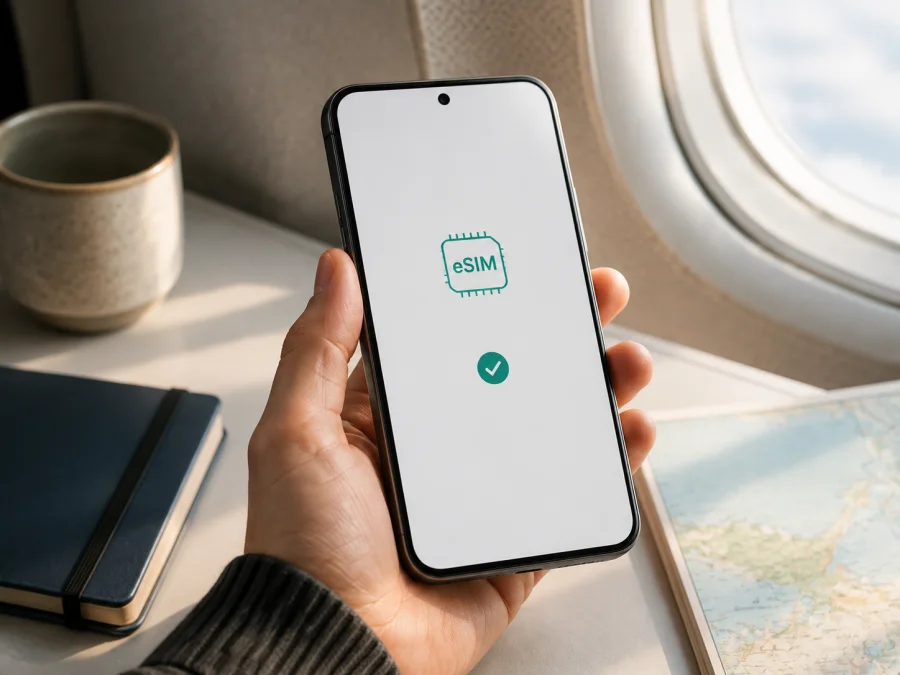
Vivo X300 256GB eSIM: compatibility, setup, and travel data
If you are considering Vivo X300 256GB for travel, storage capacity is not the only issue. The market, model number, firmware, and carrier version matter. One regional X300 may include eSIM while another with the same name and 256GB storage may offer only two physical nano-SIM slots.
The short answer is: Vivo X300 256GB supports eSIM on international variants where vivo lists it; a China-market version listed with two nano-SIM cards may not. Before buying, check the model number, eSIM menu, EID, and carrier-lock status.
What is confirmed for Vivo X300 256GB
Current official vivo regional pages for the X300 list 12GB + 256GB and SIM combinations such as SIM1 + SIM2 / SIM1 + eSIM1 / eSIM1 + eSIM2. They mark eSIM as supported, while noting that availability depends on country, region, and carrier.
The official vivo China page also lists an X300 12GB + 256GB configuration, but its network section specifies two nano-SIM cards and dual-SIM standby without confirming eSIM. This is an important regional difference. The 256GB storage label does not identify the embedded SIM hardware.
| Item | What it means for Vivo X300 256GB |
|---|---|
| Exact requested device | Vivo X300 256GB |
| Official configuration seen on some markets | 12GB RAM + 256GB storage |
| eSIM | Supported on some international regional versions; not automatically confirmed for every unit |
| Physical SIM | International pages show SIM1 + SIM2, SIM1 + eSIM1, or eSIM1 + eSIM2; the China listing shows two nano-SIM cards |
| 4G/5G service | Bands and usable network features depend on model, region, carrier, and software |
| Most important check | Model number, eSIM settings, EID, and carrier-unlock status |
These are regional variants, not a promise that every X300 256GB box has identical hardware. Ask for the full model number and a settings photo before paying.
Why the market and version matter
Phones in one series can be adapted to different regulations, carrier requirements, network bands, and software policies. The manufacturer may change eSIM availability, SIM combinations, or the settings shown in the operating system. Changing the interface language does not turn one regional hardware version into another, and selecting a different region in settings does not add an eSIM module that the phone does not have.
For an international Vivo X300 256GB, vivo may allow two physical cards, one physical card plus one eSIM, or two eSIM profiles. The combination still depends on the model and carrier. A carrier can restrict profile downloads or roaming even when the phone has eSIM hardware. For a China-market unit listed with two nano-SIM cards, assume eSIM is unavailable unless vivo or the phone’s settings confirm otherwise.
Some versions may show eSIM only after an update; others may keep it unavailable because of market policy. Check the phone itself, not the camera design, color, storage, packaging, or a generic “X300” photo.
Check Vivo X300 256GB compatibility
Run these checks on the actual phone before buying a travel or regional eSIM plan. They help distinguish an international eSIM-capable version from a similar two-SIM model.
1. Find the model number
Open Settings → About phone and look for Model, Model number, Device version, or a similar field. Record the entire value, including letters and numbers. Do not replace it with the general name Vivo X300: the index is what identifies the regional version.
If you have not bought it yet, ask for a photo of this screen or the original label. Compare the model with vivo’s official page for its sales market, especially if the phone is imported.
2. Look for an eSIM addition option
In Settings → Mobile network, SIM cards and mobile network, or SIM manager, look for Add eSIM, Add mobile plan, Download eSIM, or Use QR code. The label and location can differ between OriginOS releases.
Use settings search for eSIM, then EID. A valid result should open a mobile-plan setup flow, not just a help article. If only two physical slots appear and there is no eSIM option, a travel eSIM is unlikely to work.
3. Find the EID
The EID is the unique identifier of an embedded SIM module. On a compatible Android phone it may appear under About phone → Status, SIM information, Device status, or another status screen. Some firmware exposes it through settings search. On some devices *#06# also displays EID, but this shortcut varies, so it is not a substitute for checking the eSIM menu.
Check the EID together with the add-eSIM option. Do not post your EID publicly or send it to an unknown seller; it is an identifying device value, not the installation QR code.
4. Confirm the carrier status
The phone should accept a profile from the intended provider, not only the original carrier. Ask whether the Vivo X300 256GB is carrier locked and whether third-party eSIM profiles are allowed.
Once those checks are complete, Check your device before choosing a data package for your route.
Compatibility checklist
- [ ] The exact model number and original sales market are known.
- [ ] The official regional specification mentions eSIM for that version.
- [ ] Settings contain a working add-eSIM or mobile-plan option.
- [ ] An EID appears in the device information.
- [ ] There is no carrier lock or restriction on the intended eSIM profile.
- [ ] The phone is updated, charged, and connected to Wi-Fi before setup.
- [ ] The selected plan covers the destination and is intended for mobile data.
If the official specification and the phone’s eSIM menu do not agree, ask the seller or vivo support to identify the version. Do not buy a plan assuming that compatibility can be enabled later.
Install an eSIM on Vivo X300 256GB
Installation downloads a profile into the embedded SIM module. It is separate from activation: you may install a profile over Wi-Fi before departure, while network registration and the start of plan use depend on the plan’s terms. Prepare reliable Wi-Fi, enough battery, and the QR code or activation code.
- Read the plan conditions. Check the destination, validity period, data allowance, and any restrictions. Confirm when validity begins: it may be installation, first connection to a supported network, or another event defined by the plan.
- Connect to Wi-Fi. The phone needs internet while downloading the profile. If the QR code is on the Vivo X300 256GB screen, open it on another device or use manual activation when provided.
- Open SIM management. Go to the mobile-network area and choose the eSIM or mobile-plan option. A possible path is Settings → Mobile network → SIM cards and mobile network → Add eSIM.
- Scan the QR code. Point the camera at the profile code. Do not publish or share it; a one-time code may allow a profile to be downloaded to another device.
- Confirm the download. Wait until the profile is installed and give it a clear label, such as “Trip” or a country name. Labels prevent confusion with your home SIM.
- Assign the lines. Keep the home SIM on if you need it for verification SMS, and choose the eSIM for mobile data. If two lines are enabled, confirm which one is the default data line.
- Enable data roaming for the eSIM if required. A travel profile may need this because it registers through a partner network abroad. Enable roaming on the eSIM only; keep data roaming off for the home line to reduce unexpected charges.
- Turn on and test the profile. Wait for network registration, restart if requested, then open a browser over mobile data. Check that the active data line is the eSIM.
For general setup guidance, see the Android installation instructions and iOS installation instructions. Use the Android section for Vivo X300 256GB; the iOS page is relevant only to another device used on the same trip. Menu names on your phone may differ.
Activate eSIM and manage data while travelling
After installation, make the eSIM the mobile-data line and ensure the home SIM is not selected for data. Turn off automatic data switching if the phone offers it.
Kaspersky eSIM Store is an app and website where you can choose, arrange, and activate an eSIM with a mobile-data plan for an overseas trip. It helps you prepare the profile and review the available plan conditions. Kaspersky eSIM Store is not a mobile operator, network owner, or mobile-internet provider. Actual service depends on the profile, the available local network, device settings, and plan terms.
Install the profile before departure while reliable Wi-Fi is available, but do not enable data earlier than necessary. If the plan starts at installation, install close to the intended start time. If it starts at the first supported network connection, prepare it in advance and turn on data after landing. Follow the specific plan conditions rather than assuming one activation rule.
Scenario 1: one country and everyday data
Choose a package for navigation, messages, tickets, translation, browsing, and video use. Install over Wi-Fi, then enable the eSIM, mobile data, and required roaming at the destination. Test a map, website, and message, and confirm that the home SIM is not supplying data.
Scenario 2: keep the home number active
Leave the physical SIM available for verification SMS and assign the eSIM to data. Label both lines and check calls, SMS, and data. Disable home-line data roaming if it may incur charges. A travel data plan normally does not include a regular number, calls, or SMS unless its terms say so.
Scenario 3: a multi-country route
Confirm that a regional plan covers every country on your itinerary; a single-country plan does not automatically cover neighbors. Label multiple profiles and check coverage, roaming, and the allowed SIM combination before switching. The number of active profiles depends on the regional Vivo X300 256GB version.
Common problems and settings checks
There is no eSIM menu. Recheck the model number and original market. An update or restart may fix a display issue, but it cannot add eSIM to a version whose official specification lists only two nano-SIM cards. For a China-market X300, ask vivo before purchasing a plan.
The EID is missing. Check device status, settings search, and the mobile-network menu. If it remains absent after an update and restart, ask the seller or vivo support. Do not share IMEI or EID values publicly.
The QR code will not scan. Increase the other screen’s brightness, remove reflections, and hold the phone steady. Confirm the code belongs to the intended profile; use manual activation if provided. Do not delete a profile unless the plan allows another download.
The profile installed but there is no service. Check that the eSIM is on, selected for data, and allowed to roam when required. Turn off airplane mode, toggle it for 20–30 seconds, and restart. Change the APN only when the plan instructions provide a value; guessing can make diagnosis harder.
Data is using the home SIM. Open SIM settings and select the eSIM as the default data line. Turn off automatic data switching and home-line data roaming. Wait a few seconds and confirm the active line in the status panel.
The signal appears but pages do not load. Check the plan’s start time, data balance, and destination coverage. Temporarily disable a VPN or private DNS. Note the country, model, signal, and APN before contacting support.
When returning home, make the physical SIM the data line, turn off travel eSIM roaming, and do not delete the profile until you know whether it can be reused.
FAQ
Does Vivo X300 256GB support eSIM?
Not every regional version automatically. Official international vivo pages for X300 list eSIM and a 12GB + 256GB configuration, while the China-market page lists two nano-SIM cards without confirming eSIM. The exact answer for your phone comes from its model number, market, firmware, EID, and add-eSIM menu.
Does a travel eSIM include a phone number?
Usually it is for mobile data and does not replace your home number. Voice calls and SMS are not included unless the plan expressly says so. Use messaging apps over data or keep the home SIM for essential SMS while controlling roaming.
Can I install it after arrival?
Yes, if you have Wi-Fi for the download. Installing before departure is easier, but enable data according to the plan’s start rule. A physical SIM may be better if your Vivo X300 256GB is a two-nano-SIM version or the intended carrier does not issue a digital profile.
Conclusion
Vivo X300 256GB is not one uniform eSIM configuration across all markets. An international version with eSIM in the official specification can be suitable for travel data, while a China-market two-nano-SIM version should not be treated as compatible without specific confirmation. First identify the model and market, then check the official regional specification, eSIM menu, EID, carrier lock, and plan conditions.
Final device check and travel eSIM choice
- Confirm that your Vivo X300 256GB is the eSIM version, not only the two-nano-SIM version.
- Verify the add-eSIM option and EID, then assign the correct line for mobile data.
- Confirm that the phone is unlocked and accepts the intended profile.
- In Kaspersky eSIM Store, choose the destination, review the data package conditions, and arrange an eSIM for mobile internet during the overseas trip.
- Install over Wi-Fi, activate at the appropriate time, and keep the setup guidance available before you leave.
This order helps prevent an incompatible purchase. If the market, model, or firmware is uncertain, wait for confirmation before arranging the eSIM.


