Travel connectivity guide
Vivo X300 512GB eSIM: Compatibility Guide
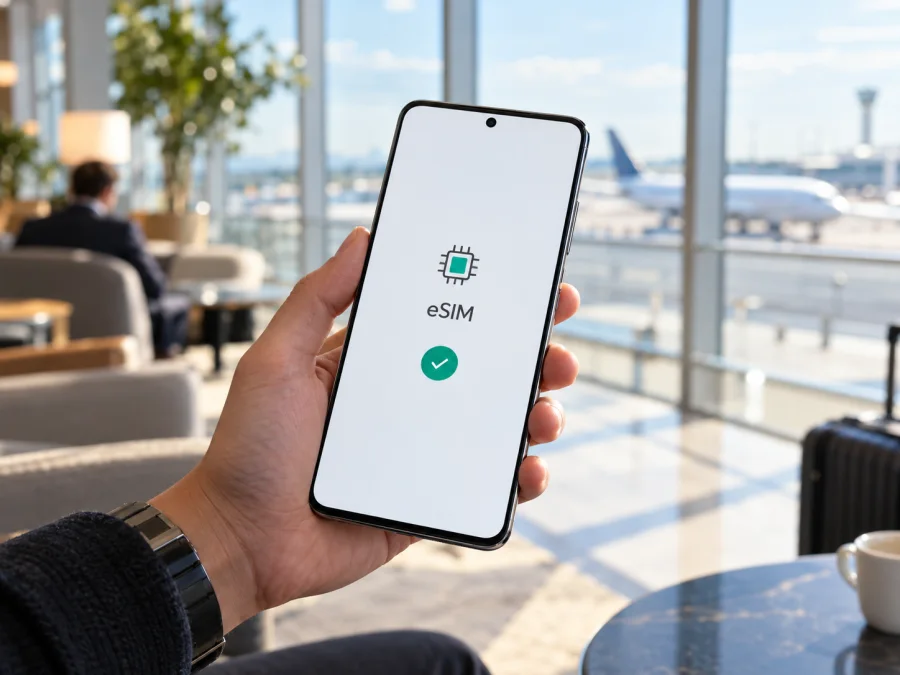
Vivo X300 512GB eSIM: compatibility and travel setup
Short answer: eSIM support on a Vivo X300 with 512GB of storage depends on the regional version. vivo’s Spain specifications for the 16GB + 512GB X300 list eSIM support and the combinations SIM1 + SIM2, SIM1 + eSIM1, and eSIM1 + eSIM2. The official China specification lists 512GB versions too, but identifies the SIM type as two nano-SIM cards and does not list eSIM. So “Vivo X300 512GB” by itself is not enough to confirm compatibility: check the exact model and the phone’s settings before choosing a travel plan.
This distinction matters because storage capacity does not identify the phone’s cellular hardware or software. A 512GB X300 sold for one market can differ from a 512GB X300 sold for another. The phone also needs to be unlocked and the eSIM service must be supported in the country and by the plan you intend to use. Treat the check on your own device as decisive.
Does Vivo X300 512GB support eSIM?
There is no single yes-or-no answer for every regional model with 512GB. vivo’s official Spain product specifications confirm eSIM for the X300 configuration shown there, 16GB RAM + 512GB storage. They list two physical nano-SIM slots and these SIM combinations: two physical SIMs, one physical SIM plus one eSIM, or two eSIMs. That means an eSIM-capable Spanish-market X300 can use a travel eSIM for mobile data while retaining a physical SIM, subject to the active-SIM and service limitations on the phone and plan.
vivo’s official China specification identifies 12GB + 512GB and 16GB + 512GB versions, but its SIM type is “dual nano,” with two physical SIM cards. It does not list an eSIM option. A China-market 512GB device should therefore be treated as not eSIM-compatible unless vivo confirms support for its exact model and software. Do not infer eSIM support from the shared X300 name, storage size, 5G capability, or a seller’s generic product title.
| Detail | What the official specifications indicate | What it means for you |
|---|---|---|
| Device named in this guide | Vivo X300 512GB | The storage variant is preserved, but this label alone does not specify the market or model code. |
| Spain listing | 16GB RAM + 512GB; eSIM supported | This listed regional configuration supports eSIM. Confirm that your own unit is the same regional version. |
| China listing | 512GB configurations; dual nano-SIM | The listed China version is specified with physical SIM cards and no eSIM listing. |
| SIM arrangements on the Spain page | SIM1 + SIM2 / SIM1 + eSIM1 / eSIM1 + eSIM2 | The supported combination still depends on the phone’s settings, active-line limits, and carrier service. |
| Travel use | eSIM can be selected for mobile data | A compatible, unlocked phone and a suitable destination plan are both required. |
The specific mobile operator market also matters. “Spain-market version” describes where that device variant is intended to be sold; it does not mean every Spanish carrier or every travel eSIM provider supports it. Conversely, your current carrier’s country does not change the hardware of an imported phone. Check the plan’s supported device and roaming conditions, and confirm the phone has no carrier lock. A locked phone may reject another provider’s profile even if its hardware has an eSIM.
The official vivo specifications are not a guarantee that every unit sold under a retailer’s “Vivo X300 512GB” listing has identical capabilities. Retailers may import versions from different regions, and the memory configuration can also differ: the China page lists both 12GB + 512GB and 16GB + 512GB, while the Spain page lists 16GB + 512GB. Ask the seller for the model number, original sales market, and written confirmation of eSIM before buying. If you already own the phone, use the checks below rather than relying on the box or listing.
Check your exact phone before buying a plan
Use more than one clue. A displayed eSIM menu can vary by firmware and language, while a seller’s description can be incomplete. The most useful checks are the model number, the phone’s own eSIM controls, and its EID.
On-device compatibility checklist
- [ ] Open Settings and use the search field for eSIM, Add eSIM, Add mobile plan, or Download SIM. Menu wording can vary by region and software version.
- [ ] Look under Mobile network, SIM cards & mobile networks, or a similarly named section. Check whether an option to add or download an eSIM profile is available. Opening the option to inspect it does not require scanning a QR code.
- [ ] Find the EID, the identification number for the phone’s embedded SIM. Depending on software, it may appear under Settings → About phone → Status, SIM status, or the eSIM setup screen. You can also search Settings for “EID”.
- [ ] If an EID is shown, record it privately and do not post it publicly. Its presence is a strong indication that the phone has eSIM capability, but you should still check the exact model and whether the device is unlocked.
- [ ] If neither an EID nor an eSIM-add option appears, update the phone through its normal system-update menu, restart it, and check again. If the controls are still absent, ask vivo support or the seller to verify the model code and regional firmware. Do not assume that a factory reset will add eSIM hardware.
- [ ] Check for a carrier lock. A phone can support eSIM and still refuse a profile from another provider if the device is restricted to its original operator.
- [ ] Confirm that the plan supports your destination and is intended for mobile data on your type of device. Read the plan’s validity, data allowance, activation trigger, and tethering conditions before purchase.
Important: an EID is not the same as an IMEI. The EID identifies the embedded SIM hardware; an IMEI identifies a cellular device or SIM slot. If support asks for an identifier, share only the one they specifically request, through an official support channel. Avoid posting the EID, IMEI, QR code, or activation details in public forums.
For a quick compatibility check, check whether your device supports eSIM. The exact model and the phone’s own EID or eSIM menu remain essential for this Vivo X300 variant.
What to check before choosing a travel eSIM
Compatibility is only the first step. Before paying for a plan, confirm that the phone is unlocked, that the profile can be installed in your departure country, and that the plan covers the destination or all countries on your route. Some plans start their validity when installed; others start when the device first connects to a supported network. Follow the plan’s own activation wording, since timing rules vary.
Also check the practical details that affect your trip:
- Coverage area: A country plan is tied to its listed destination. For a multi-country trip, check a regional option and make sure every stop is included.
- Data allowance and duration: Estimate maps, messaging, browsing, and video use. Check how long the data remains valid and what happens when it runs out.
- Network and bands: The X300’s ability to register depends on compatible local network bands and the partner network available where you travel. A 5G label does not promise 5G everywhere; the phone may use 4G where that is the available or compatible service.
- Data roaming: Some travel eSIM profiles require data roaming to be enabled on that eSIM line. Follow the plan’s instructions, and avoid enabling roaming on your home SIM unless you understand its charges.
- Calls and texts: A data-only travel eSIM usually does not provide a regular phone number, voice calls, or SMS unless the specific plan says otherwise. Internet calling and messaging apps can work over data.
- Dual-SIM behavior: Check which line is assigned to mobile data, and whether your home SIM may continue to receive calls or messages. The phone’s dual-SIM behavior and your home operator’s charges are separate from the travel plan.
Kaspersky eSIM Store is an app and website where you can choose, arrange, and activate an eSIM plan for mobile internet on an international trip. It is not the mobile operator or the network itself. The plan’s destination coverage and service conditions come from the specific offer and the networks available to it.
After checking the device, you can review eSIM plans for Spain or choose a plan for the countries on your own route. Compare coverage, data allowance, duration, and activation conditions rather than choosing by price alone.
How to install and activate an eSIM
Install the profile while you have a stable internet connection, preferably Wi-Fi. Keep the QR code or manual activation details available on another screen or in a secure place; the phone generally cannot scan a QR code that is displayed only on that same phone. Do not share the code: a QR code may allow someone else to add your profile.
- Confirm support and unlock status. Check the EID or eSIM-add menu on this exact Vivo X300 512GB and verify the device is not locked to another operator.
- Choose the right plan. Confirm the country or region, data amount, validity period, compatible network, and when the validity starts. Follow the provider’s instructions about whether installation should happen before departure or after arrival.
- Open the mobile network settings. Go to Settings → Mobile network (the wording may differ), select Add eSIM or Add mobile plan, and choose the option to scan a QR code or enter details manually.
- Add the profile. Scan the QR code from another display or enter the activation information exactly as provided. Keep the phone online while the profile downloads. If the code has already been used, contact the plan provider rather than repeatedly scanning it.
- Name the line. Use a clear label such as “Travel data” so it is easy to distinguish from your home SIM. Do not delete the profile just to rename it.
- Choose what the line does. Set the travel eSIM as the mobile-data line when the plan should be used. Keep the home line’s data selection and roaming settings deliberate to avoid unintended charges.
- Activate at the correct time. Turn on the profile and follow the plan’s activation instructions. If the plan starts only on arrival, leave it installed but inactive until then if the instructions allow it.
- Check service. Once in the covered destination, wait for the phone to register. If required by the plan, enable data roaming for the travel eSIM only, then open a webpage or messaging app to test data.
The menu names can differ by software build and region. For more detailed steps, see the Android eSIM installation instructions or the iOS eSIM installation instructions. The Vivo X300 runs Android-based software, so the Android guide is the relevant starting point; the iOS guide is available for readers setting up another device in their travel group.
Installing an eSIM and activating its mobile service are related but not always the same moment. A profile may appear in settings before it can connect, and a plan may start its validity only after first use on a supported network. Do not delete an installed profile unless the instructions or support team tell you to do so. Many QR codes are single-use, and deleting a profile may make it difficult or impossible to reinstall without a replacement.
Using the eSIM for mobile data while travelling
Before departure, connect to Wi-Fi and install the profile if the plan permits pre-installation. Keep a copy of its setup instructions somewhere you can reach offline. Check that the profile is listed in Settings and that you know how to select it for data. If you have a physical home SIM, note which line is selected for mobile data before changing settings.
When you arrive:
- Turn on the travel eSIM line.
- Select it as the mobile-data SIM.
- Enable data roaming for that line only if the plan’s instructions require it.
- Leave automatic network selection enabled initially. If the phone does not register, consult the plan instructions before selecting a network manually.
- Turn off mobile data on the home SIM, or explicitly select the travel eSIM as the data line, to reduce the chance of home-network data charges.
- Test a simple webpage, maps, and a messaging app. Check the plan’s data balance and expiry in the provider’s account or app if available.
For a short city break, a small data allowance may be enough if you use hotel Wi-Fi for large downloads and rely on maps and messaging while out. For a longer trip or frequent hotspot use, estimate your likely usage and review tethering limits. On a multi-country itinerary, confirm each border crossing is covered and allow time for the phone to register with a supported network after arrival. Coverage and speed can vary by location, local infrastructure, congestion, device bands, and the plan’s network arrangements.
The eSIM can coexist with a physical SIM if the version and current software support the chosen combination. Keep the home number available for calls or verification messages only if you understand the home operator’s roaming charges. Data routing and voice-line behavior are controlled separately in the phone’s SIM settings. For a data-only travel plan, messaging and internet calls work through apps over the selected data connection; ordinary cellular voice or SMS should not be assumed.
Troubleshooting common eSIM problems
There is no “Add eSIM” option
Check the model code and sales region first. On the Vivo X300, the 512GB storage label does not settle support: the official Spain listing and China listing specify different SIM capabilities. Search Settings for “eSIM” and “EID,” install any available system update, restart the phone, and check again. If there is still no EID or add-profile option, ask vivo or the seller to confirm the exact hardware and firmware. Do not buy a plan expecting an unsupported regional model to gain eSIM through an app update.
The QR code will not scan or the profile will not download
Make sure the phone is connected to reliable Wi-Fi, increase the QR code brightness on the other screen, and clean the camera lens. If scanning fails, use the manual details only if the plan provides them. Check that the code belongs to this plan, has not already been used, and has not expired. If the profile download has started, wait for it to finish before closing Settings. Contact the plan provider if the code is invalid or already redeemed; avoid deleting a partly installed profile without guidance.
The eSIM appears, but there is no mobile service
Confirm the profile is enabled, the destination is included, and the plan is active. Check whether you have arrived in the plan’s coverage area and whether the plan requires data roaming. Make sure the travel eSIM is selected for mobile data. Toggle airplane mode on briefly and off, then restart if needed. If the network still does not register, use automatic network selection first; consult the plan instructions before choosing a network manually. A local outage, unsupported band, account restriction, or incorrect activation timing can also prevent service.
Unexpected roaming charges appear
Verify which SIM is set as the data line and disable data roaming for the home SIM unless you intentionally want to use it. A dual-SIM phone may keep the home line active for calls or SMS even while the travel eSIM handles data. Read the home operator’s roaming terms and the travel plan’s conditions; the eSIM does not automatically cancel or replace the home subscription.
FAQ
Is every Vivo X300 512GB eSIM-compatible?
No. The official Spain specifications for the 16GB + 512GB configuration list eSIM. The official China specification lists 512GB models with two nano-SIM cards and does not list eSIM. The storage capacity alone does not identify the regional version, so check the model code, EID, and settings on your own phone.
Can I keep my physical SIM active while using a travel eSIM?
The Spain-market X300 specification lists SIM1 + eSIM1 as an available arrangement, as well as other combinations. Actual use depends on the exact regional variant, software, carrier restrictions, and which line is selected for data. Check the settings on your phone and the home operator’s roaming charges.
Should I install the profile before my flight?
Follow the plan’s instructions. Some plans can be installed in advance and become valid on first connection; others have different activation timing. A stable Wi-Fi connection makes installation easier, but installing too early could start validity on some plans.
Final check before your trip
For Vivo X300 512GB, confirm the regional model before relying on eSIM. The vivo Spain page confirms eSIM for its 16GB + 512GB configuration, while the official China page lists 512GB variants with dual nano-SIM and no eSIM specification. Check the model code, EID, and eSIM menu on the handset, verify that it is unlocked, and confirm the selected plan covers your destination and activation dates.
Once compatibility is confirmed, choose an eSIM plan that fits your route, data needs, and trip length. Kaspersky eSIM Store’s app and website help you choose, arrange, and activate an eSIM plan for mobile internet on an international trip. Review the destination coverage and plan conditions before purchase, then install the profile using a reliable connection and select it for mobile data when appropriate. A few minutes spent checking the exact phone and plan can prevent setup problems after you arrive.


