Travel connectivity guide
Vivo X300 Pro 256GB 5G eSIM: Compatibility Guide
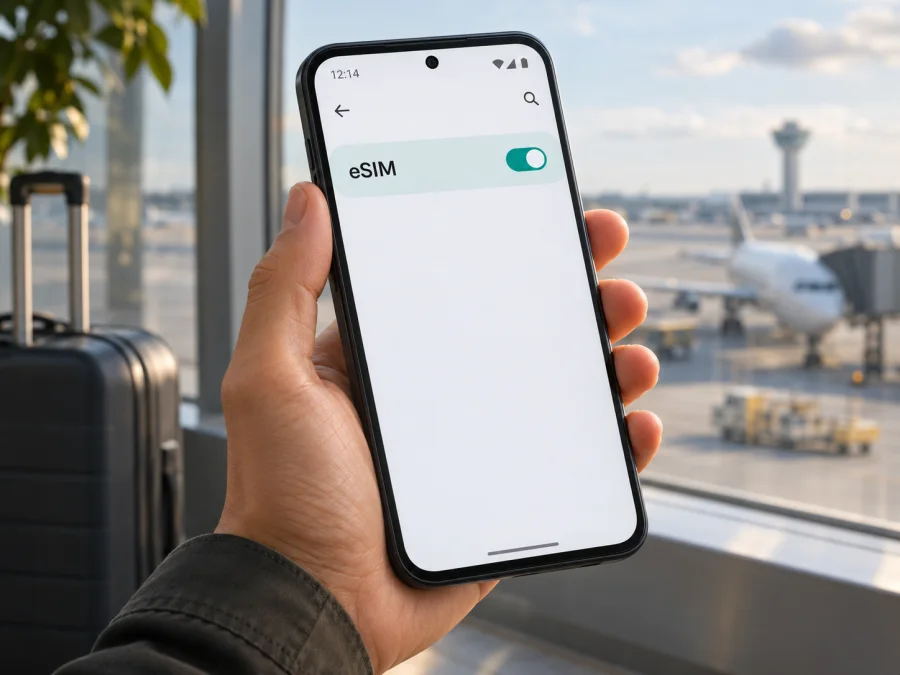
Vivo X300 Pro 256GB 5G eSIM: compatibility and setup guide
The Vivo X300 Pro 256GB 5G may support eSIM, but the storage size and 5G label do not identify the phone’s sales region. vivo’s current international specifications list an eSIM configuration for the X300 Pro. Its China-market specifications, by contrast, list two nano-SIMs and do not list eSIM. That distinction matters: if your 256GB phone is the mainland China version, do not assume it can install a travel eSIM. Check the individual handset before buying a plan.
Short answer: an international-market Vivo X300 Pro that has an EID and an eSIM option in its settings can use a compatible eSIM, subject to carrier and software conditions. A China-market unit may be physical-SIM-only. The exact “Vivo X300 Pro 256GB 5G” wording alone is not enough to give a universal yes or no. Confirm the model code, original sales market, EID and add-eSIM control on the phone itself.
At a glance
| Item | What to know |
|---|---|
| Device named in this guide | Vivo X300 Pro 256GB 5G |
| eSIM answer | Market-dependent. International product specifications list eSIM; mainland China product specifications list dual nano-SIM. |
| Storage variant | The 256GB figure does not by itself establish eSIM capability. Check the precise SKU and phone. |
| 5G | 5G support and eSIM support are separate features. 5G availability also depends on network bands, carrier, location and software. |
| First device check | Dial *#06# and look for a 32-digit EID, then check the SIM settings for an eSIM control. |
| Other requirements | A supported regional model, current software, an unlocked handset and a compatible plan and network. |
| Typical travel use | Keep your usual line for calls or messages if needed and choose the travel eSIM for mobile data. Confirm each line’s settings first. |
Does the Vivo X300 Pro 256GB 5G support eSIM?
It depends on the regional version. vivo’s current international X300 Pro specifications list “SIM1 + SIM2 / SIM1 + eSIM1 / eSIM1 + eSIM2.” The Hong Kong and Malaysia specifications also list eSIM configurations. vivo notes that eSIM availability varies by country or region and carrier, and that network behavior depends on the carrier and software version.
The mainland China product page differs: it lists a 12GB+256GB configuration and specifies dual nano-SIM, without listing eSIM. So the precise name Vivo X300 Pro 256GB 5G does not support a universal yes or no. An international-market unit with an EID and an add-eSIM option can generally install a compatible travel profile, provided it is unlocked and the plan supports it. A China-market unit with no EID or eSIM option should be treated as physical-SIM-only unless vivo confirms otherwise for its exact product code.
This regional difference is real, but your storage capacity alone cannot identify your handset’s market. The global product page lists a different memory configuration from the mainland China page, and listings can omit SKU details. Check Settings → About phone, the original box or purchase documents. Do not infer eSIM capability from 5G, a retailer title, or a generic compatibility list. A software update may change menus on some devices, but it cannot be assumed to add eSIM hardware.
The official vivo global and China product specifications were checked on 5 November 2026. They establish that regional listings differ; they do not establish which version you own or guarantee that a particular carrier or travel plan will activate. Check the phone itself and confirm the destination and plan conditions separately.
Regional versions and carrier conditions
For eSIM, the useful identifier is the handset as sold in a particular market, not just its family name. vivo’s current global, Hong Kong and Malaysia product specifications list eSIM configurations. The official mainland China page lists two nano-SIMs for the X300 Pro and includes a 12GB+256GB option. The published specifications therefore differ by market. They were checked on 5 November 2026; this confirms regional variation, not which version an individual owner has.
The listed global SIM combinations—two physical SIMs, one nano-SIM plus eSIM, or two eSIMs—describe configurations, not necessarily simultaneous active services. Check the SIM manager for the combinations supported by your software. Carrier rules can separately affect activation, roaming and provider switching. An EID confirms eSIM hardware more directly than it confirms that a particular plan can be activated.
A carrier lock is another independent condition. A phone can have eSIM hardware yet reject a profile from another provider if it remains locked to the original operator. Ask the seller or carrier to confirm unlock status before travel. Also distinguish three markets: the phone’s sales region determines device configuration; the destination determines local networks and bands; and the plan provider determines whether its profile is accepted. Verify all three.
5G and eSIM are separate features. A 5G logo does not prove that an eSIM chip is present, and eSIM does not guarantee 5G service. Connection type and speed depend on the plan, partner network, location, supported bands and software. LTE may be expected in places without 5G access.
Before you choose a plan, check:
- [ ] The model code and original sales region.
- [ ] An EID shown by
*#06#or in device information. - [ ] An Add eSIM or similar option in SIM settings.
- [ ] Carrier unlock status.
- [ ] Plan compatibility, destination, validity, data allowance and activation rules.
- [ ] Which SIM will handle mobile data and how roaming is set on each line.
Compare the exact model code with the region where the phone was originally sold; the same family name can cover different SIM configurations. An EID and an add-eSIM setting on your own handset are the most useful checks before choosing a plan. Check whether your device is compatible before purchase. If results conflict, ask vivo or the seller to verify the exact model code.
How to check eSIM on your phone
Run these checks before paying for a plan. They help distinguish an eSIM-capable international unit from a physical-SIM-only regional variant.
1. Look for an EID
Open the Phone app and dial *#06#. On many Android phones, this opens a device-information panel without placing a call. Look for EID, usually a 32-digit identifier. If the code does not work, check Settings → About phone, Status or SIM status. Do not post the EID publicly; it is a device identifier.
An EID is a useful sign that the phone has eSIM hardware. If it is missing, the handset may lack eSIM capability or the information may be exposed elsewhere. Restart, install an official system update if one is available, then check again. An update cannot be assumed to add hardware capability. If the EID remains absent, ask vivo to confirm the model code and market.
2. Find the eSIM setting
Open Settings and search for SIM, mobile network or eSIM. The menu may resemble Settings → Mobile network → SIM management. Look for Add eSIM, Add mobile plan or Download a SIM. Names and menu paths vary by OriginOS release and regional configuration.
An EID and an add-eSIM control together are a stronger confirmation than either clue alone. If an EID appears but the control does not, update through the official system updater, restart and check the SIM manager again. Carrier or market firmware may affect the menu. If it is still missing, ask vivo about the exact product code rather than relying on a generic model list.
3. Identify the model and check for a lock
Find the product code under Settings → About phone, on the box or on purchase documents. Confirm the original sales market with the seller or vivo support. “Vivo X300 Pro 256GB 5G” may omit the regional SKU, so capacity and marketing name alone are insufficient. A SIM tray is not proof either: some regional phones combine a physical tray with eSIM.
If the phone came from a mobile operator, ask whether it is network-unlocked. Inserting a second carrier’s physical SIM can be a clue, but it is not a definitive test for all lock types. Get confirmation before travel. eSIM hardware does not override a carrier restriction.
Installing and activating a travel eSIM
Before installation, confirm the phone supports eSIM, is unlocked for the intended provider, and has an internet connection. Keep the plan’s QR code or manual activation details available. A QR code is usually scanned from another screen or printed copy. Follow the individual plan’s instructions because validity may begin at installation, first network connection, or another stated time.
For the Android process, see the Android eSIM installation instructions. The iOS eSIM instructions are included for reference; Vivo X300 Pro runs Android software, so use the Android steps on this phone.
1. Prepare the phone
Connect to stable Wi-Fi. Check that the plan covers your destination and travel dates, and note when its validity starts. If the QR code is displayed on the Vivo screen, open it on a second device. Do not post or forward the code publicly. Avoid deleting an installed profile during troubleshooting because some plans limit reinstallation.
2. Add the profile
Open Settings → Mobile network or SIM management, then choose Add eSIM or a similarly named action. Scan the code or enter the provider’s details manually if that option is offered. Confirm the profile and allow it to download. Label it Travel data or with the destination so that it is easy to identify beside your usual line.
3. Choose when to enable it
Some plans can be installed in advance and enabled later; others begin validity sooner. Follow the plan’s instructions. At your destination, turn on the travel profile and set it as the mobile-data line. Enable data roaming for that profile only if the provider requires it. The home SIM’s roaming control is separate, so review it to avoid unwanted data charges.
4. Check the connection
Wait a few minutes, then test a simple webpage or map. If it does not connect, verify that the eSIM is selected for data, toggle airplane mode once and restart if needed. Signal bars alone do not confirm that the correct plan is active. Contact the plan provider before removing the profile or resetting network settings.
Kaspersky eSIM Store is an app and website where you can choose, arrange and activate an eSIM with a plan for mobile data on an international trip. Once compatibility is confirmed, browse travel options on the Kaspersky eSIM Store website. Check the destination, allowance, validity and activation rules for the specific plan.
Using the eSIM while travelling
A travel eSIM is commonly used for mobile data such as maps, translation, messaging, ride-hailing and bookings. On a supported regional Vivo X300 Pro, you may be able to keep your home line available for calls or texts while assigning data to the travel profile. Confirm the available dual-SIM combination in Settings. A data plan does not necessarily include a regular phone number, voice calls or SMS; check its terms. Your home carrier may charge for calls, messages or roaming.
Before departure, save essential booking details and offline maps in case the profile has not connected yet. For a short city visit, confirm the eSIM is the data line after landing and test a map or simple webpage. On a multi-country itinerary, check that one regional plan explicitly covers every stop; a country plan should not be assumed to work across a border. For a longer stay, match the validity period and data allowance to expected use.
If you plan to tether a laptop or tablet, check that the plan allows hotspot use. Video calls, uploads and navigation can use data quickly, so monitor usage. 5G access and speed depend on the plan, local network, supported bands and coverage. A 4G connection can be normal and does not automatically mean setup failed.
To limit unintended home-network charges, select the travel eSIM as the mobile-data line and review data roaming separately for both profiles. Enable roaming on the travel eSIM only if its setup instructions require it. Home-line calling and messaging availability and charges remain subject to your carrier. When you return, switch data back to your preferred line. Keep or remove the travel profile according to its terms and reinstall policy.
Common problems and checks
There is no EID or add-eSIM control
Check the model code and original sales market. vivo lists two nano-SIMs for its China-market X300 Pro, while international specifications include eSIM. Restart, install official updates and search Settings for SIM or eSIM. If the EID or control remains missing, ask vivo to verify the specific SKU. Do not assume an app or software update can add missing hardware.
The QR code will not scan
Increase the brightness of the screen showing the code, clean the camera lens and hold the phone steady. Make sure the code has not expired or already been used. If manual installation is offered, enter the details only in the phone’s eSIM settings and follow the plan instructions. Do not share a QR code publicly.
The profile installs but does not connect
Confirm you are in a covered destination and that the plan is active under its terms. Turn on the profile and select it for mobile data. If required, enable data roaming for that travel profile. Toggle airplane mode once, wait briefly, then restart if necessary. Check the plan’s APN instructions only if supplied; do not guess the value.
Signal appears, but apps are offline
Check that mobile data is enabled for the travel eSIM and review remaining data in your account. Temporarily turn Wi-Fi off to test mobile data. Review Android’s data limits and app restrictions. Signal bars alone do not prove that the intended profile is carrying data.
The wrong SIM is being used, or activation is rejected
Set the travel eSIM as the data line and review automatic data switching and roaming on both lines. If activation fails, confirm the phone is unlocked, the destination is covered, and the full model code is compatible. If you submitted an EID, check for typing errors. Give the plan provider the error message and order details; do not erase the profile unless support advises it.
5G is unavailable or data is slow
The destination network may offer LTE only, the plan may not include 5G access, or the regional handset may support different bands. Check network mode, plan terms and signal in another location. If LTE works, service may be operating as expected.
The profile was deleted or the phone was reset
Some profiles allow only one installation. Check the account for an official reinstall option or contact the provider before scanning again. Before a factory reset, confirm whether it removes eSIM profiles and whether they can be reissued.
FAQ
Does the Vivo X300 Pro 256GB 5G support eSIM?
It depends on region. vivo’s international specifications list eSIM; its China-market page lists dual nano-SIM for the 12GB+256GB configuration. Check your own phone for an EID and an add-eSIM setting.
Is every 256GB version the China model?
No. Capacity alone does not identify the regional SKU. Confirm the product code and original sales market with the seller or vivo.
Does 5G mean eSIM is supported?
No. 5G is a network feature; eSIM depends on separate hardware and regional provisioning. A 5G phone may support physical SIMs only.
What does an EID show?
An EID is an identifier associated with eSIM hardware. It is a useful confirmation, but you should also check the add-eSIM setting, carrier lock and plan compatibility.
Can I keep my usual SIM active?
A supported regional version may allow a physical SIM and eSIM together. Check the SIM manager, set travel eSIM as the data line, and review roaming and charges with your home carrier.
Does a travel eSIM include calls or texts?
Do not assume it includes a phone number, voice calls or SMS. Check the specific plan. Data-based messaging and internet calls can work through apps.
Why is there no Add eSIM option?
Check for an EID, install official system updates and search Settings for SIM or mobile network. If the option remains absent, ask vivo to verify the exact model code. A China-market dual-nano-SIM version may not support eSIM.
Should I install before travelling?
You can install in advance if the plan allows it. Check when validity starts and follow the provider’s activation timing instructions.
Before your next trip
For the Vivo X300 Pro 256GB 5G, the most reliable answer comes from the particular handset in your hand. International X300 Pro specifications list eSIM, while the China-market 12GB+256GB specification lists dual nano-SIM. Storage capacity and 5G branding do not settle which version you have.
Check the model code, look for an EID and confirm an add-eSIM control in Settings. Then make sure the phone is unlocked and that the plan supports the destination and the device. If any of those checks is unclear, ask vivo or the seller to identify the regional SKU before paying. Once compatibility is confirmed, compare the trip’s destinations, data needs, validity and activation rules, then choose a suitable eSIM through the Kaspersky eSIM Store app or website. This preparation helps you arrive with a clear setup plan and fewer surprises when you need mobile data.


