Travel connectivity guide
Vivo X300 Pro 256GB eSIM: compatibility and setup
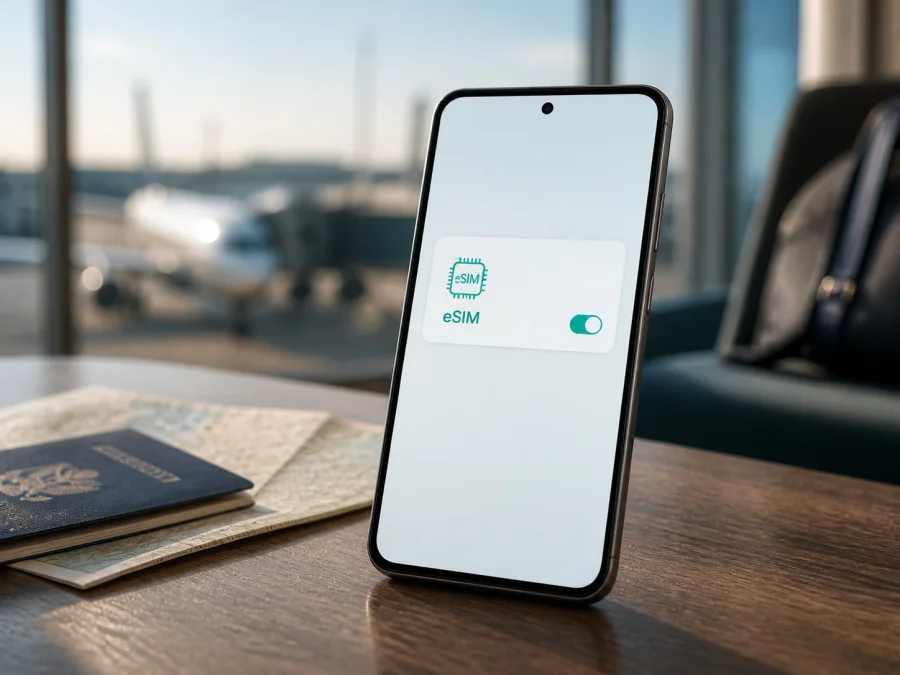
Vivo X300 Pro 256GB eSIM compatibility and setup
If you are checking the Vivo X300 Pro 256GB before a trip, the answer is conditional: eSIM support depends on the regional version. Storage capacity does not decide whether an eSIM profile can be installed. Official vivo specifications list eSIM combinations in several international markets, while China and India pages list two physical nano-SIMs only. Identical-looking Vivo X300 Pro 256GB phones can therefore differ.
That distinction matters before choosing a travel eSIM: a valid profile can fail if the handset has no eSIM hardware, regional firmware hides the function, or a carrier restricts the device. Use this guide to confirm the EID or eSIM menu before travel.
Quick answer for Vivo X300 Pro 256GB
The exact requested device is Vivo X300 Pro 256GB. It is not being merged with the 512GB or 1TB versions. Do not infer RAM from storage: the pairing varies by market.
| Check | Official regional picture | What to do |
|---|---|---|
| eSIM hardware | Listed on several international X300 Pro pages | Look for an EID and an add-eSIM control on your phone |
| SIM combinations | International pages list SIM1 + SIM2 / SIM1 + eSIM1 / eSIM1 + eSIM2 | Confirm which combinations your firmware permits |
| China-market version | Official mainland China specifications list two nano-SIMs | Treat eSIM as unavailable unless the handset proves otherwise |
| India-market version | Official India specifications list two nano-SIMs and no eSIM option | Do not buy a travel eSIM until the EID/menu check succeeds |
| 256GB label | Storage is a product-family capacity, not a radio specification | Match capacity, model code, market and software |
| Network behavior | Depends on carrier, software and local rules | Check destination and plan |
If the Vivo X300 Pro 256GB shows an EID and an eSIM-management option, it is an eSIM-capable regional variant and can normally use a compatible mobile-data plan. If there is no EID and SIM settings offer only two physical cards, assume that this handset cannot install an eSIM. A missing menu after an update or reset can also indicate regional firmware restrictions, so compare the model and software details with the seller.
Why the market matters
vivo’s official specifications are not identical in every country. International pages describe the X300 Pro card slot as SIM1 + SIM2 / SIM1 + eSIM1 / eSIM1 + eSIM2. Those pages also warn that eSIM availability may vary by country, region and carrier, and that network functionality depends on network availability, infrastructure and phone software.
The official mainland China page describes two nano-SIMs and China-market model codes. The official India page likewise lists two nano-SIMs without an eSIM option. This does not prove that every X300 Pro has the same limitation; it proves why the market of an individual unit is decisive.
“256GB” identifies storage, not the radio configuration. Retailers can omit the model code or region, and identical-looking imported phones can expose different SIM menus. Verify the handset before payment and keep return terms in mind if eSIM is essential.
Keep three questions separate: whether the phone exposes eSIM capability, whether it is free from a carrier restriction, and whether the selected plan works in the destination. The EID and settings answer the first; the seller or original carrier can confirm the second; the third depends on the plan, network partners, bands, local rules and activation timing.
What eSIM does in a trip
An eSIM is a digital SIM profile stored in the phone. On a compatible Vivo X300 Pro 256GB, it can serve as a mobile-data line alongside a physical SIM, subject to the allowed combination. This lets you keep a primary SIM available while routing travel data through a separate profile.
A travel eSIM is not automatically a replacement for a normal phone number. Many plans are data-only; voice calls and SMS are included only when the plan says so. Maps, translation, booking services and messaging apps can work over data, but check your primary line’s roaming conditions.
Kaspersky eSIM Store is an app and website for choosing, arranging and activating an eSIM with a mobile-data plan for an overseas trip. It is not a mobile operator and does not own a network or provide mobile internet. Read the plan’s destination, traffic and validity terms before ordering.
Check your exact phone before purchase
Do this over reliable Wi-Fi. Menu names can vary by OriginOS version, language and market.
Find the EID
Open Settings and search for EID. If an EID page appears, open it and confirm that a long identifier is displayed. Depending on firmware, it may also be under Settings → About phone → Status or Settings → Mobile network → SIM management. Search is usually the quickest route on the Vivo X300 Pro 256GB.
An EID is evidence of an eSIM identity, not a promise that every carrier or plan will work. Destination compatibility and carrier restrictions still matter.
Find the add-profile control
Open Settings → Mobile network, SIM card & mobile network, or the closest equivalent. Look for Add eSIM, Add mobile plan, Download SIM, Set up eSIM or a plus button near the SIM list. A working option normally opens a QR scanner or another profile-download method.
If you see only SIM 1 and SIM 2, with no EID and no add-mobile-plan option, do not rely on an international product page. The unit may be a China or India version, market-restricted, or running firmware without the feature. Ask the seller to confirm the model code and region.
Check identity and lock status
In About phone, record the model name, model number, software version and build. Compare them with the box and invoice. When contacting support, keep the full name Vivo X300 Pro 256GB rather than shortening it to “X300”. If an EID exists but a profile will not download, ask the seller or original carrier whether the phone is network-unlocked for travel.
Check the plan
Confirm destination, supported network, traffic allowance, validity period, activation window, refund terms, data-only status and any data-roaming requirement. Network performance depends on the local connection, not the phone brand alone.
Check your device before buying a plan, especially when the listing omits the sales region or the phone is imported.
Installation and activation on Android
Use stable Wi-Fi and keep the QR code on another screen or in print; a phone usually cannot scan its own displayed QR image.
- Confirm compatibility: verify the EID and add-eSIM option, charge the phone and connect to Wi-Fi.
- Choose the plan: in Kaspersky eSIM Store, use the app or website to choose the country, region or route, review traffic and validity, and arrange the eSIM for the trip.
- Open SIM management: go to Settings → Mobile network or the equivalent and tap Add eSIM or Add mobile plan.
- Download the profile: scan the supplied QR code or use manual entry if provided. Keep activation details private.
- Finish installation: leave Wi-Fi on while the profile downloads, then label it “Travel data” for easy identification.
- Choose the data line: select the travel eSIM for mobile data. Keep the primary SIM for calls or texts only if that matches your plan and roaming preferences.
- Set roaming and APN: enable data roaming for the travel profile only when the plan requires it. Enter an APN only when the plan provides one.
- Test: turn Wi-Fi off, confirm the travel line is selected, and open a simple webpage or map. If the plan activates only on arrival, test after reaching the destination.
For a visual Android walkthrough, use the Android eSIM installation instructions. For another traveler using an iPhone or iPad, use the iOS eSIM installation instructions.
Travel scenarios
Before leaving home
Complete the EID and settings check before ordering. Select a plan for every country or region on the route, including transit locations if relevant. Read when validity begins: some plans start at installation, others at first connection. Save order details offline, protect the QR code, and review the primary SIM’s roaming setting to avoid accidental charges.
On arrival
Enable the travel eSIM, select it for data and turn on its data roaming if required. If the phone asks which SIM should handle data, choose the travel line. Disable automatic data switching if it could use the primary SIM. With Wi-Fi off, test a map, browser page and messaging app. After crossing a border, repeat the test because the phone may select a new partner network.
During the trip
Monitor data use and validity in the app or phone settings. Download maps and tickets over Wi-Fi, and control background data if the allowance is limited. Hotspot use can be restricted by the plan and consume data quickly. A data-only eSIM does not necessarily provide an ordinary number. When the trip ends, disable the profile instead of deleting it immediately.
Troubleshooting
No EID
Search for both “EID” and “eSIM”, check About phone and restart. If no EID appears and only two physical nano-SIMs are offered, the phone is probably a physical-SIM regional version. China and India official specifications are examples of such markets. Do not buy based only on capacity or a generic retailer title.
EID exists but Add eSIM is missing
Install the latest official software for the region, restart and search again. Firmware can expose different features by market. If the option remains absent, ask vivo or the seller to confirm the model and region. Avoid unofficial firmware changes made only to expose a menu.
QR code or download fails
Use another screen or print, raise brightness, clean the camera and try again. If manual entry is offered, preserve every letter and number. Check Wi-Fi, date and time, storage, EID and installation limits. A captive airport network can interrupt downloading; use a stable connection. If the profile was installed elsewhere, contact support before deleting anything.
Installed but no service
Confirm that the travel profile is enabled and selected for data. Check destination, roaming permission, APN and network selection. Try automatic selection first, then a supported network named in the plan instructions. Toggle airplane mode or restart. Registration also depends on local coverage, infrastructure, regulation, activation state and software.
Data uses the wrong SIM or drops
Set the travel eSIM as the default data line and turn off automatic switching. Disable data roaming on the primary SIM if you do not want it used abroad. With Wi-Fi off, check the selected line. If the connection remains slow, test another location, confirm network compatibility and record the time, place, network and settings before asking for help.
Phone locked or plan unsuitable
An eSIM cannot bypass a carrier lock or change a plan’s destination and validity. Confirm unlock status with the seller or original carrier. If the device passes the EID check but the plan does not fit the route, review the purchase conditions instead of repeatedly deleting and reinstalling the profile.
FAQ
Does every Vivo X300 Pro 256GB support eSIM?
No universal answer is safe. International official pages list eSIM combinations; China and India official pages list two nano-SIMs only. Market, model code, firmware and carrier status determine the result. Check the handset’s EID and add-eSIM menu.
Does 256GB guarantee the same eSIM behavior as 512GB?
No. Storage is not a radio specification. Treat Vivo X300 Pro 256GB as its own listing and verify its region instead of borrowing a result from another capacity.
Can I keep a physical SIM and use a travel eSIM?
International specifications describe physical-SIM/eSIM combinations, but active-line limits depend on firmware and network. Select the travel profile for data in SIM management.
Do I need data roaming?
Some travel profiles use a roaming partner and require it; others do not. Follow the selected plan’s instructions and enable roaming only on the travel line when needed.
Does eSIM include a phone number?
Not necessarily. Many travel plans provide mobile data only. Voice and SMS are included only when the plan states so; internet calling and messaging use data instead.
What if the listing says eSIM but the phone has no EID?
Pause installation and purchase. Record the model and software details, ask the seller to confirm the regional variant, and use return or correction terms if the delivered handset does not match the listing.
Conclusion: check first, then prepare the trip
The Vivo X300 Pro 256GB can support travel eSIM when it is an international eSIM-capable variant. Current official vivo information supports eSIM on several international regional pages, while China and India pages demonstrate that other market versions are physical-SIM only. The safe verdict comes from the phone itself: verify the EID, find the add-eSIM control, confirm the market and software, and rule out a carrier lock.
After compatibility is confirmed, use Kaspersky eSIM Store’s app or website to choose and arrange a destination-appropriate eSIM plan, review traffic and validity, install over Wi-Fi, and activate the travel line. Decide which line carries data, check roaming, then test with Wi-Fi off on arrival.
Final device check: EID visible, eSIM can be added, regional version confirmed, carrier lock ruled out, and destination plan conditions reviewed. If all five checks are complete, prepare the eSIM for your journey with clear expectations for the Vivo X300 Pro 256GB.


