Travel connectivity guide
Vivo X300 Pro 512GB 5G eSIM compatibility
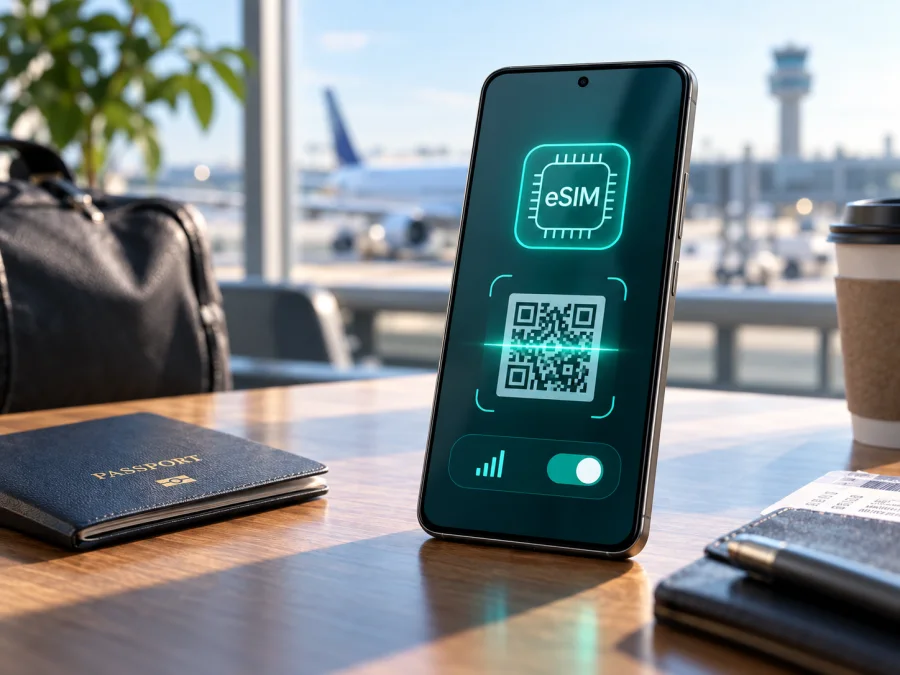
Vivo X300 Pro 512GB 5G eSIM: compatibility and installation
If you are checking whether the Vivo X300 Pro 512GB 5G can use an eSIM while travelling, the short answer is: yes for the supported international version, but not for every regional version of the phone. Current official vivo specifications for international markets list eSIM support, SIM1 + eSIM1 and eSIM1 + eSIM2 combinations, and a 16 GB + 512 GB configuration. The official mainland-China specification for the X300 Pro lists two nano-SIM cards instead and does not list eSIM. That difference matters when a phone has been imported or bought from a marketplace.
The name in this guide is deliberately kept exact: Vivo X300 Pro 512GB 5G. A listing that only says “X300 Pro” is not enough; identify the sales region, inspect the phone and confirm that it is unlocked.
Quick answer for the Vivo X300 Pro 512GB 5G
For the international Vivo X300 Pro 512GB 5G variant, eSIM is supported according to current vivo specification pages. They list two physical nano-SIMs, one nano-SIM with one eSIM, or two eSIM profiles, subject to software and operator rules. The international 512 GB configuration is listed with 16 GB of RAM.
Do not apply that answer automatically to a China-market unit. vivo’s mainland-China page lists dual nano-SIM and no eSIM option. If the phone was imported, bought in China or flashed with different software, treat eSIM as unconfirmed until the device shows an EID and an eSIM menu. The 5G label describes network capability; it does not guarantee regional eSIM support.
Official compatibility picture and regional differences
Current international vivo product pages for markets including Spain and Singapore state that the X300 Pro supports eSIM. They show the following picture:
| Item | Official international indication | Why it matters |
|---|---|---|
| Device covered here | Vivo X300 Pro 512GB 5G | Keep the storage and 5G modifiers when checking a listing. |
| International memory configuration | 16 GB RAM + 512 GB storage | Matches the commonly listed international 512 GB configuration. |
| eSIM | Supported | The international version has an embedded SIM function. |
| SIM combinations | SIM1 + SIM2, SIM1 + eSIM1, or eSIM1 + eSIM2 | The active combination can depend on software and network rules. |
| Network mode | 5G + 5G dual-SIM dual-standby is listed internationally | Actual 5G behaviour depends on bands and operator deployment. |
| China-market contrast | Dual nano-SIM is listed; eSIM is not | Do not assume an imported China unit has international eSIM hardware. |
The manufacturer notes that eSIM availability can vary by country, region, operator and software. Confirm the hardware, eSIM menu and plan separately. An international 5G phone may still use 4G LTE abroad, depending on local coverage.
What to check before buying a travel eSIM
Run these checks while the phone is connected to Wi-Fi, before paying for a plan:
- Confirm the full name, 512 GB storage, model number, software version and sales region in About phone.
- Search Settings for “eSIM” or “Add eSIM”, and look for an EID rather than an IMEI.
- Confirm that the phone is not carrier-locked and that the plan covers every country or region on your itinerary.
- Check the plan’s data allowance, validity period and activation event.
- Decide whether the main SIM should remain available for calls and messages.
If there is no EID and no add-eSIM option, do not assume that a later update will add the feature. Contact the seller or operator with the exact model and region. An update may change menu wording, but it cannot be treated as a guarantee for hardware sold without eSIM.
How to verify an EID and the eSIM menu
The most reliable check is made directly on the Vivo X300 Pro 512GB 5G. Menu names can differ between OriginOS releases and regional builds, so use the Settings search field when necessary.
- Open Settings while the phone has a Wi-Fi connection.
- Search for EID. If the result opens SIM information and shows an EID, the phone reports an embedded-SIM identifier. Keep the full number private.
- Search for eSIM or Add eSIM. A supported international build normally exposes an action such as adding a mobile plan, downloading an eSIM or scanning a QR code.
- Open the mobile-network or SIM-management page and inspect the available slots. Look for an eSIM slot or an add-plan control.
- Open About phone and record the model number and software version. Compare them with the region in your purchase documents.
- If the menu is absent, install available updates, restart once and search again. Do not scan a paid profile until you are ready to install it.
- If both the EID and eSIM menu are missing, treat this individual phone as unconfirmed and ask the seller or operator for a written regional answer.
An EID indicates an eSIM component, but it does not guarantee every plan will work: activation, lock status and destination rules still apply. “5G dual SIM” alone does not prove eSIM support, so check the EID and add-eSIM control together.
Compatibility checklist {#kesim-device-compatibility}
Use Check your device as the final reminder before ordering. For this phone, mark every item below:
- [ ] The phone is the international version, or its exact regional model is confirmed.
- [ ] Settings shows an EID or an explicit eSIM-management page.
- [ ] The device is unlocked for the intended plan.
- [ ] The operating system is up to date and mobile-network settings are available.
- [ ] The plan supports data use in every relevant country or region.
- [ ] Its data allowance, validity and activation rules match the itinerary.
- [ ] Wi-Fi and the QR code or activation details are ready.
- [ ] You know which line will handle calls and which line will handle mobile data.
If one box cannot be checked, pause the purchase. The international specification does not replace checking the individual handset, especially when a 512 GB phone was imported from a dual-nano-SIM market.
Choosing an eSIM for a trip
Kaspersky eSIM Store is an app and website where you can choose, order and activate an eSIM with a suitable plan for mobile internet during an international trip. It is not a mobile operator, network owner or mobile-internet provider; service and coverage depend on local operator arrangements and the selected plan.
Choose the destination first, then compare the allowance, validity and activation event with your trip. A country plan may suit one destination; a regional option suits a route only when it covers every stop. Maps and messaging generally need less data than video calls, uploads or hotspot use.
After confirming the EID, eSIM menu, region and unlock status, review the destination and plan conditions in Kaspersky eSIM Store before ordering. A travel data eSIM normally supplies mobile internet, so calls and SMS are not included unless the plan says otherwise.
How to install and activate eSIM on the Vivo X300 Pro 512GB 5G
Install the profile before the trip when possible, but first check when the plan begins and whether early installation is allowed. Keep the QR code or activation details on another screen; a code cannot be scanned from the same display without another device or a manual-entry option.
1. Prepare the phone and plan
Connect the Vivo X300 Pro 512GB 5G to stable Wi-Fi. Confirm that it is unlocked, that the EID and Add eSIM menu are available, and that the plan covers the destination. Keep the physical SIM that you want for calls until the data-line choice is clear.
2. Open mobile-network settings
Go to Settings, then open Mobile network, SIM card and mobile network or the closest equivalent on your OriginOS build. Select the control for adding a mobile plan or eSIM. Searching Settings for “eSIM” is often faster than following a translated menu path.
3. Scan or enter the activation details
Choose the QR-code option and scan the code supplied after the order, or enter the activation details manually if provided. Check the destination and profile name before confirming. If the code is rejected, verify that it belongs to this order and that the phone is online.
For the complete Android flow, see the Android eSIM installation instructions. The iOS eSIM installation instructions can help when the QR code is displayed on an iPhone or another traveller’s device. They are not a claim that the Vivo X300 Pro 512GB 5G runs iOS.
4. Download the profile
Allow the phone to download the eSIM profile. Give it a clear label such as “Travel data” or the destination name. Wait for it to appear in SIM management before changing the default data line.
5. Select the line for mobile data
Set the new eSIM as the preferred line for mobile data. Keep calls and SMS on the primary line if needed. Leave automatic data switching off unless you intentionally want the phone to use another line when the travel profile is unavailable.
6. Activate at the right time
Follow the plan’s activation conditions. After arrival, enable the travel line, select it for mobile data and, if required, enable data roaming for that eSIM. Allow a few minutes for registration. Installing a profile does not always mean that traffic has already started.
7. Test the connection
Turn off Wi-Fi briefly and open a simple webpage or messaging app. Check that the mobile-data indicator belongs to the travel line. If the primary SIM is still selected, change the data preference before troubleshooting. Once it works, continue using the profile according to its data and validity conditions.
Using the eSIM during a journey
For a holiday or business trip, keep the travel eSIM selected for data and the primary line available for important calls or messages. Download maps or tickets before boarding, watch usage because video calls, uploads, backups and hotspot sharing consume data, and confirm every border crossing is covered on a multi-country route. After arrival, check the selected line and enable data roaming only if required; if registration does not resume, toggle airplane mode once. When the trip ends, switch data back to the primary SIM and keep the profile installed until you are sure it is no longer needed.
Common problems and practical checks
No Add eSIM option
Check the EID, model number, sales region and software version. On a China-market dual-nano-SIM version, the missing option may be expected. Install an available update and restart once, but do not rely on unofficial firmware to create support.
QR code or activation fails
Use stable Wi-Fi, increase the code’s brightness and use the eSIM-add flow rather than the camera app. Check that the code belongs to this order, has not been used and that the activation window is valid. Keep automatic date and time enabled.
eSIM appears but there is no data
Make the travel eSIM the mobile-data line, enable data roaming for that profile if required and turn Wi-Fi off. Disable automatic data switching, toggle airplane mode, use automatic network selection and confirm destination coverage.
Wrong SIM, no 5G or no data use
Review the default-data selection and turn off primary-line roaming unless needed. 5G capability does not guarantee 5G service, so check local coverage, bands, operator deployment and plan conditions; 4G/LTE may be appropriate. Finally check the plan’s activation event and validity, because installation alone may not consume data.
Frequently asked questions
Does every Vivo X300 Pro 512GB 5G support eSIM?
No. International vivo specifications list eSIM for the international X300 Pro 512 GB configuration, while the mainland-China specification lists dual nano-SIM and no eSIM. Check the phone’s EID, eSIM menu, model number and region.
Can I keep my physical SIM and add a travel eSIM?
Yes, on a supported international version the listed combinations include SIM1 + eSIM1. Choose the travel eSIM for data and decide whether the physical line remains available for calls and SMS.
Is a travel eSIM a replacement for my phone number?
Usually no. It is intended for mobile internet unless the plan says otherwise, so ordinary calls and SMS may not be included. Messaging apps can work over the data connection.
Should I enable roaming, and can I move the profile?
Enable data roaming on the travel profile if the plan requires it, while keeping primary-line roaming off unless needed. Do not assume the profile can move to another phone: it may be tied to one installation and its QR code may be single-use.
What if my regional version is not confirmed?
Do not use the international specification as proof for a different unit. Verify the EID and Add eSIM menu, or choose a confirmed compatible device or physical-SIM option.
Final device check and travel eSIM choice
Before paying for a plan, complete this sequence for the exact Vivo X300 Pro 512GB 5G in your hand:
- Identify the regional version and model number.
- Confirm an EID and an Add eSIM control in Settings.
- Confirm that the phone is unlocked and updated.
- Choose a destination plan with suitable coverage, data allowance, validity and activation rules.
- Install the profile over Wi-Fi, select it for mobile data and enable its roaming setting only when required.
- Test a small amount of data after arrival while watching which SIM is selected.
If the phone is the supported international version, current official vivo specifications indicate that eSIM can be used alongside a physical SIM. For a mainland-China or other regional version, 5G capability alone is not proof. Verify the device first, then use Kaspersky eSIM Store as the app and website for choosing, ordering and activating an eSIM plan for mobile internet on your trip.


