Travel connectivity guide
Vivo X300 Pro 5G eSIM: Compatibility and Setup
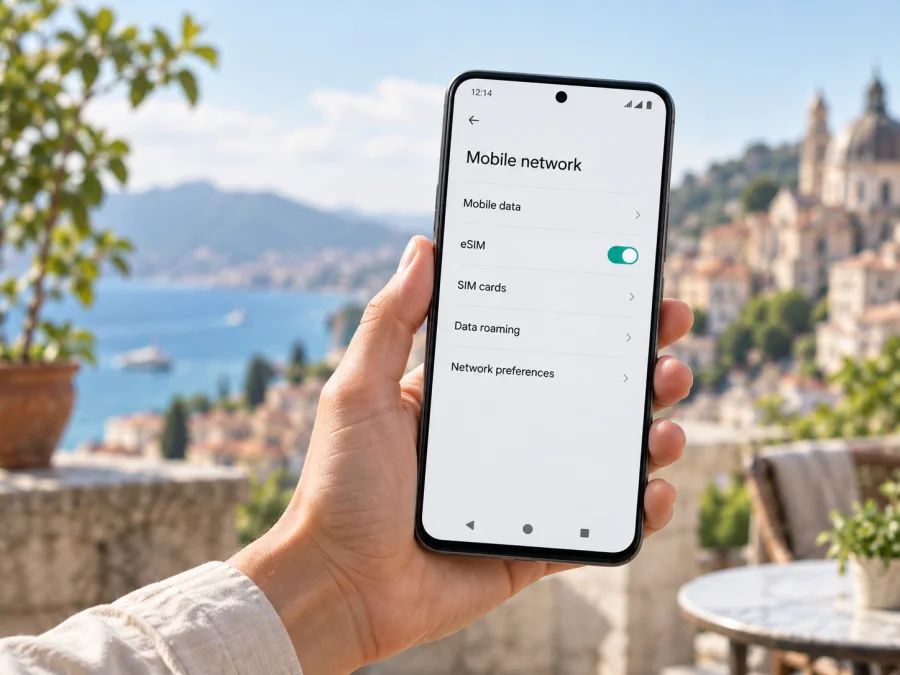
Vivo X300 Pro 5G eSIM compatibility and setup
The Vivo X300 Pro 5G can use eSIM in some regional versions, but you should not assume that every phone sold under this name has an eSIM. Vivo’s official specifications differ by market: its Spain and Mexico product pages list eSIM and supported SIM combinations, while the India specification lists two nano-SIM cards and does not list eSIM. The practical answer is therefore: yes for a confirmed eSIM-capable regional variant; unconfirmed for an unspecified or different-market unit until you check its model code and settings.
That distinction matters if you are preparing for a trip. “5G” describes the phone’s mobile network capability; it does not by itself confirm that the phone contains an eSIM profile component or has the eSIM controls enabled. Check the exact handset, not just the family name on a shop listing. The specifications cited here are Vivo’s official regional X300 Pro pages, checked on 25 September 2026. They identify market-specific configurations rather than guaranteeing that every import or carrier build is identical.
Quick specifications and eSIM answer
| Item | What to know about Vivo X300 Pro 5G |
|---|---|
| Device name | Vivo X300 Pro 5G |
| Device type | Android smartphone in the Vivo X300 Pro family |
| eSIM availability | Listed by Vivo for some regional versions; not universal across markets |
| Official regional evidence | Spain and Mexico list eSIM; India lists two nano-SIM slots without listing eSIM |
| SIM arrangements | Vary by market; some official pages list nano-SIM/eSIM combinations |
| 5G | Supported where the local version and network bands, plan, and carrier allow it |
| Best check before purchase | Exact model/market, EID, Add eSIM setting, and carrier-unlock status |
The exact retail name supplied here does not include a country, model number, or carrier. That means it is not possible to assign one universal eSIM result to every Vivo X300 Pro 5G bearing that name. If you already own the phone, its EID and mobile-network settings are more useful than an online listing. If you are buying one, ask the seller for the regional model code and written confirmation that the device supports eSIM in your destination market.
Does Vivo X300 Pro 5G support eSIM?
It depends on the regional configuration. Vivo’s official Spain and Mexico specifications list eSIM and combinations of nano-SIM and eSIM. Vivo’s India specification lists two nano-SIMs and does not list eSIM. These pages confirm that eSIM exists in certain regional X300 Pro versions, but they do not establish support on every import, carrier edition, or software build. Vivo’s regional specifications were checked on 25 September 2026.
Treat an unverified version as not yet confirmed. Compare the model code in Settings, on the box, or on the purchase document with Vivo’s specification for the original sales market. Firmware and carrier configuration can affect available settings, and a carrier lock can prevent adding another provider’s profile. A seller’s “global version” label alone is not proof.
Check the exact phone before you buy a plan
A “dual SIM” listing does not say whether the phone has two physical slots, eSIM, or both. Check the actual handset:
- Find the model code. Open Settings → About phone and compare the full model number and software version with Vivo’s regional support page.
- Look for an EID. Search Settings for “EID,” or check About phone → Status. You can also try
*#06#in the phone app. Do not share the EID publicly. - Look for eSIM controls. Search Settings for eSIM, Add eSIM, Download a SIM, or Add mobile plan. The option may be under Mobile network or SIM card & mobile network, depending on the software.
- Confirm unlock status. Ask the seller or original carrier whether the phone accepts third-party eSIM profiles.
- Check plan conditions. Verify destination coverage, data allowance, validity start, supported bands, and any hotspot restrictions.
An EID and a visible Add eSIM option are strong evidence that this handset can add a profile. If both are missing, or the checks disagree, ask Vivo or the seller to verify the model code before purchase. An online listing for a different X300 Pro does not prove your version is compatible.
Compatibility checklist
Before checkout, confirm each item that applies:
- [ ] The model code belongs to an eSIM-capable regional version of Vivo X300 Pro 5G.
- [ ] An EID is shown in Settings or through the device identifier screen.
- [ ] Settings contains Add eSIM or an equivalent mobile-plan option.
- [ ] The phone is not locked to a carrier that blocks another eSIM provider.
- [ ] The phone is running supported, up-to-date software and can connect to Wi-Fi for setup.
- [ ] The destination, data allowance, validity period, and network conditions fit the trip.
Use this list as a first-pass screen: a positive result should still match the exact regional specification and the plan terms for your destination. For a compact pre-purchase check, check your device for eSIM compatibility. Resolve any uncertainty with the seller or Vivo before you pay for a plan. The same checks should be repeated after a software update or if the handset has been reset, repaired, or replaced.
Install and activate an eSIM
Install over a stable Wi-Fi connection, preferably before departure. Keep the activation QR code on a second screen or printed page; a phone cannot scan a code displayed on itself. Follow your plan’s instructions if they differ from these general Android steps.
- Prepare. Connect to Wi-Fi, charge the phone, and install available updates. Keep your usual SIM active if you need its number.
- Open eSIM setup. Go to Settings → Mobile network (wording varies), select Add eSIM or Add mobile plan, then choose QR-code setup.
- Scan or enter details. Scan the supplied code or enter the activation information manually if offered. Do not reuse a QR code unless the provider says it can be reused.
- Download and label. Wait for installation to finish, then give the profile a clear name such as “Travel data.”
- Choose the data line. Keep your regular SIM selected for calls or messages if needed, and set the travel eSIM as mobile data when you are ready. Review any prompt about automatic switching.
- Activate at the right time. Validity may begin at installation, first network connection, or a scheduled time. Check before installing early; if allowed, leave the profile off until needed.
- Connect abroad. Enable the profile, select it for data, and enable data roaming for that line only if the plan requires it. Wait for registration and do not delete the profile if service is delayed; some QR codes are single-use.
For device-specific steps, see the Android eSIM installation instructions and iOS eSIM installation instructions. Vivo X300 Pro 5G runs Android; the iOS guide is included as a general reference for other devices.
Kaspersky eSIM Store is an app and website where you can choose, set up, and activate an eSIM plan for mobile data on an overseas trip. Confirm your Vivo variant is compatible and unlocked before selecting a plan. Plan terms determine destinations, allowances, and network access; Kaspersky eSIM Store is not a mobile operator or network provider.
Using the travel eSIM on your trip
For many data trips, keep your regular SIM available for your usual number and select the travel eSIM for mobile data. Check your home carrier’s roaming terms first, then set the preferred SIM for calls, messages, and data separately in Vivo’s network settings.
Before departure: check whether the plan covers every country on your route and when its validity starts. If early installation is allowed, download the profile over Wi-Fi, label it “Travel data,” and save the setup instructions. Keep the QR code and activation details private.
After landing: turn off airplane mode, enable the travel profile, choose it for mobile data, and wait for network registration. Enable data roaming for that profile only if the plan instructions require it. If automatic network selection does not connect, use the plan provider’s manual network steps.
On a multi-country or work trip: confirm regional coverage, validity, hotspot rules, and data allowance for the whole route. Navigation, video calls, backups, and tethering can use data quickly. 5G depends on local coverage, bands, plan terms, and the visited network; the phone’s 5G label does not guarantee 5G service everywhere. A data-only eSIM generally does not replace your usual number for ordinary calls or SMS, though internet messaging apps can work over data.
Common problems and what to check
There is no Add eSIM option. Search Settings for EID and check the model code against Vivo’s specification for the phone’s original market. Install available software updates and restart. If neither an EID nor an eSIM menu appears, treat support as unconfirmed and ask Vivo or the seller; do not assume an update can add missing hardware capability.
The QR code will not scan. Show it on another screen, increase brightness, and keep the full code visible. If your plan permits manual entry, use the supplied activation details. Confirm the code is for this plan and has not already been used. Do not share it: it may allow someone to install your profile.
The profile will not download. Check Wi-Fi, date and time, free storage, and the device’s eSIM profile limit. Restart and try the provider’s manual option if available. If the code is invalid or already used, contact the plan provider before deleting the profile or requesting a replacement.
The profile is installed but there is no service. Verify that it is switched on, selected for data, and that you are in a covered destination with an active plan. Toggle airplane mode, restart, and wait for registration. Start with automatic network selection; use manual selection only as directed by the provider.
There is a signal but no data, or the home SIM is using data. Confirm mobile data is assigned to the travel eSIM. Enable roaming on that line if the plan requires it, check balance and validity, and use APN settings only when the provider supplies them. Turn off automatic data switching if needed, then make sure the home SIM’s roaming setting matches your preference.
The phone reports a network lock. Contact the carrier that sold the handset. A carrier lock is different from a QR-code error and cannot usually be fixed by retrying installation. Ask the seller or carrier to confirm that third-party eSIMs are allowed.
For support, note the model code, software version, exact error, destination, and whether an EID is present. Send those details privately to the relevant device or plan support team. Never post the EID, IMEI, QR code, or activation credentials publicly.
Frequently asked questions
Does every Vivo X300 Pro 5G have eSIM?
No. Vivo lists eSIM for some regional X300 Pro versions, including Spain and Mexico, while its India specifications list two nano-SIMs without an eSIM entry. Verify your model code and phone settings.
Can I add eSIM if I cannot find an EID?
Check Settings and the device identifier screen. If neither EID nor Add eSIM appears, ask Vivo or the seller to verify the precise market version before buying a plan.
Can I keep my normal SIM installed?
Some regional specifications list combinations of nano-SIM and eSIM, but the available combinations and active lines vary. Check the exact Vivo listing and SIM management screen.
Does a travel eSIM include calls and SMS?
Not necessarily. Many travel plans are data-only. Check the specific plan; you can use internet messaging over data, while your regular number remains subject to your home carrier’s terms.
Should I install the profile before travelling?
Often this is convenient, but check when validity begins. It may start at installation, first network connection, or a scheduled time. Keep the QR or manual details private.
Will I always get 5G?
No. The regional phone bands, destination coverage, plan, and local network determine the connection; LTE may be used where 5G is unavailable.
Final device check and trip eSIM choice
Before paying for a travel plan, confirm the exact Vivo X300 Pro 5G model code and original sales market, look for its EID and Add eSIM setting, and verify that the phone is unlocked. If those checks conflict with the seller’s description, pause and ask for written clarification. An eSIM-capable version is a practical way to prepare mobile data for travel, but regional hardware and software differences mean that verification should happen on your own handset.
Once compatibility is clear, choose a destination or regional plan that matches your route, data use, and trip length. Read when validity begins and whether the plan includes hotspot use or requires data roaming. Install and label the profile while connected to Wi-Fi, then select the travel eSIM for mobile data when appropriate. Kaspersky eSIM Store helps you choose and activate an eSIM plan for mobile internet on an overseas trip; coverage and service depend on the plan and local network. Keep the home SIM settings and travel profile easy to recognize, and review the data line again after crossing a border.


