Travel connectivity guide
Vivo X80 Pro 12GB RAM eSIM: Compatibility & Setup
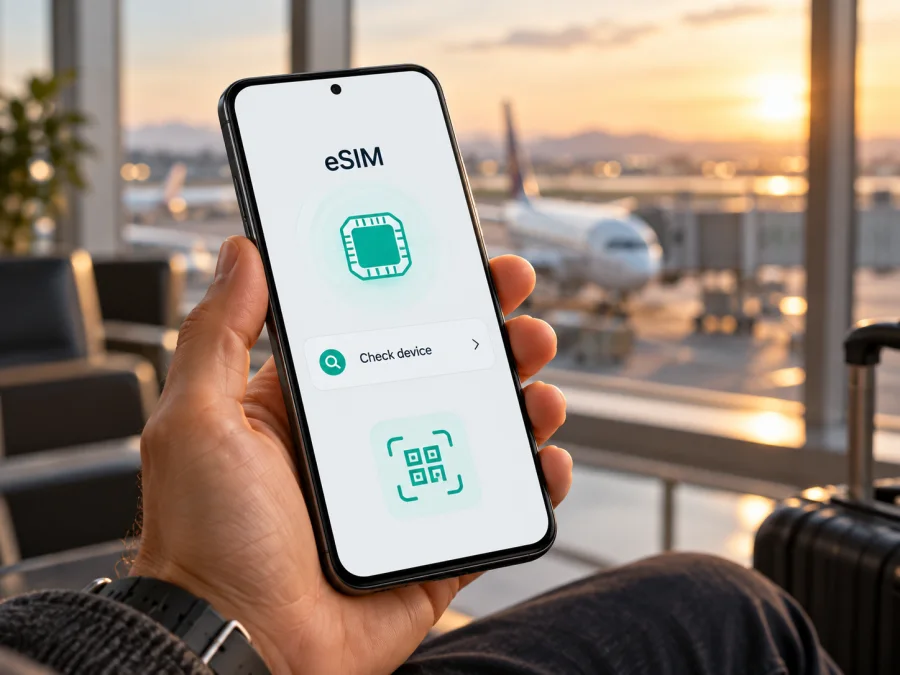
Vivo X80 Pro 12GB RAM eSIM: compatibility and setup
Quick answer
If you are checking a Vivo X80 Pro 12GB RAM, do not assume that it supports eSIM. Vivo’s current public specifications for the global 12 GB + 256 GB X80 Pro describe Dual SIM Dual Standby, while Vivo’s India and Hong Kong product listings identify Nano SIM slots (the Hong Kong listing says Nano SIM + Nano SIM). Those official pages do not document an eSIM function for these versions. That means eSIM support is not confirmed for the named configuration; before buying a travel plan, check the exact phone in Settings and confirm its model number and sales market with Vivo or the seller.
“12GB RAM” identifies the memory configuration, not the regional model code. Vivo’s pages list market-specific SIM details, and the phone’s market, firmware and carrier restrictions can affect its settings. RAM alone cannot prove that a handset has eSIM enabled.
The practical rule is simple: proceed only if the phone itself shows an EID and offers an eSIM add/download option, and the device is unlocked for the network you plan to use. If those checks fail, treat this Vivo X80 Pro as physical-SIM-only for your purposes and use another compatible device or a local physical SIM where appropriate. Do not pay for an eSIM profile based only on a generic compatibility list or the phone’s 5G capability.
Does Vivo X80 Pro 12GB RAM support eSIM?
For this unspecified market variant, eSIM support is not confirmed by the official Vivo product information I could verify. Vivo’s global specifications list Dual SIM Dual Standby. Its India listing for X80 Pro (12+256) specifies Nano SIM and Dual SIM Dual Standby, while the Hong Kong listing says Nano SIM + Nano SIM. These pages do not document an eSIM setup function or EID. Treat this exact phone as unverified and check the handset before purchasing a travel plan.
“12GB RAM” describes memory, not the full regional model code. The country of sale, firmware and carrier restrictions can affect SIM features. A physical dual-SIM description does not prove whether an additional embedded SIM is present; equally, “dual SIM” and “5G” do not establish eSIM support. Ask the seller or Vivo for confirmation tied to the model number and market. A carrier lock can also prevent profile installation.
| Item | Officially listed information | eSIM implication |
|---|---|---|
| Memory | Global Vivo page lists 12 GB + 256 GB; India store lists X80 Pro (12+256) | RAM does not determine eSIM support |
| Software | Global listing: Funtouch OS 12 based on Android 12 | Menus can vary by region and update |
| SIM details | Dual SIM Dual Standby globally; Nano SIM in India; Nano SIM + Nano SIM in Hong Kong | Physical SIM is documented; eSIM is not confirmed |
| Cellular network | 5G bands are listed and vary by market | 5G and eSIM are separate features |
| Input variant | “Vivo X80 Pro 12GB RAM” gives no regional model number | Verify the individual device |
These listings describe their own markets, not every X80 Pro worldwide. If the phone lacks an EID and eSIM option and Vivo cannot confirm its model code, treat it as incompatible for planning. Do not assume an update or another Vivo model’s menu proves support.
Check the exact phone before you buy
Settings labels vary by Android version and market, so inspect the handset itself.
- Find the model number. Open Settings → About phone and note the model number, software version and build. The model code and country of sale help support identify the variant.
- Look for EID. Search Settings for “EID” or inspect status/SIM information. An EID is an identifier associated with eSIM. If absent, continue to the next check because menu placement can vary.
- Look for eSIM setup. Open Settings → Mobile network or Network & internet → SIMs. Check for Add eSIM, Download a SIM, Add mobile plan or equivalent.
- Confirm with Vivo or the seller. Give them the model code, purchase market and software build. Ask whether that exact unit can download a third-party eSIM profile and whether it is carrier-unlocked.
- Check the SIM tray and paperwork. They can confirm physical SIM support, but do not prove or disprove an additional embedded SIM. Compare the model code with the official page for its market.
An EID together with a working Add eSIM path is stronger evidence than “dual SIM,” “5G” or “12 GB RAM.” If the phone has neither EID nor an eSIM option and support cannot confirm it, do not buy a profile to test. Avoid sharing IMEI or EID publicly.
Compare the model code in Settings with the seller paperwork, and have support confirm the EID and eSIM option on the handset itself. This avoids confusing another region’s X80 Pro listing with your unit.
Use this device compatibility check before selecting a plan. A checker is a useful first filter, but it must match the regional model. If the result is unclear, confirm with Vivo or the retailer first; destination coverage cannot make an unsupported handset accept an eSIM.
What to prepare before installing an eSIM
Proceed only after the exact X80 Pro has passed the checks above and is not carrier-restricted. Keep the phone on reliable Wi-Fi during profile download, charge the battery and have the QR code or manual details available on another screen. Update Android if an update is offered.
Before purchase, review destination, allowance, validity, supported networks and activation rules. Many travel eSIMs are data-only, without a regular number, calls or SMS. Validity may begin at a different time from installation, so read the plan’s start rule before enabling it.
Kaspersky eSIM Store is an app and website where you can choose, arrange and activate an eSIM with a mobile-data plan for an overseas trip. It is not a mobile network operator. Confirm the Vivo’s compatibility first, then compare the destination, allowance and validity for your journey.
How to install and activate eSIM on Vivo X80 Pro
Vivo menu names vary by Funtouch OS version and region. These are general Android steps, not a promise that every X80 Pro supports eSIM. If Add eSIM is absent, stop and check the model with Vivo; a QR code cannot add eSIM hardware.
- Connect to Wi-Fi and keep the connection stable while the profile downloads.
- Open SIM settings. Try Settings → Mobile network or Network & internet → SIMs, or search Settings for “SIM” or “eSIM.”
- Tap the eSIM option if present: Add eSIM, Download SIM or similar. If no option appears, do not guess; confirm the model code.
- Scan the plan’s QR code in the phone’s built-in setup flow. If it is displayed on the Vivo itself, use another screen or manual activation details where offered. Scan only a code supplied for your plan.
- Approve the profile download. Keep internet access active. Installation may take a few minutes; do not repeatedly scan a one-time code if setup pauses.
- Label the line “Travel data” or another clear name, then select which line to use for calls, messages and mobile data.
- Enable the travel profile when appropriate. Follow the plan’s activation rule. Some plans require data roaming on the travel eSIM; do not confuse that with roaming on your home SIM.
- Set the APN only if needed. Use the value in the plan instructions and enter it exactly.
- Test at the destination. Select the travel line for mobile data, wait for registration on a supported local network and test a simple webpage.
See the Android eSIM installation guide. Its pictured steps are Samsung-specific; Vivo users should treat it as general QR, line-selection and roaming guidance and follow the menus on their phone. The iOS eSIM installation guide applies to iPhone, not Vivo, and is useful only when comparing setup across devices.
Installation downloads the profile; activation may mean enabling it, authorizing it or starting validity under the plan’s rules. Connection may begin only in a supported destination. Follow the plan instructions and do not delete a profile just because it has not connected before the trip.
Using the eSIM for mobile data while travelling
When the profile is installed, select which line supplies mobile data in SIM settings. You may be able to retain your home number for calls and messages while the travel eSIM carries data, but behaviour depends on the Vivo variant and carrier. Check what the phone actually allows. If both lines cannot stay active, decide which one matters most before departure.
On arrival, turn on the travel eSIM, select it for mobile data, confirm the plan covers the country and check whether its instructions require data roaming. Disable data roaming or mobile data on the home SIM if you want to avoid unintended charges; that can affect calls or messages, so review your carrier’s terms. Wait a few minutes for network registration and check the plan’s allowance and expiry.
For a multi-country route, confirm each destination and any hotspot conditions. A data-only plan does not provide a regular phone number or guarantee voice service, so keep another way to make essential calls. You can often install over Wi-Fi before departure; when to enable the profile depends on the plan’s validity start rule.
Troubleshooting common problems
There is no “Add eSIM” option
Search Settings for “EID,” “eSIM” and “SIM”; restart and check for a software update. Inspect the model code and market, then ask Vivo whether that exact variant supports eSIM. If there is no EID or menu, treat compatibility as unconfirmed. The official X80 Pro listings above describe physical Nano SIM configurations, so do not purchase a plan as a test.
No EID appears
Check About phone, status and SIM information; placement varies. Ask Vivo about the exact model code. An IMEI is not an EID, and an IMEI does not prove eSIM support. Do not post either identifier publicly.
The QR code will not scan
Show the full, bright QR image on another screen, clean the camera lens and hold the phone steady. If the code is on the Vivo display, use another device or manual activation where offered. One-time codes may be used only once; if already used, contact the plan’s support rather than retrying indefinitely.
The profile installs but has no service
Check that the profile is enabled and selected for data, the plan includes your destination, validity has begun and airplane mode is off. Restart once and allow time to register. Enable roaming only on the travel eSIM if required; confirm the APN exactly as supplied. Local coverage and signal depend on the partner network, location, device bands and conditions.
Home SIM charges appear
Check the selected data line and disable automatic data switching if available. Turn off data roaming on the home SIM if needed, noting that calls and texts may be affected. Consult your operator’s roaming terms; the travel profile does not control home-carrier billing.
Seller claims eSIM but Vivo’s page does not
Ask for the exact regional model code and written confirmation for that version, including EID/eSIM support and carrier-unlock status. A statement about another X80-series device or a different market is not enough. If you cannot verify before purchase, choose documented eSIM-compatible hardware or a physical SIM alternative.
Frequently asked questions
Is the 12 GB RAM model automatically eSIM-capable?
No. RAM is a memory specification. Vivo’s global page lists a 12 GB + 256 GB model with Dual SIM Dual Standby, while India and Hong Kong listings specify Nano SIM slots. Check the exact handset’s EID, eSIM menu and model code.
Does 5G mean eSIM will work?
No. 5G is a network capability; eSIM describes digital SIM provisioning. A phone can support 5G using physical SIMs only.
Can I keep my usual SIM?
Possibly, if the exact handset and carrier allow both lines. Use the SIM manager to select data and prevent home-line roaming if needed. Confirm whether the physical-SIM/eSIM combination is supported on your model.
Does a travel eSIM include calls and texts?
Do not assume so. Many are data-only and have no regular number, voice calls or SMS. Check the plan’s terms; messaging apps can use data subject to their own requirements.
Should I install it before leaving, and can I move it later?
Advance installation over Wi-Fi may be convenient, but follow the plan’s validity start rule. Do not assume a profile can be moved to another phone: activation codes may be single-use or device-bound. Check transfer or reissue rules before activation.
Before you travel: check compatibility, then choose a plan
For Vivo X80 Pro 12GB RAM, the available official product listings document physical Nano SIM configurations and do not confirm eSIM support. Treat the exact handset as unverified until its Settings show an EID and an Add eSIM option, or Vivo confirms support for the model code and market. A carrier lock, software version or regional configuration may also affect whether a profile can be installed.
Once compatibility and unlocking are confirmed, choose a plan for the countries on your route and compare its data allowance, validity, network conditions and activation rules. Kaspersky eSIM Store is an app and website that lets you choose, arrange and activate an eSIM plan for mobile data on an overseas trip. Use the English Kaspersky eSIM Store site to browse current destinations and plan details; this is the general store homepage, not a country-specific tariff. Check the selected plan’s conditions before payment, install the profile over a reliable connection and enable it according to its instructions.


