Travel connectivity guide
Vivo X80 Pro 256GB eSIM Compatibility
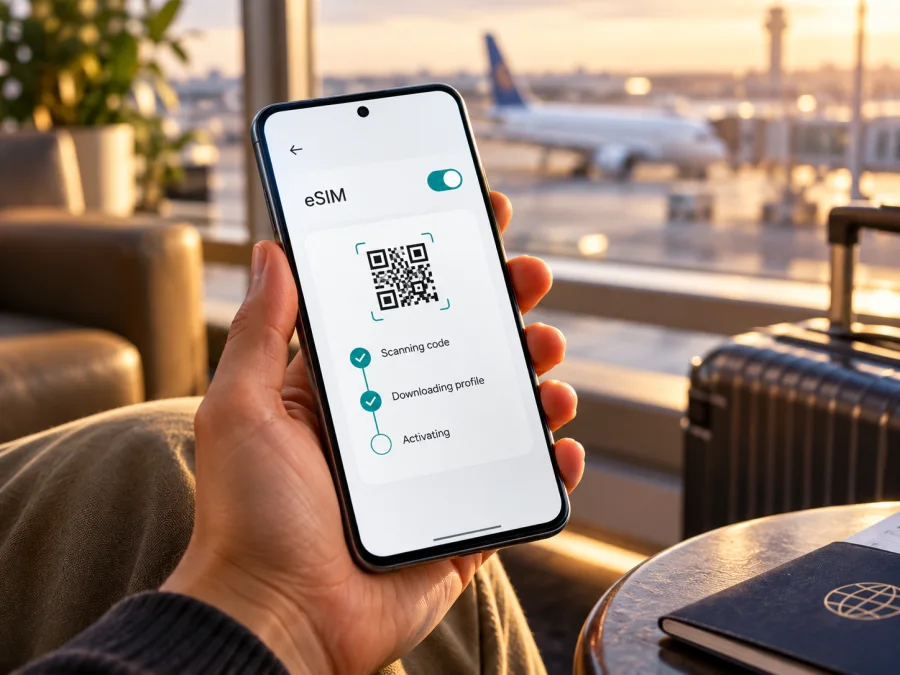
Does Vivo X80 Pro 256GB support eSIM?
Short answer: eSIM support for the exact Vivo X80 Pro 256GB in your hand is not confirmed by the public specifications reviewed for this guide. Vivo’s official global product page describes the X80 Pro as a dual-SIM, dual-standby phone and lists physical network bands, but it does not list eSIM or an EID. Vivo’s China product page lists several X80 Pro 256GB configurations, including different memory and processor variants; it likewise does not establish that this storage variant can install a third-party eSIM. Singtel’s current device compatibility table lists Vivo X80 Pro for its Singapore network, while the eSIM field is not marked as supported. That operator-specific listing is a useful caution, not a universal verdict for every country or firmware.
Do not assume “256GB” means eSIM-ready. Check model code, software, EID, and settings before buying. A QR code cannot add native capability; if no eSIM option exists, consider a physical SIM or another compatible, unlocked phone.
What the 256GB name tells you—and what it does not
The product name Vivo X80 Pro 256GB preserves storage but does not identify a unique regional SKU. Vivo’s China page lists multiple 256GB RAM/processor combinations; its global page lists a 12GB + 256GB configuration. Regional hardware and firmware can differ, so storage alone cannot settle eSIM compatibility.
| Detail | Confirmed information | Check on your phone |
|---|---|---|
| Name | Vivo X80 Pro, 256GB storage | Full model code and region |
| Configuration | China lists multiple 256GB versions; global specs list 12GB + 256GB | RAM and processor edition vary by configuration |
| SIM description | Global page: dual SIM, dual standby | Native eSIM hardware and menu |
| eSIM / EID | Not documented in Vivo product specs reviewed | Settings, EID, and confirmation for exact SKU |
| Singapore operator listing | Singtel does not mark eSIM as supported | Check the operator serving your destination |
Vivo’s product pages describe marketed configurations and physical SIM capabilities, but their silence on eSIM does not prove all variants are identical. Singtel’s list applies to Singapore, not every operator. Treat both as reasons to check your handset directly.
Is Vivo X80 Pro 256GB eSIM-compatible?
The accurate answer is not confirmed for the exact 256GB variant. Vivo’s global page describes dual-SIM, dual-standby operation; its China page shows Snapdragon and Dimensity models with different 256GB configurations. Neither confirms native eSIM or EID. Singtel’s current Singapore list includes X80 Pro but does not mark eSIM support. This warrants caution, not a universal verdict.
Check the phone and confirm with Vivo or the issuer using its full model number. Native eSIM needs an embedded SIM component (eUICC), an EID, and system support for downloading a profile. 5G, two physical SIM slots, and storage capacity do not prove this. The device must also be unlocked and accepted by the plan issuer.
Regional and operator versions
Vivo’s China page distinguishes V2185A (Snapdragon) and V2186A (Dimensity), with 256GB configurations for both. Regional model codes and firmware can affect SIM functions, but these differences alone do not prove eSIM support. Imported phones may not share features with another market’s version. Do not flash another region’s firmware as a compatibility test.
There is a second layer: the operator market. A carrier may limit eSIM activation to certain device models, software versions, or account types. Singtel’s list is specific to Singapore and does not mark Vivo X80 Pro as eSIM-supported. An operator in another country can maintain different checks, so ask the network that will issue the profile whether your exact model code is accepted. For a travel data eSIM, confirm compatibility with the provider’s device requirements as well. The country where you bought the phone, the country where you will use it, and the operator that issues the eSIM are separate facts.
Match the full model code on the handset or box; a listing that only says “X80 Pro” may combine variants. Ask the seller to confirm native eSIM/EID support for that code in writing.
Check EID and eSIM settings before you buy
Check before travel, while you can still contact the seller. Menu labels vary by Funtouch OS and region; use Settings search if needed.
- Find the model code. Open Settings → About phone and note the complete model number, software version, and region if displayed. Compare the code with the seller’s listing and ask Vivo support to confirm the SIM features for that exact code.
- Search Settings for “EID”. An EID is the identifier associated with an embedded SIM. On many Android devices it appears under About phone, Status, or a SIM/eSIM information page. If an EID is shown, record only that the device has one; do not post the full identifier publicly.
- Look for eSIM controls. Open Settings → Network & internet, Mobile network, or the closest equivalent. Look for Add eSIM, Download a SIM, Add mobile plan, or a SIM manager entry that specifically offers eSIM. A physical SIM tray or a “Dual SIM” label is not the same thing.
- Use system search. Search Settings for eSIM, EID, and Add SIM. Read the resulting page rather than relying only on a search result, because a generic help item or a disabled carrier menu is not proof that the handset can install a profile.
- Check for a lock. Ask the original operator or seller whether the phone is carrier-unlocked. If the phone is locked, a travel profile from another provider may not work even if an eSIM menu exists.
- Confirm with the issuer. Give the issuing operator or travel eSIM provider the full model code and market version. Ask specifically whether it supports downloading and activating an eSIM on that SKU in your destination.
An EID suggests embedded SIM hardware, but firmware, unlock status, and issuer support still matter. If the current software has no EID or eSIM control, treat support as unavailable unless Vivo confirms otherwise for that exact unit. Do not assume an update will add missing hardware.
Check whether your device is compatible before you buy a travel eSIM. The answer should be based on your exact handset and the requirements of the plan issuer, rather than only on a family name or a shop description.
Before preparing a travel data eSIM
An eSIM for travel is a digital mobile profile downloaded to a compatible phone. It can be useful when you want mobile data abroad without removing your regular physical SIM, but it is not automatically a replacement for your home number. Travel data plans commonly focus on internet access; voice calls, SMS, tethering, network choice, and validity rules depend on the specific plan. Read the conditions shown for the destination before you order, and do not infer a feature that is not listed.
Check each of the following:
- Compatibility and unlock status: confirm EID, eSIM menu, exact model acceptance, and that the phone is not carrier-locked.
- Destination: check every country on your route, including stopovers where you need data.
- Plan terms: review data allowance, validity, activation timing, network access, and restrictions shown at checkout.
- Installation: arrange Wi-Fi and keep the QR code or manual details on another screen or printed.
- SIM settings: decide which line handles data, calls, and messages; check roaming settings to avoid unintended home-plan use.
- Backup: save booking and support details offline in case data is not ready on arrival.
Kaspersky eSIM Store is an app and website for choosing, arranging, and activating an eSIM plan for mobile data on an international trip. Network and service availability depend on the selected plan and local network. If your phone passes the checks, browse current options for your destination and review the terms; this is the store homepage, not a country-specific tariff.
How to install an eSIM on Vivo X80 Pro 256GB, if supported
Only continue if your exact phone shows an eSIM option and the plan issuer confirms the model. The steps below describe a general Android flow; labels and available controls can differ on the X80 Pro by market and software. The official Kaspersky eSIM Store guides are also available for Android installation and iOS installation. The iOS page is for iPhone and is not the Vivo procedure.
Before you start
- Connect to Wi-Fi and charge the phone. Confirm destination, model support, and unlock status.
- Check whether the code is single-use and when activation/validity starts.
- Display the QR code on another screen or use the issuer’s private manual details.
- Do not delete a profile unless the issuer advises it; some codes cannot be reused.
Add the profile
- Open Settings and enter the SIM/mobile-network section; labels vary by software.
- Choose Add eSIM or Download SIM, if present. If absent, stop: a QR code cannot add missing eSIM support.
- Choose QR-code setup and scan the issuer’s code, or enter manual details only in the phone’s built-in setup screen.
- Check the profile details and confirm they match your order.
- Download it over Wi-Fi and wait for completion.
- Label the line Travel data to distinguish it from your regular SIM.
- Follow the issuer’s activation timing; installing a profile may or may not start validity.
If the profile download fails, note the exact message and stop before repeatedly scanning the same code. Check Wi-Fi, date and time, free device storage, model compatibility, and whether the code has already been used. Contact the issuing provider with the order reference through its official support channel; never send a QR code or activation code in a public forum.
Set up mobile data for the trip
When you are ready to use the travel plan, open the SIM manager or mobile-network settings and check the following:
- Select the travel eSIM for Mobile data when the profile is active and issuer instructions permit use.
- Keep your regular SIM for calls/messages if needed; check its roaming charges.
- Enable Data roaming on the travel eSIM only if required by the issuer.
- Disable automatic data switching if you want to avoid accidental use of your home SIM.
- On arrival, wait for network registration. Follow the issuer’s directions if manual network selection is needed.
- Test a webpage or messaging app and check usage information where available.
Menus vary. The Android guide uses Samsung-specific screens, so treat it as general guidance only; your Vivo settings determine whether eSIM can be added.
Using the phone on a trip: practical scenarios
Confirmed eSIM-ready unit. Verify EID, menu, unlock status, and issuer acceptance. Install over Wi-Fi at the permitted time, then select the profile for data and follow its roaming instructions.
Two SIM slots, no EID or eSIM control. Physical dual SIM does not enable native eSIM. Confirm the SKU with Vivo; if unsupported, use a physical SIM, Wi-Fi, or a device with confirmed eSIM support.
Imported or refurbished phone. Check the code and firmware; another X80 Pro’s eSIM feature is not proof for yours. Ask the issuer to confirm the SKU.
Cross-border trip. Match the destination list to each country and check when validity starts. A regional plan label does not guarantee every stop is included.
Keep your usual number. If both lines can remain active, set travel eSIM for data and regular SIM for calls or texts. Check roaming charges and disable home-line data if needed.
Common problems and what to check
| Symptom | What to check |
|---|---|
| No eSIM option | Search EID/eSIM; confirm model and software with Vivo. A reset or QR scan cannot be assumed to enable missing support. |
| QR will not scan | Use another bright screen, clean the lens, verify the order, and ask about manual setup. |
| Profile will not download | Check Wi-Fi, date/time, storage, code status, and device support. |
| No service after install | Check destination, activation date, line status, unlock status, and required roaming setting; then follow issuer network advice. |
| Signal but no data | Select the travel line for data, enable data, check required settings, validity, and remaining allowance. |
| Home SIM uses data | Check default data line and automatic switching; review home roaming settings and charges. |
| Plan rejected / code used | Confirm exact SKU; contact issuer before deleting or retrying a single-use code. |
Separate device incompatibility from a temporary network issue. First confirm the eSIM option; then check plan, destination, activation, roaming, lock status, and local network. Hide EID and QR credentials in screenshots.
Frequently asked questions
Does Vivo X80 Pro 256GB definitely support eSIM?
It is not confirmed for every regional 256GB unit. Vivo’s global specification lists dual-SIM, dual-standby operation without documenting an EID or eSIM; its China product page lists distinct 256GB configurations but does not establish native eSIM support. For your device, verify its model code, EID, and Settings menu, then ask Vivo or the plan issuer to confirm that exact version.
Does 5G mean that eSIM will work?
No. Cellular generation and SIM provisioning are different capabilities. A phone can support 5G and physical dual SIM without supporting a downloadable eSIM profile. Confirm EID and the eSIM setup control separately.
Is every Vivo X80 Pro 256GB the same?
No conclusion like that follows from the storage label. Vivo’s official China page lists 256GB with more than one processor/RAM configuration; global and local-market variants may also have different software or network specifications. Use the full model code and regional firmware when asking about support.
If Settings shows an EID, can I buy any travel eSIM?
Not automatically. An EID suggests eSIM hardware is present, but the handset must also expose a working eSIM setup process, be unlocked, run compatible software, and be accepted by the issuer. Check the destination and plan conditions as well.
Can I install eSIM by scanning a QR code if the phone has no EID?
A QR code supplies profile information; it does not add missing eSIM hardware or system support. If there is no EID and no Add eSIM function, ask Vivo to verify the exact SKU before proceeding. If native eSIM is not supported, use an alternative such as a physical SIM or a confirmed compatible device.
Should I turn on data roaming?
For a travel eSIM, the issuing provider may require data roaming to connect through a partner network. Follow the instructions for that specific plan. Check your home SIM separately so it does not use roaming data unexpectedly.
Does installing a profile start the plan?
That depends on the plan’s activation rules. Installation, first network connection, and the start of validity can be separate events. Read the plan terms and install at the recommended time; do not assume it will wait until landing.
Can the eSIM replace my regular SIM for calls and SMS?
Do not assume that. Travel plans are often data-focused, and voice, SMS, and phone-number features must be explicitly included in the conditions. You may keep a physical SIM for your regular number while using a supported eSIM for data, subject to the device’s dual-SIM behavior and your home operator’s roaming terms.
What if my X80 Pro has no eSIM menu?
Record the model code and software version, update only through the phone’s normal official update channel, and ask Vivo support whether that SKU has native eSIM. If support is not confirmed after that check, plan around a physical SIM, Wi-Fi, or another compatible unlocked device rather than buying an eSIM profile first.
Final checklist: verify the phone, then choose the trip plan
Before purchasing, confirm the complete Vivo X80 Pro model code and regional version. Check Settings for an EID and a native eSIM control. Ask Vivo or the plan issuer whether the exact handset can install the profile and is unlocked. If the answer is uncertain, treat compatibility as unconfirmed and choose a backup that does not depend on native eSIM.
Once compatibility is established, compare the destination coverage, data allowance, validity, activation timing, and roaming instructions shown for the plan. Kaspersky eSIM Store’s app and website help you choose, arrange, and activate an eSIM plan for mobile data on an international trip; review the current terms before selecting a destination. A careful check now helps avoid arriving with a QR code that the phone cannot install.


