Travel connectivity guide
Vivo X80 Pro 512GB eSIM: Compatibility Guide
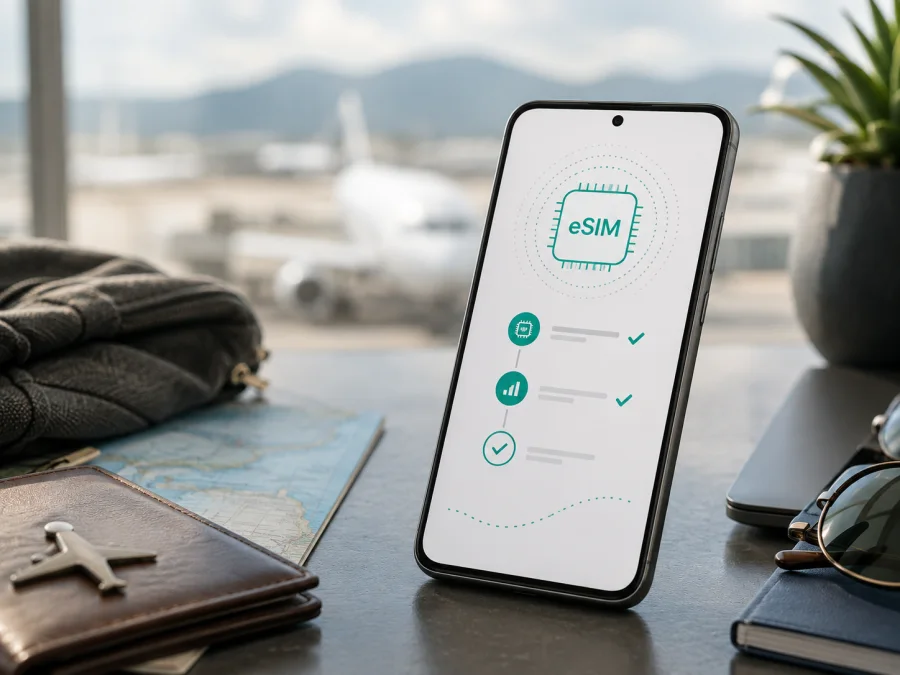
Vivo X80 Pro 512GB eSIM: compatibility and setup guide
If you are checking whether Vivo X80 Pro 512GB can use a travel eSIM, the safest answer is: do not assume that it can. Official vivo specifications for the X80 Pro 512GB configurations describe a dual nano-SIM design and 5G network support, but do not list an embedded SIM, an EID or an eSIM installation feature. Treat this variant as incompatible with an eSIM tariff unless your own phone clearly shows an EID or an option to add an eSIM.
“5G” and “dual SIM” do not automatically mean “eSIM”. A phone can use 5G data through two physical nano-SIM cards and have no eSIM hardware. The 512GB label identifies storage capacity; it does not change the SIM technology. Regional, imported and carrier-specific phones can still differ in model number, modem configuration, SIM tray, firmware and network bands, so the handset in your hands is the final check.
Quick answer for Vivo X80 Pro 512GB
The official Chinese vivo product page lists 12GB + 512GB X80 Pro configurations and specifies dual nano-SIM. The global vivo specification page describes the X80 Pro as Dual SIM Dual Standby and lists 5G bands. Regional pages describe their own SIM arrangements. The official pages reviewed do not present an EID or an eSIM download menu for the X80 Pro 512GB family. The practical conclusion is therefore: eSIM support is not officially documented for this variant.
If the phone was imported or sold with different regional firmware, verify it directly. A missing EID and Add eSIM control are strong signs that it cannot install a travel eSIM.
Specification snapshot
| Item | What is documented or must be checked |
|---|---|
| Exact variant | Vivo X80 Pro 512GB |
| Storage | 512GB; preserve this capacity when identifying the device |
| RAM | Verify the phone’s RAM in Settings or on its label |
| Mobile network | 4G LTE and 5G are listed, subject to local network and software conditions |
| Physical SIM | The Chinese 512GB information lists dual nano-SIM; other regional pages can differ |
| eSIM | Not listed in the official X80 Pro specifications reviewed |
| EID | Check on the handset; do not infer it from 5G, dual-SIM or storage |
| Buying decision | Purchase a travel eSIM only after finding EID or Add eSIM and confirming no carrier lock |
Why the region and seller matter
The name Vivo X80 Pro 512GB is not always a complete technical identifier. The Chinese version uses OriginOS-based software and lists dual nano-SIM. A global or regional version can use different software and describe its SIM tray differently. These differences do not prove that any X80 Pro 512GB has eSIM, but they do show why the market version matters.
Firmware can rename or hide settings, but an update is not a guaranteed eSIM upgrade. Check the EID and mobile-network menu, not the 5G logo or storage amount.
Check eSIM compatibility before buying
Run these checks on Wi‑Fi. They are more dependable than a seller’s short title.
1. Look for an EID
Open Settings and search for EID. Depending on the regional firmware, it may appear under About phone, Status, SIM status or another device-information screen. Inspect the mobile-network identifiers shown there.
An EID is associated with an eSIM-capable device. If it is present, that is evidence of eSIM hardware, but the regional software, carrier and tariff must still permit activation. If Settings shows only IMEI numbers and physical SIM status, do not substitute an IMEI for an EID. A QR code cannot create an EID on a physical-SIM-only phone.
2. Look for Add eSIM
Open Settings and enter Mobile network, SIM card and mobile network or a similar section. Look for Add eSIM, Add mobile plan, Download a SIM instead?, Set up eSIM or a plus sign for a new plan. Menu names depend on the vivo software and market.
The expected flow normally offers a QR-code scan or another way to download a mobile plan. Adding a second physical SIM is not the same as Add eSIM. Do not count “Dual SIM” or “SIM 1/SIM 2” as eSIM evidence.
3. Confirm model, region and lock status
Record the model number, Android version, vivo software version and physical tray layout. Ask the seller or original carrier whether the handset is unlocked. A carrier lock can block registration even when an EID is present. Used phones can also retain contract restrictions.
4. Check the travel tariff
Before checkout, verify the country or region covered, validity period, data allowance and activation rule. Check whether validity begins on installation or first connection, whether data roaming is required, whether tethering is allowed and how top-ups or balance work. These are tariff conditions, not universal features of the Vivo X80 Pro 512GB.
Check your device before choosing a plan. If there is no EID and no Add eSIM option, use a supported physical SIM or another compatible phone instead of buying a profile that cannot be installed.
What Kaspersky eSIM Store can do for a trip
Kaspersky eSIM Store is an app and website where you can select, arrange and activate an eSIM with a suitable tariff for mobile internet during an international trip. It helps you review the destination, data allowance and validity before installation. The profile and mobile service depend on the selected tariff; Kaspersky eSIM Store is not a mobile operator, network owner or provider of mobile internet.
How to install and activate an eSIM
The following procedure is conditional. On the official X80 Pro 512GB specifications reviewed here, eSIM is not documented, so installation stops if the device lacks compatible hardware or the menu is absent. Do not reset the phone or remove a working physical SIM to make an eSIM option appear.
Before starting, connect the Vivo X80 Pro 512GB to stable Wi‑Fi, charge it, keep the QR code on another screen and confirm that the plan is intended for this device. Never share a QR code publicly.
Android installation path
- Check compatibility. Confirm the EID or Add eSIM option and check that the phone is not carrier locked.
- Open mobile-network settings. Go to the vivo settings area for SIM cards and mobile networks.
- Start a new profile. Select Add eSIM or the closest mobile-plan option.
- Scan the QR code. Display it on another device and follow the download prompt. Enter manual activation details only if supplied.
- Wait for download. Keep Wi‑Fi active while the profile is added; this may take several minutes.
- Name the line. Use a label such as “Travel data” so it is not confused with the primary SIM.
- Select mobile data. Set the travel eSIM as the data line only when you are ready to use the plan.
- Set roaming if required. Enable roaming for the travel profile only if the tariff instructions require it.
- Test the line. Turn off Wi‑Fi briefly and check a simple webpage or message, confirming the correct profile uses data.
See the Android eSIM instructions for the current general installation flow.
The Vivo X80 Pro 512GB is Android, so iPhone menu names do not apply. For a second device, see the iOS eSIM instructions.
Activation timing and data selection
Some plans begin on installation and others at first network connection. Read the plan conditions before turning on mobile data. If pre-installation is allowed, install on Wi‑Fi before departure and keep the travel profile disabled until the intended start time. Abroad, select it for data, disable automatic data switching and enable roaming for that profile only if required. Registration can take several minutes.
Using mobile internet while travelling
Arrival and first connection
Install before take-off only after compatibility is confirmed and the plan permits it. At the destination, enable the travel profile, select it for data and wait for registration. Maps, transport, boarding passes, translation, banking verification, photo uploads and messaging can all use the package, so monitor balance in the relevant account.
Keeping your regular number available
If your own Vivo X80 Pro 512GB has two physical SIMs and no eSIM, a travel eSIM cannot be added to that hardware. If it does show eSIM support, you may be able to keep a primary line for calls and messages while sending data through the travel line. Dual-line behavior, SMS reception and standby depend on the handset, carrier and local network. Disable data roaming on the primary line unless you intentionally accept its charges.
Matching a plan to the route
Use a country plan for a single-country trip or a regional option for a multi-country route when available. Estimate usage: navigation and messages are usually lighter than video calls, streaming, hotspot use or automatic photo backup. Review expiry, activation window, balance, top-up, tethering and fair-use conditions. Prices, allowances and coverage arrangements can change, so use the conditions shown for the selected plan.
Troubleshooting checklist
There is no EID or Add eSIM option
Recheck the Settings search, model number and SIM tray. If the regional specification and the phone both show physical nano-SIM only, the Vivo X80 Pro 512GB should be treated as incompatible with an eSIM tariff. An update is not a guaranteed remedy. If the listing promised eSIM, contact the seller or vivo support with the model and region.
The QR code will not scan
Increase the brightness of the screen showing the code, clean the camera lens and keep the whole code visible. Use manual activation only when the plan supplies details. Do not reuse a consumed code or publish it. If Add eSIM is absent, a better QR image cannot solve the hardware limitation.
The profile is installed but there is no service
Check the destination, selected data line, airplane mode and balance. Allow several minutes for registration and enable data roaming for the travel profile if required. Enter an APN only when the tariff instructions provide one. Restart once after checking the settings.
Data uses the wrong SIM
Set the travel profile as the mobile-data line, turn off automatic data switching and disable data on the primary SIM if needed. Test with Wi‑Fi off and inspect data usage. Installing an eSIM does not automatically prevent the primary carrier from charging roaming.
The connection is slow or unstable
Check local reception, toggle airplane mode once and confirm that the plan covers the location. Review supported network modes and bands. A travel eSIM does not guarantee a specific speed or coverage level. For support, provide the model, region, time, location and error message without sharing the QR code.
The phone is locked or the plan is unsuitable
An operator lock, wrong destination, expired validity or exhausted balance cannot be fixed by scanning again. Check the order conditions and contact support; return or cancellation options depend on the plan and its usage.
FAQ
Does Vivo X80 Pro 512GB support eSIM?
Official vivo specifications reviewed for the 512GB X80 Pro family list dual nano-SIM and do not list eSIM or EID. Support should therefore be treated as not officially documented. Check your model number, EID and Add eSIM menu before buying; an imported or carrier-specific unit may differ.
Is 5G proof that eSIM will work?
No. 5G describes radio-network capability, not embedded-SIM hardware. The X80 Pro can have 5G and physical dual-SIM support without an eSIM function.
Can a QR code add eSIM to a physical-SIM-only phone?
No. It downloads a profile only when compatible eSIM hardware and system support exist. It cannot create an EID or Add eSIM menu.
Can I use a travel eSIM for calls and SMS?
Usually not. Kaspersky eSIM Store helps you select and activate eSIM tariffs for mobile internet during an international trip. A regular number, voice calls and SMS are not included unless the selected tariff expressly says so; messengers can use the data connection.
When should I install the profile?
After confirming compatibility and while connected to Wi‑Fi. If the tariff starts on installation, wait until appropriate. If pre-installation is allowed, install before departure and select it for data when you want to use it.
Can I move the eSIM to another phone?
Do not assume it. Profiles or QR codes may be limited to one installation or one device. Check the tariff conditions before deleting a profile or changing phones.
What should I give support?
First check EID, model region, line selection, destination, roaming, balance and validity. Then provide the error message and order details through the service support channel, without sharing the QR code publicly.
Conclusion: check first, then prepare the trip
For Vivo X80 Pro 512GB, official vivo specifications point to a physical dual nano-SIM design and do not document eSIM support. The exact regional handset remains decisive: look for an EID and Add eSIM, confirm that the phone is unlocked, and compare its model and firmware with the seller’s information. If those checks fail, do not purchase a travel eSIM profile for this phone; use a compatible device or physical SIM option.
If the handset passes the checks, review destination, data volume, validity, activation timing, roaming and hotspot rules before checkout. Kaspersky eSIM Store helps you select, arrange and activate a suitable eSIM tariff for mobile internet during an international trip through its app or website. Check the device first, then choose an eSIM plan that matches the journey and activate it with the correct data-line settings.


