Travel connectivity guide
Vivo X90 Pro 128GB eSIM: compatibility and setup
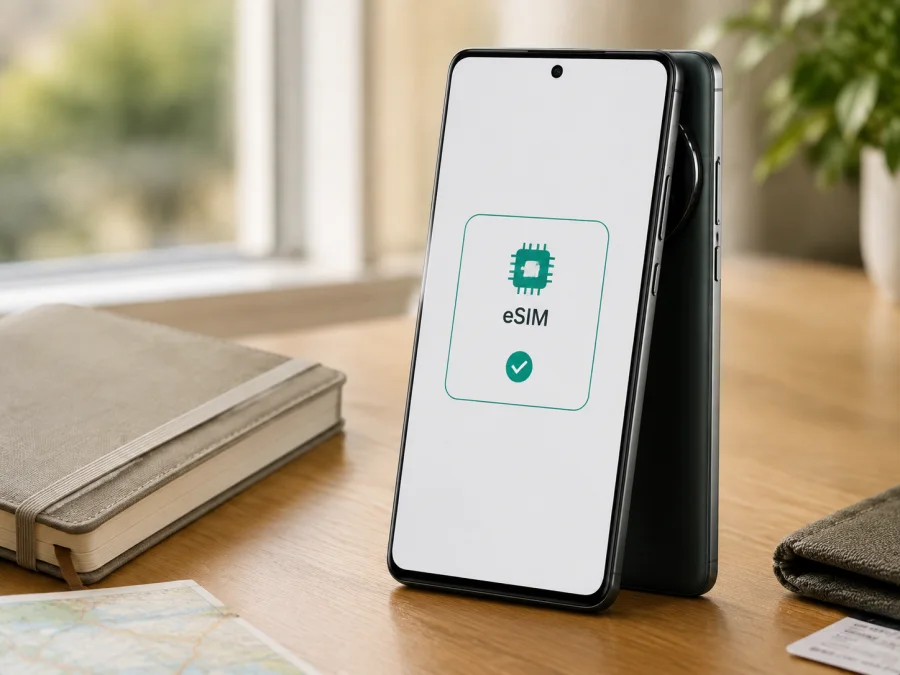
Vivo X90 Pro 128GB eSIM: compatibility and setup
If you are preparing a trip and want to use mobile data without changing your physical SIM card, the Vivo X90 Pro 128GB needs a careful compatibility check first. The important detail is not only the name printed on the box. eSIM availability can vary with the sales region, the exact model or SKU, the carrier, and the software installed on the phone.
The short answer is qualified: official vivo specifications for the X90 Pro in several markets list a configuration of two nano-SIM cards or one nano-SIM plus eSIM. That is current manufacturer evidence that the X90 Pro family can include eSIM support. It is not proof that every phone sold under the retail label Vivo X90 Pro 128GB has the same eSIM hardware or firmware. For this exact 128GB variant, the decisive check is whether the phone shows an EID and an option to add an eSIM in its own settings. If both are present, the device is ready for an eSIM profile, subject to carrier and tariff requirements.
Quick answer for Vivo X90 Pro 128GB
The requested device name is Vivo X90 Pro 128GB. Do not replace it with a shorter X90 Pro label: the 128GB storage modifier identifies the variant you need to verify. Official vivo regional pages checked for the X90 Pro describe eSIM alongside dual nano-SIM operation, but they do not make every memory/storage configuration interchangeable. Some regional pages also show a 12 GB + 256 GB configuration, which is a reminder that vivo publishes different specifications by market. A 128GB retail listing should therefore be checked by model identifier and by the phone itself.
For practical purposes, use this decision:
- If Settings contains an EID and an action such as Add eSIM, Add mobile plan, or Download a SIM, the phone has an eSIM function available in its current software configuration.
- If the phone has only two physical-SIM controls and no EID anywhere in the device information, do not assume that an update, QR code, or eSIM tariff can add the missing hardware.
- If a menu is present but adding a profile fails, investigate carrier restrictions, regional firmware, network access, and the activation conditions of the tariff.
Vivo X90 Pro 128GB: key facts to check
| Item | What to verify on your device |
|---|---|
| Exact variant | Vivo X90 Pro 128GB, including the storage label and model code shown in Settings |
| Operating system | The installed Funtouch OS or other regional software build and its latest available update |
| eSIM status | An EID and an Add eSIM or equivalent mobile-plan action |
| Physical SIM | Whether one or two nano-SIM slots are active when an eSIM is enabled |
| Mobile data | Which SIM is selected for data and whether data switching is enabled |
| Network access | Bands, carrier availability, roaming rules, and the tariff's destination coverage |
| Carrier lock | Confirmation that the phone is not restricted to another carrier |
| Travel readiness | A charged phone, internet access for installation, and the activation details for the eSIM profile |
The X90 Pro line is a 5G smartphone, but 5G capability does not by itself prove eSIM capability. Likewise, 128GB describes storage capacity; it does not identify the modem, regional firmware, or operator policy.
Does Vivo X90 Pro 128GB support eSIM?
The most accurate answer is: some regional versions of the X90 Pro support eSIM, while the exact Vivo X90 Pro 128GB unit must be verified individually. Official vivo product specifications for Europe, India, and other markets list “Dual Nano SIM or Single Nano SIM + eSIM” or an equivalent wording. The manufacturer also notes that real network functionality depends on carrier availability, infrastructure support, and the phone's software version. These statements confirm that eSIM is a supported design option for documented X90 Pro regional versions; they do not remove the regional qualification.
Regional versions can differ in radio configuration, SIM tray, firmware, and carrier provisioning. An imported phone may therefore show a different menu from a local model. Do not decide from a product photo, a generic review, or another owner's experience: check the model code, installed software, EID, and mobile-network menu on the specific phone.
The safest conclusion before purchase is conditional rather than absolute: Vivo X90 Pro 128GB may be compatible when it is a regional eSIM-enabled version, but the exact SKU is not confirmed by storage capacity alone. The presence of an EID is the strongest practical indicator. A visible eSIM menu is useful confirmation, but an EID check should come first because it is tied to the embedded SIM capability of the device.
What to check before buying an eSIM tariff
<a id="kesim-device-compatibility"></a>
Compatibility checklist
Before purchasing a data package, check your device using the checklist below. This takes less time than troubleshooting an installation after the QR code has been issued.
- Confirm that the phone is exactly Vivo X90 Pro 128GB, not a different X90, X90 Pro+, X90s, or another storage version.
- Open Settings and look for an EID under About phone, Status, SIM status, or another device-information screen.
- Open the mobile-network or SIM-management screen and look for Add eSIM, Add mobile plan, Download a SIM, or equivalent wording.
- Check the model number and region in About phone against the seller's documentation.
- Install pending system updates through normal phone settings, then check the EID and eSIM menu again.
- Confirm that the phone is not carrier-locked. A travel eSIM cannot override an operator restriction.
- Make sure Wi-Fi or another working internet connection will be available during installation.
- Read the selected plan's destination, data allowance, validity period, activation rule, and supported network requirements.
How to find the EID
The labels can differ by Funtouch OS version and market. Open Settings, choose About phone or About device, and expand Status, SIM status, or device information. Search for “EID” if the phone offers a settings search field. An EID is different from the IMEI, serial number, and physical SIM number.
If you find an EID, keep it private and open the SIM-management screen. A compatible configuration commonly shows a control for adding an eSIM or downloading a mobile plan. If both are present, take a screenshot for your own reference before you buy.
If there is no EID, restart the phone and check again after an official update. Do not rely on a hidden service menu or a third-party “eSIM checker.” If it is still absent, contact the seller or vivo support with the full model code; treat support as unconfirmed even if another X90 Pro page mentions eSIM.
How to install an eSIM on Vivo X90 Pro 128GB
Install the profile over stable internet. Installation and activation may be separate: some plans start when the profile is installed, while others start on first connection. Read the tariff conditions before scanning.
For general background, see the Android eSIM installation instructions and the iOS eSIM installation instructions. Android is the relevant guide for this phone; the iOS link can help when managing a second device.
1. Prepare the phone
Charge the phone and connect it to Wi-Fi. Keep the QR code on another screen or on paper; the Vivo phone cannot normally scan its own display. Use manual activation details only if the provider offers them.
2. Open SIM settings
Open Settings and go to mobile-network, SIM-card, or SIM-management settings. Select Add eSIM, Add mobile plan, or Downloaded SIM. The label varies by Funtouch OS build.
3. Scan or enter the profile details
Scan the supplied QR code with the whole code inside the frame. If manual details are provided, enter them exactly. Do not reuse a consumed QR code unless the provider confirms that it can be downloaded again.
4. Name the new line
Give the profile a clear label such as Travel data or the destination name so it is easy to distinguish from the primary line.
5. Choose the data line
When Android asks which SIM should handle mobile data, select the new eSIM when appropriate. Keep the physical SIM for calls or messages if needed, and turn off automatic data switching to avoid unexpected use of the other line.
6. Enable the required data settings
Confirm that the eSIM line is enabled. If required by the plan, enable data roaming for that eSIM only; do not enable roaming on the primary SIM unless you understand its charges.
7. Wait for registration
Give the phone a few minutes to register. At home, the travel profile may have no service until you reach its destination. If it should work where you are, toggle airplane mode once or restart the phone.
Using the eSIM for mobile data while travelling
Before departure, install the profile over reliable Wi-Fi, but select it for data only when the plan's activation timing allows. Keep the activation details secure.
When you land, select the travel eSIM for data. Keep the primary SIM only if needed, check roaming charges, disable data roaming on it, and enable roaming on the travel profile only when required.
Common travel scenarios include:
Data eSIM plus primary number
Set the travel eSIM as the data line and leave the physical SIM enabled for calls or messages. Review roaming charges for the primary line.
Cross-border or multi-country trip
Check that the tariff covers every country on the route. After a border crossing, allow the phone time to select a supported network.
This eSIM is for mobile internet. A data-only plan normally does not supply a conventional number, voice, or SMS unless its conditions say otherwise. Kaspersky eSIM Store is an app and website where you can choose, arrange, and activate an eSIM with a suitable travel data plan; it is not a mobile operator, network owner, or provider of the underlying coverage.
Troubleshooting common problems
There is no Add eSIM option
Check the EID first. If it is absent, the current Vivo X90 Pro 128GB configuration may not include eSIM support; verify the model code and region with the seller or vivo support. If an EID is present but the menu is missing, update official software, restart, and check for carrier or regional firmware restrictions.
The QR code will not scan
Increase the brightness of the second screen, clean the lens, and scan from the Add eSIM flow rather than the camera app. Ask whether the code was used. If manual activation is available, distinguish zero from the letter O.
The profile downloads but there is no data
Confirm that the eSIM is enabled and selected for data. Check destination and validity, enable roaming for the travel profile if required, and disable automatic switching. Toggle airplane mode or restart. Do not erase the profile unless support tells you to.
The phone shows a network but apps are offline
Check that data is assigned to the travel eSIM. Review APN settings only when the plan instructions specify them; random changes can make the problem worse. Temporarily disable a VPN or private DNS for diagnosis and test a simple webpage.
The eSIM works but the primary line loses service
Review the dual-SIM configuration. Two active lines, calls, and 5G can depend on the carrier and software. Choose the preferred line for calls, messages, and data separately, or disable the physical SIM and test again.
The device is carrier-locked
An operator lock can prevent an otherwise capable phone from accepting a travel profile; eSIM cannot bypass it. Ask the original carrier about unlocking before purchase.
FAQ
Is every Vivo X90 Pro 128GB eSIM-compatible?
No universal promise is safe. Official vivo pages list eSIM for several X90 Pro regional versions, but storage capacity does not identify the region, hardware, or software build. Confirm an EID and Add eSIM on the exact phone.
Does 5G mean that eSIM will work?
No. 5G is a mobile-network capability, while eSIM depends on embedded SIM hardware, firmware, and provisioning. A phone can support 5G and still lack eSIM in a particular market version.
Will installing the eSIM immediately start the tariff?
Not always. It may be installation, first connection, or another condition. Read the plan details before scanning, especially before departure.
Does a travel eSIM replace my phone number?
Usually not. A travel data eSIM is intended for mobile internet, not necessarily a phone number, voice calls, or SMS. Keep the primary line if needed and understand its roaming conditions.
What if the phone has an EID but the provider rejects the installation?
Check the destination, QR-code status, internet connection, and carrier lock. If the error remains, save the message and contact eSIM support without deleting the profile.
Final device check before your trip
For Vivo X90 Pro 128GB, finish this sequence before you pay for a travel data plan:
- Read the model code and region in About phone.
- Find the EID and verify that the Add eSIM control is present.
- Confirm that the phone is unlocked and its software is up to date.
- Decide whether the physical SIM should remain active for calls and messages.
- Choose a tariff whose destination, data allowance, validity, and activation conditions match the trip.
- Install, select, and test the eSIM for mobile data; review roaming before departure or arrival.
After these checks, Kaspersky eSIM Store can help you choose and arrange a suitable eSIM option for mobile internet on your overseas trip through its app or website. The final decision still belongs to the exact phone: if there is no EID or no Add eSIM option, do not purchase a plan until vivo, the seller, or the relevant carrier confirms compatibility.


