Travel connectivity guide
Vodacom eSIM in the United Republic of Tanzania
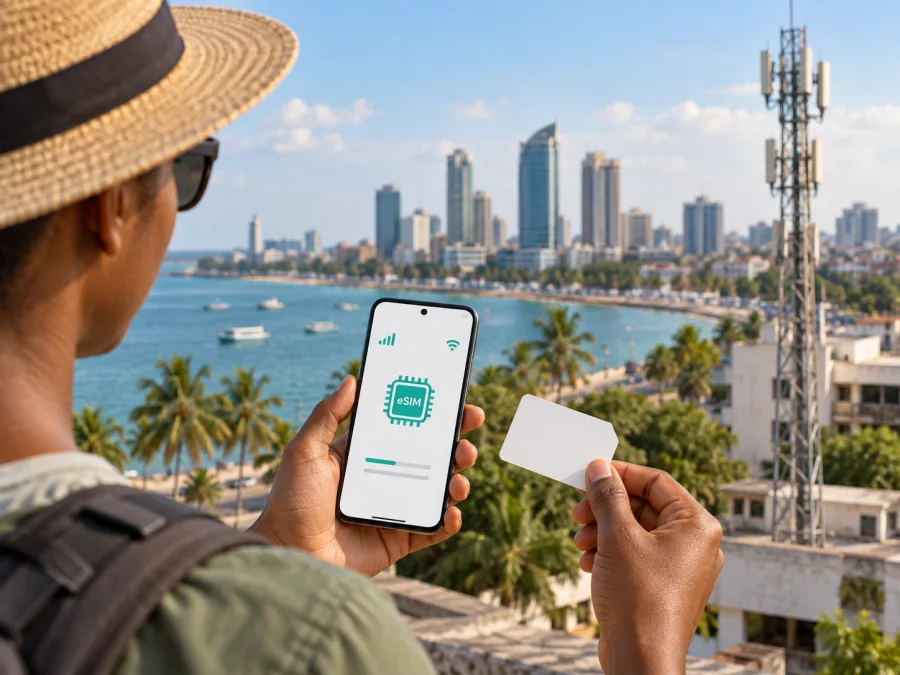
Vodacom eSIM in the United Republic of Tanzania: what travelers should know
A digital SIM lets a compatible phone use mobile service without inserting a plastic card. For a trip to the United Republic of Tanzania, Vodacom is a local option to investigate: the company has publicly announced eSIM for its Tanzanian customers, and it provides an eSIM registration app. The details matter, however. A visitor may need to complete local SIM registration, an eSIM profile must be installed on a supported device, and the connection depends on the network available where they travel.
This guide explains what public information confirms about Vodacom eSIM, what a visitor should prepare, and how to think about a local connection alongside a travel eSIM. Availability, eligibility, and procedures can change, so confirm current requirements with Vodacom before relying on a specific activation route.
Vodacom and mobile service in Tanzania
Vodacom Tanzania PLC is a mobile communications company in the United Republic of Tanzania, offering mobile voice and data along with other digital services. Its annual integrated report describes a substantial prepaid customer base and a mobile data network, placing the company among the country’s established operators with local support and retail channels. (Vodacom Tanzania PLC, Annual Integrated Report 2024, checked 25 September 2026.)
Vodacom introduced eSIM in Tanzania in a public launch announcement in 2023. It described eSIM as a digital SIM without a printed card, advised customers to check their phone for an EID, and directed customers to Vodacom stores to connect. The current Google Play listing for Vodacom’s eSIM app identifies Vodacom Tanzania PLC as the developer and describes an onboarding process for its customers, with registration instructions added in a later update. These public sources confirm Vodacom eSIM is available in Tanzania, though exact steps and eligibility should be checked with the operator. (Vodacom Tanzania, eSIM launch announcement, 1 September 2023; Google Play, Vodacom e-SIM, checked 25 September 2026.)
A local line may suit a traveler who needs a Tanzanian number; a travel eSIM may suit someone whose main need is mobile data. The choice depends on identity requirements and itinerary. The launch announcement and app listing do not answer every question about new-number registration, remote setup, or conversion of an existing line, so ask Vodacom which process applies to you.
Is Vodacom eSIM an option for visitors?
Vodacom confirms eSIM availability generally, but visitors must also meet local SIM-registration rules. Its SIM-registration privacy supplement says registration is mandatory before activation. It instructs visitors staying in Tanzania for less than six months to present a passport at a Vodacom shop or registration agent, and describes fingerprint capture and verification against a government database. It distinguishes short-stay visitors from foreigners staying longer, so confirm which category and documents apply to your circumstances. (Vodacom Tanzania, SIM Card Registration – Privacy Supplement, checked 25 September 2026.)
A separate Vodacom-hosted customer document refers to passport and, for visitors who need one, valid visa documentation. Requirements can depend on immigration status and current regulation. Confirm the latest list with Vodacom or an authorised registration agent before visiting, and do not assume that downloading or installing an eSIM profile completes identity registration. (Vodacom Tanzania, Types of Subscribers at Vodacom Tanzania PLC, checked 25 September 2026.)
Public sources do not clearly establish that every international visitor can obtain a new Vodacom eSIM remotely or complete biometric registration in-app. A compatible phone may still require a local identity check. Ask whether you need an existing Vodacom account, which locations process eSIM, what documents to bring, and whether your passport and travel status meet current rules.
What is confirmed about activation?
Vodacom’s launch announcement recommends checking that the phone reports an EID and directs customers to a Vodacom store to connect. On many phones, dialling *#06# displays device identifiers; Vodacom specifically points to the EID as a way to check eSIM capability. Its eSIM app listing also describes onboarding and registration instructions. These are useful starting points, not a guarantee that all customers can use the same activation route.
Before travelling:
- Check the handset. Confirm that the exact model and regional variant support eSIM. Check the device settings or manufacturer support information for an EID. A carrier-locked phone may not accept another operator’s profile.
- Ask Vodacom about eligibility. Confirm whether you need an existing number, whether the app is available for your device, and whether an in-person visit is required.
- Prepare visitor documents. Follow the current biometric registration instructions and confirm whether your passport and visa documents are sufficient for your status.
- Follow operator instructions. Complete registration and onboarding through the channel Vodacom specifies. Ask how to recover the profile before deleting or resetting a working eSIM.
- Test the line. Once active, check that it appears in cellular settings and select the intended line for mobile data. Keep confirmation details accessible.
The public information reviewed does not explain the current remote process for a new visitor, whether every activation uses a QR code, whether a physical SIM can be converted in-app, or how a lost profile is replaced. Ask Vodacom for instructions matching your account and exact device rather than relying on a generic eSIM guide.
Check coverage against your itinerary
Vodacom’s 2024 annual integrated report describes its mobile data network as having 4G coverage across the country and 5G in strategic locations. This is a company description for the report period, not a guarantee for every address or road. Vodacom’s current 5G availability page provides a location checker, so check service area by area. Buildings, terrain, congestion, device bands, and temporary network conditions can affect reception at a particular place. (Vodacom Tanzania PLC, Annual Integrated Report 2024 and 5G availability page, checked 25 September 2026.)
Check the airport, accommodation, towns, and longer road segments on your itinerary. Ask about rural areas if the checker lacks detail, and save maps and key contact information for offline use.
eSIM describes how a subscriber profile is stored and provisioned; it does not determine whether a location has 4G or 5G reception. The phone must support the relevant network bands and technology, and the operator must have service in that location. The report does not establish 5G service in every city or tourist destination. Travelers moving between urban and remote areas should plan for changes in availability rather than treating a national coverage description as a street-level promise.
Local operator service or travel eSIM?
A local Vodacom line and a travel eSIM address different needs. A locally registered line may suit someone who wants a Tanzanian number, local calls, or services that expect a domestic subscriber. Registration and an in-country visit may be required. Vodacom’s report confirms prepaid service as part of its local business; ask the operator about availability and conditions for your situation without assuming that every customer has the same options.
A travel eSIM is arranged around travel connectivity. Kaspersky eSIM Store is a website and app that helps travelers choose, arrange, and activate an eSIM with a plan for mobile internet abroad. It is not a mobile operator, network owner, or provider of the radio connection; service details depend on the chosen plan and local telecommunications provider. Its Tanzania destination page identifies local providers including Vodacom for some travel connectivity. That does not create a direct Vodacom customer account, and a data-focused travel eSIM should not be assumed to include a Tanzanian phone number or ordinary calls and texts. (Kaspersky official announcement and Kaspersky eSIM Store Tanzania page, checked 25 September 2026.)
To explore travel data for the destination, view eSIM options for the United Republic of Tanzania. Check device compatibility and the service description first. The best fit depends on whether you need data only, a local number, local registration, or a mix of those needs.
| What you need | Local Vodacom eSIM | Travel eSIM |
|---|---|---|
| Connection | Local subscriber line | Travel-focused eSIM service |
| Registration | Local SIM rules apply | Provider purchase and activation rules apply |
| Local number | Confirm with Vodacom | Do not assume; check the description |
| Main check | Eligibility, device, coverage | Compatibility, service type, coverage |
This table compares general service types, not specific plans. A visitor may keep a home SIM for calls while using another line for data if the handset supports that setup. Check how your device handles multiple active lines before departure.
Before you arrive: a traveler checklist
- Confirm the exact phone model is unlocked and supports eSIM; check its EID and manufacturer guidance.
- Ask Vodacom which registration route applies to a visitor, whether you need to visit a shop, and what documents your immigration status requires.
- If you plan to use Vodacom’s eSIM app, confirm it installs and ask whether your account is eligible for app onboarding.
- Save support and activation information somewhere accessible offline. Keep maps, booking details, and key contacts on the device.
- Decide which line should handle data and calls. Turn off roaming for a home line if you do not intend to use it.
- Ask about profile recovery before deleting or transferring an active eSIM.
These checks apply to local and travel eSIMs, but registration requirements differ. Confirm device compatibility and service eligibility separately.
Installing a travel eSIM on your phone
A travel eSIM may be installed by scanning a QR code or following an in-app flow, depending on the provider and device. The general sequence is to connect to Wi-Fi, open the provider’s instructions, add the eSIM in cellular settings, and label the line so it is easy to identify. Read the service rules: downloading a profile and beginning usage may be separate events, depending on the provider.
After installation, select the intended line for mobile data. Keep the home number available for calls or messages if your phone permits it. Some devices require data roaming to be enabled for the travel line; follow the instructions for that specific profile. Menu names differ by model and software version, so use current on-device prompts. Avoid sharing an installation QR code because it may contain information needed to download the profile.
Kaspersky eSIM Store offers device compatibility information at #kesim-device-compatibility. If data does not work, check that the profile is enabled, the correct data line is selected, airplane mode is off, and the phone has been restarted. Confirm that the service is active and that there is coverage where you are. Contact the provider if the problem remains; do not delete the profile as the first troubleshooting step.
Common questions
Can I get a Vodacom eSIM in Tanzania?
Vodacom has announced eSIM in Tanzania, and its current app listing describes onboarding. This confirms the service exists, but not that every visitor can complete setup remotely. Confirm your eligibility with Vodacom.
What should a visitor bring?
Vodacom’s registration supplement says short-stay visitors should bring a passport to a shop or registration agent and describes biometric verification. Check the current document list for your immigration status before visiting.
Can I activate before landing?
Public sources reviewed do not clearly confirm remote activation for a new international visitor. Ask Vodacom whether in-person registration is required.
Does eSIM change coverage?
No. eSIM provisions the profile; reception still depends on the network, location, device, and local conditions. Check current coverage for your route.
Will a travel eSIM give me a Vodacom number?
Do not assume so. Travel eSIMs may provide data only. Ask Vodacom about a local number if needed.
What if my phone has no EID?
Check the exact model and regional variant with the manufacturer. The device may not support eSIM.
A practical way to stay connected
Vodacom is a local option for travelers considering an eSIM in the United Republic of Tanzania. Its public launch material confirms the service, its current app listing describes onboarding, and its registration guidance shows that visitor identity checks matter. Verify device support, ask the operator which registration path applies to you, prepare the required documents, and check coverage against your itinerary.
For travel data arranged around a trip, Kaspersky eSIM Store is a website and app that helps you choose, arrange, and activate a travel eSIM. It is not affiliated with Vodacom and is not itself a mobile operator or network provider. Check the type of service you need and confirm current conditions with the relevant provider before travelling.


