Travel connectivity guide
Vodafone AU eSIM in Australia: what to check
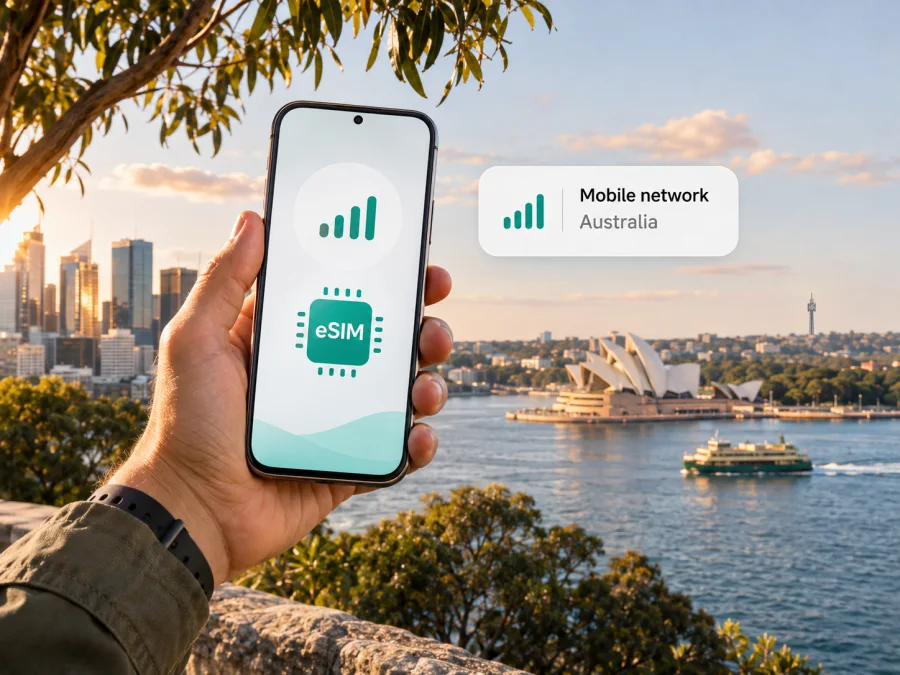
Vodafone AU eSIM in Australia: what travellers should know
If you are travelling to Australia and considering a Vodafone AU eSIM, the first step is to separate three questions: whether Vodafone Australia can issue an eSIM for the service you want, whether your exact phone variant supports it, and whether the network has coverage along your route. Vodafone Australia's current Prepaid activation page includes eSIM as an activation option and asks customers to have their eSIM details and a valid form of ID ready. Vodafone's device help also provides model-specific eSIM setup instructions. These sources confirm that eSIM is part of the operator's Australian service flow, but they do not mean that every phone, visitor document or purchase route will be eligible.
This guide focuses on what a traveller should verify before choosing Vodafone AU in Australia, how activation may work, and what to do if you need mobile data without taking on a local mobile service. Information below was checked against Vodafone Australia and Kaspersky eSIM Store public pages on 3 November 2026. Vodafone AU is used here as the requested operator name; Vodafone Australia's official pages generally use the name Vodafone Australia. This independent article is not affiliated with, endorsed by or sponsored by Vodafone Australia.
Vodafone AU and the Australian mobile market
Vodafone Australia is a mobile network operator serving customers in Australia. Its public information covers mobile services, prepaid activation, device support and a coverage checker. Vodafone AU may be worth investigating if you need a local service or number, or expect to stay beyond a short visit. Eligibility, handset support, route and current service conditions all matter.
Vodafone's public pages discuss 4G and 5G availability and let you check coverage by device and place. A map is a prediction, not a promise of reception at every address; terrain, buildings, device capability and local conditions can affect service. Vodafone Australia offers prepaid and other mobile service routes. Plan conditions change, so check the current terms directly, particularly if you are visiting Australia.
Is a Vodafone AU eSIM available in Australia?
Yes. Vodafone Australia's Prepaid activation page explicitly refers to a new SIM card or eSIM, tells customers to find the activation key in a SIM starter pack or eSIM email, and asks them to have valid identification ready. Vodafone's device help pages describe eSIM activation for supported phones. Together, these current official pages confirm that Vodafone Australia supports eSIM in relevant service flows, including Prepaid activation.
This does not guarantee compatibility with every phone. Vodafone's setup guides are model-specific, and regional versions with the same retail name can differ. Check your exact model code, eSIM support and carrier-lock status, then ask Vodafone whether that version can be activated on your chosen service.
Vodafone's Prepaid flow calls for valid ID. Do not assume that a passport, foreign address, visa or overseas payment method will satisfy registration. Ask what documents are accepted for visitors and whether identity checks can be completed online or in person; the public page does not settle every traveller's eligibility.
How Vodafone AU eSIM activation may work
Activation steps depend on the service and phone. Vodafone's current Prepaid page says to prepare the eSIM details and activation key provided in the eSIM email, and to follow the online activation flow. Vodafone's device guides show a QR-based path for selected phone models: connect the phone to the internet or Wi-Fi, open the mobile-service settings, add an eSIM, scan the QR code if that is the method supplied, then follow the on-screen prompts. The precise labels and delivery method can differ by model and activation channel, so use the instructions supplied for your own service rather than treating one device guide as universal.
A practical sequence is:
- Check the phone. Confirm eSIM support for the exact regional variant and that the device is unlocked where required.
- Confirm eligibility. Ask Vodafone which service routes and identity documents are accepted for a visitor.
- Complete activation. Use Vodafone's current process and keep the activation key or QR code private.
- Get online and add the profile. Installation may require Wi-Fi; follow the method provided for your device.
- Test the connection. Check that the profile is enabled and working before relying on it; contact Vodafone before deleting it if setup fails.
Before changing phones, resetting your device or removing the profile, check Vodafone's current transfer and replacement rules. An eSIM may not move like a physical SIM, and removal can require a new activation process.
Prepaid, visitor eligibility and local service
A local prepaid service may suit you if you need an Australian number, expect a longer stay or want an account with a local operator. Calls, messages, data, validity and top-up conditions depend on the service you choose.
For visitors, confirm that your documents and circumstances fit the sign-up process. Ask whether eSIM is available for a new customer or only for converting an existing service, whether verification is online or in person, and what conditions apply to your intended service. Vodafone's public page confirms eSIM activation and an ID step but does not answer every visitor-specific question. If you already have a Vodafone Australia service, check its separate conversion or replacement process.
Coverage and mobile technology across Australia
Australia is geographically large, and coverage varies. Use Vodafone Australia's checker for your accommodation, airport, stops and routes, including regional areas rather than only city centres. The checker lets you search by device and location and warns that predicted coverage can differ from actual reception because of terrain, buildings, distance from a site and indoor conditions.
Vodafone's public materials refer to 4G and 5G where available. Access depends on location, device compatibility and service conditions. A 5G-capable phone will not have 5G everywhere; local conditions and network demand can also affect performance. Treat coverage maps as planning tools, not guarantees. Save maps and essential travel information for offline use if you will rely on data for navigation or work.
Vodafone AU local eSIM or a travel eSIM?
A local Vodafone Australia eSIM may fit if you need a local number or longer-term local service and meet its registration requirements. A travel eSIM may suit a defined trip where data is the priority and you want to prepare before departure. Check each travel option's destination, network, data, tethering and validity conditions. Neither type works on every phone: confirm device support and installation requirements first.
If you want to review the Kaspersky eSIM Store option for the destination, explore eSIM options for Australia. This page is for checking the currently presented destination options; it is not a Vodafone AU tariff page and does not mean Vodafone supplies or endorses the travel eSIM. Kaspersky eSIM Store is an app and website that helps travellers choose, arrange and activate an eSIM with a suitable plan for mobile internet abroad. It is not a mobile network operator, network owner or mobile internet provider.
This distinction matters if you need voice calls or SMS. A travel data eSIM may be designed for internet access rather than an ordinary Australian telephone number or standard calling and messaging. If calls and texts are important, keep your primary SIM active if your provider allows it, check roaming conditions, or use internet-based calling and messaging where appropriate. Review the exact travel eSIM terms rather than assuming that every destination option includes the same features.
Before you choose Vodafone AU for a trip
Before choosing a local service, confirm:
- coverage at your stops and along your route;
- eSIM support for your exact, unlocked phone variant;
- visitor ID and activation requirements;
- current service conditions and whether they match your needs;
- access to Wi-Fi for installation and a fallback for essential travel details.
Also choose which SIM handles data, calls and messages, and check roaming settings with your home provider to avoid unexpected charges.
If you are unsure whether an eSIM profile is installed correctly, check the phone's SIM settings first. Make sure the intended line is switched on, selected for mobile data and allowed to connect to the relevant network. Data roaming settings can be necessary for some travel eSIMs, but do not enable roaming on your home line without checking its terms. Settings vary by device and provider, so follow the instructions for the profile you are actually using.
Install a travel eSIM before or after arrival
For a travel eSIM selected through Kaspersky eSIM Store, begin by checking the destination option and your device's compatibility. Use the service's current installation instructions for iOS or Android, and review the device compatibility information. Install only while you have a reliable internet connection and keep the activation details available until the profile is working.
A typical installation includes opening the device's mobile network settings, adding an eSIM, then scanning a QR code or following the in-app installation flow if offered. Once the profile is installed, label it clearly so you can distinguish it from your home SIM. Set the travel eSIM as the mobile data line only when you want it to carry data. Keep the home line's voice and messaging settings as needed, and check the roaming options for each line separately.
You can install before departure and wait to use the profile until the trip, or install after arrival if the service instructions allow that and you have internet access. Check when the plan's validity begins; it may start at a specific activation event rather than when you first browse. Do not assume that installing a profile and starting its data period are the same event. If the provider gives a specific start instruction, follow it.
If the profile installs but data does not work, check that the eSIM is enabled, the correct line is selected for mobile data and any required data roaming setting is enabled for that profile. Restart the phone if the instructions recommend it, then check coverage and local network status. Avoid repeatedly deleting and reinstalling the eSIM: reinstallation may require a new code or support intervention.
Common questions about Vodafone AU eSIM
Can a tourist activate a Vodafone AU eSIM?
Possibly, but confirm the current eligibility rules before relying on it. Vodafone Australia's Prepaid activation page lists eSIM as an option and requires valid identification. It does not establish that every visitor document or overseas customer profile will pass verification. Ask Vodafone what it accepts for your circumstances.
Does Vodafone Australia support eSIM on every phone?
No. eSIM support depends on the exact model and regional variant, and the phone may also need to be unlocked. Vodafone's device help provides model-specific setup guidance. Check the manufacturer's information and Vodafone's current supported-device instructions for your precise handset.
Is a QR code always used to activate the Vodafone eSIM?
Not necessarily. Vodafone's Prepaid flow refers to eSIM details and an activation key sent by email, while its selected device guides describe scanning a QR code. The method can depend on the product, device and activation route. Follow the instructions sent for your order.
Will Vodafone coverage be available everywhere in Australia?
No mobile coverage map can guarantee service at every point. Vodafone Australia's checker is a location-based estimate, and the operator notes that terrain, buildings, device characteristics and other local factors can affect actual reception. Check your route and keep offline information for areas where connection matters.
Can I keep my usual SIM active while using an eSIM?
Many phones support more than one SIM profile, but the available combinations vary by model and regional variant. Check your device's dual-SIM capabilities. You can usually choose which line handles mobile data, but calls, messages and roaming charges depend on the settings and terms of each service.
Is a travel eSIM the same as a Vodafone AU eSIM?
No. Vodafone AU eSIM refers to a Vodafone Australia mobile service profile. A travel eSIM is a separate travel-oriented service selected for mobile internet abroad. Check the provider, destination, features, compatibility and activation conditions for the particular eSIM you are considering.
Does Kaspersky eSIM Store provide Vodafone's network?
No. Kaspersky eSIM Store is an app and website for choosing, arranging and activating eSIM plans for mobile internet during international travel. It does not own Vodafone Australia's network, operate as a mobile carrier or supply mobile internet itself. The Australia destination page is a place to review available travel options, not a Vodafone tariff listing.
A practical decision
Vodafone AU eSIM is a relevant option to investigate in Australia because Vodafone Australia's current Prepaid activation flow includes eSIM and its device help explains supported setup routes. Before choosing it, confirm your exact handset variant, visitor identification eligibility, service type and coverage for the places you will visit. The official pages reviewed on 3 November 2026 support those general points; they do not guarantee that a particular traveller, document, phone or address will qualify or connect.
If you need a local Australian service or number, ask Vodafone directly about the current sign-up path and service conditions. If your priority is mobile data for a trip and a local number is not essential, compare the travel eSIM conditions available for Australia and check that your device supports them. Kaspersky eSIM Store can help you review the destination options and prepare a travel eSIM, while Vodafone Australia remains the source for Vodafone service eligibility, activation and network coverage.


