Travel connectivity guide
Vodafone eSIM in Fiji: visitor guide
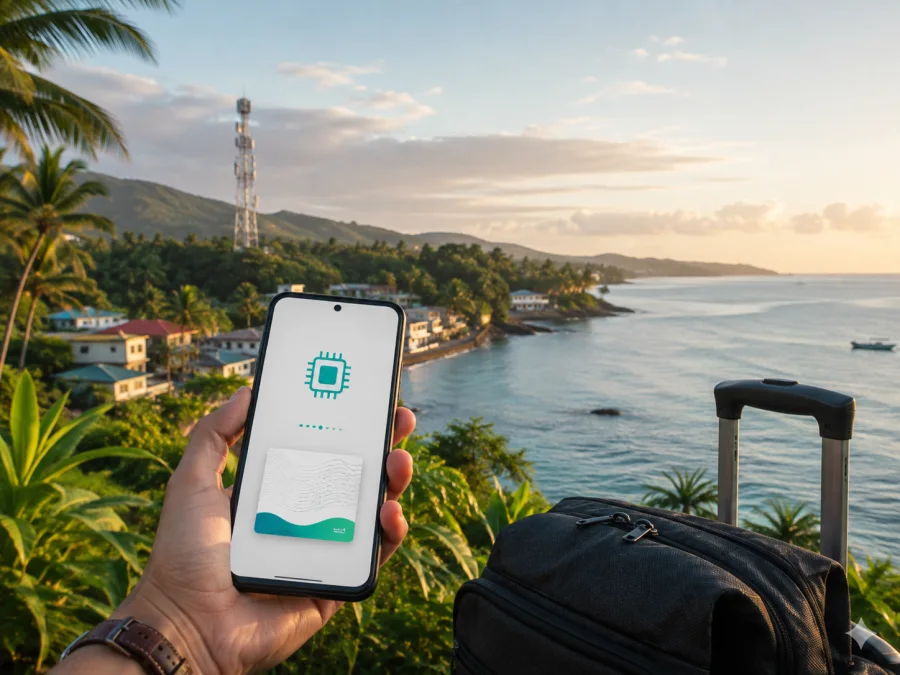
Vodafone eSIM in Fiji: what travellers should check
Information checked 7 September 2026.
If you are travelling to Fiji and need mobile internet without replacing a physical SIM, Vodafone eSIM is a local option to investigate. Vodafone is a consumer mobile operator in Fiji and publishes dedicated information for visitors, prepaid customers, eSIM, mobile internet, and 5G. Vodafone publishes a visitor eSIM route and separate general guidance for compatible devices and existing customers. Your choice depends on the phone you use, the places on your itinerary, whether you need a local mobile service, and how much you want to arrange before departure.
This guide summarises Vodafone’s current public information without reproducing a tariff catalogue. It covers availability, registration, installation, activation, compatibility, technologies, and coverage. Conditions can change, so confirm the final instructions on the current Vodafone Fiji pages before registration or travel.
Kaspersky eSIM Store is a separate travel-data option mentioned for comparison of service types. It is an app and website that helps users choose, arrange, and activate an eSIM for an international trip. It is not Vodafone, does not own Vodafone’s network, and is not a replacement for every local service.
Is Vodafone eSIM available to visitors in Fiji?
Yes. On 7 September 2026, Vodafone Fiji’s official Tourist eSIM FAQs described an eSIM for visitors travelling to Fiji, first-time or returning Vodafone customers, and people with an eSIM-compatible smartphone. The page describes a digital SIM for mobile data in Fiji and says installation uses a QR code. Vodafone’s general eSIM FAQ also confirms support for compatible smartphones and tablets.
The visitor page describes account creation through the Vodafone app or website with an email address or Google account. It asks for travel details such as arrival date and accommodation, followed by verification and payment. The same page says that uploading a passport and taking a selfie are legal identity-verification steps for that service.
Vodafone also publishes a tourist SIM offer for arrivals at its Nadi Airport outlet. Its official page says tourists can obtain tourist offers on arrival and should present a valid physical passport for registration and collection. It refers generally to other prepaid packages at the outlet. This confirms general availability of prepaid and tourist connectivity, but not that a particular offer or process will remain unchanged.
The official pages describe different activation routes. The Tourist eSIM FAQ says a booking can be made before travel and describes activation scheduled for the night before arrival; for customers already in Fiji, it describes activation after payment. The general eSIM FAQ says eSIM activations are done at Vodafone retail outlets and authorised partners. This may reflect different products, so do not assume that every Vodafone eSIM is fully online.
Before choosing, confirm:
- your device supports eSIM and is not locked to another operator;
- you need either a local service or mainly mobile data;
- the selected route’s passport and identity requirements;
- the arrival and accommodation details requested by the visitor flow;
- access to the email account used for registration;
- Wi-Fi or another connection for installation;
- coverage along your actual route;
- whether the service is ordered online or through a Vodafone outlet or authorised partner.
How to order, install, and activate Vodafone eSIM
The visitor flow can be prepared before departure. Create or access a Vodafone account, enter the requested travel information, and complete verification and payment. Keep the account accessible while travelling. The current FAQ says the visitor eSIM can be booked before arrival, but check the activation message for your own order.
When the profile is ready, open My eSIM in the app. Vodafone’s instructions say to display the QR code, scan it, and follow the phone’s on-screen steps. If your phone cannot scan a code shown on its own screen, display it on another screen. Use the current code and instructions associated with your account.
Installation requires internet access. Vodafone says Wi-Fi or roaming data may be needed to install the eSIM. Installing it while you have reliable Wi-Fi can reduce the risk of arriving without access to the account or QR code. You can leave the profile installed but select it for mobile data only when you are ready to use it.
Installation checklist
- Check compatibility. Confirm eSIM support, network-unlock status, and the regional model.
- Open mobile settings. Select the option for adding an eSIM or mobile plan.
- Display the QR code. Open it in your Vodafone account or My eSIM area.
- Scan the code. Follow the installation steps and wait for the profile to download.
- Name the line. Label it “Fiji” so it is easy to identify.
- Select mobile data. Choose the Vodafone eSIM when you want to connect.
- Review roaming. Follow the eSIM instructions; some devices require roaming for the travel line.
- Test data. Turn off Wi-Fi briefly and test in a location where Vodafone service is expected.
For a visitor booking made before travel, Vodafone describes activation on the night before arrival. For someone already in Fiji, it describes activation after payment. Treat this as the current visitor-flow description, not a guarantee for every Vodafone product. If your home SIM stays active, set the Fiji eSIM as the data line and review roaming on the home line.
Requirements and restrictions
Vodafone’s general eSIM information says a device purchased from another operator or overseas must be network-unlocked and compatible with Vodafone Fiji’s network bands. Regional versions of one phone model can differ, so an eSIM menu alone does not prove compatibility.
Vodafone identifies these frequencies in its general eSIM FAQ: 2G at 900 MHz, 3G at 2100 MHz, and 4G at 1800 MHz. They are useful when checking device specifications, but current Vodafone confirmation is still important. Firmware, model region, radio support, and service settings can also affect use.
Identity requirements depend on the route. The online Tourist eSIM FAQ states that passport upload and a selfie are used for legal identity verification. The airport tourist SIM page asks for a valid physical passport for registration and collection. Follow the requirement attached to your chosen service.
The eSIM profile must be downloaded over Wi-Fi or another working data connection. A locked phone, incompatible regional model, or device that cannot scan the required QR code may not complete the process. Vodafone’s general FAQ says that a removed or deactivated profile cannot be reused and that a new profile or physical SIM may be required. Do not delete it while troubleshooting unless Vodafone instructs you to.
A profile is not automatically transferable to another phone. Vodafone says a new device needs a new profile, with the number reprogrammed where the service supports that process. Check the current procedure before resetting or replacing a phone.
Reference table: practical checks
| Item | Why it matters | What to confirm |
|---|---|---|
| eSIM support | The device must accept a digital profile | Device settings and Vodafone guidance |
| Network unlock | A carrier lock can prevent use | The original seller or home operator |
| Model and bands | Regional hardware can differ | Device specifications and Vodafone information |
| Identity | Visitor and airport routes may require a passport | The selected Vodafone process |
| Installation connection | The profile must be downloaded | Wi-Fi or other working data |
| Itinerary coverage | Remote locations may differ from towns | Vodafone’s current coverage information |
Coverage and supported technologies in Fiji
Vodafone’s public pages describe 4G and 5G services in Fiji. Its 5G information says the service is available in selected areas and is expanding. The locations listed on the public 5G page include parts of the Suva, Nasinu, Nausori, Sigatoka, Nadi, Lautoka, and Ba regions. A listed region is not a guarantee of service at every address, road, building, or resort.
Vodafone says 5G use requires a compatible device, current software where a manufacturer update is needed, a suitable 5G-enabled service, a 5G coverage area, and the correct network mode. It also says an existing eSIM profile can continue to be used for 5G, so a separate SIM replacement is not necessarily required. Actual access depends on the device, location, terrain, indoor construction, congestion, maintenance, and active service.
Outside a 5G area, Vodafone says the device can continue on 4G. The Tourist eSIM FAQ adds the most useful travel qualification: coverage is available in major towns and tourist areas, while some remote locations may have limited signal. Plan differently for Suva or a resort area than for an outer island, rural road, boat excursion, or remote accommodation.
Before leaving a connected area, download maps, reservations, tickets, and other essential information. Check Vodafone’s current coverage information for specific places on your route. Network technology is not a quality guarantee: 5G may be limited to selected areas, and 4G performance can vary with conditions.
Local Vodafone eSIM or a travel eSIM?
A local Vodafone eSIM can suit a visitor who wants to follow Vodafone Fiji’s local registration path or use a service associated with the local operator. It may involve online identity verification, an airport process, a retail outlet, or another route shown by Vodafone. Do not assume that a local number, voice calls, or SMS are included unless the current terms say so.
A travel eSIM is a separate category, normally arranged through an app or website for mobile data in a destination. It may be convenient to prepare online, but it can be data-only and may not provide a local number or ordinary calls and SMS. Coverage depends on the local provider arrangement and the device’s connection to the network.
Kaspersky eSIM Store is an app and website that helps users choose, arrange, and activate an eSIM with a data plan for an international trip. Its current Fiji page presents a destination flow, a compatibility check, QR-code or in-app installation guidance, and balance management in the app. The page describes the travel eSIM as data-only, so use internet messengers for calls or messages and do not assume a regular phone number.
A traveller who wants Vodafone Fiji’s local service can follow Vodafone’s visitor or retail instructions. Someone who mainly needs mobile data and prefers a digital travel setup can review the Fiji option in Kaspersky eSIM Store. Kaspersky eSIM Store is not a mobile operator, does not own Vodafone’s network, does not independently provide network coverage, and is not Vodafone Fiji’s official partner or distributor.
After checking your phone and route, you can choose an eSIM plan for Fiji in Kaspersky eSIM Store. Read the conditions displayed at selection, confirm the activation method, and make sure the data-only format fits your trip. This is a travel alternative, not a statement that Kaspersky eSIM Store and Vodafone Fiji have identical services or terms.
Frequently asked questions
Is Vodafone eSIM available to tourists in Fiji?
Yes. Vodafone’s current Tourist eSIM FAQ describes a visitor eSIM for travellers, subject to a compatible smartphone and the required registration and verification. Vodafone also publishes a separate tourist SIM route.
Can I arrange Vodafone tourist eSIM before arrival?
Yes. The visitor FAQ describes booking before travel and activation scheduled before arrival. It also describes a route for customers already in Fiji. Check the activation message and terms for your order.
Do I need a passport?
For the online visitor process, Vodafone says a passport upload and selfie are used for legal identity verification. The airport tourist SIM information asks for a valid physical passport. Requirements can differ by route.
Does Vodafone eSIM work everywhere in Fiji?
It works in available coverage areas. Vodafone says major towns and tourist areas have coverage, while some remote locations may have limited signal. Check the specific route, especially for outer islands and rural accommodation.
Does Vodafone eSIM require 5G?
No. Vodafone publishes 2G, 3G, and 4G compatibility information and describes 5G in selected areas. 5G needs a compatible, updated device, a suitable service, the right network mode, and 5G coverage. Where 5G is unavailable, 4G may be used.
Final note
Vodafone’s official eSIM, Tourist eSIM, tourist SIM, mobile internet, and 5G pages were checked on 7 September 2026. Their requirements, activation steps, supported technologies, coverage descriptions, and visitor conditions may change. Confirm current details with Vodafone Fiji before registration or purchase. Kaspersky eSIM Store’s Fiji page was checked on the same date; review its current compatibility, activation, data, and support conditions before choosing a travel eSIM.
Vodafone and Vodafone Fiji are names and trademarks of their respective rights holders. Kaspersky eSIM Store is not affiliated with Vodafone Fiji and is not its official partner or distributor. References are informational and do not imply endorsement.
Before you travel, confirm compatibility, identity requirements, installation access, the correct mobile-data line, and coverage along your route. If you have decided which connection fits your route, you can review the Fiji eSIM option and complete the compatibility check.


