Travel connectivity guide
Vodafone eSIM in the Netherlands: what to know
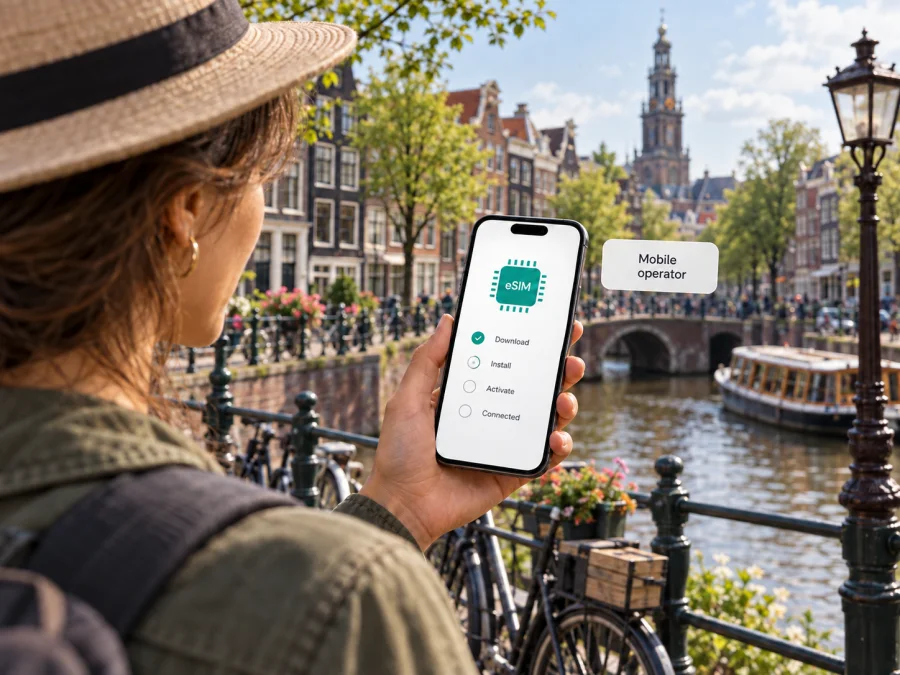
Vodafone eSIM in the Netherlands: activation, coverage and travel options
Planning a trip to the Netherlands and considering Vodafone eSIM? The main questions are whether your exact phone model supports eSIM, how a visitor can obtain a profile, and what activation steps apply to the connection you choose. Vodafone’s Dutch support pages confirm eSIM for both its mobile subscriptions and Vodafone Prepaid. The ordering process can differ between a new subscription, an existing customer changing SIM type, and prepaid service, so check the current instructions before you travel.
This guide covers setup, device and coverage checks, and the general difference between local prepaid and a travel eSIM. Vodafone Netherlands’ eSIM, prepaid, network and getting-started pages, plus Kaspersky’s official travel eSIM information, were checked on 27 September 2026. Confirm current conditions with the relevant provider.
Vodafone mobile service in the Netherlands
Vodafone serves mobile customers in the Netherlands and offers ongoing subscriptions and prepaid service. Its Dutch website provides online account and app tools. For a visitor, a local Vodafone connection may be relevant if a Dutch number or a direct local operator relationship is important; the practical setup depends on the customer route and current terms.
Do not assume every offer shown to residents can be ordered from abroad in the same way. Vodafone says prepaid SIMs can be ordered online or obtained at a shop. Its eSIM instructions describe voucher and shop routes for some prepaid SIM changes. Ask whether a new customer can order the specific eSIM you need, whether a voucher is delivered physically, and what steps must happen in the Netherlands.
Vodafone confirms prepaid service and eSIM support for prepaid, but that does not establish that every tourist can use every onboarding route. Ask about visitor eligibility, registration, payment and any identity or address information required. The public pages reviewed did not establish one universal documentation rule, so confirm the requirements for your order.
Is Vodafone eSIM available?
Yes. Vodafone Netherlands’ current “eSIM” support page confirms availability for mobile subscriptions and Vodafone Prepaid. A separate consumer eSIM overview contains older wording that excludes prepaid, so the dedicated support page and Vodafone’s current confirmation for your order are the best checks before relying on prepaid eSIM. The support page describes voucher-based installation and activation.
The route depends on the connection. A new subscription may install when the phone first starts; some customers activate through the Vodafone & Ziggo app. Existing customers can retrieve eSIM details in My Vodafone or the app and install by QR code. An ePIN may be requested. For prepaid, Vodafone describes a SIM-change route or shop visit, followed by voucher installation and activation. Follow the steps for your order rather than combining separate instructions.
For visitors, product availability and practical access are separate questions. Ask whether a non-resident can order eSIM directly, whether a physical voucher or shop visit is needed, and whether you can install and activate before arrival. Do not assume that a shop can issue a new eSIM immediately.
Check your phone before the trip
An eSIM is a digital mobile profile installed on a compatible device. Compatibility can vary by exact model and regional version, and some devices are carrier-locked. Check Vodafone’s current compatible-device information using your phone’s model number, and make sure the device is unlocked for the connection you want to add.
Before leaving, confirm that the phone’s mobile settings offer an option to add an eSIM. If you want to keep your usual SIM active, check whether your model supports that combination and how to select the line for data. The number of profiles a phone can store and use at once differs by model, so follow the instructions for your exact handset.
A short preparation list:
- Update the phone and check that you can open its mobile-network settings.
- Arrange reliable internet access for profile installation and account access.
- Save Vodafone’s current instructions and keep any voucher details private.
- Decide whether your regular number must stay available for calls or verification messages.
- Learn how to choose the default data line and adjust roaming settings for each SIM.
A QR code or voucher belongs to the operator’s installation process; it may not be reusable at will. If changing phones, read Vodafone’s transfer instructions before removing the profile from the old device. If you lose the voucher or delete the profile, contact Vodafone about recovery instead of repeatedly trying to reinstall it.
Ordering and activating the profile
Think of setup as three stages: request an eSIM, install the profile, then activate the connection as instructed. Installing the profile does not always mean the service is ready. Use the steps attached to your order, since a new subscription, an existing-customer SIM change and prepaid service can follow different routes.
Vodafone says a new subscription eSIM may install when the new phone starts, while some customers activate through the Vodafone & Ziggo app. Existing customers can retrieve eSIM information through My Vodafone or the app and install by QR code; an ePIN may be requested. For prepaid, Vodafone describes a SIM-change route or a shop visit, followed by voucher-based installation and activation, usually through its app. Ask whether this process is available to a new visitor or only to a customer converting an existing SIM.
Before starting, connect to reliable internet, charge the phone and sign in to any required account. Keep the order confirmation nearby. If a QR code is needed, display it on another screen or use the method Vodafone gives for your device. After installation, complete the stated activation step and allow the phone time to register.
If activation stalls, check internet access, airplane mode and whether the eSIM line is switched on. Restarting can refresh registration. Avoid deleting and reinstalling the profile repeatedly, as recovery may require Vodafone. Contact the operator through the support route tied to your account or voucher, and never post your QR code, ePIN or credentials publicly.
Coverage and network technology
Vodafone’s Dutch network information directs customers to its coverage map, where service can be checked by place or postcode and outages or maintenance may be shown. Check locations on your itinerary and revisit the map if plans change. It is a planning aid rather than a guarantee of reception inside every building, station, train or rural area; local conditions and the handset affect service.
Vodafone’s “Speed” support page describes 4G (also called LTE) and 5G, and says a compatible phone can fall back to 4G where 5G is unavailable. This confirms that both technologies are part of its network information, but not that every phone or location will connect to 5G at all times. Access depends on handset support, service conditions and local radio availability. Check the coverage map and device information for places where connectivity matters.
An eSIM provisions a connection; it does not itself improve reception or guarantee a radio technology. Vodafone coverage information for its own service should not automatically be treated as a guarantee for a travel eSIM, even if that product uses a local network partner. Verify coverage and supported access for the specific service you plan to use. Download maps, tickets and essential details for offline use before setting out.
What to confirm about prepaid as a visitor
Local prepaid service may suit a visitor who wants a Dutch number or a direct relationship with a local operator. A travel eSIM may suit someone who mainly needs data and wants to prepare before arrival. This is a general distinction, not a comparison of particular plans. Decide whether you need ordinary calls or SMS through a local number and which setup route is practical.
Before ordering, ask Vodafone whether a new visitor can obtain prepaid eSIM, whether it is ordered remotely or requires a shop or posted voucher, what identity or account details are needed, and which phone models are supported. Also check conditions for any travel outside the Netherlands and use Vodafone’s coverage map for your route. Its public prepaid information confirms online and shop purchase routes, but does not define one onboarding process for every visitor. Confirm your own requirements before relying on the connection.
Kaspersky eSIM Store for a trip
Kaspersky eSIM Store is an iOS and Android app and a website that helps travelers choose, purchase and activate an eSIM with a mobile-data plan for an overseas trip. It is not a mobile operator, does not own a network and does not itself provide mobile internet or coverage. Kaspersky’s official travel eSIM guide describes preparing a compatible device and following the destination setup instructions. Its Netherlands destination page presents eSIM options for the country; this article does not reproduce individual plan details.
It may suit a traveler whose main need is mobile data and who wants to arrange an eSIM before arrival. Check device compatibility, destination and network support, activation requirements and whether the chosen option supports the functions you need. A travel eSIM may not provide an ordinary Dutch phone number or conventional calls and SMS. Keep your regular SIM if those services matter, and review its roaming settings.
To review the destination page, explore eSIM for the Netherlands in Kaspersky eSIM Store. Check current conditions and make sure the option fits your device and route. The app and website help with choosing and activating an eSIM; the underlying mobile service is provided through the arrangements described by the product, not by Kaspersky as a network operator.
With Vodafone, the account is with the operator and setup may involve its app, online account, voucher or shop. With a travel eSIM, the traveler follows the selected service’s installation and use instructions. These general differences do not show that one is always cheaper, faster or more suitable. Check each option’s current availability and conditions.
Troubleshooting after arrival
If a Vodafone eSIM does not connect, check that its line is enabled and selected for mobile data, airplane mode is off, and activation is complete. Restart the phone if network registration appears stalled. For dual SIM, confirm that the data line has not switched back to your home SIM. Check Vodafone’s coverage or outage information and try another nearby location.
If it still fails, tell Vodafone support whether the profile is new, transferred or converted. Keep account information ready for the official channel, but never disclose a QR code or ePIN publicly. For a travel eSIM, contact that service’s support. Note the location, handset and status message; settings, local radio conditions or maintenance can affect service.
Frequently asked questions
Does Vodafone Netherlands support eSIM?
Yes. Vodafone Netherlands’ eSIM support page, checked on 27 September 2026, confirms eSIM for subscriptions and Vodafone Prepaid. Activation may involve an app, account, QR voucher or shop, depending on the connection.
Can a tourist get Vodafone eSIM?
Vodafone confirms prepaid eSIM, but the pages reviewed do not establish one universal tourist onboarding route. Ask if a new non-resident customer can order it, what documentation is needed, and whether an in-person or postal step applies.
How do I activate it?
Follow the instructions for your order. Vodafone describes app activation and QR-code installation from a voucher; an ePIN may be required. New subscriptions, SIM changes and prepaid routes can differ.
Does Vodafone offer 5G in the Netherlands?
Vodafone’s Dutch network information identifies 5G as part of its service. Access depends on device and local conditions; check the coverage map for your itinerary.
Will the eSIM work everywhere?
An eSIM does not guarantee uniform reception. Vodafone’s coverage map can be checked by place or postcode and may show network status information. Indoor and temporary conditions can vary.
Can I keep my usual SIM active?
Many phones support more than one SIM line, but capabilities differ. Check your device, choose the data line and review roaming settings with your home operator.
Is Kaspersky eSIM Store a Dutch operator?
No. It helps users choose, purchase and activate a travel eSIM. It is not Vodafone, does not own a Dutch network and is not affiliated with Vodafone. Trademarks belong to their respective owners.
Before you go
Vodafone eSIM is confirmed for subscriptions and prepaid in the Netherlands. The route for a visitor depends on the customer situation and current ordering process. Check that your exact phone is supported and unlocked, ask whether a new visitor can use the prepaid eSIM route, and confirm if setup involves an app, account, voucher or shop. Use Vodafone’s current coverage map for places on your itinerary.
A travel eSIM may suit a data-focused trip. Check its setup requirements and supported functions; do not assume it includes calls, messages or cross-border access.
This guide reflects Vodafone Netherlands’ “eSIM”, “Prepaid”, “Network”, “Speed” and “Getting started” pages checked on 27 September 2026, plus Kaspersky’s official travel eSIM guide and Netherlands destination page reviewed that day. Confirm device compatibility, eligibility, local coverage and current terms with the provider.
Vodafone is a trademark of its respective owner. Kaspersky eSIM Store is not affiliated with Vodafone and is not its official partner or distributor.


