Travel connectivity guide
Vodafone eSIM in Oman: activation and travel guide
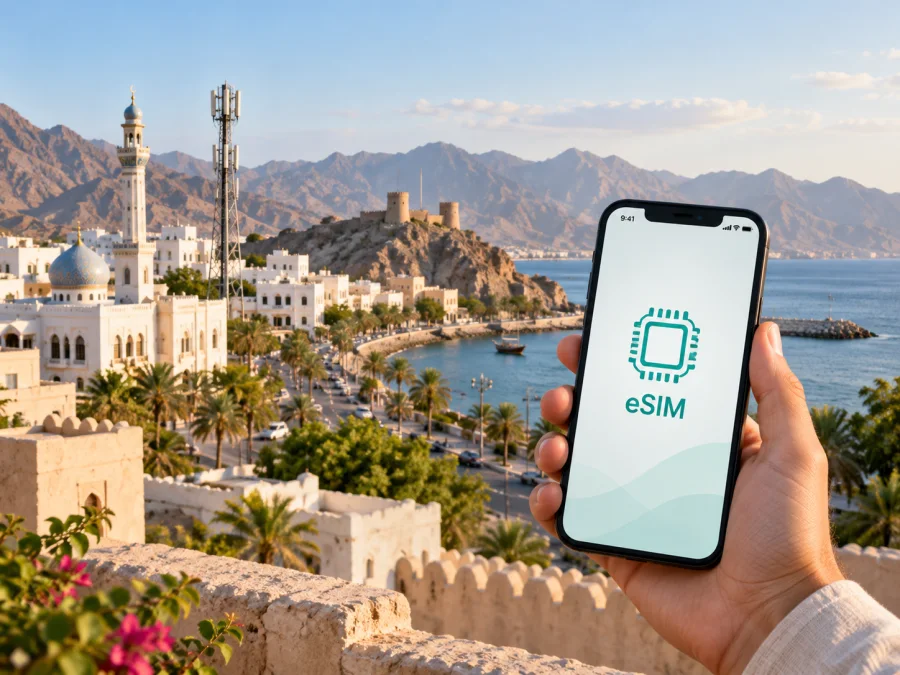
Vodafone eSIM in Oman: availability, activation and travel advice
Vodafone is a mobile operator in Oman, and its local customer information describes eSIM as one of the ways to connect or replace a SIM. For a visitor, that can make a local Vodafone eSIM worth considering when a compatible phone, identity verification and local service are a good fit. Vodafone also operates a separate travel eSIM service that lists Oman as a destination. These are distinct ways to get connected: check which service you are viewing, where it works, and what it includes before you proceed.
This guide covers how to check a Vodafone eSIM for use in Oman, what the operator says about onboarding and activation, and which practical details matter during a trip. Information was checked on 26 September 2026 against Vodafone Oman customer help and service pages, Vodafone Travel eSIM pages, Apple’s device guidance and coverage information published by Oman’s telecommunications regulator. Availability, device support and procedures can change, so confirm the current details with Vodafone before signing up.
Is Vodafone eSIM available in Oman?
Vodafone Oman’s public customer-help information includes eSIM among the SIM options available to new customers through the My Vodafone app, a Vodafone Hub, partner resellers and eStores. Existing customers are directed to the app’s account area for a SIM or eSIM. A separate help answer describes eSIM use on a compatible Android device in a number-transfer scenario. Together, these current operator materials support that Vodafone eSIM is offered in Oman, while the exact route can depend on whether you are joining, changing a SIM, or bringing a number.
The operator’s help pages also describe prepaid service. That gives visitors a possible local, pay-in-advance route, but an eSIM label by itself does not establish that every type of customer can register remotely or that every prepaid option is available as an eSIM. Vodafone’s customer process may differ for a resident, a new visitor, or an existing customer. Check the current sign-up flow for your status and device rather than relying on an older travel discussion or an offer seen elsewhere.
Vodafone Travel eSIM is a separate travel-focused service. Its destination information includes Oman and explains that its travel eSIM is data-only. The service page describes choosing a destination, installing the eSIM and automatic activation on arrival. Do not assume that a Vodafone Travel eSIM and a local Vodafone Oman eSIM use the same registration process, account, phone-number features or support channel. Verify the product name and its terms before installation.
Getting a local Vodafone eSIM as a visitor
Before starting, confirm that Vodafone accepts your customer category through the selected channel. Its help information says that a passport is an accepted identity document for non-residents. Registration may include identity verification: Vodafone describes scanning identification and completing a photo check in its verification process. This is an identity requirement rather than a technical eSIM step. Have the original document available, enter details accurately, and follow the app’s current prompts. If a document or verification step is not accepted online, ask Vodafone whether in-person help is available.
The local operator lists multiple ways to request a SIM or eSIM, including the My Vodafone app and a Vodafone Hub. It also identifies partner resellers and eStores as channels for new customers. Channel availability, opening arrangements and the ability to complete visitor registration can differ. If you arrive without a working connection, an in-person channel may be easier for questions, but check locations and the required documents before travelling across town.
For an existing customer, the operator points to the My Vodafone app’s account section for a SIM or eSIM request. A replacement profile or move to eSIM may follow a different flow from a first-time registration. Do not delete a working profile or reset your phone until Vodafone confirms the replacement has been activated and that you know how to restore access if a download fails.
If you are transferring a number, treat that as its own process. Vodafone’s help information mentions eSIM support for a compatible Android device in a particular number-transfer answer, while other identity and transfer conditions depend on the customer’s situation. Confirm device and operating-system eligibility with Vodafone before beginning, especially if keeping your existing number is important. A travel eSIM normally does not perform the same task as moving a local number to a new SIM profile.
What to check before you apply
- Confirm the phone is unlocked and supports eSIM in the country and software version where you will use it.
- Ask Vodafone whether the specific local eSIM registration route is open to non-residents and whether it can be completed online.
- Check which original identity document is accepted; Vodafone’s help information identifies a passport for non-residents.
- Keep access to email and a way to receive verification messages during registration.
- Confirm whether the eSIM is a new local service, a replacement for your current SIM, or part of a number transfer.
- Ask how the operator will deliver the activation details and what to do if the profile cannot be downloaded.
- Keep the activation screen or QR information private; it is intended for your device and should not be shared.
Activation: local service and travel eSIM
For a local Vodafone Oman SIM or eSIM, start from the channel you used to register. Vodafone’s customer help describes an activation alert in the My Vodafone app and scanning a barcode and serial information to complete activation. The precise screen can depend on the order and the type of SIM issued. Read each prompt carefully and wait for the operator’s confirmation before removing a physical SIM or changing your default line. If an app flow is unavailable, use Vodafone’s support channel or ask a Vodafone Hub for current steps.
For Vodafone Travel eSIM, the operator’s travel help describes installation with a QR code and says that the eSIM should activate automatically when you arrive at the destination. Its page asks customers to check device compatibility and follow the installation instructions. Install while you have stable Wi-Fi, keep the QR code available until the profile has been added, and review whether the product should be switched on before departure or only when you reach Oman. Follow the instructions included with your own confirmation, since activation can depend on the selected product and current setup.
After installation, name the profile clearly in your phone’s settings so you can distinguish it from your home line. Check which line is selected for mobile data and whether data roaming is required for the travel profile, following the provider’s instructions. Data roaming on a travel eSIM can be part of its normal operation; on your home line it may create charges. Change only the setting for the line you intend to use, and verify the selection before opening apps that use mobile data.
A successful download does not always mean that service is already active. The profile may wait for arrival, account approval, identity verification or another step. Look for the operator’s status message and confirm that the network registers after the expected activation point. If it does not, restart the device once, check that the intended line is enabled, and contact the provider through its official support route. Avoid deleting the profile unless support advises you to do so, since some activation codes cannot be reused.
Vodafone network coverage and technologies
Vodafone Oman describes 5G service and says that access depends on a compatible, approved device and being within a 5G coverage area. The operator also says that a 5G-ready device can be used in areas where 4G is available. This is a practical reminder that the icon shown on a phone depends on both the device and the location; it does not mean that 5G is available at every address or throughout a journey.
Oman’s Commission for Communications Regulation provides an outdoor mobile coverage map where users can select Vodafone and a technology to inspect mapped coverage. The regulator notes that map results are illustrative and that a customer’s actual experience may differ. Check the map for the places you expect to visit, then treat it as an estimate rather than a guarantee. Building materials, indoor position, terrain, congestion and the route between towns can all affect reception.
For travel planning, think in terms of stops and routes rather than a single country-wide promise. A city hotel, a coastal road, a mountain area and a remote stretch can have different radio conditions. If dependable access matters for a transfer or outdoor activity, save maps and essential details offline, tell someone your route, and keep a backup way to communicate. No coverage map can guarantee a signal at every point or at every moment.
Use a compatible device and keep its network software current. Vodafone’s 5G information specifically calls for an approved 5G device and coverage at the location. Where the phone does not connect to 5G, it may register on another available supported technology according to the device, SIM profile and local network conditions. If it does not register at all, check that the eSIM is enabled, the correct line is selected and the account is active before changing advanced network settings.
A neutral coverage check
| What to check | How to use it |
|---|---|
| Intended locations | Look up accommodation, transport points and places you plan to visit, not just the capital. |
| Technology layer | Select Vodafone and the relevant technology on the regulator’s public map. |
| Device support | Confirm the exact handset variant supports the service and is unlocked. |
| Local conditions | Expect indoor, terrain and temporary conditions to differ from the map. |
| Backup access | Save useful information offline if you will travel beyond built-up areas. |
A coverage map is most useful when it helps you ask specific questions: does the mapped layer reach the place you plan to stay, does your phone support it, and what will you do if reception is unavailable? If an exact address is important, ask Vodafone about that location and check shortly before travel. Network maps and deployment can change over time.
Using Kaspersky eSIM Store for mobile internet in Oman
Kaspersky eSIM Store is an app and website that helps travellers choose, arrange and activate an eSIM with a plan for mobile internet abroad. It is not a mobile operator, does not own a network and does not provide mobile internet or network coverage itself. The service can be considered when you want to prepare a travel connection digitally, while Vodafone Oman remains the place to check local Vodafone registration and service conditions.
Before choosing any travel eSIM, open the destination information for Oman and read the current product details. Confirm that your handset is eSIM-compatible, determine when the profile should be installed and activated, and check whether the service is data-only. Think about which phone line will receive ordinary calls or verification messages, and what you want to do with mobile data once you land. Product coverage and technical arrangements are specific to the selected offer and may change.
You can review the Oman destination in Kaspersky eSIM Store as one option for preparing mobile internet before a trip. This is separate from registering for a local Vodafone Oman service. If a local phone number, local account or operator-specific service is important, ask Vodafone about that requirement instead of assuming that a travel eSIM will provide it.
A travel eSIM may reduce the need to find a SIM shop immediately after arrival, but it still relies on a compatible handset and a supported local connection. Install it according to its instructions, keep the primary SIM configured for any calls or messages you need, and check that the eSIM is selected for data. If you travel across borders, verify that the selected service covers each destination on your itinerary; an Oman-only option should not be assumed to work elsewhere.
Conclusion
Vodafone eSIM is an available option in Oman according to the operator’s current customer information, with sign-up and activation depending on the customer type and channel. A visitor should check passport-based registration, device compatibility and the precise local activation flow before relying on a local profile. Vodafone’s 5G information and the regulator’s coverage map can help with planning, but neither guarantees reception at every location.
Vodafone Travel eSIM is a separate, data-only travel service that lists Oman and explains digital installation. Kaspersky eSIM Store is another app and website for arranging an eSIM with a plan for mobile internet abroad; it is not the operator or the network provider. Choose according to whether you need local Vodafone service or a travel data connection, and verify the current conditions with the relevant provider. This article is independent and is not affiliated with or endorsed by Vodafone.
For a travel-data alternative, review the current Oman destination in Kaspersky eSIM Store and verify its compatibility and product conditions before departure.


