Travel connectivity guide
Vodafone eSIM in Portugal: setup and travel guide
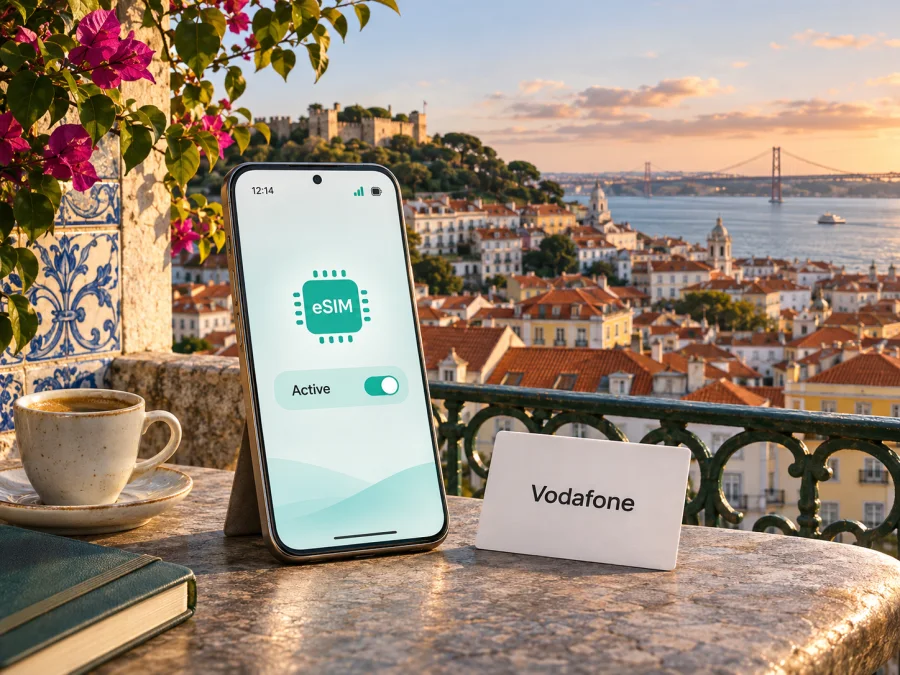
Vodafone eSIM in Portugal: what travellers should know
Vodafone offers eSIM options in Portugal for existing customers and for visitors preparing a trip. The right route depends on whether you already have a Vodafone mobile account, need a local prepaid connection, or simply want mobile data for travel. Before choosing, check that your phone supports eSIM, confirm what the selected service includes, and look at coverage for the places you will visit.
This guide describes Vodafone’s Portugal-market eSIM information as checked on 4 November 2026. Vodafone’s pages can change, so confirm current eligibility, activation steps and service conditions directly with Vodafone before you buy or convert a SIM. Product names and trademarks belong to their respective owners. Kaspersky eSIM Store is not affiliated with Vodafone and is not its official partner or distributor.
Vodafone’s role in Portugal’s mobile market
Vodafone Portugal provides mobile communications services in Portugal and sells services under the Vodafone name. For a traveller, that matters because a Vodafone eSIM is a Vodafone Portugal mobile service, rather than a general-purpose travel profile whose provider and partner network may vary by destination. If you are already a Vodafone customer, the eSIM route may involve converting or transferring your existing SIM. A visitor who is not yet a customer can look at Vodafone’s dedicated visitor information and check the current purchase and registration steps.
This guide focuses on Vodafone’s own public information and does not rank operators. Service availability depends on the product, device, location and network conditions. An eSIM changes how a subscriber profile is stored; it does not change radio coverage.
Portugal includes mainland territory and the autonomous regions of the Azores and Madeira. An offer labelled for Portugal may still have specific territorial terms, and coverage can differ between regions. Vodafone’s visitor page describes a Portugal service; its 5G information refers to selected areas on the mainland and islands. Confirm the scope for your route.
Does Vodafone Portugal support eSIM?
Yes. Vodafone Portugal’s eSIM information page describes eSIM support for Vodafone customers, including ways to convert a physical SIM and transfer a profile between phones. The same page directs prospective customers to purchase options, while Vodafone’s English-language “eSIM Vodafone Travel” page advertises a prepaid eSIM for people visiting Portugal. The visitor product is presented as a data-focused service; Vodafone’s page says that the visitor eSIM does not include ordinary voice minutes or SMS. Do not assume this detail applies to every Vodafone eSIM: check the terms of the specific service you are considering.
Vodafone distinguishes setting up a new eSIM, converting an existing SIM and moving a profile to another device. These processes may differ. If replacing a phone, check how your profile was issued and whether it can be moved through the app, settings, email or a store. Keep access to your number for calls or verification codes during the change.
For visitors, Vodafone says its eSIM can be bought online before arrival and delivered electronically. Setup options include an email link, a QR code or manual details, depending on the phone and how the profile was issued. Save the instructions before travel; if you need to scan a code shown on your phone, have another screen available.
Which Vodafone eSIM route fits your trip?
Start with your relationship to Vodafone and what you need from the connection. A resident or existing customer may want to keep their current number and replace the physical SIM with an eSIM. A short-term visitor may be looking for a separate prepaid data profile. Those two cases can have different application steps, identity checks, account requirements and included services.
| Your situation | What to check with Vodafone |
|---|---|
| You already have a Vodafone Portugal number | Whether your line and account are eligible for conversion, and which conversion method is available for your device |
| You are a new customer visiting Portugal | Whether the visitor eSIM is currently available for your travel dates, how to buy it, and what information or registration is required |
| You are replacing or resetting a phone | Whether the eSIM profile can be transferred or needs to be reissued, and whether the old profile must be removed first |
| You need calls or text messages | Whether your chosen service includes a local number, voice and SMS; a data-only visitor eSIM may not meet this need |
| You will travel beyond mainland Portugal | The offer’s precise geographic scope, including the Azores or Madeira, and any roaming conditions |
Vodafone says existing customers can convert through My Vodafone, with automatic installation on supported devices. Some conversion or transfer flows require current software and Wi-Fi. The described process may not apply to every account or visitor product; follow the steps shown for your line and device.
Before ordering, check the territory, whether a phone number is included, activation trigger and dual-SIM compatibility. Vodafone describes a Portugal visitor option and a separate Portugal-and-Europe option; this does not mean every Vodafone eSIM works across Europe. Review terms for the exact offer.
Check compatibility before you buy
An eSIM requires compatible hardware and software. The phone must support eSIM and be free of any carrier restriction that would prevent adding the profile. Support can differ between regional versions of the same phone, even when the model name looks identical. Some devices also have different capabilities depending on where they were sold. Confirm the precise model number and region variant in the manufacturer’s specifications, then check Vodafone’s supported-device information and your phone’s settings.
An EID shown in device information can indicate eSIM hardware. Vodafone suggests checking for an EID through the dialler, but treat this as preliminary: it does not confirm every profile will work. Verify the phone is unlocked when required, up to date and able to connect to Wi-Fi. For a carrier-sold phone or one purchased in a market with different eSIM rules, check the exact variant with its manufacturer or seller.
For dual-SIM use, check your exact phone’s supported combinations. Decide which line handles calls and messages and which provides data. Turn off data roaming on your home line if you do not want it to connect abroad, then select the intended data line after installation.
If your device is incompatible or locked, ask your current carrier about unlocking, use a compatible device, or check whether a physical SIM suits your trip. Availability depends on the carrier and handset.
Choose an eSIM plan for Portugal
Coverage and mobile technologies
Vodafone identifies 4G and 5G as mobile technologies available through its Portugal network. Its 5G information page says 5G access requires a compatible phone and a location with 5G coverage; the company describes availability in selected areas rather than promising it everywhere. The visitor eSIM page also refers to 5G, but the presence of a technology label does not guarantee a particular signal, speed or indoor experience at every address.
Coverage can differ by neighbourhood, building, route and rural location. Check Vodafone’s coverage tool for places on your itinerary. Portugal’s regulator ANACOM also provides the GEO.ANACOM coverage map, based on information reported by operators and updated periodically. It lets users check available technologies by location, but is a planning aid rather than a guarantee of indoor service.
If 5G is unavailable or unsupported, the phone may use another compatible technology where available. Confirm your device bands and selected service requirements. Download maps, tickets and other essentials for offline use before remote or long-distance travel.
Local Vodafone eSIM or travel eSIM?
A local Vodafone eSIM and a travel eSIM can both provide mobile data in Portugal, but they serve different situations. A local operator profile may be a fit if you want Vodafone Portugal service and have checked the local offer’s eligibility and terms. The visitor product is marketed for people travelling to Portugal and can be arranged online, which may help someone prepare before leaving home. A travel eSIM obtained through Kaspersky eSIM Store is another way to prepare mobile data for an overseas trip, with the destination and current conditions shown during selection.
Check whether the profile is data-only, includes a local number, where it works, how it activates and whether your phone can use it alongside your main SIM. A data service may not replace your home number for calls or verification texts. Check home-line roaming charges before enabling it abroad.
Kaspersky eSIM Store is an app and website that helps travellers choose, purchase and activate an eSIM plan for mobile internet abroad. It is not a mobile operator, does not own a network and does not itself provide mobile internet coverage. Its Portugal page is a destination page for checking the currently available travel options; it should not be read as a Vodafone Portugal local tariff or as a statement that every option uses Vodafone’s network. Review the provider, coverage and conditions shown for the specific plan before placing an order.
How to install and activate a Vodafone eSIM
The exact process depends on whether you are converting an existing Vodafone line or installing a newly purchased visitor profile. Follow the instructions supplied for that product. If you are using a travel eSIM, use the seller’s installation guidance. Vodafone’s online visitor instructions describe installation through an email link, QR code or manual details, and tell customers to enable data roaming for the installed visitor profile where required. Follow the on-screen directions and check the current instructions before changing settings.
Before installation
- Confirm the phone is compatible. Check the exact regional model, eSIM capability and carrier lock status.
- Connect to reliable Wi-Fi. Keep the phone charged and make sure you can access the account or email that contains the installation details.
- Save the setup information. Keep the QR code, activation link or manual details available. A QR code shown on the same phone may require another screen or a manual installation option.
- Check when use begins. Review the product’s activation and validity rules before installing. If the instructions recommend installation only when you are ready to connect, wait until that point.
- Keep your main line settings in mind. Decide which SIM should handle mobile data, calls and messages, and avoid enabling roaming on a line unless you intend to use it.
Add the eSIM to your phone
On iPhone, the option is generally in Settings under Mobile Service or Cellular, where you can add an eSIM and follow the instructions to use a QR code or enter details. Menu labels vary by iOS version and region. On Android, look in the SIM or network settings for an option to add a SIM or download a SIM, then follow the manufacturer’s prompts. Settings names differ across Android brands and software versions, so use your phone maker’s current instructions if the menu differs.
If you are converting an existing Vodafone Portugal SIM, use the My Vodafone app or the device settings route that Vodafone provides for your account. Vodafone says some conversion and transfer flows need an updated operating system and Wi-Fi. Do not delete your existing SIM or eSIM profile until the replacement is active and you have checked that calls, messages and data work as expected. For a new visitor profile, use only the setup method provided with that purchase.
Select the line for mobile data
After installation, open your mobile or cellular settings and choose the eSIM as the data line if that is what you intend to use. Keep the home SIM enabled for calls or messages only if your plan and roaming settings permit it. For a travel profile that requires data roaming, enable roaming for that eSIM specifically and confirm that roaming remains disabled on any other line you do not want to use. The setting label may differ by phone, so check both the line name and the selected data SIM.
Give the phone time to register after arrival. If the service does not connect, check that the eSIM is switched on, the correct line is selected for mobile data, airplane mode is off, and any required roaming setting is enabled for that profile. Restarting the phone can help it search for service again. If the issue continues, use Vodafone’s or the product seller’s support channel and provide the device model, eSIM type and the point in the setup process where the problem occurred. Avoid deleting a working profile unless support tells you how to reinstall it.
For general device checks before choosing a travel eSIM, see eSIM device compatibility. If you need more specific menu guidance, use the current iPhone or Android instructions for your device version.
What travellers should check before departure
Use this short checklist before departure:
- Confirm that the phone’s exact regional variant supports eSIM and is not carrier-locked.
- Check the current Vodafone offer’s eligibility, geographic scope and any identity or account requirements.
- Verify whether the selected service includes only data or also a number, voice calls and SMS.
- Read how installation, activation and the start of use work for the specific product.
- Check coverage for your actual destinations, including island or rural stops.
- Save installation information where you can access it without a mobile connection.
- Decide which line will provide data and which line, if any, should remain available for calls and messages.
- Review roaming settings and charges with your home mobile provider.
A generic device list may not account for your regional model variant. Do not assume “Portugal” includes every territory or roaming destination. Ask Vodafone about unclear requirements before purchase; conditions can change.
Frequently asked questions
Can I buy a Vodafone eSIM before arriving in Portugal?
Yes. Vodafone says its visitor eSIM can be purchased online and delivered electronically. Check current eligibility and setup instructions before buying.
Can I convert my existing Vodafone SIM to eSIM?
Yes. Vodafone describes conversion via My Vodafone and device settings for supported phones. Eligibility varies; keep the old SIM until the new profile works.
Does Vodafone eSIM include a phone number and ordinary calls?
It depends on the product. Vodafone describes its visitor eSIM as data-focused without voice minutes or SMS. Check current terms if you need a number or messaging.
Will a Vodafone eSIM work throughout Portugal?
Coverage depends on location and device. Vodafone describes 5G availability in selected areas. Check Vodafone’s coverage tool and ANACOM’s GEO.ANACOM map for your destinations, including islands.
Does an eSIM work in the Azores and Madeira?
Portugal includes the Azores and Madeira, but check the offer’s scope and coverage for your specific island itinerary.
Can I use a Vodafone eSIM and my home SIM at the same time?
It depends on the exact model. Check simultaneous-line support, select the data line and review home-SIM roaming settings.
What if my phone does not support eSIM?
Ask your carrier about unlocking, use a compatible phone, or check whether a physical SIM is suitable.
Is a travel eSIM the same as a local Vodafone subscription?
Not necessarily. A travel eSIM may be data-only, while local Vodafone service can have different eligibility and numbering. Check the provider and territory in the terms.
Plan your connection before you travel
Vodafone Portugal confirms that eSIM is available for existing customers and advertises a prepaid visitor eSIM. The practical details depend on the route you choose: conversion of an existing line, transfer to another device or purchase of a visitor profile. Verify compatibility, activation, included services and destination coverage before you set off, especially if your trip includes Madeira, the Azores or rural areas.
If you want to review a separate travel-data option, check eSIM options for Portugal. Kaspersky eSIM Store helps you choose, purchase and activate an eSIM plan for mobile internet abroad; it does not operate Vodafone’s network or provide Vodafone service. Compare the current coverage and conditions displayed for the specific travel plan with what you need for your route.
Information in this guide was checked on 4 November 2026 against Vodafone Portugal’s official eSIM, visitor eSIM, customer support and 5G pages, and ANACOM’s published coverage information. Offers, activation instructions and network availability may change. Vodafone and its marks belong to their respective rights holder; Kaspersky eSIM Store has no affiliation with Vodafone.


