
Travel connectivity guide
Voru eSIM: Mobile Internet for Estonia Travel
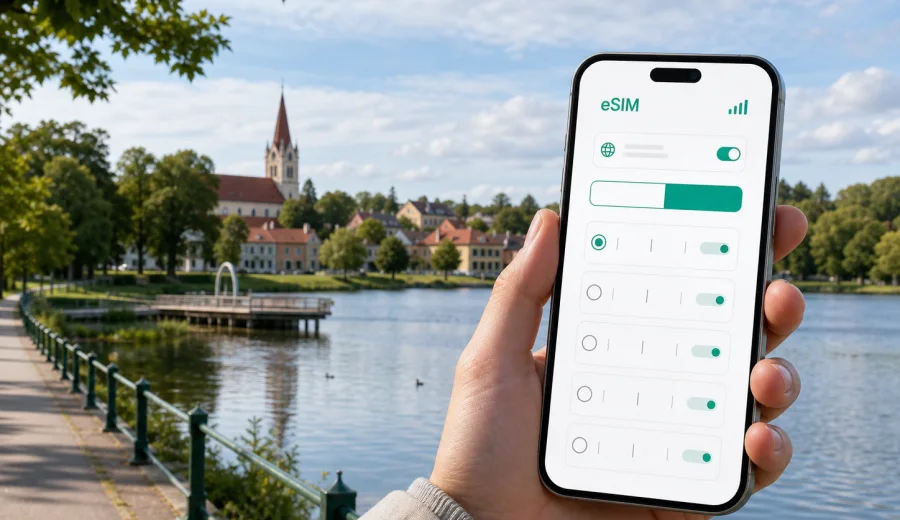
Voru eSIM: mobile connection and internet for your trip to Estonia
Voru is a compact city in southeastern Estonia, close to Lake Tamula, the Haanja uplands and the roads that lead toward Tartu, Valga and the Latvian border. A trip here rarely feels complicated, but it is exactly the kind of destination where dependable mobile internet makes the day easier: you may arrive by bus, continue by car, navigate between lakefront paths and guesthouses, or use your phone to coordinate a work visit outside the larger Estonian cities.
An eSIM can help you prepare mobile data before you travel to Voru, without waiting to buy a physical SIM card after arrival. In Kaspersky eSIM Store, you can choose a suitable eSIM plan for Estonia, check the traffic allowance and validity period, and then install the eSIM on a compatible device. This article focuses on practical city scenarios: arrival, local movement, hotels, navigation, business trips, short stays and routes from Voru to nearby areas.
Why mobile internet matters in Voru
Voru is small enough to explore on foot, but your phone still does a lot of work. You may need maps for the route from the bus station to your hotel, weather updates before walking around Lake Tamula, booking details for a guesthouse, or messaging apps to keep in touch with people you are meeting. If you rent a car, mobile data also helps with navigation on local roads, parking checks and route changes when you travel beyond the city.
The main benefit of preparing an eSIM is control. You can look at the plan conditions before the trip, install the eSIM in advance, and keep your primary SIM card in your phone for your usual number. In most travel scenarios, the eSIM is used for mobile data, while calls and messages can run through internet-based apps if your chosen plan does not include voice or SMS.
For a city like Voru, that matters because many useful tasks are small but time-sensitive:
- opening a map after arriving at the bus station;
- finding the correct entrance to a hotel or apartment;
- checking opening hours while walking through the town center;
- messaging a host, colleague or driver;
- using translation for menus, signs or local information;
- joining a work call from a hotel room or cafe;
- planning a side trip to Suur Munamagi, Rõuge or Tartu.
Public Wi-Fi can be useful in hotels and cafes, but it is not a complete travel plan. You may not want to depend on it when you are outside, moving with luggage, or trying to solve something quickly. A prepared eSIM plan gives you another option for staying online when Wi-Fi is unavailable or inconvenient.
Arrival scenarios: getting online before the first transfer
Many visitors reach Voru by road, often after landing in Tallinn, Riga or Tartu, or after traveling within Estonia by bus or car. That means the “arrival moment” may happen before you see Voru itself. You might need mobile data while changing transport, checking a bus schedule, finding a rental car pickup point, or telling someone that your arrival time has changed.
If you install your eSIM before departure, you can keep the setup work away from the busiest part of the trip. After you reach Estonia and your device connects to a local network, mobile data can be enabled for the eSIM profile according to the plan instructions. Connection time depends on the device, network conditions and the plan settings, so it is sensible to complete the installation while you still have stable Wi-Fi.
Useful arrival checklist:
- confirm that your phone supports eSIM before you choose a plan;
- keep the QR code or activation details available in your email or account;
- install the eSIM while you have Wi-Fi at home, at the airport or at the hotel;
- set the eSIM as the mobile data line when you are ready to use it;
- keep your main SIM active for calls if you still need your regular number;
- check whether data roaming must be enabled for the eSIM profile.
This is especially helpful if your itinerary includes more than one step. For example, you may land in Tallinn, take a bus toward southeastern Estonia and arrive in Voru late in the evening. Having mobile internet already prepared reduces the need to search for Wi-Fi or a local SIM shop during that first transfer.
How eSIM helps with movement around Voru
Voru’s center, Lake Tamula, local museums, cafes, shops and accommodation areas are close to one another, but first-time visitors still rely heavily on maps. Street layouts, walking shortcuts and lakeside routes are easier to understand when you can check your position in real time.
Mobile data is useful for:
| City moment | Why mobile internet helps |
|---|---|
| Walking from the bus station | Maps and address search help you avoid wrong turns with luggage. |
| Checking in at a hotel | You can open booking details, payment confirmations and messages. |
| Moving around Lake Tamula | Weather, route tracking and photos shared with family use data. |
| Taking a taxi or ride service | You need a live connection for pickup points and driver messages. |
| Joining a meeting | A backup mobile connection can help when Wi-Fi is unstable. |
| Leaving the city | Navigation is useful on roads toward Haanja, Rõuge, Tartu or Latvia. |
Because Voru is not a huge transport hub, it is worth planning mobile data before you arrive. In a large capital, you can often find many telecom stores quickly. In a smaller regional city, your time is better spent getting settled, reaching your meeting or starting your walk, not comparing physical SIM options after a long journey.
Choosing an eSIM plan for a Voru trip
For Voru, choose your eSIM plan based on the country coverage first. The city is in Estonia, so a plan for Estonia is the direct option for a trip focused on Voru and nearby places. A regional Europe plan may be more convenient if your route also includes Latvia, Finland or other European countries, but you should always check the exact coverage list and conditions before choosing.
The second question is data volume. Voru is a practical destination: many travelers use maps, messengers, ride services, cloud documents, restaurant searches and occasional video calls. That can be light or heavy depending on your habits. A weekend trip with normal navigation and messaging needs much less data than a work stay with laptop tethering and daily video meetings.
Use this simple estimate:
- Light use: maps, messaging, email, tickets and basic browsing.
- Moderate use: maps, social media, photo uploads, calls in messengers and regular search.
- Heavy use: video calls, large file transfers, hotspot use and streaming.
Validity also matters. If you are staying in Voru for two or three days, a short validity period may be enough. If Voru is one stop on a wider Estonia route, choose a plan that covers your full travel period, including arrival and departure days. Remember that the validity period and the moment when data usage starts depend on the selected plan’s conditions.
When your itinerary is mostly Voru, Lake Tamula, Haanja and other nearby places, you can choose an eSIM plan for a trip to Estonia and review the available data allowance and validity options before you travel.
City-focused data planning
Voru trips often fall into clear patterns. Matching the eSIM plan to the pattern helps avoid overbuying data or running out at the wrong time.
Weekend in Voru
For a weekend, mobile data is mainly about arrival, maps, restaurant searches, messages and photos. You can usually keep usage moderate by downloading offline maps, using hotel Wi-Fi for updates and avoiding long video streaming on mobile data. The eSIM is still useful because the critical moments happen outside Wi-Fi: transfers, walking routes, taxi coordination and last-minute searches.
Business visit
Business trips to Voru may include meetings, municipal visits, factory or partner locations outside the city center, and remote work from a hotel. In this case, treat mobile data as a backup for your workday. Check whether your plan allows tethering if you intend to use a laptop hotspot, and choose enough traffic for messaging, document access and occasional calls.
Stopover or road trip
If Voru is part of a road trip through southeastern Estonia, mobile data becomes a navigation tool. You may drive toward Rõuge, Haanja Nature Park, Suur Munamagi, Setomaa or the Latvian border. Route changes, fuel stops, weather checks and accommodation messages all become easier when your phone has mobile internet.
Longer stay
For a longer stay, think about daily patterns. Light browsing and messaging may not require a large allowance, but remote work, cloud backups and video calls can use data quickly. It can be practical to choose a plan with more data or confirm whether top-up options are available for the selected eSIM profile.
What to check before buying an eSIM
Before you choose a plan, check device compatibility. Your smartphone or tablet must support eSIM, and it must not be locked in a way that prevents using another mobile profile. If you are unsure, use the compatibility checker before you proceed: Check your device.
Also review the plan details carefully:
- destination or regional coverage;
- traffic allowance;
- validity period;
- activation rules;
- whether tethering is allowed;
- whether voice calls or SMS are included, if you need them;
- refund and support conditions.
An eSIM for travel is usually best understood as mobile internet for a trip, not as a full replacement for your home mobile subscription. If the plan does not include a phone number, ordinary calls and SMS will not work through that eSIM. Many travelers keep their main SIM active for calls and use the eSIM profile for data.
How to install and activate eSIM for Voru
The exact installation flow depends on your device and the plan instructions, but the general steps are straightforward. First, choose the Estonia plan that matches your route and data needs. Then install the eSIM profile using the QR code or on-screen instructions while you have a reliable internet connection. After arrival, select the eSIM as the mobile data line and follow the activation guidance for the plan.
For device-specific setup, use the official installation guides: Android eSIM setup instructions and iOS eSIM setup instructions.
Practical setup sequence:
1. Check that your device supports eSIM and is not carrier-locked.
2. Choose Estonia as the destination if Voru is the main city of your trip.
3. Review data volume, validity and activation conditions.
4. Install the eSIM profile while connected to Wi-Fi.
5. Keep your primary SIM for calls if you need your usual number.
6. On arrival, set mobile data to the eSIM profile.
7. Test maps, messaging and browser access before leaving the airport, station or hotel.
Do not delete the eSIM profile after installation unless you are sure you no longer need it. In many cases, an activated eSIM cannot simply be moved to another device, and reinstall rules depend on the specific profile and plan conditions.
Voru routes where mobile data is useful
Voru is often connected with short trips into nature and nearby towns. Mobile internet is helpful not because the city is difficult, but because the surrounding region rewards flexible planning.
Common routes include:
- Lake Tamula and the promenade: useful for walking routes, weather, photos and restaurant searches.
- Haanja and Suur Munamagi: useful for road navigation, parking checks and weather changes in the uplands.
- Rõuge: useful for route planning and checking local stops during a day trip.
- Setomaa: useful for maps, opening hours and messages when moving between smaller places.
- Tartu: useful for intercity buses, trains, meetings and onward travel.
- Latvia by road: useful if your route crosses the border, though you should confirm that your selected plan covers every country you will use it in.
If you are traveling beyond Estonia, check whether a regional plan makes more sense than a single-country plan. If your route is only inside Estonia, a country plan keeps the choice simpler.
Hotels, apartments and remote work
Hotels and apartments in Voru may offer Wi-Fi, but mobile data is still useful as a second connection. You may need it before check-in, during self check-in, in a parking area, or when Wi-Fi quality is not enough for a call. For remote work, having eSIM data ready gives you a practical backup for messages, calendars, document links and authentication prompts.
For a work-focused stay, prepare these items before you leave:
- offline copies of key addresses and booking details;
- enough mobile data for map use and communication;
- a charger or power bank for long days outside;
- a plan for two-factor authentication if your main SIM receives SMS;
- a clear distinction between your primary SIM for calls and your eSIM for data.
If your work depends on video calls, do not rely on a small data package unless you know your expected usage. Video, cloud sync and hotspot use can consume traffic quickly. Use Wi-Fi for heavy tasks when it is trustworthy and keep mobile data for movement, backup and urgent access.
Using eSIM without wasting data
Good data habits can make a smaller plan last longer. Before traveling to Voru, download offline maps for southeastern Estonia, update apps on Wi-Fi and turn off automatic cloud backups over mobile data. Once you arrive, use mobile data for tasks that truly need a live connection and save heavy downloads for trusted Wi-Fi.
Data-saving checklist:
- download offline map areas before departure;
- disable automatic app updates over mobile data;
- pause cloud photo backup until Wi-Fi is available;
- lower video quality in streaming and meeting apps;
- avoid using hotspot mode unless your plan and allowance support it;
- check remaining data in the app or account area when available.
These steps are simple, but they make a difference on short trips. A traveler who mainly uses maps and messaging can stay within a modest data allowance, while a traveler who streams video or uses a laptop hotspot may need much more.
Quick answers for travelers
Is an eSIM useful in Voru?
Yes, especially for arrival, maps, hotel communication, day trips and keeping mobile internet available when Wi-Fi is not convenient.
Should I choose an Estonia plan or a Europe plan?
Choose an Estonia plan if your trip is mainly Voru and other places in Estonia. Consider a Europe plan only if your route includes several countries and the coverage list matches your itinerary.
Can I use eSIM for calls and SMS?
Many travel eSIM plans focus on mobile data. If calls or SMS are important, check the plan details before choosing. You can often use messengers and calling apps over mobile internet.
Can I install the eSIM before arriving in Estonia?
In many cases, yes. It is usually practical to install the eSIM while you still have Wi-Fi, then activate or start using it according to the plan instructions when you arrive.
Do I need Wi-Fi to install eSIM?
You need an internet connection for installation. Use a stable Wi-Fi connection before the trip, at your accommodation or at another reliable point.
What if I visit Tartu or Haanja from Voru?
If your plan covers Estonia, those trips remain within the same country. Always confirm the selected plan’s coverage and validity before purchase.
A practical plan for your Voru connection
Before your trip, decide how you will use mobile internet in Voru: light navigation and messaging, business communication, or a road trip with regular route changes. Then check that your device supports eSIM, choose a plan for Estonia or a suitable regional route, install the eSIM while you have Wi-Fi, and keep the activation details available until your trip is complete.
This approach keeps the setup calm. You arrive with a plan for maps, messages, bookings and local movement, instead of depending only on public Wi-Fi or trying to solve mobile data after the journey has already started.
For a smoother trip to Voru, use Kaspersky eSIM Store to prepare an eSIM plan for Estonia before departure, review the plan conditions, and activate mobile data on your compatible device when you are ready to use it.