Travel connectivity guide
Wadi Halfa eSIM: Mobile Data in Sudan
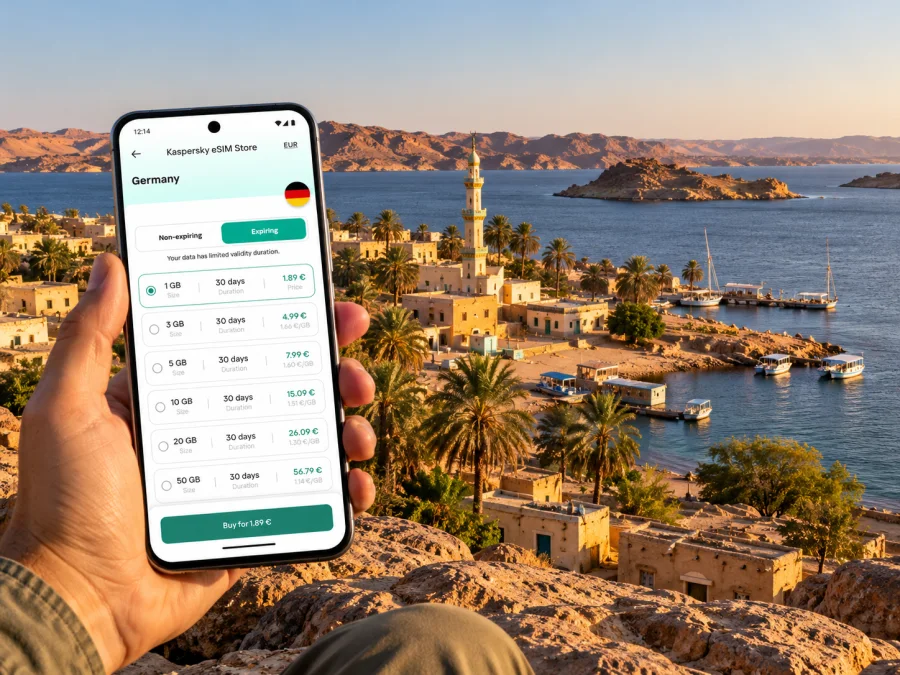
Wadi Halfa eSIM: mobile connection and internet for your trip
Wadi Halfa is a small town in Sudan’s Northern State, on the shore of Lake Nubia close to the Egyptian border. It is a distinctive place to plan for: journeys here can involve a long overland leg, a rail connection, a lake crossing, or more than one of these. That makes it especially useful to think through maps, tickets, contacts and mobile data before setting out.
There is an important qualification before any practical advice: as of 1 November 2026, current official travel advice from the United Kingdom and Canada advises against travel to Sudan because of the conflict and the volatile security situation. The Canadian advisory also reports serious disruption to essential services, including telecommunications. Conditions can change quickly, and connectivity planning cannot make a journey safe or guarantee that a network will be available. Recheck your own government’s latest advice, entry rules and consular guidance before making decisions.
This guide explains how to prepare a phone and an eSIM for a Wadi Halfa itinerary if travel is necessary or already under way. It does not confirm that a particular eSIM plan connects in Wadi Halfa, that a local network is operating, or that transport services are currently running.
Why mobile data planning matters in Wadi Halfa
Wadi Halfa is not a large, highly connected city with many alternative transport services. It is a northern Sudanese town beside Lake Nubia, the Sudanese part of the reservoir known farther north as Lake Nasser. Its position near Egypt gives it a cross-border role, but a border location does not mean that a phone will switch smoothly between networks or that a data plan for one country includes the other.
For a visitor, mobile data may be useful for checking messages, viewing saved travel details, contacting a host, translating short phrases, and checking a map. Those tasks depend on several things at once: an active network, electricity to charge the phone, a functioning data plan, and access to the relevant app or service. Any one of them may fail. Prepare offline copies and a second way to contact the people involved.
| Part of the journey | What a phone may help with | Backup to prepare |
|---|---|---|
| Before departure | Save tickets, addresses and contacts | Printed copies and a written itinerary |
| On arrival | Contact your host or onward transport | Agree a meeting point and time in advance |
| Around town | View a downloaded map or saved directions | Ask your host for landmarks and directions offline |
| At a station or lake terminal | Recheck schedules or messages if service is available | Confirm the latest departure with the responsible operator |
| Near the Egypt crossing | Coordinate a handover or onward travel | Keep documents and key numbers available without internet |
Treat this table as a preparation checklist, not a promise of service at each location. Live information may be incomplete, and an online map can be out of date. If a departure depends on a phone message, ask for a non-digital confirmation as well.
Know the geography before choosing a route
Wadi Halfa is a Sudanese town, not a district of Egypt. It sits south of the international border, on Lake Nubia. The nearby lake and border shape the travel context, but they do not tell you which route is operating on your travel date. A route that appears in an old timetable or a travel account may not be bookable or safe now.
Sudan Railways’ public travel page lists an Abu Hamad–Wadi Halfa route. The same page says its online booking and service facilities are unavailable and advises passengers to confirm fares and schedules at stations. The page is useful as a clue about the rail network, not as proof of a current departure. Do not travel to a station on the assumption that a listed timetable is live. Check directly with the relevant railway authority or a trusted local contact, and reassess in light of current security advice.
A ferry connection between Wadi Halfa and Aswan is described in the Government of Canada’s Sudan travel advice. That is general route information and does not establish that a sailing is operating today, that seats are available, or that a particular passenger can board. Confirm the crossing, required documents, departure point, ticket process and onward arrangements through current official channels before relying on it. Do not assume that the ferry, railway and border formalities connect as a single guaranteed itinerary.
For planning, separate the journey into individual legs:
- Your arrival in Sudan: establish the confirmed arrival point, onward transport and contact person before departure.
- The approach to Wadi Halfa: verify each road, rail or air segment with a current responsible source. Ask whether a service is actually operating, not simply whether a route is listed.
- Your stay in town: agree how to reach your accommodation or host if data is unavailable.
- Any lake or border crossing: confirm the current sailing, border requirements and onward transport independently.
- Your return or contingency route: keep a fallback that does not depend on one connection, one device or one online booking.
Do not plan a same-day chain of connections around optimistic transfer times. Disruptions, waiting and document checks can add hours or require a change of plan. Keep enough charge, water, medicines, cash in an appropriate form, and time for a delay, following current official advice for the whole itinerary.
Mobile connection and eSIM: what to verify
An eSIM is a digital SIM profile installed on a compatible device. A travel eSIM may provide mobile data under the conditions of its specific plan. It does not automatically provide a Sudanese phone number, ordinary voice service or SMS, unless the plan explicitly says otherwise. Keep your normal number available if you need calls or text messages, and confirm how you will receive essential account or travel notifications.
The name “Sudan” on a country page does not establish coverage in every Sudanese town. A plan’s destination label, listed partner network, roaming arrangement, data allowance, validity period and activation rules all matter. In a changing operating environment, even a plan that is listed for a country cannot guarantee a live signal at Wadi Halfa or uninterrupted access to the internet.
Before you pay, inspect the current plan details for:
- Destination: Does the plan explicitly include Sudan? If the itinerary crosses into Egypt, check whether Egypt is separately included.
- Network information: Is a network partner named, and are there any restrictions that matter for the itinerary?
- Data and validity: How much data is included, how long it lasts, and when the validity period begins.
- Tethering and device limits: Check whether sharing data with another device is allowed and whether any device restrictions are listed.
- Activation: Determine whether installation, first connection or another event starts the plan’s validity.
- Refund and support terms: Read the current conditions before purchase and save support details in a place you can reach offline.
- Availability: Confirm that the plan can still be purchased and used for the intended destination at the time you travel.
If you want to review the currently listed country-level options, check the Sudan destination page. It is a general Sudan page for browsing current plan information; it does not confirm a town-specific Wadi Halfa tariff, network status or coverage.
Device checks before you travel
Compatibility is a property of the exact device and its configuration. Some versions of a phone sold under the same product name differ by region, and some devices are locked to a carrier. Check the manufacturer’s specifications for your exact regional model, the device settings, and any carrier lock before purchasing an eSIM. Check whether your device supports eSIM.
A practical pre-departure check:
- Confirm that the phone has an eSIM option in its cellular or mobile-network settings.
- Confirm that it is not carrier-locked in a way that prevents adding another profile.
- Update the operating system while you have a reliable connection and power.
- Keep the original SIM in place if you depend on it for your home number, but review roaming and data settings to avoid unexpected charges.
- Save your eSIM purchase confirmation, installation details and support contact offline.
- If using a QR code, make sure you can display it on another device or print it; a phone usually cannot scan a code shown on its own screen.
- Do not delete a working eSIM profile while troubleshooting unless support or the provider’s instructions tell you to do so.
The safest time to install is usually when you have stable internet, adequate battery and enough time to follow the instructions. Installation and activation are not necessarily the same step. Read the plan’s current guidance so you know whether the validity clock starts when the profile is installed or when it first connects.
Install and test the profile before relying on it
Use the setup instructions for your operating system: Android eSIM installation instructions and iPhone eSIM installation instructions. Menus can differ by model and software version, so follow the on-screen prompts for your own device.
A sensible sequence is:
- Buy only after checking the destination, network details, data allowance, validity and activation rules.
- Install the profile while connected to reliable Wi-Fi or mobile data, if the provider’s instructions permit advance installation.
- Label the line clearly, for example “Sudan travel data,” so it is easy to identify beside your home SIM.
- Keep mobile data on your intended line. Disable data roaming on your home SIM if you do not want it used abroad, while checking your carrier’s rules for calls and messages.
- Turn on data roaming for the travel profile only if the plan’s instructions require it.
- Check the profile’s status and test a basic connection where service is available. Do not treat successful installation as proof of coverage at the destination.
- Save the instructions and order details offline, and leave time to contact support if a setup step fails.
If the package is intended for use only in Sudan, do not assume it will continue working after you cross into Egypt. If the plan covers multiple countries, check the named destinations and whether the same data allowance applies in each. A regional label alone is not enough; the terms of the selected plan determine what is included.
Plan for patchy or absent service
Telecommunications in Sudan have been affected by the wider disruption of essential services. Network access, electricity and internet availability can vary and change. No mobile product can guarantee that a tower is active, that a connection is stable, or that a service will be reachable in Wadi Halfa. Plan as if the phone may be offline for meaningful periods.
Before leaving a reliable connection:
- Download the Wadi Halfa area map for offline use, if your map app supports it.
- Save the full address and a brief local-language description of your accommodation.
- Take screenshots of tickets, booking references, border instructions and meeting arrangements.
- Write down important phone numbers with international dialing codes.
- Store a copy of your passport and travel documents securely, separate from the original.
- Agree a check-in time with a trusted person and explain what to do if you miss it.
- Charge a power bank and keep the phone in a way that protects it from heat, dust and accidental damage.
- Keep a small paper note with the next step of your route rather than relying on a live map.
For navigation, use the offline map as a reference and confirm directions with a person who knows the current conditions. GPS positioning may work without mobile data, but map tiles, search results, traffic information and route updates may not. A blue location dot does not mean the route is passable or safe.
For communication, agree on more than one method. A message app may be convenient when internet is available, but it should not be the sole way for a driver or host to find you. Confirm a recognizable meeting point and a time window in advance. If plans change, use the agreed fallback rather than waiting for an app notification that may not arrive.
Choosing an amount of data
There is no single correct data allowance for every Wadi Halfa trip. A short stay with downloaded maps and occasional messages uses a different amount from a longer stay involving frequent photo uploads, video calls or tethering. Estimate your needs by activity and leave a margin for changes, but remember that a larger allowance cannot solve an outage or coverage gap.
| Typical use | Data approach |
|---|---|
| Messaging and occasional email | Keep media auto-download off and use text where practical |
| Map checks | Download maps in advance; use online search sparingly |
| Voice or video calls over apps | Prefer audio when bandwidth or data is limited |
| Photos and cloud backup | Pause automatic uploads until you have a trusted connection |
| Laptop tethering | Check plan terms and monitor usage carefully |
When comparing plans, read the allowance and validity together. A generous data amount may still be unsuitable if its validity is shorter than your itinerary, while a long-validity plan may not include enough data for your actual use. Check the full price and terms shown at purchase; prices, plan details and availability can change.
Troubleshooting when the phone will not connect
Start with simple checks and avoid deleting the eSIM profile as a first response.
- Confirm that the travel eSIM line is enabled and selected for mobile data.
- Check whether the plan is active and whether it has remaining data and validity.
- Follow the plan’s instructions for data roaming and network selection.
- Turn airplane mode on briefly and then off, or restart the phone if it is safe and practical.
- Move to a place where you can safely wait and retry; do not walk into an unfamiliar area while focused on settings.
- If manual network selection is recommended by the provider, follow its named guidance rather than selecting networks at random.
- Use Wi-Fi or another trusted contact to reach support, and keep the order reference available.
- If no network is available, switch to the offline plan: saved maps, written directions, and the contact arrangement you made earlier.
A failed connection does not by itself show whether the cause is the device, the plan, local infrastructure, a temporary outage or a service restriction. Record what you see and ask the provider or support team to diagnose it. Avoid repeated profile deletion and reinstall attempts, which may make recovery harder.
Questions travelers commonly ask
Is Wadi Halfa in Sudan or Egypt?
Wadi Halfa is a town in Sudan’s Northern State, south of the international border. It is on Lake Nubia and associated with travel between northern Sudan and Egypt.
Does a Sudan eSIM guarantee service in Wadi Halfa?
No. A country name on a plan page does not guarantee coverage at a particular town or a continuous connection. Check the current destination and network terms, and prepare for disruption or no service.
Can I use the same eSIM in Sudan and Egypt?
Only if the specific plan explicitly includes both countries. Check its destination list and terms before purchase.
What if the phone has no service after installation?
Verify the selected data line, plan status, data allowance, roaming settings and provider instructions. If they are correct, local network availability may be the issue. Contact support when possible and use your offline map and prearranged meeting plan.
A compact preparation checklist
Before travel
- Recheck current government advice and confirm each transport leg directly.
- Check exact-device compatibility, carrier lock status and the plan’s destination, data, validity and activation terms.
- Save tickets, contacts, maps, documents and setup instructions offline.
During the journey
- Keep the phone charged and protected from heat and dust.
- Confirm that a transport service is operating before traveling to its departure point.
- Use agreed meeting points and a fallback that does not depend on mobile data.
Wadi Halfa’s location makes connectivity planning inseparable from route planning. The most useful setup is a working phone prepared in advance, an eSIM plan whose current terms explicitly fit the destination, and an offline fallback for every essential detail. None of these replaces current travel advice or direct confirmation of transport and local services.
Prepare your eSIM plan
If you are arranging a trip that remains viable under current official advice, review the Sudan destination page to check the country-level options currently listed. Kaspersky eSIM Store is an app and website where you can choose, arrange and activate an eSIM with a suitable plan for mobile data on an international trip. Check the selected plan’s terms and destination details before purchase, then install it using the instructions for your device and keep your route information available offline.


