Travel connectivity guide
Wadi Musa eSIM: Mobile Internet for Petra
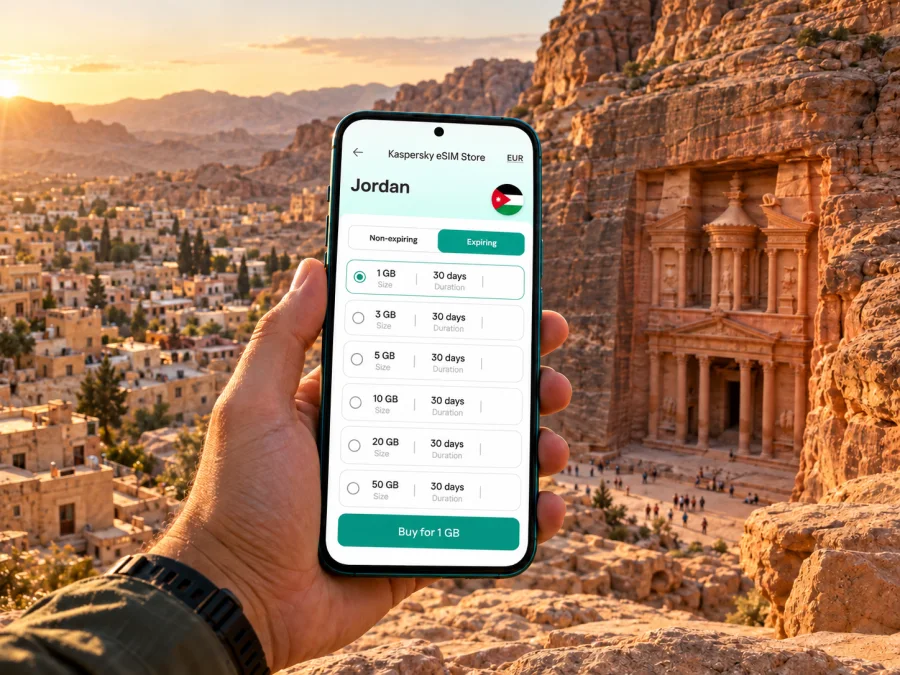
Wadi Musa eSIM for mobile connection and internet
Wadi Musa is the base most visitors choose for Petra, and a reliable mobile data plan can make the practical parts of the stay easier: confirming a transfer, finding a hotel, checking opening information, and messaging your group. An eSIM lets you prepare mobile internet for Jordan without swapping out your physical SIM. It is especially useful when your plans involve an early start, a late arrival, or a day spent walking away from your accommodation.
The town and the archaeological site are closely connected, but they are not the same place. Wadi Musa is a town in southern Jordan and the centre of Petra District in Ma’an Governorate; Petra’s Visitor Center is in Wadi Musa, while the archaeological park extends beyond the town streets. Plan your data use around both settings: the hotel and town for bookings and logistics, then the long visit through the park for maps, messages, and essential updates.
Why mobile data helps in Wadi Musa
A stay here often involves several moving pieces: travelling from Amman or Aqaba, checking in, confirming Petra’s opening information, arranging a ride to the Visitor Center, and deciding whether to add another local stop. Mobile internet helps you access bookings and coordinate these details as you go.
It is useful when you need to:
- contact your accommodation or driver after arrival;
- locate your hotel, the Visitor Center, or a meeting point;
- check current opening information and ticket arrangements;
- message your group or confirm the next morning’s pickup;
- retrieve reservations while continuing to another stop in Jordan.
The connection is a planning aid, not a replacement for park signs, staff, or trail guidance. Save important details and an offline map before setting out, and keep a paper note with your accommodation address in case your phone runs out of power.
Wadi Musa and Petra: plan for two settings
The town is where you sleep, eat, meet drivers, and return after visiting Petra. The Visitor Center is the practical gateway to the archaeological park: its staff provide information and assistance, tickets are available there, and licensed guides can be arranged. Once you enter the site, your day changes from town navigation to a substantial walk through a protected archaeological landscape.
Keep the distinction clear when you search for a destination or send a meeting location. “Petra” may refer to the wider area or the archaeological site, while your hotel may be in Wadi Musa. Ask your accommodation to confirm its exact map pin and the best way to reach the entrance. If you have a morning pickup, agree on a recognizable meeting point and time in advance; a mobile connection helps with coordination, but it cannot resolve an unclear pickup instruction by itself.
The main route begins at the Visitor Center and leads towards the Siq and the Treasury. The Siq is a narrow gorge just over a kilometre long, according to Visit Petra. The walk continues beyond the Treasury if you explore further, so do not plan your day as if the first famous viewpoint were the end of the route. Keep your phone accessible for essential navigation and messages, but protect it from dust and conserve its battery during a long day outdoors.
A simple way to divide the day
| Stage | Prepare | Use your connection for |
|---|---|---|
| Before leaving town | Confirm transport, ticket details, water, and footwear | Check current information and message your driver |
| At the Visitor Center | Keep entry and guide arrangements ready | Retrieve booking details or contact information |
| Inside Petra | Allow time for a long walk and follow signs | Check essential details when needed; keep offline copies |
| Back in Wadi Musa | Confirm your return and next-day plan | Update your group and navigate to your lodging |
Visit Petra’s seasonal schedule changes. At preparation time, the authority lists the site and Visitor Center as open 06:30–17:00 in winter (2 October 2026–1 March 2027) and 06:00–18:00 in summer (2 March–1 October 2026). Check the current official hours before travelling, especially around seasonal transitions or public holidays.
Arrival and getting around
Visit Petra describes access to Wadi Musa by car, bus, or taxi from Amman and Aqaba. Its visitor information lists JETT and public minibus services from Amman, private car or taxi options, and public buses from Aqaba. Schedules and availability can change, so verify the actual service for your travel date. The authority also lists a direct taxi from the airport to Petra, or a taxi to Amman’s Southern Station to connect with a minibus. For a late landing, family travel, or heavy luggage, arrange the onward leg before departure.
The distance between your accommodation and the Visitor Center depends on where you stay. A map pin helps compare walking with a taxi, but a straight-line distance does not account for slopes, heat, or luggage. Ask your host how guests usually reach the entrance. Agree on a pickup point and return time with a driver, and save the hotel address and contact number offline.
Arrival checklist
- Save your accommodation’s exact map pin and phone number.
- Confirm transport and pickup details for your travel date.
- Keep the first-night address available offline.
- Check the route from your lodging to the Visitor Center.
- Message your accommodation or driver if your arrival changes.
Choosing an eSIM plan for a Petra stay
Choose a plan for Jordan and your full route, not only for the town name. Check that its stated coverage includes Jordan; if you cross a border, verify the next country separately. Estimate use from your plans: messages, booking updates, and map searches generally use less data than video calls, large photo uploads, or streaming. Hotel Wi-Fi may be available, but access and performance vary.
Before purchase, check the data allowance, validity period, destinations, hotspot rules, and other terms. Consider when validity begins: a plan may start at installation or use another trigger. The headline data amount alone does not tell you whether it suits your dates and habits.
| Travel pattern | Planning focus |
|---|---|
| One night and one Petra visit | Arrival messages, route checks, and offline maps |
| Several nights | Browsing, bookings, meals, and communication |
| Remote work | Video calls, uploads, hotspot permissions, and hotel Wi-Fi |
| More Jordan stops | Coverage and validity for the whole itinerary |
| Multi-country route | Verify every country explicitly |
Kaspersky eSIM Store is an app and website where you can choose, order, and activate an eSIM with a suitable plan for mobile internet on an international trip. The plan’s terms define its data allowance, validity, destinations, and other conditions. To review options for the country that includes Wadi Musa, choose an eSIM plan for travel in Jordan.
Prepare your phone before travelling
An eSIM is a digital SIM profile installed on a compatible device. Before selecting a plan, check whether your device supports eSIM and confirm that it is not locked to a mobile operator. Support can vary by model and sales region, so check the manufacturer’s specifications and device settings.
Keep access to the app or account where the eSIM will appear, and have dependable internet for setup. If you use a QR code, display it on another screen or print it before scanning. Do not delete an installed profile unless the plan instructions say it can be installed again.
Installation and activation sequence
- Check the device. Confirm eSIM support and operator-unlocked status.
- Choose a plan. Match Jordan, your dates, data needs, and plan terms.
- Install the profile. Follow the app or QR instructions. See the Android eSIM installation guide or the iOS eSIM installation guide.
- Label the profile. Use a clear name such as “Jordan data.”
- Select mobile data intentionally. Choose the travel eSIM when ready, and check possible roaming charges with your home operator.
- Follow activation guidance. Installation and the start of validity may be separate events; use the selected plan’s rules.
- Check the connection. Follow any plan or device instructions for data roaming or network selection.
If this is your first eSIM, complete setup where you have reliable internet and enough time to follow the instructions.
Using mobile internet inside Petra
Petra is a walking destination with long stretches between town services. Start with a charged phone and a power bank if you rely on it for tickets, maps, photos, or messages. Save accommodation details, ticket confirmation, essential contacts, and an offline map before entering. Turn off automatic photo backups over mobile data and close unused apps.
Do not make continuous reception part of your safety plan. Signal can vary with terrain, structures, network conditions, and location. Check directions before leaving a clear landmark, follow park signs and staff guidance, and confirm an unfamiliar trail’s route and suitability before setting off. Agree on a meeting point and check-in time if your group may split up. Keep the hotel address on paper as a backup.
For a long visit: use text messages for simple coordination, limit background data, and preserve battery for the return journey. Keep your phone protected from dust and direct sun when possible.
Different trips, different connection needs
- Short stop: Set up ahead of time, save the hotel pin and transfer details, and confirm the return ride before entering Petra.
- Multi-day stay: Choose validity that covers the full stay, including arrival and departure as defined by the plan.
- Business travel: Estimate video-call and upload use separately; check hotspot rules and keep work files offline.
- Family or group visit: Share the meeting point and hotel details before separating. Hotspot use depends on the device and plan.
- Regional itinerary: Save the next route and bookings before leaving town, and verify coverage for every destination.
Where an eSIM fits—and where it does not
A travel eSIM usually provides mobile data under its plan terms. Unless stated otherwise, do not expect a local phone number, conventional calls, or SMS. Internet messaging and calls may work through apps when data is available. Keep your regular SIM for calls or verification if needed, and check roaming charges with your home operator.
An eSIM cannot replace a guide, ticket, confirmed transfer, or offline preparation. It does not guarantee reception or a particular speed at every point. Hotel or café Wi-Fi may be a backup, but access varies; keep essential details offline.
Quick troubleshooting
If the eSIM does not connect, check that its profile is installed and enabled, select it for mobile data, and follow its instructions for data roaming. Restart the phone and allow it time to register. Verify the plan’s destination, validity, and activation conditions. If the issue remains, use Wi-Fi to contact support with your device model and a clear description. Do not delete the profile unless the instructions say to; reinstallation may not be available.
Frequently asked questions
Is Wadi Musa the same place as Petra?
No. Wadi Musa is the nearby town and visitor base; Petra is the archaeological site and wider historic area. The Visitor Center is in Wadi Musa. Use the precise name and map pin for your hotel or pickup.
Can I buy a ticket or arrange a guide in Wadi Musa?
The Visit Petra Visitor Center sells tickets, provides information, and can arrange licensed guides. Check current details before you go and keep confirmations offline.
Can I rely on mobile data throughout Petra?
Do not assume continuous reception. Save maps and bookings offline, follow official signs, and preserve battery for your return.
Does an eSIM include calls and SMS?
Not unless the plan specifically says so. Data-based messaging apps use internet; check home-line roaming charges separately.
When should I install an eSIM?
Install before travel if the plan allows it, then follow its activation rule. Validity may not begin at installation.
What if my phone is not compatible?
Check the precise model and regional version with the manufacturer or seller. Choose another connection method if the device cannot use eSIM.
Before you leave for Wadi Musa
Confirm your hotel pin and transport, check that your eSIM plan covers Jordan for the dates you need, and keep tickets, contacts, and key directions offline. Make sure your phone is compatible and unlocked, understand when plan validity begins, and carry enough battery, water, and time for a full day of walking.
Good preparation leaves fewer details to resolve after arrival. Use Kaspersky eSIM Store to choose and activate a plan that fits your stay in Wadi Musa and your wider route in Jordan. Review eSIM options for your Jordan trip before you travel, then install the profile according to its instructions.


