Travel connectivity guide
Waterford eSIM: Mobile Internet in Ireland
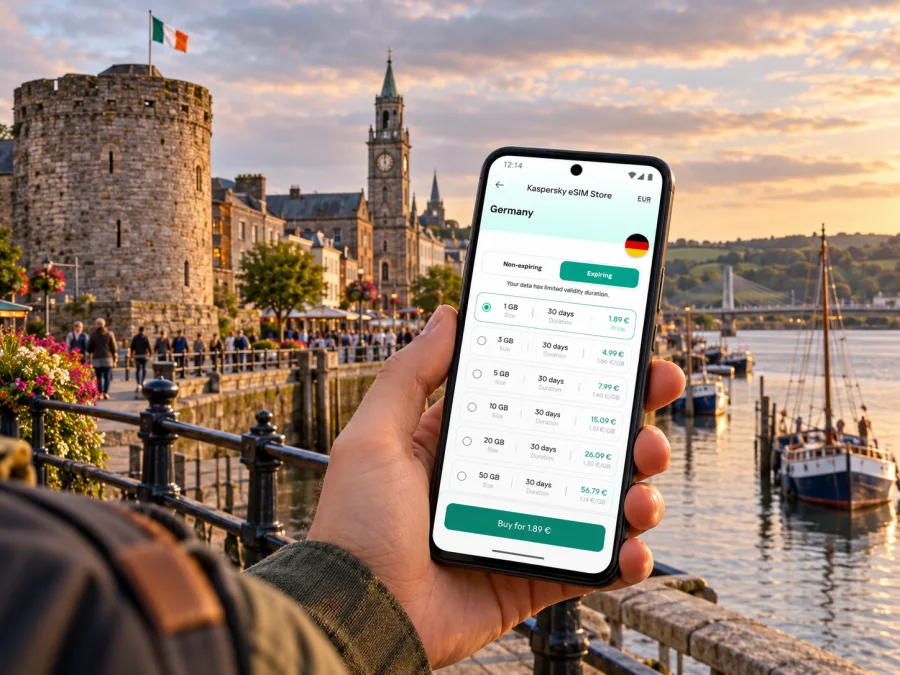
Waterford eSIM: mobile connection and internet for your city trip
Waterford is a compact city on the River Suir, but a visit can involve more than a walk through the historic centre. You might arrive by train, change between bus and rail, find accommodation across the river, meet colleagues near a campus or business park, or use the city as a base for the coast and towns in Ireland’s south east. A working mobile data connection helps with the practical parts: checking a route, confirming a booking, messaging your host and adapting when plans change.
An eSIM can be useful if your phone supports it and you want to prepare mobile data before travelling. It is a digital SIM profile installed on a compatible device. Kaspersky eSIM Store is an app and website where travellers can choose, arrange and activate an eSIM with a suitable data plan for an international trip. The exact plan terms, supported network and availability should always be checked for your own travel dates and device.
Why mobile data can help in Waterford
Many central visits are easy to plan on foot, yet small details matter when you have luggage, an appointment or limited time. Directions may send you from the quays towards a hotel uphill, a station, a bus stop or an attraction. Live maps can help you compare walking with local transport and see where a bridge crossing fits your route. A connection is also handy for checking opening hours and tickets before setting off.
Use mobile data for tasks such as:
- checking walking directions between the railway station, bus station, accommodation and the city centre;
- looking up a bus route or stop and checking current journey information;
- confirming a hotel address, check-in message or restaurant reservation;
- using a ride-hailing or taxi contact option where available;
- translating a message, sharing your location or contacting someone if your plans change;
- accessing work email, meeting links or cloud documents during a business visit.
A phone connection is a support for your itinerary, not a replacement for planning. Save your hotel address, tickets and key directions for offline access as well. That gives you a fallback if a battery runs low, a signal becomes weak indoors or you need to cross a busy street without looking at a screen.
Arriving and getting oriented
Waterford has a railway station known as Waterford (Plunkett). Iarnród Éireann lists services from Dublin Heuston and a Waterford–Clonmel–Limerick Junction route, with onward connections available from the rail network. Check the operator’s current timetable and live updates before departure: schedules and service arrangements can change, and works may affect a particular journey.
After reaching Plunkett Station, use your map to compare the walk to your accommodation with onward bus or taxi options. The station is not in the middle of every visitor’s destination; carrying bags or arriving late can make a short taxi ride more practical. Check the exact address and entrance rather than relying only on a neighbourhood name. Waterford’s hills and river crossings can make two routes with similar map distances feel different on foot.
If your itinerary starts with an airport arrival elsewhere in Ireland, plan the transfer to Waterford as a separate leg. Do not assume that an airport labelled for Waterford has scheduled passenger flights for your dates. Verify the airport, airline and connection in your booking confirmation, then save the ground-transport details before you travel. If you arrive by coach or train from another city, keep the operator’s ticket and departure point accessible offline.
A simple first-hour checklist:
- Confirm the station, stop or pickup point against your ticket.
- Open the saved address of your accommodation and check the route before leaving the platform.
- Send your host or colleague an arrival update while you have a stable connection.
- Check current local transport information if you are not walking.
- Keep your phone charged and store an offline copy of essential booking details.
Moving between the quays, centre and outer areas
The River Suir is a useful reference point for navigating the city. The quays form a long riverside corridor, while bridges connect different parts of the urban area. Reginald’s Tower and the historic core are prominent orientation points near the waterfront. Use them as landmarks when planning a walk, but follow the address and route to your actual destination: a riverside pin does not necessarily indicate the right entrance or side of the river.
The Transport for Ireland Waterford city map lists several local services, including W1, W2, W3, W4 and W5, as well as routes such as 360 and 360A. The routes serve different parts of the city and nearby destinations, so check the current map, stop and timetable for the direction you need. A route number alone is not enough to confirm that a bus passes your hotel or runs at the time you need it.
When using a bus, allow time to find the correct stop and direction. City services connect central points with areas including SETU, Waterford Hospital, Oakwood and Tramore on relevant routes. The precise service and timetable vary by route. If you are making a time-sensitive connection, check the live journey planner close to departure and consider a walking or taxi alternative.
| Situation | Useful check before you set off |
|---|---|
| Walk from the quays to a hotel | Confirm the entrance and whether the route crosses the river or climbs uphill |
| Bus to a campus or hospital | Match the route number, destination direction and stop name |
| Train connection | Check the live departure board and allow time to reach Plunkett Station |
| Evening return | Confirm the last suitable service instead of relying on daytime frequency |
| Visit to Tramore | Check the current Waterford–Tramore bus options and return times |
Mobile data makes it easier to compare a route while plans are flexible. It does not guarantee that every street, building or transport vehicle has coverage. Download a map of central Waterford before arrival if you expect to be out for a long day, and keep a screenshot of the stop or connection you need.
Choosing an eSIM plan for this trip
Start with the itinerary rather than a headline data amount. A weekend in central Waterford with occasional maps and messaging has a different pattern from a week that includes remote work, video calls or a drive through several towns. Consider how many days you need data, whether you will use your phone as a hotspot, and how often you stream or upload photos. Background updates, cloud backups and video can use data quickly.
Before you choose, check the plan’s country or regional coverage. Waterford is in Ireland, so confirm that the plan explicitly includes Ireland for the relevant dates. If your route includes Northern Ireland or another country, verify those destinations separately; a nearby border does not mean a plan automatically works across it. Read the plan’s validity, data allowance, activation conditions and any fair-use or speed limits shown at purchase. Do not rely on a general statement about European travel in place of the actual terms.
For an overview of currently listed options, you can check eSIM plans for a trip to Ireland. The page is a starting point for browsing; availability and plan details can change, so review the offer and conditions shown when you make your selection.
A practical way to estimate usage is to separate essential tasks from optional ones:
- Essential: navigation, transport checks, messages, email and booking access.
- Occasional: photo uploads, music, browsing and social apps.
- Data-heavy: video calls, streaming, large downloads and using your phone as a hotspot.
If you are unsure, check the data-use settings on your phone before departure. A recent week at home can provide a rough baseline, though travel habits may differ. Disable automatic photo backup over mobile data if you do not need it, download media on Wi-Fi, and use offline maps for areas you already know you will visit. These steps help you choose based on likely use rather than guesswork.
Check the phone before you buy
Not every phone supports eSIM, and support can depend on the exact model and regional version. Some devices sold for particular markets have different hardware or software configurations. A model name that looks familiar is not enough to establish compatibility. Check the manufacturer’s specifications for the exact variant, confirm that the device is not restricted by a carrier, and make sure you can add a mobile plan in its settings. Check whether your device supports eSIM before choosing a plan.
Keep your regular SIM active if you still need its number for calls, verification codes or messages. An eSIM data plan may not include a local number, ordinary voice calls or SMS unless the displayed plan terms say otherwise. You can often continue using your usual number for calls and messages while selecting the eSIM for mobile data, but the available settings depend on the phone and service. Check roaming charges with your regular provider before leaving.
Compatibility checklist:
- The exact phone model and regional variant support eSIM.
- The device is carrier-unlocked or otherwise permitted to add another profile.
- You can access the email, QR code or app instructions needed for installation.
- Your operating system and phone software are up to date enough for the device’s eSIM flow.
- You know which line should handle mobile data and whether data roaming must be enabled for the travel eSIM.
Install and activate with care
If possible, install the eSIM while you have reliable Wi-Fi and time to follow the on-screen steps. Some plans begin their validity when installed, while others begin when they first connect to a supported network; check the terms for the specific plan before installation. Avoid deleting an eSIM profile after setup unless the instructions tell you to do so. A QR code or activation method may have limits on reuse.
The general process is to open the phone’s mobile or cellular settings, add an eSIM, scan the QR code or follow the app’s activation steps, and label the new line so you can identify it while travelling. Exact menu names differ across devices. Follow the relevant Android eSIM installation instructions or iPhone eSIM installation instructions.
Before you leave home, make a note of which line is selected for mobile data and whether the travel profile should be switched on only at arrival. When you reach Ireland, enable the eSIM line and apply the data roaming setting if the plan instructions require it. Keep your home line’s data roaming setting in mind to avoid using it unintentionally. If the phone does not connect, check that the profile is enabled, the selected data line is correct, airplane mode is off and the plan’s coverage and activation window match your location and dates. Restarting the device or manually choosing a network may help in some cases, but follow the provider’s troubleshooting steps for the plan you purchased.
Waterford for work, events and short visits
A business trip can involve meetings in the centre, a campus visit or a site outside the quays. Save the full address and meeting contact details before travel, especially if a calendar invite contains only a building name. If you expect to join video calls, test your setup before leaving and consider whether the available data allowance is appropriate. For a long call, hotel or office Wi-Fi may be more suitable where available; a mobile plan is useful as a flexible connection between venues.
For a short stopover, reduce decisions on arrival. Save your onward ticket, choose a walking route around the central landmarks and check the return departure before starting a visit. If your time is limited, avoid planning a tight chain of buses and attractions. River crossings, queues and a change in weather can take longer than a map estimate suggests. A dependable data connection helps you check the next step, while a little spare time protects the itinerary.
For families or small groups, agree on a meeting point that is easy to identify, such as a named station entrance or a clearly marked public landmark. Share the location in advance and make sure each person knows the accommodation address. If only one person has mobile data, keep offline directions available to everyone and avoid making the whole group dependent on one phone’s battery.
Day trips from Waterford
Waterford can be a base for exploring nearby parts of the south east, but each outing adds transport decisions. Tramore is linked to Waterford by bus services shown in the TFI network information. Other journeys may involve regional buses, rail connections, a rental car or a combination of modes. Check the specific route and return timetable before you set out; a service that runs into a town may not provide the return at the hour you want.
When moving beyond the city, review your plan’s coverage for every place on the route. Ireland-wide coverage should be confirmed in the plan details, not inferred from the fact that a provider or tariff mentions Europe. If you cross into Northern Ireland, check whether the destination is included and whether any different usage conditions apply. Save the return stop, timetable and accommodation details offline in case your connection is intermittent outside built-up areas.
A day-trip preparation list:
- Check both outbound and return transport, including the last practical departure.
- Save tickets, stop names, accommodation details and a map before leaving Wi-Fi.
- Confirm that the eSIM plan includes each country on the route.
- Bring a charging cable or power bank for navigation and photos.
- Keep a second way to access essential information if your phone is unavailable.
If mobile data is not working
A connection issue can come from setup, plan conditions, device settings or local signal. Start with the simple checks and change one setting at a time:
- Confirm that the eSIM profile is installed and switched on.
- Check that the travel eSIM is selected for mobile data.
- Verify the plan’s validity dates, destination coverage and any required activation step.
- Check the instructions for data roaming and network selection for that eSIM.
- Turn airplane mode on briefly, turn it off, and wait for the phone to register.
- Restart the phone if the settings look correct but service does not return.
- Use available Wi-Fi to consult the plan’s support information if the issue continues.
Do not delete the installed profile as a first troubleshooting step. If you have a connection only in some locations, move outdoors or closer to a window and try again; buildings, terrain and local network conditions can affect reception. A weak or unavailable signal in one place does not establish that the eSIM is incompatible with Waterford as a whole.
Frequently asked questions
Is Waterford in Ireland?
Yes. Waterford is a city in Ireland, in the country’s south east. For plan selection, choose a destination that explicitly includes Ireland and check any additional countries on your itinerary separately.
Does an eSIM guarantee signal everywhere in Waterford?
No. Reception depends on the underlying network, location, device, indoor conditions and other local factors. Review the plan’s network and coverage information and keep offline essentials available.
Can I use the same eSIM for Waterford and a trip elsewhere?
Only if the plan terms include every destination and the relevant usage conditions. Check the listed countries and validity before travel; do not assume that a plan for Ireland includes Northern Ireland or another nearby country.
Will an eSIM replace my phone number?
A travel data plan should not be assumed to include a new phone number, standard calls or SMS. Check the specific plan description. Many travellers keep their regular SIM for calls and use the eSIM line for data, while confirming roaming costs with their home provider.
Should I install it before arriving?
Installing over a stable Wi-Fi connection can make setup easier, but activation timing varies by plan. Read the plan instructions first so you know when validity begins and when to turn the profile on.
Can I rely on the city buses without checking the route?
Check the current TFI map and journey information. Waterford’s city network includes multiple route numbers and different destinations; the right service depends on the stop, direction and time of day.
A simple plan for staying connected
Before travelling, confirm your phone’s eSIM support, review the plan’s Ireland coverage and validity, and save your arrival details offline. In Waterford, use mobile data for directions between Plunkett Station, the quays and your accommodation, then check current bus information when you need to travel beyond the centre. For regional outings, verify every leg and country in advance.
When you are ready, use Kaspersky eSIM Store to browse and arrange an eSIM for your trip. Explore eSIM options for Ireland and check the current destination coverage, data allowance and activation terms before completing your choice.


