Travel connectivity guide
West End eSIM: Mobile Internet on Tortola
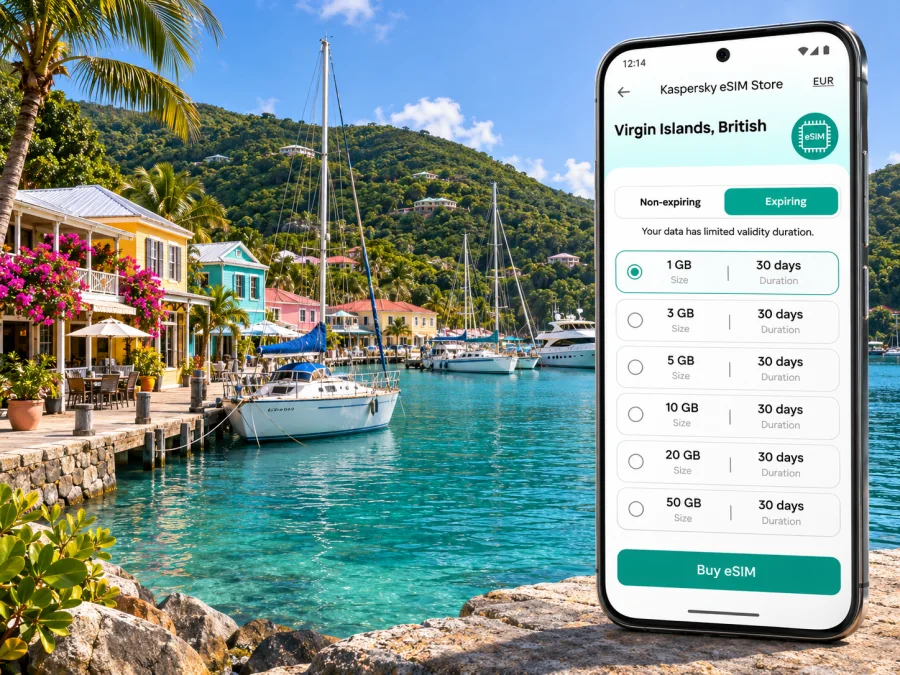
West End eSIM: Mobile Connection and Internet for a Tortola Trip
West End is a small coastal community at the western end of Tortola in the Virgin Islands, British, commonly called the British Virgin Islands. For visitors, it can be a destination in its own right, a base near the water, or a practical arrival point when travelling by ferry. A reliable mobile connection helps with checking a crossing, meeting a driver, finding a villa or marina, and sharing itinerary changes while you move between islands.
An eSIM can make mobile internet easier to prepare before you arrive, provided your device supports it and the selected plan covers the British Virgin Islands. It does not remove the need to check ferry arrangements, local conditions, or the plan’s specific terms. This guide focuses on West End and the practical choices that shape a trip here.
West End in context
West End is on Tortola, the largest island in the British Virgin Islands. It is not Road Town, the territory’s capital, and it is not part of the United States Virgin Islands. That distinction matters when choosing a mobile data plan: coverage and roaming rules depend on the destination and network arrangements, not on the shared word “Virgin.” A plan for the US Virgin Islands should not be assumed to include the British Virgin Islands.
The shoreline around West End has a sheltered harbor and a marina setting, with restaurants, accommodation and boat services clustered near the water. The landscape rises quickly into green hills, so two places that look close on a map may be separated by a steep or winding road. Pin the exact address of your accommodation or meeting point before setting out, and allow time for road transfers rather than estimating distance from a straight line.
West End is also an official port of entry by sea. Ferries use it on routes connecting Tortola with St. Thomas and nearby islands, and the government tourism information lists West End among the territory’s sea-entry locations. This gives the area a dual role: a quiet coastal base and a transport point where plans can change with ferry times, weather, or onward connections.
Arriving in West End and getting oriented
By ferry from St. Thomas
West End is connected by ferry with St. Thomas in the US Virgin Islands. The British Virgin Islands Tourism ferry page lists crossings involving West End and St. Thomas, while noting that timetables are subject to change. Treat schedules found in an old email, screenshot, or travel forum as provisional. Check the ferry company’s current departure information close to travel, confirm whether your boat uses West End or Road Town, and leave enough time for immigration and customs formalities.
If you arrive at West End with checked luggage or a group, decide in advance how you will reach your accommodation. A mobile connection is useful for contacting your host, confirming a taxi pickup, or sharing a live location, but do not rely on an app alone: save the address offline and keep the host’s contact details somewhere accessible without data. If your party separates around the dock, agree on a visible meeting point before the boat arrives.
Crossing from St. Thomas means entering a different territory. Your phone may show a different network as you move between the US Virgin Islands and the British Virgin Islands. Check the destination list and included regions in your data plan before departure; “Virgin Islands” in a plan name or map is not enough to determine which side is covered. When in doubt, confirm the exact territory with the plan provider.
By air via Beef Island
Terrance B. Lettsome International Airport (EIS) is on Beef Island, which is joined to Tortola by a bridge. Visitors arriving by air therefore still need a ground transfer across Tortola to reach West End. The journey is a good moment to have your accommodation pin, transfer details and route ready. If the driver is meeting a flight, send the flight and arrival details through the channel you agreed on rather than assuming they can see your live status.
The airport is not in West End, and a plan for getting from the terminal to the western end of Tortola is part of the arrival plan. Depending on your itinerary, you may connect through another Caribbean airport or travel onward by ferry. Confirm your transfer before arrival, especially if you land late or have an onward boat to catch. Ferry services and airport connections do not necessarily run on a schedule that makes every same-day connection possible.
Mobile internet around the harbor and hills
West End is compact, but the wider trip is not limited to the waterfront. You may use maps to find a villa uphill, messages to coordinate a boat excursion, or mobile data to check a departure update while travelling elsewhere on Tortola. A plan that works for your whole itinerary is more useful than choosing by the name of one stop alone.
Coverage depends on the network used by the selected plan, local terrain, the building, device capability and temporary network conditions. A carrier’s published coverage information can describe service on Tortola, but it cannot promise reception at every room, cove, road bend or dock. Ask your accommodation whether Wi-Fi is available and consider saving directions and confirmations for offline access. For calls that do not require a traditional phone number, internet-based messaging or calling apps may be an option when the app and your contacts are available.
The British Virgin Islands and the US Virgin Islands are separate destinations for connectivity planning, even though ferry routes link them closely. Moving between them may change which network is available and which plan terms apply. Do not assume that a regional Caribbean package includes both territories: read its destination list, data allowance, validity period, activation rules and any fair-use limits before you rely on it.
Choose data for the way you travel
Estimate use by activity rather than by trip length alone. Checking maps and messages usually consumes less data than frequent video calls, uploading large files, or streaming. If you expect to spend most of the day on the water, you may use less data than on a work-focused visit, but you will still want access to the latest meeting point or crossing information.
| Travel pattern | Likely data use | Preparation tip |
|---|---|---|
| Weekend by the marina | Maps, messaging, reservations | Download maps and avoid automatic photo backups on mobile data |
| Villa stay with day trips | Navigation, transport coordination, browsing | Check Wi-Fi availability and keep a data allowance for outings |
| Work trip | Email, documents, messaging, occasional calls | Set a data-use alert and postpone large uploads until Wi-Fi |
| Island-hopping itinerary | Ferry updates, maps, messages across destinations | Verify every included territory and keep schedule details offline |
| Short stopover | A few directions and essential messages | Prepare the route and booking details before you leave the terminal |
If the plan has a fixed allowance, look at the amount of data remaining during the trip and disable background use you do not need. On a phone, photo backup, app updates, cloud sync and video autoplay can use data without being obvious. You can set your primary SIM to handle ordinary calls and messages while selecting the travel eSIM for mobile data, if your device and plan support that arrangement. Check the device settings carefully so your home SIM does not use unintended roaming data.
Selecting an eSIM for West End
Start by checking that the plan explicitly includes the British Virgin Islands. Then compare its data allowance, validity, activation conditions and any restrictions on tethering or top-ups. A city-specific plan is not necessarily required: the important point is that the destination and every other place on your route are included. If the trip also passes through St. Thomas, check that destination separately rather than assuming a BVI plan continues to work across the border.
Kaspersky eSIM Store is an app and website where you can choose, complete and activate an eSIM with a suitable plan for mobile internet while travelling abroad. To review the destination options currently shown for this trip, explore eSIM plans for the British Virgin Islands. The available terms can change, so check the plan details displayed before you decide.
Before choosing, use this short checklist:
- Destination: Does the plan name the British Virgin Islands, rather than only the US Virgin Islands or a broad region?
- Route: Are all the countries or territories on your itinerary included?
- Allowance: Is the data amount reasonable for navigation, messages, browsing and any work tasks?
- Validity: When does the validity period begin, and how many days does it last?
- Activation: Can you install before the trip and activate later, or does installation start the plan? Follow the displayed terms.
- Device: Is the phone unlocked and compatible with eSIM? Support can vary by model and by the regional version of a device. Check whether your device supports eSIM before completing your selection.
- Calls and SMS: Does the plan include them, or is it intended for data only? Do not assume it provides a local phone number.
A plan suited to a short stay may not be suitable for an extended itinerary, and a large allowance is not automatically the best choice. Match the plan to the days you will be away, the amount of time you expect to spend online, and whether your accommodation offers Wi-Fi. If the terms are unclear, use the plan’s stated conditions as the deciding reference rather than a general description of eSIM technology.
Prepare your phone before travel
Install the eSIM while you have a stable internet connection and enough time to complete the steps. Keep access to the purchase confirmation and any QR code or activation instructions. Some plans can be installed before travel but only begin service under the activation conditions shown for that plan; check those details rather than switching settings based on a general rule.
For device-specific steps, follow the Android eSIM installation instructions or the iOS eSIM installation instructions. The labels in your phone settings can differ by operating-system version. Do not delete an installed profile as a troubleshooting shortcut unless the instructions for your plan tell you to do so; some eSIM profiles cannot simply be reinstalled after removal.
A practical setup sequence is:
- Check the device. Confirm eSIM support for the exact phone variant and check that the device is not carrier-locked. Model names can cover different regional variants, so verify the specific device rather than relying on a generic compatibility list.
- Read the plan terms. Confirm destination, data allowance, validity, activation timing and any setup requirements.
- Install the profile. Use the in-app flow or QR instructions while connected to Wi-Fi or another reliable internet connection.
- Label the lines. Give the travel profile a clear label such as “Travel data” so it is easy to identify beside your regular SIM.
- Choose the data line. Select the eSIM for mobile data when you are ready to use it. Keep your home line configured for calls or SMS only if that suits your needs and your home operator’s roaming charges are understood.
- Check connection settings. Follow the plan instructions for data roaming and network selection. Requirements vary by profile and device.
- Confirm service. Once you reach the destination, check that the travel line is enabled and that data is assigned to it. If service does not start, restart the phone and follow the support steps attached to your plan.
If the connection does not start
First, confirm that you are in a covered destination and that the eSIM line is switched on. Check that mobile data is assigned to the travel line and that the profile’s activation conditions have been met. If the instructions require data roaming for that eSIM, enable it for the travel line; avoid changing settings on your home SIM unless you understand the consequences. A restart or manual network selection may help in some cases, but use the plan’s troubleshooting guidance and contact support if the issue persists.
Do not assume a weak or unavailable signal means the profile is faulty. Terrain, a building, weather, local network conditions, a ferry crossing, or temporary maintenance can affect service. Move to an open area if practical, reconnect to Wi-Fi for troubleshooting, and keep offline copies of the address and itinerary in case you need to continue without mobile data.
Getting around West End and beyond
A map app is useful for locating a marina, restaurant or accommodation, but follow local directions and the driver’s advice for the final approach. Roads can be narrow and hilly, and a pin may lead to an entrance that is not obvious from the main road. Ask your host for a landmark or the preferred drop-off point. If you are meeting a boat, use the dock name and operator’s instructions rather than navigating only to a general “West End” search result.
Ferry schedules connect West End with nearby destinations, including Jost Van Dyke and St. Thomas, and other routes operate from different ports around Tortola. Routes, days and times can change. Check the current schedule with the ferry operator, confirm which dock to use, and plan a margin for traffic and check-in. For island-hopping, save each ticket and the next departure details before leaving Wi-Fi.
Common West End scenarios
A short visit near the marina
For a one- or two-night stay, prioritize the accommodation pin, ferry information, reservation messages and a modest amount of browsing. Download the map area and save your return ticket before leaving the terminal. If your lodging has Wi-Fi, use it for large downloads and updates. Keep your data connection available for route changes and messages while away from the waterfront.
A sailing or boat excursion
Boat itineraries can shift with weather and the captain’s plan. Save the marina or dock contact, the meeting time and any confirmation message. Confirm with the operator how they will send changes and where you should meet. Mobile data may help you receive updates, but it should not replace direct confirmation with the boat operator.
A same-day island connection
A tight ferry connection is vulnerable to schedule changes and transfer delays. Confirm the actual departure dock and latest sailing details before you leave your accommodation. Keep a backup route and the ferry operator’s contact details available offline. If your travel crosses from the British Virgin Islands into the US Virgin Islands, verify mobile plan coverage for both destinations before relying on data along the whole route.
FAQ
Is West End a city?
West End is commonly used for the settlement and harbor area at the western end of Tortola. It is a locality within the British Virgin Islands, not the territory’s capital. For travel planning, use the specific dock, marina, accommodation or street address rather than relying on the place name alone.
Does an eSIM for the British Virgin Islands also cover St. Thomas?
Not automatically. St. Thomas is in the US Virgin Islands, a separate territory and destination for mobile plans. Check the selected plan’s destination list and terms for both sides of your route.
Can I use mobile data as soon as I reach West End?
It depends on the plan, device, activation conditions and available local network. Install and configure the eSIM as instructed, then check that the travel line is enabled and selected for data when you arrive. No plan can guarantee service at every point or indoors.
Will an eSIM provide a local phone number?
Do not assume so. Many travel eSIM plans are designed for mobile data. Check the selected plan’s details for voice calls or SMS, and keep your usual number available if you need calls or verification messages.
What if my phone’s eSIM support is uncertain?
Check the exact model and regional variant with the device maker or use the compatibility check before selecting a plan. Also confirm the phone is unlocked. If it does not support eSIM, ask your home operator about roaming or consider a local physical SIM where available and appropriate.
Should I depend on mobile internet for ferry updates?
Use it as one source of information, and confirm important changes with the ferry company. Save your ticket and terminal details offline so you can still find them if data is interrupted.
Before you set out
West End is a small harbor community, but a visit can involve airport transfers, ferry terminals, steep roads and crossings between separate island jurisdictions. Prepare the map pins and travel contacts, check the current sailing details, and choose a data plan whose destination list matches your actual route. Test the eSIM setup before you need it, while you still have reliable Wi-Fi and time to resolve questions.
When you are ready, use Kaspersky eSIM Store to review and choose a suitable option for your trip, then follow the plan’s installation and activation steps. Explore current eSIM options for the British Virgin Islands and confirm the data, validity and destination terms before you travel.


