Travel connectivity guide
Westport eSIM: Mobile Data in County Mayo
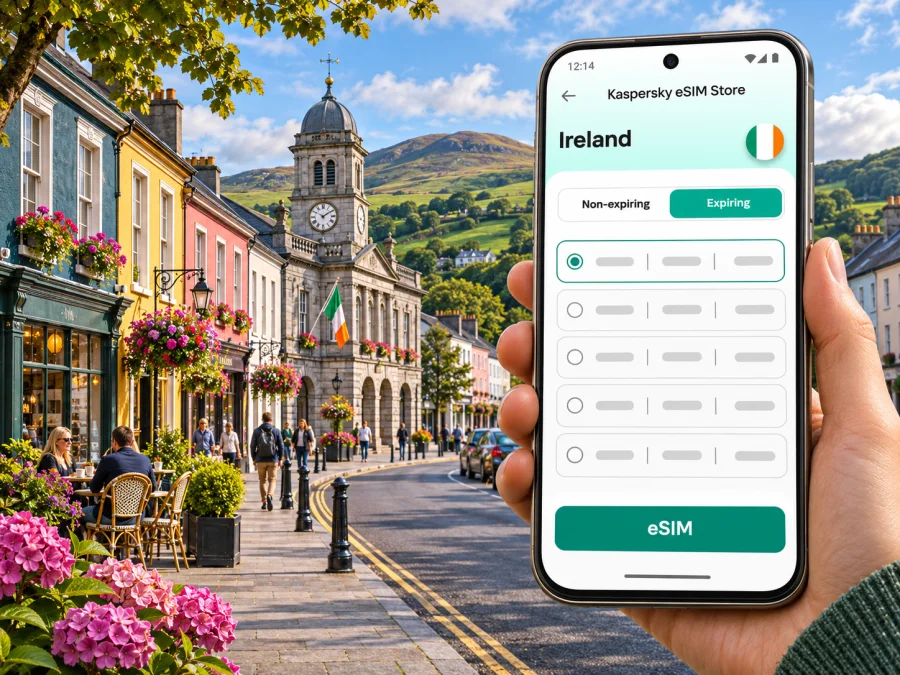
Westport eSIM for a reliable mobile connection and internet on your trip
Westport is a compact town in County Mayo, on Ireland’s Atlantic side, where a short stay can quickly turn into a day of changing plans: a train arrival, a walk through the centre, a cycle on the Great Western Greenway, or a drive towards the coast. A working mobile data connection helps you check directions, confirm a room, coordinate a pickup and keep in touch while you travel. An eSIM can be a practical way to prepare mobile data before you leave, provided your phone supports it and the plan you choose covers Ireland.
This guide focuses on the real Westport travel routine: arriving by rail or road, finding your way around town, planning time outdoors, and deciding what to check before you activate an eSIM. Mobile service depends on the plan, its partner network, your device, local conditions and the places you visit. No single setup guarantees a signal at every point on a rural route, so keep offline directions and essential booking details available too.
Why mobile data is useful around Westport
Westport is a useful base for exploring County Mayo, but its appeal is not limited to the town centre. You may spend one part of the day on foot between cafés, shops and accommodation, and the next heading towards the coast, a trail or a nearby village. With data available, you can check a map as you move, message your host if arrival time changes, and review transport details without relying on a hotel connection.
A connection is particularly handy for small, time-sensitive tasks:
- checking the location and opening information for a restaurant or attraction;
- confirming a taxi or meeting point after arriving at the station;
- sharing an updated arrival time with your accommodation;
- reviewing weather and route information before a walk or cycle;
- accessing a digital ticket, reservation or translation tool;
- letting family or colleagues know that your plans have changed.
These tasks do not require constant high-speed use. A few map searches and messages consume less data than extended video calls, cloud backups or streaming. The practical choice is to estimate your own use, download large files over Wi-Fi, and reserve mobile data for the things you need while moving.
| Travel situation | Likely phone use | Preparation that helps |
|---|---|---|
| Arrival and check-in | Maps, messages, booking details | Save the accommodation address and check-in instructions offline |
| Exploring the town | Directions, opening hours, reservations | Download a map area and keep a note of key places |
| Cycling or walking | Route checks, weather, meeting messages | Carry a charged phone and keep a route copy available offline |
| Work trip | Email, calendar, calls, document access | Confirm Wi-Fi quality and estimate meeting data before departure |
| Short stopover | One transfer, one or two searches, a pickup | Arrange the next leg and save its details before leaving Wi-Fi |
Arriving in Westport and getting oriented
Westport has a railway station on the Dublin Heuston–Westport and Ballina InterCity route. The route information identifies Westport as a terminal station; individual services and stopping patterns vary, so check the current journey planner for your travel date. If you are connecting from Dublin Airport, allow time to travel to Heuston before a train departure and verify the airport-to-station transfer separately. A mobile map is helpful for the transfer, but the station name and departure time should also be saved somewhere accessible offline.
Ireland West Airport Knock is another possible arrival point for a trip to Mayo. The airport’s current transport information lists Bus Éireann Route 440 between Westport and the airport, via towns including Castlebar and Claremorris. This is a public transport option to check against your flight time, but do not assume every departure aligns with every arrival: confirm the latest timetable and stop details before travel. If the connection is tight, compare alternatives such as a pre-arranged transfer or a rental car and keep the provider’s contact details available.
Getting around the town and planning local outings
Central Westport is straightforward to explore on foot, though the best route depends on where you are staying and what you plan to do. A map can help you locate a guesthouse, café, shop, meeting venue or the start of a walk. Save a few essential places in advance—your accommodation, the station, a pharmacy or meeting address—so that you are not searching from scratch when your battery is low or the weather turns.
The Great Western Greenway is a prominent reason visitors use Westport as a base. It is an off-road walking and cycling trail in Mayo, and the route information describes it as a 49 km traffic-free cycle track following the former Westport to Achill Island railway. That length refers to the trail, not a short town-centre loop. Decide how much of it fits your time and ability, confirm the access point and return plan, and check current conditions before setting out. If you rent a bicycle, clarify collection, return and repair arrangements with the provider.
Choosing an eSIM for Westport and Ireland
An eSIM is a digital SIM profile that can be installed on a compatible device. For a visit to Westport, check that the plan is valid in Ireland, covers the dates you need, and provides the services you expect. Some travel plans are data-only; if you need a conventional phone number or voice calls, confirm that explicitly rather than assuming every eSIM includes them. Also review whether the validity period starts at installation, activation or first network connection, since the start condition can affect when you should set it up.
Use these questions to compare options:
- Destination: Does the plan list Ireland as a covered destination? A plan labelled for a broader region may have different included countries; read the country list.
- Validity: Does its duration cover arrival, the full stay and any buffer for a delayed return?
- Data amount: Is your use mainly maps and messages, or will you also make video calls, upload files or stream media?
- Network and conditions: What network access and usage terms are described for the plan? Coverage can vary with terrain, buildings, network congestion and the partner network available at a particular place.
- Tethering: If you intend to connect a laptop or another device, confirm whether hotspot use is supported and whether it changes the allowance or terms.
- Activation: What steps does the provider specify, and when does validity begin?
To review current Ireland options, you can browse eSIM plans for Ireland. Check the live plan details before purchase; availability, allowances, validity and terms may change. Kaspersky eSIM Store is an app and website where you can choose, order and activate an eSIM plan for mobile data during an international trip. The mobile service itself is delivered through the network arrangements described for the selected plan.
Before installation: device and plan checks
Check the exact phone model and regional variant you will carry. eSIM support differs across device models, hardware versions and markets, and a phone may also be restricted by its original carrier. Do not rely only on a product family name or a friend’s experience with a similar-looking handset. Check whether your device supports eSIM, then confirm that the phone is unlocked and that you can add a mobile plan in its settings.
Installation and activation sequence
- Read the plan instructions. Check destination, allowance, duration, activation trigger, supported device requirements and any hotspot conditions.
- Use a stable connection. Install before departure over reliable Wi-Fi if the provider’s instructions allow it. If you wait until arrival, remember you may need another way to get online first.
- Add the eSIM profile. Follow the device and provider prompts. Keep the installation screen open until the profile has been added successfully.
- Label the lines clearly. For example, use “Travel data” for the eSIM and keep your usual line identifiable for calls or messages.
- Choose the data line deliberately. Set the travel eSIM as mobile data only when you intend to use it. Check the data-roaming setting required by the plan’s instructions; some plans require it for their partner network to connect.
- Wait for the right activation moment. Follow the stated start condition rather than switching settings at random. When in Ireland, allow the phone time to register and confirm that mobile data works before relying on it for navigation.
- Keep your home line settings in mind. If you leave it enabled, review its roaming and default-data settings to avoid unexpected charges from your home operator.
For detailed steps, follow the Android eSIM installation instructions or the iPhone eSIM installation instructions. Menus differ by operating-system version and device manufacturer, so use the on-screen options that match your phone.
Make a practical connection plan for different trips
Longer Mayo itinerary
If Westport is one stop on a wider route, check which places are included in your Ireland plan and whether its validity covers the whole itinerary. A regional name alone is not enough—read the destination list. Save transport connections, accommodation contacts and any timed reservations before leaving a strong Wi-Fi connection. Consider a local physical SIM or another connectivity option if a suitable eSIM is unavailable for your device or usage needs.
Questions travellers ask
Is Westport a city or a town?
Westport is a town in County Mayo, in the west of Ireland. The guidance here is about visiting Westport and using it as a base for local travel, not a claim that it is a city in administrative terms.
Does an Ireland eSIM guarantee coverage everywhere around Westport?
No. The plan’s network arrangements, local geography, buildings, weather-related conditions and network load can all affect service. Check the coverage information supplied for the plan and keep offline maps, reservations and essential contact details available, particularly for outdoor trips.
Can I install an eSIM before travelling?
Often, yes, if the selected provider’s instructions allow pre-installation. The profile’s installation time and the start of its validity may be different events. Read the plan details carefully and follow its activation guidance so that your travel period is not shortened unintentionally.
Will a travel eSIM replace my usual number?
Not necessarily. Many travel plans are designed for data, and the exact services depend on the plan. Your usual SIM may remain available for calls or texts if your device supports dual SIM use, but roaming charges can apply. Check your home operator’s terms and set the preferred data line intentionally.
What if my phone does not support eSIM?
You can use another compatible unlocked device, ask your home operator about roaming, or consider a local physical SIM if available and suitable. Check any registration, identity and purchase conditions that apply before relying on that option. Do not buy an eSIM plan until you have confirmed support for your exact device variant.
Should I keep maps offline even with mobile data?
Yes. Offline maps are a useful backup for a walk, cycling route, low-signal area or depleted allowance. They do not replace current safety or transport information, but they can help you find a saved address if the connection drops.
A few minutes of preparation can make the trip smoother
Before leaving, verify the destination and duration of the eSIM plan, check device support and carrier lock status, and install the profile in the way the provider recommends. Save your Westport accommodation details, transport bookings and key map areas offline. When you arrive, confirm the data line and activation settings, then test a simple task such as opening a map or sending a message.
Westport rewards a flexible itinerary: a late train, a change in weather or an appealing detour can reshape the day. A prepared mobile connection makes it easier to adapt, while offline details and a realistic backup plan keep you from depending on a signal at every moment. Choose the amount of data to match your actual plans, and verify current coverage and terms directly in the plan information.
Choose an eSIM plan for your Westport trip
If your device supports eSIM and the plan’s Ireland coverage, validity and data allowance fit your itinerary, use Kaspersky eSIM Store on the app or website to choose, order and activate a suitable travel eSIM. Review the current details before purchase, install it according to the instructions, and keep essential route and booking information saved offline. Explore available Ireland eSIM plans and prepare for your time in Westport.


