Travel connectivity guide
Wewak eSIM: Mobile Internet for Your Trip
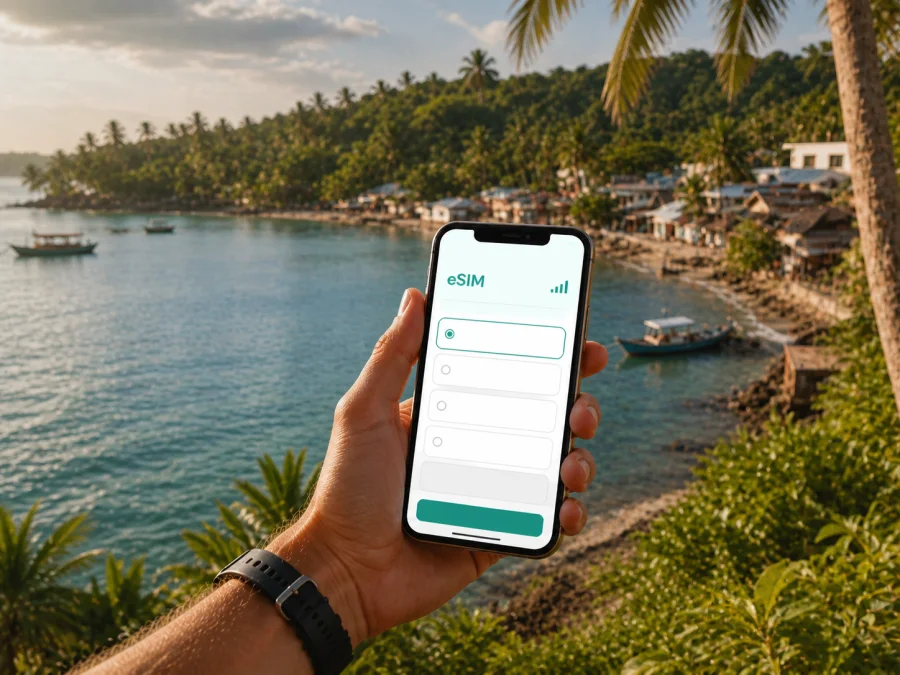
Wewak eSIM: mobile connection and internet for your Papua New Guinea trip
Wewak is a practical base for an East Sepik trip, but it is not a place where you want to arrive without a plan for mobile data. You may need to confirm an airport transfer, reach your accommodation, open a map, message a guide or coordinate a boat journey soon after landing. An eSIM can help you prepare mobile internet without removing your physical SIM card.
Kaspersky eSIM Store is an app and website that helps you choose, arrange and activate an eSIM with a suitable tariff for mobile internet during an overseas trip. For Wewak, the useful decision is whether the selected Papua New Guinea or regional tariff matches your dates, route, device and expected data use.
Why mobile data matters in Wewak
Wewak is the provincial capital of East Sepik and a coastal starting point for journeys connected with the Sepik River, nearby beaches and offshore islands. Your stay may combine a compact urban visit with outward-looking travel: one day can involve a hotel, meetings and short road transfers; the next can involve Cape Wom, the coast or a longer trip arranged beyond town.
Mobile internet can help you:
- coordinate with a hotel, driver or guide when your arrival changes;
- check a map between the airport area, town and coastal stops;
- share a location, confirm a meeting or send a work document;
- arrange a day trip or boat transfer and keep messaging available;
- check weather and travel updates before leaving the town area.
The benefit of an eSIM is logistical. You can prepare a data profile before travelling and keep your everyday SIM in the phone if you need it for calls, messages or account verification. Unless the chosen tariff says otherwise, the eSIM is intended for mobile data and does not include a separate phone number, ordinary voice calls or SMS.
Short answer: For a Wewak trip, choose an eSIM tariff that covers Papua New Guinea or the relevant region, check the term and data allowance, install it on a compatible and unlocked device, then select it for mobile data when you are ready to connect.
Your first hours after arriving in Wewak
Wewak’s airport is commonly referred to as Boram Airport. Airport operations and flight schedules can change, so confirm current details with your airline or travel organiser before departure. The practical connectivity question is whether you can reach your accommodation or transfer contact before you have settled in and learned the local routine.
Save these details somewhere accessible offline:
- Your accommodation name and address as written in the booking confirmation.
- The contact details of your driver, guide or host.
- Your flight information and pickup arrangement.
- A screenshot of the first route from the airport area.
- Meeting addresses, booking references and essential contact instructions.
Once the eSIM profile is installed and the tariff is ready to use, you can check a live route, send a message or let a contact know you have arrived. Keep the regular SIM available if you rely on it for verification codes, and check which line is selected for data. Install before departure when possible; if you plan to install after arrival, arrange Wi-Fi first and keep the QR code or activation details easy to find.
Getting around Wewak and the coast
Approach Wewak as a sequence of short movements rather than as a city with one transport pattern. A daily route may link accommodation, the town centre, the airport side, a market, a business meeting and a coastal location. Ask your accommodation or local host about the safest and most suitable transport for your particular route, especially after dark or when travelling with luggage.
| Situation | What an active data connection can help you do |
|---|---|
| Airport transfer | Message the person collecting you and share your arrival status |
| Town appointment | Recheck the address, route and meeting changes |
| Coastal outing | Save the meeting point and coordinate the return journey |
| Hotel change | Send new accommodation details to a driver or colleague |
| Departure day | Confirm the pickup and keep booking details available |
Download an offline map of Wewak before travelling, but do not treat it as a complete replacement for live data. Offline maps may not show a temporary road condition, a changed meeting point or a new message from a guide. Use offline material for orientation and mobile data for coordination.
Beyond the most built-up part of town, roads, weather, boats and local access can affect a route. Carry a power bank, limit automatic photo backups and keep key bookings available offline. These habits make a modest data allowance easier to manage and leave room for messages that matter.
Choosing an eSIM tariff for a Wewak itinerary
Start with the route, not the largest data allowance. A traveller staying in Wewak for a few days and using hotel Wi-Fi has a different need from someone working online, sending images or continuing to a Sepik River experience. The tariff should cover the country or region where you will use data. If Wewak is one stop on a wider route, check whether a regional option is relevant and read its included destinations before payment.
| Travel pattern | Main data needs | What to check |
|---|---|---|
| Short Wewak stopover | Arrival messages, maps and bookings | Validity for both arrival and departure days |
| Several days in town | Messaging, maps, browsing and photo sharing | A term that covers the complete stay |
| Business visit | Email, documents, meetings and possible hotspot use | Data allowance and tethering conditions |
| Coast or island plans | Meeting points, weather checks and coordination | Route conditions and offline copies of information |
| Wewak plus a regional journey | More navigation outside the city | Every destination included in the regional tariff |
Before selecting, compare the details that affect real use:
- Coverage area: confirm that Papua New Guinea is included and note whether the tariff is country-specific or regional.
- Validity: count the days you need, and read when the period begins. Installation and activation are not always the same event.
- Data volume: estimate maps, messaging, email, work, app calls and photo uploads separately. Video and automatic backups consume data quickly.
- Tethering and top-ups: if you need a laptop connection or a longer stay, check the applicable conditions before payment.
For a city stay, reserve data for movement and coordination first. Streaming can wait for a suitable Wi-Fi connection, while a message from a driver or a map request may matter immediately. On a work trip, test your email, document and meeting workflow before departure.
When your dates and route are clear, you can choose an eSIM tariff for a trip to Papua New Guinea and review the current allowance, validity and destination conditions. This is the relevant country landing page for Wewak because the city is in Papua New Guinea; it is not a separate city-specific network or plan.
How to install and activate eSIM for Wewak
Installation needs a compatible device, an internet connection and the QR code or profile details provided after the order. Menu names vary between phones, so use the instructions for your system: Android installation instructions or iOS installation instructions.
Before installation
- Charge the phone and keep the QR code or activation details on another screen or in a saved document.
- Check eSIM support and make sure the phone is not locked to an operator.
- Keep the regular SIM active if you need its number for calls, SMS or verification.
- Connect to dependable Wi-Fi or another working data connection.
- Read destination, validity and activation conditions for the selected tariff.
A practical sequence
- Open mobile-network or cellular settings.
- Choose the option to add a mobile plan or eSIM.
- Scan the QR code or enter the profile details as instructed.
- Label the new line clearly, such as “Travel data”.
- Keep the regular line for calls and SMS if required.
- Select the travel eSIM for mobile data when you want to use it.
- Enable data roaming for that eSIM only if the tariff or device instructions require it.
- Turn off automatic data switching if you want to control the active line.
- Allow a few minutes for registration, then open a simple webpage or send a message.
If you install before leaving, you may be able to keep the profile off or not select it for data until the intended travel moment, subject to the tariff rules. If you install after arrival, use Wi-Fi for setup and avoid deleting the profile during troubleshooting unless support specifically instructs you to do so.
Check device compatibility before you travel
The phone must support eSIM, and an operator lock can prevent a travel profile from working even when the model has eSIM hardware. Some devices differ by region or sales version. Before selecting a tariff, check whether your device is compatible with eSIM, then confirm that the phone can add a new mobile plan.
Look in mobile or cellular settings for an option such as “Add eSIM” or “Add mobile plan”. Also check model information, operating-system updates and operator-lock status. If you are unsure, confirm the details in the manufacturer’s documentation or with the original operator before travelling.
Compatibility is only one part of preparation. The selected tariff must cover Papua New Guinea, the validity must fit your Wewak dates and the phone must have enough battery for installation:
- [ ] eSIM support confirmed for the exact device and regional version.
- [ ] Operator lock checked.
- [ ] Correct Android or iOS instructions opened.
- [ ] Destination, validity and data allowance reviewed.
- [ ] QR code or profile details ready.
- [ ] Offline accommodation, transfer and route details saved.
Hotel Wi-Fi, public networks and work in Wewak
Accommodation can be the right place for large downloads, backups and scheduled calls, but you may be away from it for much of the day. Mobile data gives you another way to open a map or send a message while moving around town. It also helps when a short hotel Wi-Fi interruption would otherwise stop a work task or a conversation with a local contact.
For business travel, use a trusted hotel or office connection for large files and meetings when suitable, and use the eSIM for time-sensitive tasks such as checking a meeting change, sending a confirmation or opening a route. If you need a laptop connection, verify hotspot conditions and keep important documents offline. An eSIM can reduce dependence on unfamiliar public Wi-Fi, but keep the phone updated, use a screen lock and do not share QR codes or profile details.
Wewak routes beyond the town centre
Wewak is a base for different kinds of nearby travel. Cape Wom is a significant wartime memorial site west of town. The coastline around Wewak offers a different pace from the urban centre, while Kairiru Island is an offshore excursion reached by boat. Journeys connected with the Sepik River and its communities are longer cultural and river-travel experiences, not casual extensions of a town walk.
For an outing, save the meeting contact, departure time, return plan and accommodation details. Send a message before leaving while your connection is available, carry offline copies of directions and bookings, and do not assume data conditions will be identical in town, on the coast, on an island or along a river route.
Wewak eSIM checklist
Use this review before departure:
- Destination: Does the tariff include Papua New Guinea and every additional stop?
- Dates: Does validity cover the complete Wewak stay?
- Device: Is the exact phone compatible and unlocked?
- Setup: Do you have Wi-Fi, the QR code and the correct instructions?
- Lines: Which SIM handles calls and SMS, and which handles data?
- Usage: Will maps, messaging, work and media fit the allowance?
- Offline backup: Are transport, accommodation and contacts saved locally?
- Power: Do you have a charger or power bank for the first transfer?
Frequently asked questions
Is eSIM useful immediately after landing in Wewak?
Yes, it can help with arrival messages, maps and transfer coordination when the profile is installed and active under its conditions. Prepare it before the flight or use dependable Wi-Fi on arrival; do not rely on completing every step after landing.
Does an eSIM give me a Wewak phone number?
Usually not. This travel eSIM scenario is for mobile internet. Calls, SMS and a separate number are not included unless the particular tariff explicitly says otherwise. Keep your regular line or use messaging apps over data.
Can I keep my physical SIM in the phone?
Yes, on a device that supports the two lines in the way you need. Keep the regular SIM for its number and select the travel eSIM for data. Review data-roaming and automatic-switching settings.
What if mobile data does not start?
Check that the eSIM is enabled, selected for data and covered by the destination conditions. Confirm that the device is unlocked, follow the relevant Android or iOS steps and check whether data roaming is required. Restarting may help the phone register again. If the issue remains, contact support before deleting the profile.
How much data should I choose?
Base the choice on the length of the Wewak stay, maps, messaging, work, media and possible hotspot use. Light use with hotel Wi-Fi needs less than a work trip with laptop access. Compare the allowance and validity shown for the selected tariff before payment.
Prepare your Wewak connection
The most dependable setup combines a compatible unlocked phone, a tariff that covers Papua New Guinea, a clear activation plan and offline copies of the information you need in Wewak. Those pieces support the small but important tasks between the airport, accommodation, meetings, coastal sites and longer regional journeys.
When your dates and route are clear, review the available eSIM options for Papua New Guinea, choose the allowance and validity that fit your plans, and activate the profile according to the instructions for your device.


