Travel connectivity guide
Wind Tre eSIM in Italy: activation guide
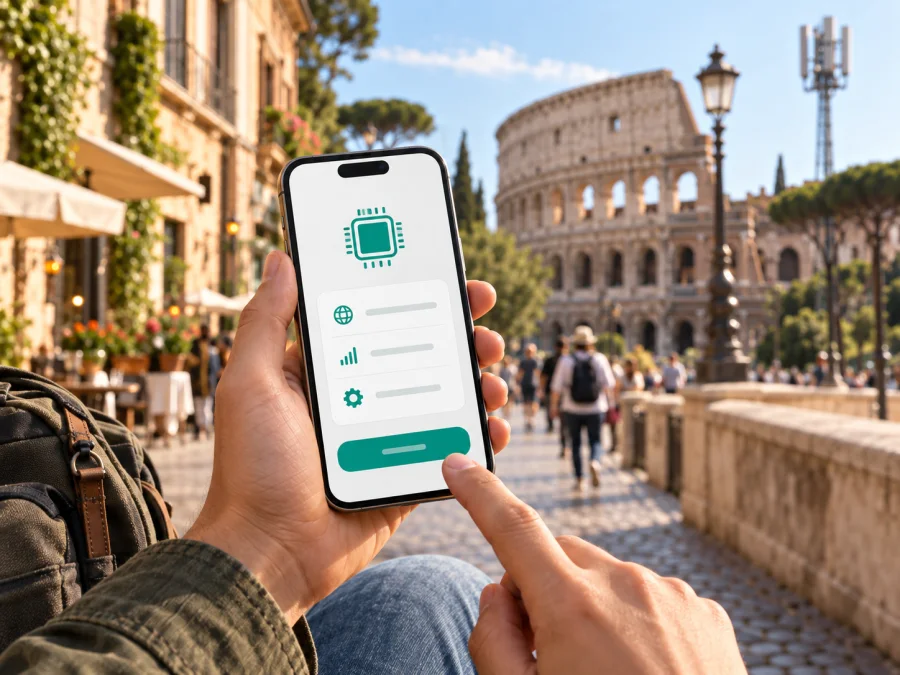
Wind Tre eSIM in Italy: activation, coverage and travel options
If you are travelling to Italy and want mobile service without replacing a physical SIM card, Wind Tre eSIM is one local option to investigate. An eSIM is a digital SIM profile stored in a compatible device. It can provide the same type of mobile service as a physical SIM when the relevant Wind Tre service is active, but the practical steps, identity process and eligibility rules depend on the current offer and the phone you use.
This guide explains what current public information confirms about Wind Tre eSIM in Italy, how activation works, what a visitor should check, and how a local operator eSIM differs from a travel eSIM. Conditions can change, so verify the latest terms with Wind Tre before ordering or visiting a shop.
Wind Tre and Kaspersky eSIM Store are not affiliated. Kaspersky eSIM Store is an app and website for choosing, ordering and activating an eSIM plan for mobile internet during a foreign trip. It is not Wind Tre, does not own Wind Tre’s network and does not provide the operator’s local voice service.
What Wind Tre eSIM means for a trip to Italy
Wind Tre is an Italian mobile operator serving the domestic market. For a traveller, its eSIM is the digital form of a local mobile line: the profile is downloaded to the phone instead of being delivered as a removable card. Depending on the selected service, a local line may be relevant when you need an Italian number or operator-managed voice and messaging functions. Those functions are not automatic for every eSIM product, so read the current conditions before purchase.
The operator’s public eSIM information describes a protected profile downloaded after the customer scans a QR code received by email. It says the eSIM identifies the customer profile on the Wind Tre network and can be purchased online or at a point of sale. This confirms current Wind Tre eSIM availability in Italy.
Wind Tre also publishes a visitor page for Italy. It describes tourist-oriented SIM options and says that an eSIM can be received through the online route, while Wind Tre shops can provide a physical SIM or assistance with eSIM activation after arrival. This confirms a general tourist pathway, but it does not remove the need to check current eligibility, identity verification and activation conditions for your own situation.
What current public pages confirm
On 20 September 2026, public Wind Tre pages confirmed online and shop eSIM routes, QR installation, tourist options and an online identity step. Its coverage tool distinguishes 4G LTE and 5G by address and warns that the outdoor map is indicative. The Kaspersky eSIM Store Italy page confirmed destination selection, QR installation and a data-only travel eSIM.
How to activate Wind Tre eSIM before departure
Starting before the flight can help if you want to arrive with a local line ready or need time to solve an identity or compatibility issue. Use the phone that you intend to carry in Italy and keep a reliable internet connection available during download.
1. Check the exact phone model
Look in mobile-network settings for an option to add an eSIM or mobile plan. Check the manufacturer’s specification for the exact model and sales region because similar phones may differ. Confirm that the phone is not locked to another operator.
2. Confirm the order route and identity step
Wind Tre’s current online guidance refers to identity recognition through video, SPID or an electronic identity card. The method accepted for a tourist can depend on the sales flow. Read the current checkout instructions or ask Wind Tre before paying.
3. Complete the QR-code installation
After the online process, the operator says that the customer receives an email with a QR code. Use the intended phone. On iPhone, look in mobile or cellular settings; on Android, the path usually includes SIM management and adding a plan with a QR code. Wind Tre says that a working camera and internet or Wi-Fi are needed for download.
4. Allow activation to finish
Wind Tre’s general eSIM information says activation can take up to 48 hours after the required data is received. Installation and activation are different events, so keep the confirmation email until the line is working.
5. Select the correct data line
When the profile appears, label it clearly. If your home SIM remains active, choose which line handles mobile data and review its roaming setting. A later travel eSIM may have different instructions; some devices require data roaming for that profile.
Activation after arrival in Italy
Buying or arranging a Wind Tre line after arrival can be practical when the online identity path is unsuitable or when you want staff to explain the current options. Wind Tre’s visitor page says that shops can provide a physical SIM or assistance with eSIM activation. Check local opening hours and bring the charged, unlocked phone you will use. Activation delays can result from an incomplete identity check, a wrong email address, a QR code scanned on the wrong phone or a profile not yet released for download.
Compatibility checks that matter
An eSIM-ready label alone is not enough. Verify the exact model and sales region, check that the phone is not carrier-locked, and confirm that it can store another mobile profile. Wind Tre’s QR flow requires a working camera and internet or Wi-Fi for download. Decide which line will handle calls, SMS and data, then test the settings on Wi-Fi. Compatibility can vary by model and market, so the manufacturer’s specification for the exact device is the final technical check. A physical SIM remains an alternative.
Coverage and supported technologies in Italy
Wind Tre’s current coverage tool lets you enter a municipality or address and inspect 4G LTE and 5G. The operator notes that its map describes outdoor coverage and local indoor reception can differ. A map view is not a guarantee inside a hotel, station, museum or underground site.
For 5G, Wind Tre says that a compatible 5G device, an enabled service and local coverage are needed. A phone may fall back to 4G LTE. If there is no service, check the profile, selected data line, airplane mode, network selection and activation status before judging coverage.
Italy includes cities, rail routes, islands, mountains and buildings with different radio conditions. Use the operator’s map for the places you will visit and treat it as indicative.
Local Wind Tre service or a travel eSIM?
The choice depends on the function you need and how much local preparation you want. A local Wind Tre eSIM may suit a trip that calls for an Italian operator line or local support. A travel eSIM may be simpler when the goal is mobile data and online preparation before arrival. Kaspersky eSIM Store’s current Italy page describes an app-and-website flow for choosing, ordering, installing and managing a data-only eSIM. It does not provide a separate phone number or ordinary calls and SMS.
Consider whether you need a local number, can complete Wind Tre’s identity flow, need data immediately after landing, and can manage two active lines. The distinction is functional, not universal. If you need a local operator relationship, ask Wind Tre; for a short data-first visit, a travel eSIM may reduce local sign-up steps.
When you want to review a travel-data route for the destination, you can choose an eSIM plan for Italy. This is a Kaspersky eSIM Store destination page, not a Wind Tre account page. Before ordering, read the current conditions, confirm that Italy is covered and check device requirements.
Preparing a travel eSIM with Kaspersky eSIM Store
Kaspersky eSIM Store is an app and website that helps you choose, order and activate an eSIM plan for mobile internet in a foreign trip. It is not an operator, network owner or mobile-internet provider. The underlying service is supplied through local telecommunications providers according to the product conditions.
The general flow is:
- Check that the phone supports eSIM and is not carrier-locked.
- Select Italy and review the current plan conditions.
- Complete the order in the website or app.
- Open the profile and follow the installation instructions, or use the confirmation email and QR code.
- Set the new eSIM as the mobile-data line when you want to use it.
The current page says the eSIM is data-only, so do not expect a new number, ordinary calls or SMS unless the selected product explicitly says otherwise. Some devices require data roaming for the travel profile. The page also says an activated travel eSIM cannot be transferred to another device; Wind Tre’s own transfer help does not automatically apply to it.
Traveller checklist
Before leaving, keep a record of the exact phone model, unlocked status, activation email, QR code or in-app path, selected data line and support channel. Prepare a backup way to access maps, reservations and important contacts.
Do not install an eSIM on a borrowed phone just to test it. Some profiles are tied to the first device. If a QR code fails, check internet access, camera focus, the intended device and whether the code has already been used.
Troubleshooting
The QR code will not scan
Increase screen brightness, clean the camera lens and hold the phone steady. If the code is on the same phone, display the email on another screen or use a manual option if offered.
The profile installed but there is no service
Check airplane mode, the enabled line and the selected mobile-data line. Restart the phone, allow activation time and check the coverage map. If activation is incomplete, contact support instead of deleting the profile.
5G is not shown
Confirm that the phone supports 5G, the selected service allows it and the location is covered. 4G LTE may be the expected fallback. The missing 5G icon alone does not prove an eSIM fault.
A travel eSIM has no data
For a Kaspersky eSIM Store profile, verify that it is selected for mobile data, that its data-roaming setting follows the instructions and that the home SIM is not the data line. Check that the profile is active for Italy and that the phone has a signal. Change one setting at a time.
You need to change phones
Follow the specific provider’s instructions. Wind Tre describes transfer options for its own eSIM, while the Kaspersky eSIM Store Italy page says an activated travel eSIM cannot be transferred. Ask support before erasing a profile.
Frequently asked questions
Is Wind Tre eSIM available in Italy?
Yes. Wind Tre’s current public eSIM information confirms online and point-of-sale routes, with activation and QR-code installation instructions. Check the exact customer conditions before purchase.
Can a visitor get a Wind Tre eSIM?
Wind Tre publishes tourist information for visitors to Italy and says that tourist-oriented options can be obtained online with eSIM delivery or with shop assistance. Eligibility can depend on identification and the sales channel, so verify it with Wind Tre.
Do I need a special phone?
You need a compatible, unlocked device with eSIM support. Compatibility varies by model and market, so check the manufacturer and Wind Tre. A physical SIM remains an alternative.
Does Wind Tre eSIM work with 4G and 5G?
Wind Tre’s public information says compatible mobile service supports 4G and 5G subject to device, service and coverage. Use the operator’s map for a specific location.
Will it give me an Italian phone number?
That depends on the local service. A local operator eSIM can be associated with a local line, but do not infer functions from the word “eSIM” alone. Confirm whether it includes a number and voice or messaging capability.
Is Kaspersky eSIM Store the same as Wind Tre eSIM?
No. Kaspersky eSIM Store is a separate app and website for choosing, ordering and activating a travel eSIM for mobile internet. It is not Wind Tre or an operator network. Its current Italy information describes a data-only profile without a separate phone number, ordinary calls or SMS.
Can I keep my home SIM active?
Usually, a compatible dual-SIM phone can keep a home SIM and an eSIM profile installed, but active-line options vary. Select the data line and review roaming settings for the home SIM.
What if activation is delayed?
Check the order status, email address, identity step, internet connection and device compatibility. Wind Tre says activation can take up to 48 hours after the required data is received. If the process has not completed, contact support instead of repeatedly deleting the profile.
Final checklist before travelling to Italy
- Confirm the exact phone supports eSIM and is unlocked.
- Decide whether you need a local number or data-only internet.
- Review Wind Tre’s current eligibility and identity requirements.
- Check the coverage map for the places you will visit.
- Install the profile on the correct phone and keep the confirmation email.
- Set the data line, review roaming settings and keep support details.
- Remember that a travel eSIM is not automatically a voice-and-SMS replacement.
Conclusion
Wind Tre eSIM in Italy is a confirmed local option with online and shop-based routes, QR-code installation and support for compatible devices. A visitor must consider the identity process, the need for a local number and the time required for activation.
A local Wind Tre eSIM may fit a trip that calls for an Italian operator line and local service relationship. A travel eSIM may fit a data-first visit where online preparation is convenient. Kaspersky eSIM Store can help you choose and activate a travel eSIM for mobile internet, but it is not Wind Tre, does not own the local network and should not be described as the operator. Check the latest conditions, compatibility and coverage for the places you will visit.


