Travel connectivity guide
WOM eSIM in Chile: activation and travel checks
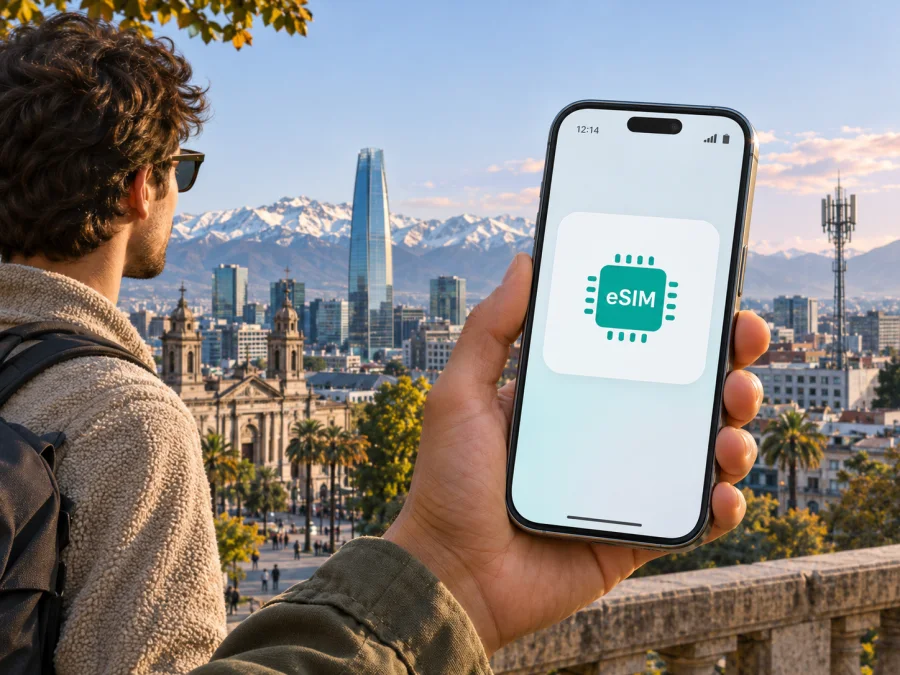
WOM eSIM in Chile: activation, coverage and travel checks
WOM eSIM in Chile may suit a traveller who wants a local mobile line and has a compatible, unlocked phone. WOM’s current public guidance describes eSIM ordering, QR-based profile delivery and a device compatibility check. Its help centre also explains how an existing customer can request a SIM-to-eSIM change. These pages confirm that WOM offers eSIM, including a prepaid eSIM route, but they do not guarantee that every visitor, account type or regional phone variant will qualify.
This guide explains what WOM documents publicly and what to verify before travelling. It focuses on eSIM, registration, activation and coverage rather than specific offers. WOM’s Chilean website and Help Centre pages cited below were checked on 4 November 2026. Conditions and device lists can change, so confirm your own eligibility with the operator before relying on a line for arrival-day access.
WOM service and eSIM availability
WOM is a mobile network operator serving customers in Chile. Its Chilean website presents mobile and prepaid services, device support and a mobile coverage map. A local WOM line and a travel eSIM serve different purposes. A WOM line creates a customer relationship with the local operator and may be relevant if you need a local number or are already a WOM customer. A travel eSIM is arranged for temporary connectivity abroad and may be suitable when mobile data is the main requirement. Their account rules, setup, phone-number availability and included services are not interchangeable.
WOM’s Help Centre article “How do I activate the eSIM?” says that if the device is compatible, the activation QR is sent by email. The profile is downloaded after scanning the code, and an internet connection is needed; WOM recommends Wi-Fi. Its prepaid eSIM ordering guidance describes an online flow with a device compatibility check, current email details, QR delivery and identity verification. WOM’s public prepaid pages also show an eSIM purchase option. These are operator-specific pathways, not proof that every visitor or prepaid account can use eSIM on the same terms.
An existing customer may follow another route. WOM’s “How can I switch to an eSIM?” Help Centre page says customers should check that their device is compatible and request the conversion at a WOM branch or store. Before converting, ask what happens to the physical SIM and current line, how long service could be interrupted, and how a replacement QR is issued if you change phones. WOM warns users to keep the activation QR private because scanning it can activate the eSIM on a compatible device. Do not forward or publish it.
The public guidance reviewed does not describe a dedicated tourist eSIM product or guarantee that a visitor can complete every step remotely. A QR-based process may be convenient, but ordering, identity validation, payment acceptance, QR delivery and customer support are separate matters. Before departure, ask WOM whether a non-resident can register with their travel document, whether an application can be completed before arrival, and whether the QR can be delivered while you are abroad. If WOM cannot confirm this for your situation, make a separate plan for getting online after landing.
Visitor registration and identity checks
WOM’s eSIM ordering guidance mentions identity verification but does not provide a universal visitor checklist in the information reviewed. Its prepaid activation guidance discusses identity validation for customers using foreign documents. That general prepaid information should not be treated as a guarantee that the same process or document route applies to every eSIM order. Confirm which documents WOM accepts for the exact service you plan to use, and whether it requires a local address, local payment method or existing account.
The process may differ depending on whether you are applying for a new line, porting a number, using a prepaid option, converting an existing WOM SIM or replacing a profile. Use WOM’s current website or a WOM store to confirm the route for your case. If you visit a store, check its current location and opening hours first. If you order online, use contact details you can access while travelling, keep the accepted identity document available and follow the operator’s official instructions. Do not send identity documents or QR codes through unofficial channels.
A visitor’s eligibility and a handset’s regional variant are separate issues. Phones with similar marketing names may use different hardware, SIM arrangements or software depending on where they were sold. A compatibility result for one country version does not prove that another version supports eSIM or will be accepted by WOM. Find the exact model identifier, including any regional suffix, and check it against WOM’s current list. Also make sure the device is not locked to the carrier that sold it.
Check device compatibility before you buy
An eSIM-capable device needs compatible hardware and software, and the exact variant matters. Some models sold under one family name differ by market. A phone may also have a carrier lock or regional restrictions. WOM says it checks compatibility during its online eSIM process and provides a device list. Use those operator-specific checks rather than assuming that a brand name, release year or a similar model is enough.
Before ordering or converting a line:
- Find the exact model or product code in the phone settings, on the box or in the manufacturer’s account page. Keep the regional suffix or variant identifier.
- Check that identifier in WOM’s current eSIM compatibility information. If the listing is missing or unclear, ask WOM before paying or switching your active SIM.
- Confirm the handset is unlocked and its operating system supports the device maker’s eSIM setup flow.
- If you want to keep a home SIM active, check that your exact phone supports the combination of SIMs you plan to use. Dual-SIM behaviour differs by model and region.
- Make sure you can connect to the internet during profile download. WOM recommends Wi-Fi for activation.
- Ensure you can access the email containing the QR. If the QR is on the phone you are activating, arrange another trusted screen or follow WOM’s recommended installation method.
For general device preparation, see the eSIM compatibility guide. Compatibility with eSIM technology does not guarantee that WOM will accept a particular device or account. If your precise variant is absent from the operator’s list, ask WOM to confirm it. If the phone is locked or does not support eSIM, consider asking your home carrier about unlocking, using a compatible spare phone or arranging another available connection option.
How WOM eSIM activation works
WOM’s public instructions describe QR-based profile download. The exact steps in your order may change, so follow the operator’s current instructions. A typical sequence based on its published guidance is:
- Confirm your route. Tell WOM whether you need a new line, a prepaid service, number porting or conversion of an existing SIM. Ask about visitor eligibility and identity documents.
- Check the exact phone variant. Use WOM’s compatibility list and complete any device check in the order flow. Do not infer support from another variant with a similar name.
- Complete the official order and identity steps. Provide a working email address and use the verification process reached from WOM’s own service.
- Prepare internet access. WOM says the device needs an internet connection to download the profile and recommends Wi-Fi. Do not remove a working SIM or disable another connection until you have a reliable way to get online.
- Open the QR on a separate screen if possible. WOM suggests opening the email on another device or using a screenshot so the phone can scan the code. Keep the QR secure.
- Scan the QR and follow the phone prompt. Review the eSIM label and selected line before confirming, especially if you already use more than one SIM.
- Set data and roaming deliberately. Choose which line handles mobile data, calls and messages. To avoid accidental charges, turn off data roaming on your home SIM unless your home provider has told you otherwise.
- Test before relying on the line. Check that the profile is installed, the account is active and the services you need work. If activation fails, contact WOM before deleting the profile or repeatedly scanning the QR.
Installing a profile and activating an account are related but distinct. A downloaded profile does not prove that identity review is complete or that all requested services are active. Keep the order confirmation and instructions. If you change phones or lose a QR, ask WOM how to replace or transfer the profile; do not assume a QR can be reused.
Coverage and network technology
WOM’s mobile coverage page provides an operator map and describes its displayed mobile coverage as 3G and 4G. It warns that actual coverage can vary according to the phone, buildings, terrain and atmospheric conditions. The map is outdoor coverage; indoor service depends in part on the structure of the building. WOM also publishes information about 5G and directs customers to check availability by address or through its 5G coverage map. These tools help check specific locations, but they are not a guarantee of reception at every point on a journey.
Coverage is local. A result for a city centre does not predict service inside a hotel, underground transport, a mountain route, a remote road or a building with thick walls. Chile has a varied geography and long travel routes, so check the places on your itinerary instead of relying on a general country-level description. Before excursions or drives, save offline maps and essential booking details. If connectivity is important for safety, plan another way to reach help and tell someone your route.
The phone’s radio hardware and supported bands also matter. WOM’s guidance says connection depends on local coverage and device compatibility, and it offers tools for checking network compatibility by device identifier. A phone can support eSIM yet lack the network bands or features needed for the connection available at a particular destination. Check the exact hardware version and ask WOM about support for the locations you intend to visit. A 4G or 5G label on a map is not a promise of a particular speed or indoor signal.
If service does not appear after setup, make sure the intended line is enabled and selected for mobile data. Check that airplane mode is off, move to another location and restart the phone or briefly toggle airplane mode. Then compare your location with WOM’s current map and contact its official support if needed. Account activation, device settings, compatibility and local coverage can each affect connection; deleting the eSIM may make diagnosis harder.
Local WOM line or travel eSIM?
A local WOM eSIM may fit someone who wants a Chilean mobile line, needs an operator account or is an existing customer moving away from a physical SIM, provided they meet WOM’s requirements. The service’s number, calls, messaging, data and other terms depend on the current offer and account. Check those terms directly with WOM; this guide does not list or compare individual plans.
A travel eSIM is a separate option when mobile data during a trip is the main need and a new Chilean number is not essential. Depending on the product and phone, it may be possible to arrange the connection before departure and retain a home SIM for calls or verification messages. Read the current terms: do not assume that every travel eSIM includes a phone number, regular calls or SMS. Coverage partners, activation rules and supported destinations depend on the selected product. A travel eSIM is not a replacement for a local operator account where a Chilean number or local registration is required.
Kaspersky eSIM Store is an app and website for choosing, purchasing and activating an eSIM with a plan for mobile internet while travelling abroad. It is not a Chilean operator, does not own WOM’s network and does not itself provide mobile access. Its travel eSIM is a separate connectivity option; check the product details to understand its included services and network partner. It may suit a traveller arranging data for Chile without applying for a WOM line, while WOM may suit a traveller who specifically needs a local line and meets the operator’s rules.
If you want to check the current travel eSIM availability for this destination, browse eSIM options for Chile. This page is for checking Kaspersky eSIM Store travel options; it does not list WOM services or guarantee a specific network at every location. Check your device compatibility and the current product terms before purchase.
This is a practical distinction, not a ranking. The right choice depends on your trip, phone, registration eligibility and the current service terms. Some travellers use one line for data and keep another available, but the exact device must support that SIM combination. Set the data line deliberately and check roaming settings before use.
Frequently asked questions
Does WOM offer eSIM in Chile?
Yes. WOM’s current Chilean website and Help Centre describe eSIM ordering, QR activation and compatibility checks, including a prepaid route. Eligibility depends on the account, device and current terms.
Can a tourist get a WOM eSIM?
WOM’s public information reviewed here does not guarantee universal tourist eligibility. Ask whether your travel document is accepted for the exact eSIM route and whether you can complete registration before arrival.
How do I activate it?
WOM says a compatible customer receives a QR by email. Scan it, follow the phone prompt and use an internet connection to download the profile; WOM recommends Wi-Fi. Keep the code private and follow any additional identity or account steps.
Is Kaspersky eSIM Store the same as WOM?
No. Kaspersky eSIM Store is an app and website for choosing and activating a travel eSIM for mobile internet abroad. It is not WOM and does not provide a WOM account or guarantee a Chilean number, calls or SMS.
Key takeaways
WOM currently documents eSIM ordering in Chile, QR-based profile download and device compatibility checks; its public prepaid information includes an eSIM route. Existing customers may need to request conversion at a WOM store. For visitors, confirm identity-document acceptance, remote sign-up eligibility, the exact phone variant and activation timing directly with WOM before travel.
Check the operator’s current compatibility information and coverage map for each location on your itinerary. Remember that outdoor coverage does not guarantee indoor reception. If you mainly need mobile data and not a local number, a travel eSIM may be another option; read its current terms and do not assume it is equivalent to a WOM line. Choose based on your device, trip and eligibility, and test the connection before you depend on it.
WOM is a trademark of its respective owner. Kaspersky eSIM Store is not affiliated with, sponsored by or endorsed by WOM. Operator services, eligibility, device lists, activation procedures and coverage information may change; confirm current details with WOM before ordering or travelling. Coverage statements in this guide reflect WOM’s “Mobile Coverage” page and separate 5G coverage information; eSIM statements reflect its Help Centre articles “How do I activate the eSIM?”, WOM’s prepaid eSIM ordering guidance and “How can I switch to an eSIM?”, plus its public prepaid guidance. These pages were checked on 4 November 2026. WOM’s map is informational, and the operator notes that actual coverage may vary by device and local conditions.


