Travel connectivity guide
WOM eSIM in Colombia: what travellers should check
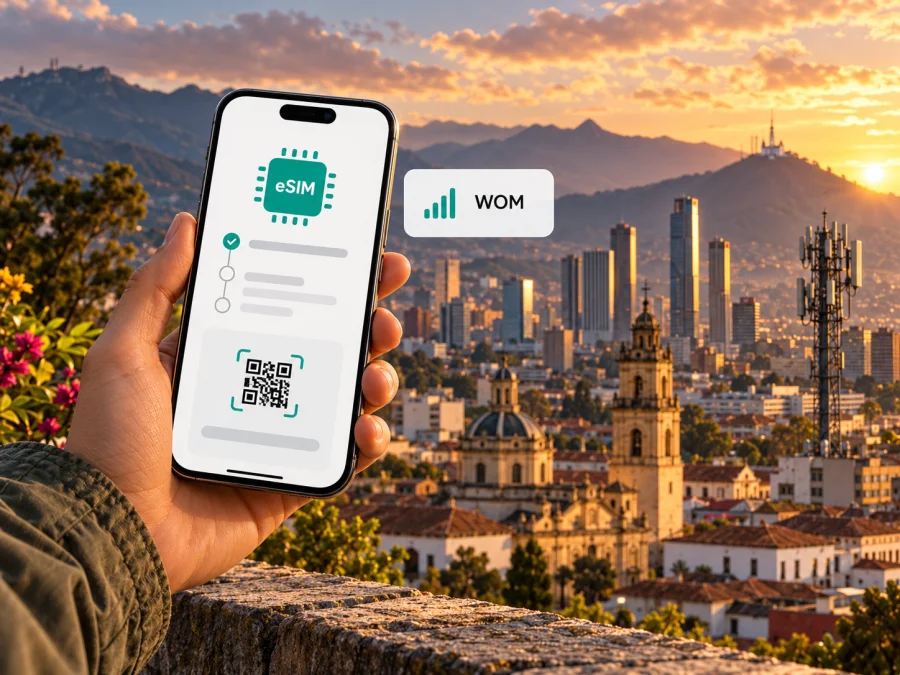
WOM eSIM in Colombia: what travellers should check
If you are travelling to Colombia and considering a WOM eSIM, the first useful distinction is between a local WOM mobile line and a travel eSIM for data. WOM publishes an eSIM activation process for its Colombian service. That process is designed around a compatible device, contact with WOM sales or a selected store, and a QR code sent by email. It does not by itself confirm that every visitor, device variant, or prepaid account can activate an eSIM in the same way. Check the current terms with WOM before you travel, especially if you need a Colombian number or want to keep your existing number.
WOM is one of Colombia’s mobile network operators. The Communications Regulation Commission (CRC) lists WOM among the country’s mobile network operators on its “ABC sobre medición de la calidad” page, checked on 2 November 2026. That classification helps explain why a WOM eSIM is a local operator service: it is intended to connect a WOM line to mobile service in Colombia, subject to the account, device, and coverage conditions that apply to the line.
This guide explains what WOM’s published information confirms, what remains important to ask before purchase, and how to plan mobile data for a visit. It does not list or compare individual mobile plans. WOM and its related marks belong to their respective rights holders. Kaspersky eSIM Store is not affiliated with, endorsed by, or an official partner of WOM.
Is WOM eSIM available in Colombia?
Yes. WOM Colombia’s eSIM terms, published in September 2025 and checked on 2 November 2026, describe eSIM as a digital version of a physical SIM and set out a way to activate it. The document says a customer needs a device that supports eSIM, should contact WOM’s sales line or visit one of the selected stores, follow an adviser’s instructions, connect to a stable internet connection (Wi-Fi is recommended for scanning the QR code), and scan the code sent by email.
The public document confirms that WOM offers eSIM for service in Colombia. It does not establish every possible sales channel, eligibility rule, or account type for a traveller. In particular, a page describing a current activation route is not a promise that a tourist can complete the whole process remotely, that the process is available outside Colombia, or that every prepaid or visitor offer can be provisioned as an eSIM. Ask WOM which account types and customer categories are eligible now, whether identity or registration steps apply, and whether the QR code can be issued before arrival.
A local eSIM can be useful if your trip calls for a local mobile line and you are able to complete the operator’s onboarding requirements. It may suit a longer stay, a visit involving local calls, or a traveller who wants their Colombian line to be managed directly with WOM. It is a different choice from a data-only travel eSIM, which is normally considered for internet access while keeping a primary number on another line. Decide which outcome matters before choosing a service.
What WOM’s public eSIM information says
| Topic | What the public information confirms | What to check for your trip |
|---|---|---|
| Service | WOM eSIM is described as a digital SIM for WOM Colombia service. | Whether your intended account type and customer status qualify. |
| Activation route | Contact WOM sales or go to a selected store, then follow adviser instructions. | Which channel is currently available and whether you must be in Colombia. |
| QR delivery | WOM says the QR code is sent by email. | Which email address receives it and whether it is issued before or after account setup. |
| Connection needed | A stable internet connection is required for QR installation; WOM recommends Wi-Fi. | Keep another internet connection available while adding the profile. |
| Device eligibility | The device must support eSIM; WOM publishes examples of supported models. | Confirm the exact model, regional version, software and carrier-lock status. |
This table summarizes the steps described by WOM’s eSIM terms; it is not a substitute for WOM’s latest instructions. Do not rely only on a model-family name or a generic online compatibility list. eSIM support can vary between regional versions of a phone, and a carrier-locked device may not accept a profile from another service. Confirm your specific device and account with WOM before paying or travelling to a store.
Prepaid, tourist and visitor eligibility
WOM’s available eSIM terms describe the activation process, but the current document does not clearly set out a separate tourist eSIM product or explain every prepaid eligibility condition. Earlier terms may contain different conditions, and older information should not be treated as proof of today’s rules. If you want prepaid service, ask WOM directly whether a new prepaid line can be issued as an eSIM, whether an existing physical SIM can be changed, and whether a visitor can register with the documents they will have in Colombia.
Do not assume that the word “prepaid” guarantees eSIM availability. A provider can set different processes for new customers, existing subscribers, number transfers and SIM replacements. The eSIM profile is the digital form of the SIM; it does not remove any account registration, identity verification, payment, or in-person steps the operator requires. WOM’s sales staff can confirm the current process for your case.
The same caution applies to tourist offers. The public eSIM terms reviewed here do not identify a special tourism-only service. If you encounter a travel or visitor promotion, check its eligibility, registration steps, supported device types, included services and conditions with WOM before relying on it. This article intentionally avoids naming plans or publishing plan-specific prices and allowances, which can change and are best checked directly with the operator.
How WOM eSIM activation works
WOM’s published sequence is straightforward in outline: prepare a compatible phone, arrange the eSIM through the sales channel or a selected store, follow the adviser’s instructions, and install the emailed QR profile while connected to the internet. The practical details depend on your device and the current WOM process. Allow time for identity checks, account setup and troubleshooting rather than leaving activation until you need maps or transport immediately.
Before you contact WOM
- Check eSIM support on the exact device. Confirm the manufacturer’s specifications for the precise regional model, not just the marketing name. If you have a dual-SIM phone, confirm how many profiles it can store and how many lines it can use at the same time.
- Check that the phone is unlocked. A device restriction imposed by the original carrier can prevent another operator’s eSIM from being added. Ask the seller or your existing carrier if you are unsure.
- Update the phone software. Install available system updates before starting the activation. Menu names and eSIM settings vary across manufacturers and software versions.
- Ask WOM about eligibility and documents. Verify the current route for a visitor or a new customer, accepted identity documents, account type, and whether a selected store visit is required.
- Keep a second internet connection available. WOM’s terms call for stable internet during QR installation and recommend Wi-Fi. Do not remove your existing SIM or disconnect from Wi-Fi until the new profile has been installed and checked.
At the point of activation
- Use a current WOM sales channel. Contact the sales team or confirm the location and eSIM service at a selected store before setting out. Store availability can change.
- Follow the adviser’s account instructions. The adviser can confirm the steps that apply to your line. Avoid using a QR code sent for another account or device.
- Open the eSIM settings on your phone. In the mobile or cellular settings, choose the option to add a SIM or mobile plan. The wording differs by operating system and manufacturer.
- Scan the QR code from WOM. Use the code sent to your email and follow the on-screen prompts. If the phone asks you to choose a label, use a clear name such as “WOM Colombia” so you can recognize the profile later.
- Keep the device online until installation finishes. A profile may take a short time to download and register. Do not repeatedly scan the same code or delete the profile if the setup pauses; first check WOM’s instructions or contact support.
- Choose which line handles mobile data. If you keep another SIM active, review the default voice, messaging and mobile-data lines. Select the intended line for each function and check the roaming settings that WOM specifies.
- Test before relying on it. Once WOM confirms that the line is active, restart the phone if needed and check that it can register and access the services included in your account. If anything fails, record the exact message and contact WOM while you still have Wi-Fi.
An activation QR code is usually a one-time setup credential. Treat it as private and follow WOM’s instructions about using it; do not share it publicly or assume it can be reused after it has been installed. If you replace your phone, delete a profile, or reset the device, ask WOM how to move or reissue the eSIM before taking action. A profile’s recovery process is operator-specific.
Device menus at a glance
Menu labels may differ by operating system version. On iPhone, look in Settings → Cellular or Mobile Service → Add eSIM. On Android, open Settings → Network & internet, Connections, or the manufacturer’s equivalent, then look for SIMs, Mobile network, or Add eSIM. Use these as navigation cues only; the exact steps displayed by the phone and WOM should take priority.
If you are also preparing a separate travel eSIM, you can check device compatibility. Confirm which profile should use mobile data and whether data roaming needs to be enabled for that profile. The local WOM line and a travel eSIM may have separate settings, billing arrangements and coverage. A setting changed for one profile does not necessarily apply to the other.
Coverage and mobile technologies
Coverage is location- and technology-specific. A phone can support eSIM and still fail to connect in a particular place because of signal conditions, device-band support, account status or local network availability. Check the actual cities and routes on your itinerary rather than treating a national map as a guarantee for an individual building or road.
WOM’s January 2026 postpaid terms identify its 4G LTE network and list radio bands that customer devices need to support. They also note that service depends on coverage and compatible equipment. This matters for an imported phone: eSIM support alone is not enough if the handset lacks compatible radio support or current manufacturer software.
The Colombian Communications Regulation Commission (CRC) provides interactive DaTIC maps that can be filtered by operator, technology, signal level, department and municipality. In an announcement dated 15 December 2025, the CRC said its available map data was updated through Q4 2024 and noted regional differences in coverage. These reported data do not guarantee indoor reception or future service. Check WOM’s own coverage information and the regulator’s map for your destinations, and recheck before departure. The CRC’s classification of WOM as a mobile network operator is not a ranking of user experience.
WOM eSIM or a travel eSIM?
A local operator eSIM and a travel eSIM can meet different needs. A WOM eSIM is a digital SIM for WOM Colombia service and follows WOM’s account and activation process. A travel eSIM is selected for a destination or route and is commonly used for mobile data while the traveller keeps a primary number on another line. Choose according to whether you need a local line, how long you will stay, where you will go and which registration steps you can complete.
| Your priority | What to consider |
|---|---|
| A Colombian line | Ask WOM about visitor eligibility, registration, functions and activation. |
| Travel data | Check destination, allowance, validity, activation and support conditions. |
| Several active lines | Check device support and set voice, messaging and data preferences. |
| Several countries | Verify that the service applies at each destination. |
Kaspersky eSIM Store is an app and website that helps travellers choose, arrange and activate an eSIM with a plan for mobile internet abroad. It is not a mobile operator, network owner or connectivity provider. Its Colombia destination page, checked on 2 November 2026, presents data options delivered by local telecommunications providers but does not identify WOM as the network behind every option. Do not assume that a Kaspersky eSIM Store plan uses WOM specifically; review the destination and plan conditions in the store.
For a data-only travel option, see the eSIM options for Colombia. Check device compatibility and lock status, destination, activation timing and usage conditions. If you need a local number, ordinary calls or SMS, confirm those needs separately: a data-only travel eSIM is not a replacement for every function of a local operator line.
Practical checklist for a Colombia trip
Before departure or a WOM store visit:
- Confirm exact handset eSIM support, regional variant, radio-band compatibility and unlocked status.
- Ask WOM about visitor eligibility, documents, account type, prepaid availability and any in-person steps.
- Confirm the current activation route, selected-store availability and QR delivery method.
- Keep internet access available while installing the profile; do not remove your existing SIM before testing.
- Check coverage by operator and technology for your cities and routes.
- Decide which line handles data, calls and messages; review roaming settings for each profile.
- Save account details and current support information in case activation fails.
A successful connection in the arrival city does not guarantee service along every route. Keep offline maps and booking details as backups.
Troubleshooting WOM eSIM
The phone cannot add the plan. Check regional model support, carrier lock and software updates. Ask WOM to confirm the profile and QR code are valid for this device; do not delete an installed profile as a first step.
The QR code will not scan. Increase screen brightness and open the full-size image. Use manual details only if WOM provides them, and ask for help before reusing an old code.
The profile installed but there is no service or data. Confirm the eSIM is enabled and selected for the function you are testing. Ask WOM to check activation, review its APN or roaming instructions, and check coverage at your location. Record any error message.
You are converting a SIM or changing phones. Ask WOM how the existing number and profile will be handled. Keep the old SIM until activation is confirmed; do not reset or delete a profile before getting instructions.
You also use a travel eSIM. Label profiles clearly and check mobile-data selection. Enable roaming only as directed for the intended profile. Your home carrier may charge for data used on its line.
Frequently asked questions
Can a traveller activate WOM eSIM before arriving?
WOM confirms sales contact or selected-store activation and QR delivery by email, but the published terms do not promise remote activation for every visitor. Ask whether your account can be created and the profile issued before arrival, and check what documents a store requires.
Is WOM eSIM available on prepaid?
The current eSIM information reviewed here does not clearly specify every prepaid eligibility condition. Confirm with WOM whether a new prepaid line, an existing account or a SIM replacement can use eSIM now. Older terms are not current confirmation.
Does WOM offer a tourist-only eSIM?
The public eSIM terms reviewed do not identify a separate tourist product. Ask WOM about current visitor options, registration and included services before planning around one.
Will a phone bought abroad work with WOM?
It may, if it is unlocked, supports eSIM in that regional variant and supports the network technology and bands required for the service. WOM’s list of example devices does not guarantee every model version. Check the model code with the manufacturer and operator.
A sensible way to choose
Start with the outcome you need. If you want a Colombian line and can complete WOM’s registration process, confirm visitor eligibility, device compatibility, account services and the activation route with WOM. If your main need is mobile data for travel and you do not need a local number, a travel eSIM may be another option. Check its Colombia coverage and conditions rather than assuming it connects through WOM.
WOM’s terms describe an activation route for its Colombian service, while visitor eligibility, prepaid rules and device variants need confirmation. Use coverage maps to check planned locations, remembering they cannot guarantee reception everywhere. An unlocked phone, internet during setup and a tested profile make preparation more predictable.
If a travel-data option fits your needs, review eSIM options for Colombia and check compatibility before proceeding. Kaspersky eSIM Store helps you choose and activate an eSIM for internet during an overseas trip; it is not affiliated with WOM and does not operate Colombia’s mobile networks.


