Travel connectivity guide
Woodlands eSIM: Mobile Internet in Montserrat
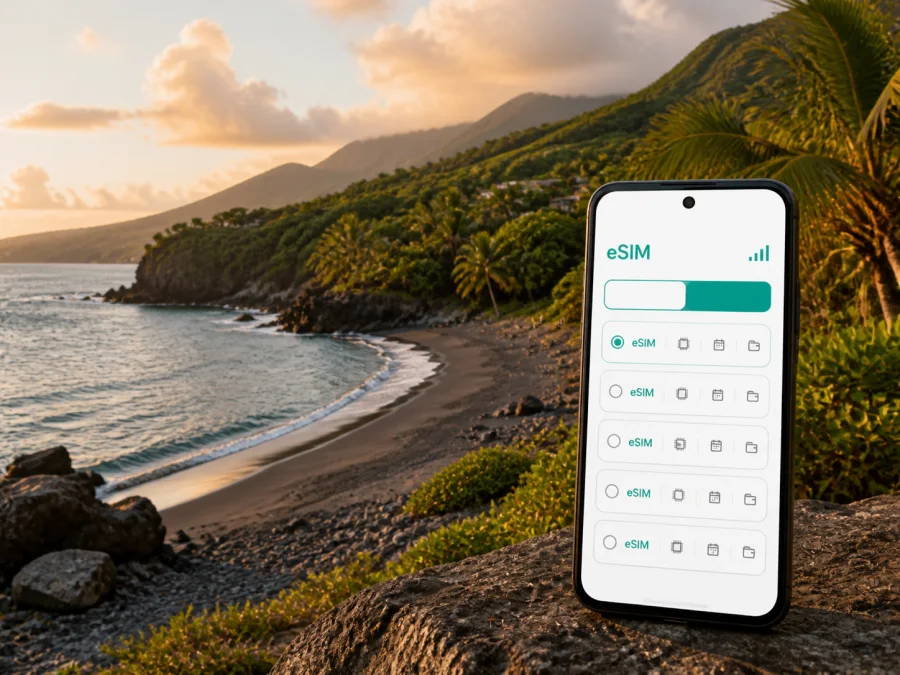
Woodlands eSIM: mobile connection and internet in Montserrat
Woodlands is a quiet west-coast base in Montserrat, known for its beach, green hills and access to the road network linking the island’s northern communities. The pace is relaxed, but practical moments still depend on mobile internet: confirming an arrival transfer, finding a rental, checking a route to the shore, messaging a host or arranging a taxi after a swim.
An eSIM, or digital SIM, can help you prepare that connection without removing your everyday physical SIM card. Kaspersky eSIM Store is an app and website where you can choose, arrange and activate an eSIM with a suitable prepaid data plan for an overseas trip. The destination, data allowance and validity period depend on the option you select, so start by matching the plan to the way you will use Woodlands and the rest of Montserrat.
Woodlands at a glance
Woodlands is not a dense resort district. It is a low-key residential and coastal area where accommodation, hillside roads and access to Woodlands Beach shape the daily rhythm. Planning is therefore less about moving between city stations and more about keeping directions, messages and booking details available while travelling between beaches, villages, the airport and the ferry terminal.
| Travel need in Woodlands | Why mobile internet helps |
|---|---|
| Meeting a driver after arrival | Keep transfer details and messages available. |
| Finding a stay or beach | Use a map and the host’s directions on unfamiliar roads. |
| Driving around Montserrat | Check routes, turns and changes to the day’s plan. |
| Working or taking a day trip | Stay reachable away from accommodation Wi-Fi. |
Download known information in advance, then use mobile data for live directions, messages, transport coordination and changes to your itinerary. That keeps the connection useful without spending the allowance on unnecessary background activity.
Arriving in Montserrat and continuing to Woodlands
Woodlands does not have its own international airport. Travellers commonly reach Montserrat through Antigua, then continue by a short flight or ferry. The Montserrat Tourism Authority describes the flight from Antigua as about 20 minutes and the ferry journey as at least 90 minutes; schedules and operating conditions can change, so confirm current details before you travel.
By air, you arrive at John A. Osborne Airport in Gerald’s. By sea, you arrive at Little Bay. If your accommodation is in Woodlands, the onward journey still needs planning. Keep the property address, host’s contact details and transfer arrangement accessible as soon as you leave the terminal. A pre-arranged taxi is especially useful with luggage, a late arrival or equipment for work and outdoor activities.
Your first-hour checklist
- Save the full Woodlands address and the host’s telephone number.
- Keep the transfer confirmation available offline.
- Confirm whether the driver meets you at the airport or Little Bay.
- Check which line is selected for data after landing.
- Open the route while you have a reliable connection.
- Keep your everyday SIM available for calls or messages, while avoiding accidental data roaming on that line.
Getting around from Woodlands
Montserrat is an island with one main road connecting its communities, and traffic lights are not part of the normal driving experience. Vehicles drive on the left. Visitor guidance describes buses as colourful minibuses that can be hailed along the main road rather than treated like a city service with one universal timetable. Fares, routes, waiting times and off-route charges should be confirmed locally because they can change.
For a stay in Woodlands, use this simple transport plan:
- Arrange the arrival transfer. Ask your accommodation whether it can help book a taxi from the airport or ferry terminal.
- Use a taxi for a planned outing. This suits a beach visit, a guided experience or an evening return.
- Consider a bus for a flexible daytime journey. Keep time in reserve and confirm where to wait.
- Rent a car for a wider itinerary. Check the current visitor-licence process, driving conditions and rental terms before booking.
Navigation is useful when an address is given by a local landmark, drive name or nearby settlement rather than a large hotel sign. Use the map as an aid, not as a substitute for the host’s instructions. Before leaving, open the route, note the destination and send an expected arrival time to the person meeting you. Arrange the return before your battery is low.
Woodlands Beach: a connected day without overplanning
Woodlands Beach is on Montserrat’s west coast. It has a pavilion, shaded seating, tables and practical facilities, and the setting is used for picnics, barbecues and small gatherings. The reef can suit swimming and snorkelling, but the water may be rough at times. There are no lifeguards on the island’s beaches, so follow local guidance and judge conditions conservatively.
Mobile data is most useful here for practical tasks:
- messaging your driver before you leave the water;
- coordinating a meeting point with your group;
- checking the next stop on an island route;
- asking your accommodation a question;
- responding if sea conditions change your plans.
Start with a charged, protected phone and save the return arrangement before you go down to the shore. Photos can be uploaded later; a short message or map request should have priority. Woodlands Beach is also associated with sea-turtle nesting between May and December. Treat that as a reason to follow local instructions and leave wildlife undisturbed, not as a promise that turtles will be visible.
Where to stay and how to choose a plan
Woodlands accommodation is generally offered through apartments, guesthouses, vacation rentals and villas rather than large chain properties. Some places are close to the beach or main road; others are on a hillside and rely on a car or taxi. Before confirming a stay, check the exact location, parking, Wi-Fi details, power arrangements, facilities and how a driver should find the entrance.
| Stay pattern | What to consider |
|---|---|
| Beach-focused weekend | Navigation, messages and ride coordination may be the main uses. |
| Villa or apartment | Check Wi-Fi, then allow data for arrival, errands and outings. |
| Remote-work visit | Estimate video calls and file transfers; review hotspot support. |
| Island road trip | Allow for navigation, bookings, messages and stops outside Woodlands. |
Do not choose a plan by the city search term alone. The relevant destination is Montserrat, while the right allowance depends on your route and habits. A traveller using offline maps and messages may need less data than someone joining video calls, uploading photos or using a hotspot. Review the current destination, allowance, validity, activation conditions and top-up terms before payment.
When you are ready, you can choose an eSIM plan for a trip to Montserrat after checking the details that fit your Woodlands itinerary.
Check your device before travelling
An eSIM works only when the device supports eSIM and is not blocked by a mobile operator. Compatibility can vary between models and regional versions, so check the phone’s settings and documentation before payment. A second phone should be checked separately rather than assumed to have the same capabilities.
Before choosing a plan, confirm:
- the phone or tablet supports eSIM;
- the device is unlocked for another mobile profile;
- you can connect to the internet during installation;
- you know where the QR code or activation details will appear;
- the validity and activation conditions suit your trip;
- you have enough battery for the setup.
If you are uncertain, check your device compatibility before purchase. A compatible model may still need an unlock, a software update or a particular setting.
How to install and activate an eSIM for Woodlands
Install the profile before departure when you have a stable connection, unless the plan’s conditions make installation after arrival more suitable. Installation and mobile-data use are separate: you can prepare the eSIM and choose later when to make it the data line.
1. Check the plan and device
Verify the destination, allowance, validity and activation conditions. Confirm eSIM support and the absence of an operator lock. Keep your everyday SIM in place if you need its number.
2. Add the eSIM profile
Open mobile-network or cellular settings and choose the option for adding an eSIM or mobile plan. Use the QR code or activation details shown in your Kaspersky eSIM Store profile or purchase message. If the code is on the same phone, use manual entry or display it on another screen.
3. Label the lines
Give the travel profile a clear label such as “Montserrat travel”. This helps you distinguish it from your everyday line when selecting mobile data.
4. Choose the data line
When you are ready to use the plan, select the travel eSIM for mobile data. Turn off automatic data switching if your phone offers that option and you want tighter control over which line uses data.
5. Review roaming and test
Some eSIM plans require data roaming for the travel profile. Follow the selected plan’s conditions and ensure roaming is not enabled accidentally on your everyday line. After activation, open a small webpage or send a message. If the profile does not connect immediately, check the data line, wait a few minutes and follow the plan instructions. Use the Android installation instructions or the iOS installation instructions for a device-specific walkthrough.
If you wait until arrival, keep the QR code and purchase details offline. You will still need a temporary internet connection to download the profile, so pre-installation is often more convenient when the plan allows it.
Manage data during a Woodlands stay
Use mobile data for maps, messages and transport coordination. Save addresses and bookings offline; use accommodation Wi-Fi for large downloads when appropriate, remembering that offline maps may not show changes.
Before outings, save meeting points, monitor the eSIM balance and charge the phone. A hotspot can use data and battery quickly, so estimate work calls and file transfers separately.
Practical Woodlands scenarios
Beach and dinner day
Start with a charged phone, water and a return arrangement. Use data for messages, directions and coordination rather than leaving every app active. Confirm the ride back before the beach day is over.
Workday in a rental
Test the accommodation Wi-Fi before an important call. Keep the travel eSIM ready as a data option, review hotspot settings and avoid large automatic backups. Keep the phone charged and accessible for messages from colleagues, your host or driver.
Island day trip
Plan Woodlands together with stops in Salem, Brades or Little Bay. The right combination of bus, taxi, rental car and guided tour depends on the day’s purpose. Use mobile internet for navigation and coordination, and verify access conditions for volcano-related attractions or the former capital before setting out.
If the eSIM does not connect
Work through these checks in order:
- confirm that the travel eSIM is switched on;
- confirm that it is selected for mobile data;
- check whether its conditions require data roaming;
- make sure automatic switching is not using your everyday line;
- restart the phone if the device instructions recommend it;
- move to a clearer-signal location and wait a few minutes;
- check the validity and remaining balance.
Do not delete a profile simply because it fails to connect. Depending on the conditions, it may not be recoverable after removal. If checks do not help, contact support with your device model, order details and the steps already tried.
Frequently asked questions
Is Woodlands a good base for a connected trip?
Yes, if your plans centre on a quiet west-coast stay, Woodlands Beach and trips around Montserrat. Arrange arrival transport and keep accommodation directions accessible.
Does an eSIM include a phone number?
Usually not. The plan is intended for mobile internet; ordinary calls and SMS are excluded unless its terms say otherwise. Internet-based messaging apps may be used where appropriate.
Can I keep my normal SIM active?
Often yes when the phone supports dual-SIM use. Select the travel eSIM for data and review the everyday line’s settings to avoid unintended roaming charges.
What should I check before buying?
Check compatibility, operator unlocking, destination, allowance, validity, activation conditions, top-up terms and whether data roaming is required. If an item is unclear, ask support before payment.
Final preparation checklist
Before departure, confirm that:
- your Woodlands address and arrival transfer are saved;
- the airport or ferry itinerary is current;
- your device supports eSIM and is not operator-locked;
- the Montserrat plan matches the length and style of your trip;
- the QR code or activation details are accessible;
- your everyday line will not use data unintentionally;
- maps, bookings and contacts are available offline;
- your phone can be charged during travel days.
Woodlands rewards a simple, flexible approach. Prepare the important information, choose data for the real route and leave room for the slower pace of an island journey. Kaspersky eSIM Store can help you choose and activate an eSIM plan for an overseas trip, so you can arrive in Montserrat ready to navigate, message and organise your time in Woodlands. Choose an eSIM plan for Montserrat before departure or when your travel plan makes sense.


